Deeplabcut: Error training network
Your Operating system and DeepLabCut version
Linux Mint 19.1 Anaconda environment. DeepLabCut 2.0.5. GTX 1070 Ti.
Describe the problem
Code runs no problem until training, which starts but gets the following error (not always at the same iteration number):
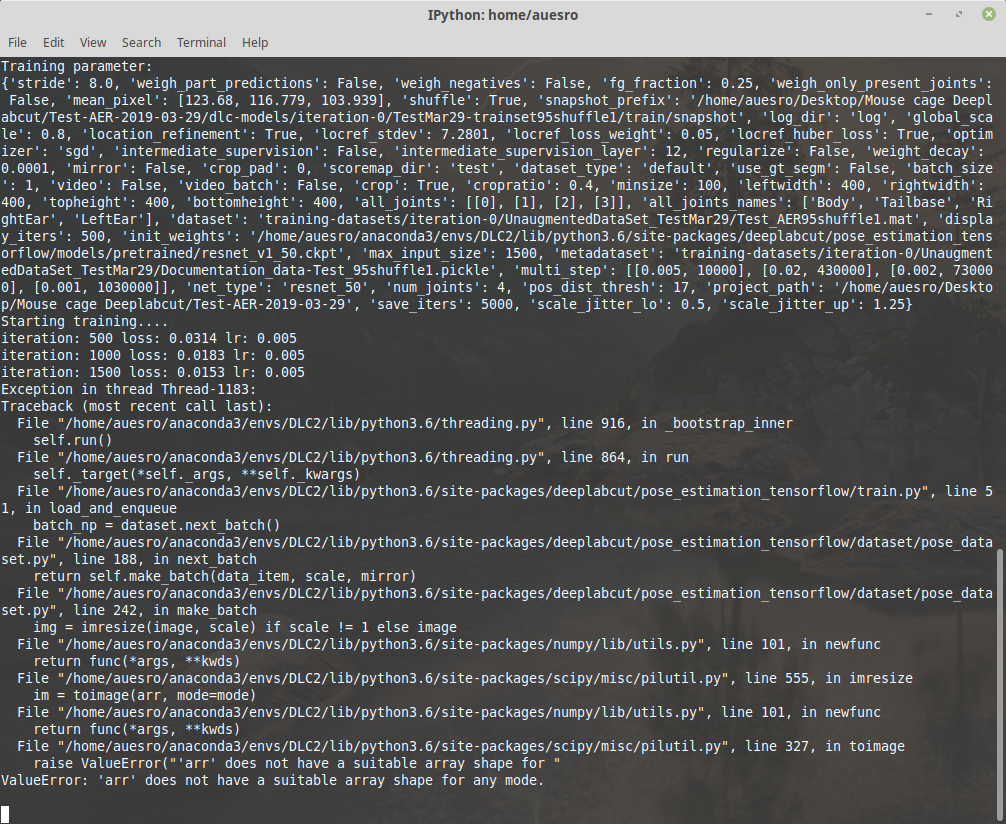
Any ideas how to solve it?
 auesro
All 20 comments
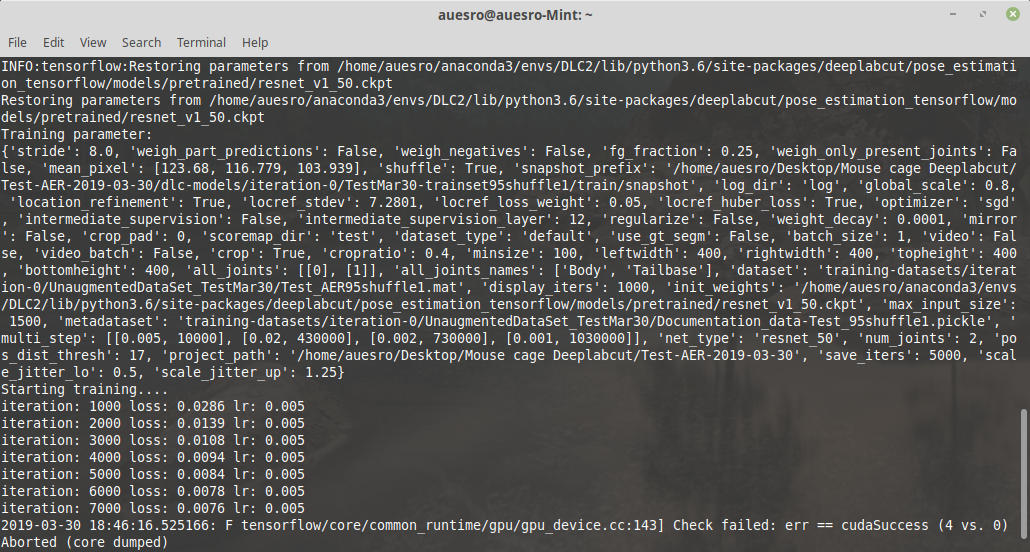
Different type of error this time:
auesro
on 30 Mar 2019
Could you tell me your image size, and tensorflow version?
 MMathisLab
on 30 Mar 2019
MMathisLab
on 30 Mar 2019
Of course:
640x360 px
Tensorflow = 1.8.0
auesro
on 30 Mar 2019
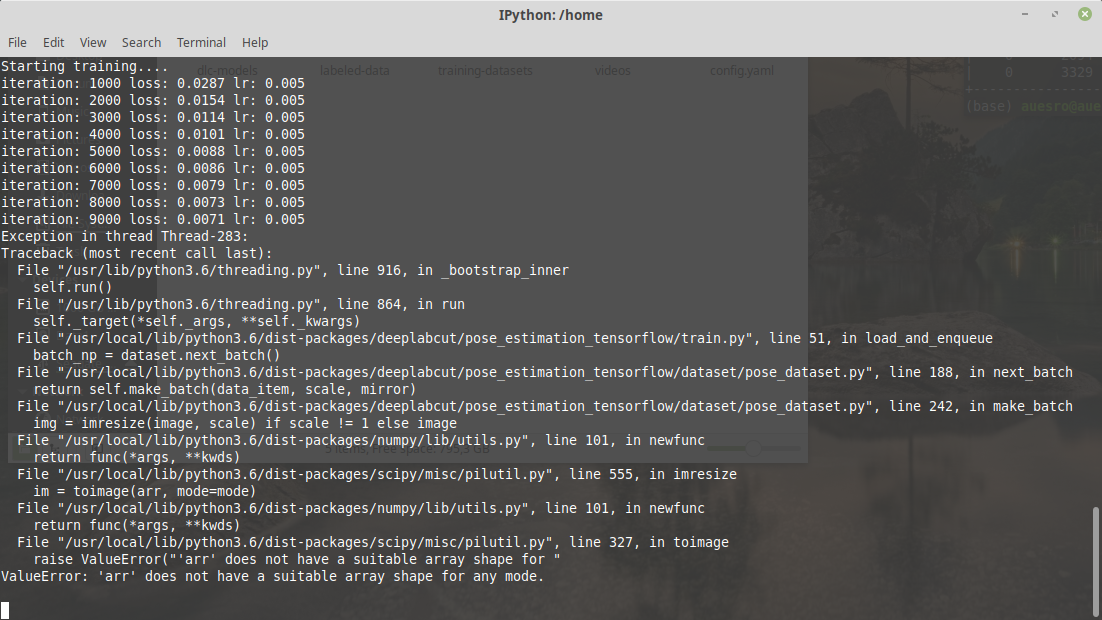
It happens both outside and inside the docker. This time just happened inside the docker (1 minute ago):
auesro
on 30 Mar 2019
It seems when exactly the error happens during training is random, which suggests that whenever one (or mulitple specific images) come up there is an error... See e.g. https://github.com/karpathy/neuraltalk2/issues/4
My guess is that there is a corrupt image... I would check them!
 AlexEMG
on 31 Mar 2019
AlexEMG
on 31 Mar 2019
Its possible.
Extract_frames function reports it cannot find one frame in 3 out of the 5 videos provided (it goes through the videos anyway). Also the framerate reported is not correct (1000 fps vs the real 30 fps). However, the 89 images used for training were labelled with no issues with label_frames function, if one of them was corrupted shouldnt it cause problems at that moment?
Running check_labels generates all the images with the labels correctly placed.
The images coming from different videos are different size (due to cropping I set) but I guess thats ok and the code can handle it, right?
The videos were recorded in mp4 with a commercial logitech webcam so they are nothing special.
What else could I check for?
auesro
on 31 Mar 2019
I see - perhaps OpenCV has problems with them, which is very rare. There is also another video package in use that you could invoke by using: extract_frames(config,mode='automatic',algo='kmeans',crop=False,userfeedback=True,cluster_step=1,cluster_resizewidth=30,cluster_color=False,opencv=False)
Perhaps then frames are extracted? I know your problem is actually analyzing the videos, but obviously if the frames cannot be loaded correctly then that is a more basic problem.
For now, let's see if the nonopencv version works?
AlexEMG
on 31 Mar 2019
Done with the extraction using:
deeplabcut.extract_frames(config_path,mode='automatic',algo='uniform',crop=False,userfeedback=True,cluster_step=1,cluster_resizewidth=30,cluster_color=False,opencv=False)
Only changed the algorithm to be uniform (the one I used also before) for consistency reasons.
No frame errors found so far. I will go ahead with the label_frames and report back.
auesro
on 31 Mar 2019
I see that means that moviepy can load your videos fine.... However, the analysis code is only developed for OpenCV, which in general is much more robust than moviepy. [there have only been a handful of cases like yours when a video worked for moviepy but not opencv].
I guess, the best way to fix this for you would be to convert them to a different video codec prior to analysis?
AlexEMG
on 31 Mar 2019
I see.
Actually, is OpenCV also the responsible to read and show the images in the labeling GUI? Cause look:
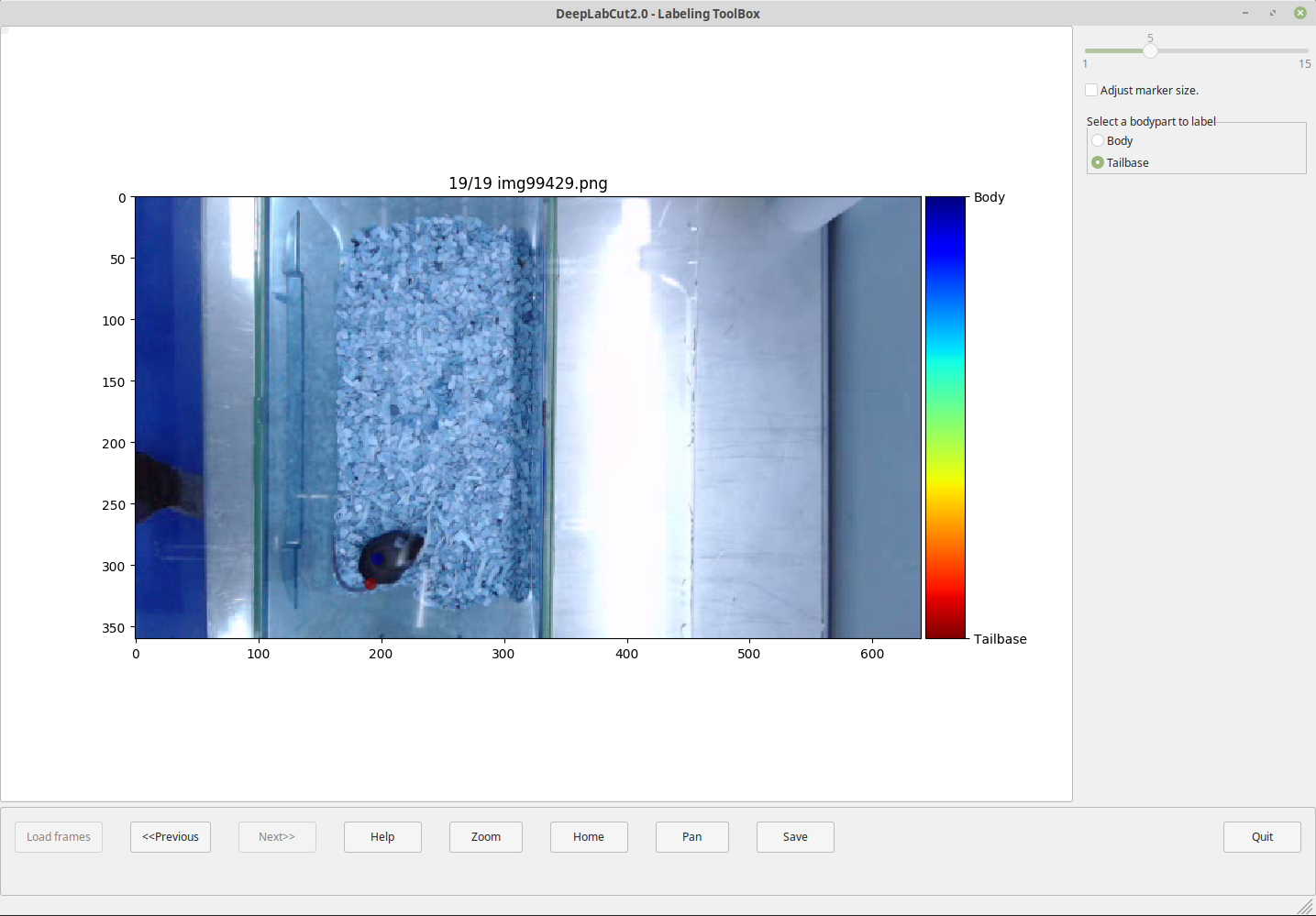
Thats how the frame looks like in the GUI but this is how it actually looks like:
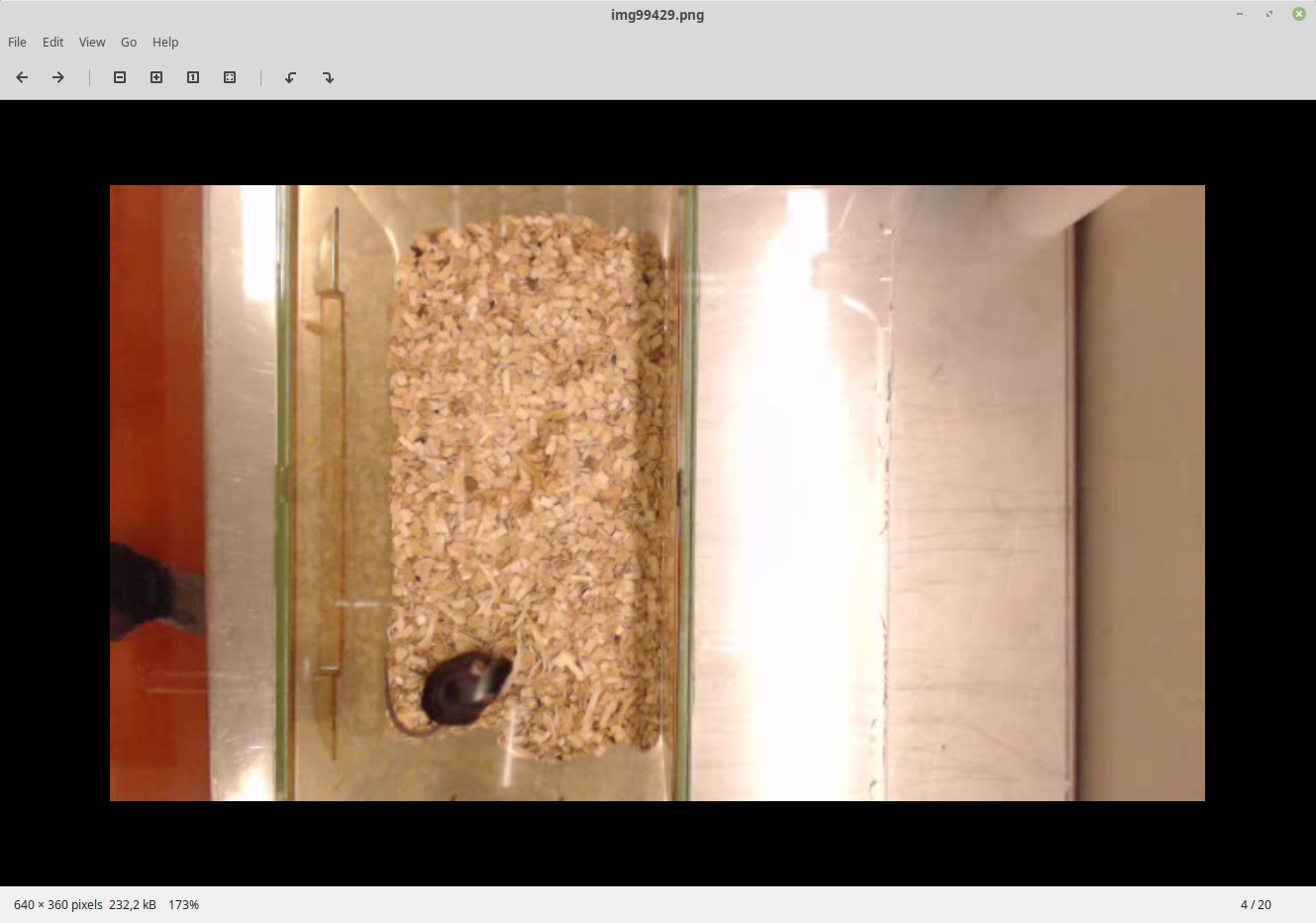
So color interpretation is also way off.
Any recommendation to perform the conversion quickly and efficiently (it goes without saying I have a huge bunch of videos)?And which codec I should save them to?
auesro
on 31 Mar 2019
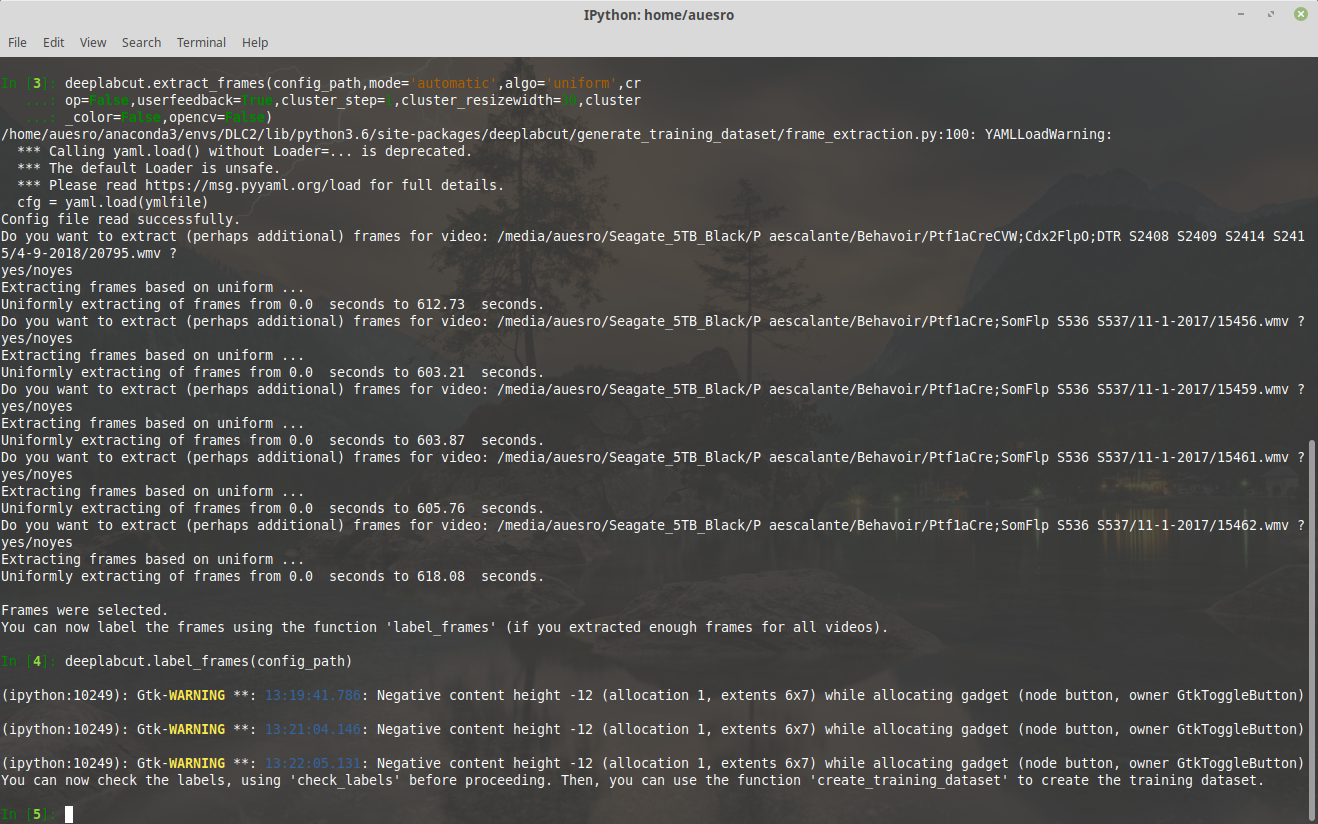
Also terminal is warning about some errors while labeling the shown images:
auesro
on 31 Mar 2019
Yes, please update to dlc 2.0.5.1 (there was a problem in the manual extraction code with color flips). For the automatic extraction the colors should be fine in GUI.
AlexEMG
on 31 Mar 2019
The images above were extracted using automatic-uniform so it might be again a video problem with OpenCV.
I digged a bit deeper: neither OpenCV nor Moviepy gets the FPS and number of frames right in those videos, which makes deeplabcut believe they are much longer than they really are. So when extract_frames is called it will try to extract frames located beyond the actual length of the video raising the "Frame X not found! warning.
However, still it does not explain why the training fails. As far as I understand the training uses only the png files in the training datasets, meaning it does not look at the videos themselves, right?
auesro
on 31 Mar 2019
Ok, as suggested re-encoded the videos to libx264 using ffmpeg (same settings you used for the biorxiv paper on inference speed and compression, crf 23). That way videos are correctly seen by OpenCV.
Ran the training on the Docker and got an even more criptic error message:
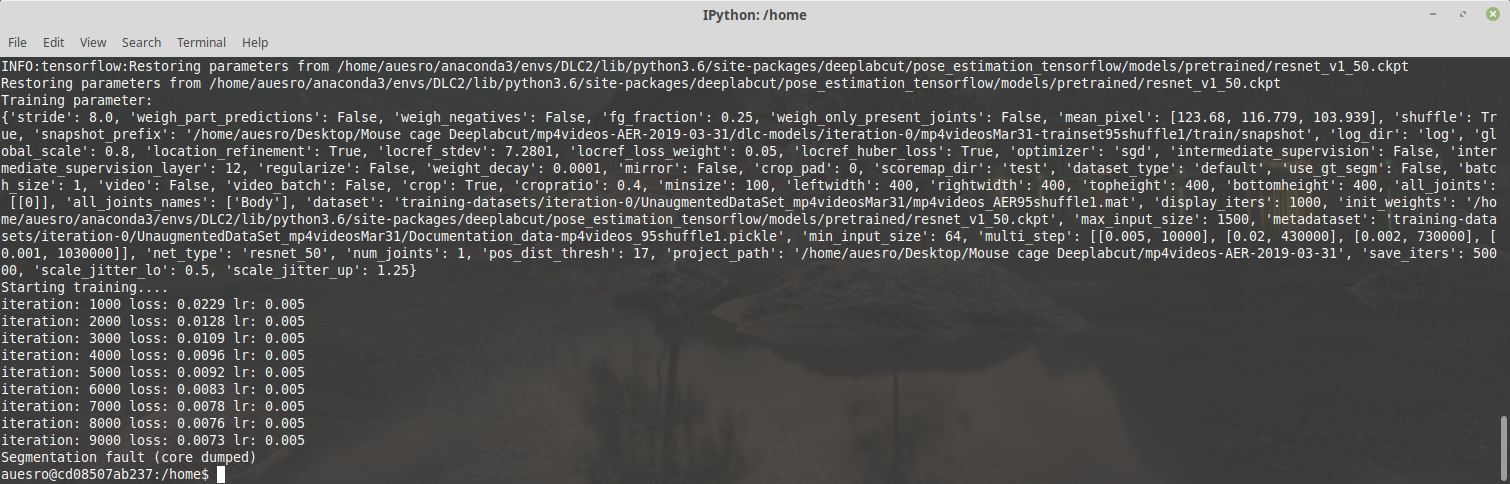
Have you seen this before?
PS: I will add something that I did not think might have any role here but just in case. My videos are located in an external USB drive...any potential problems with that?
auesro
on 1 Apr 2019
This error suggests that either something cannot be loaded or that there is a corrupt piece ofdata.
Perhaps:
a) run dlc.checklabels(....) to see that all images are good
b) perhaps the first snapshot is stored at 10k? Maybe the code does not have writing access to the USB drive?
AlexEMG
on 1 Apr 2019
Ok, final report (I hope):
-dlc.checklabels generates all the frams with the labels in place, no problem there.
-the snapshot was stored at 50k. Moreover, the videos were in an external USB drive but not the project folder, which was in the local drive.
So out of curiosity I just moved the videos to the local drive, re-linked them to the config file and started training...without a single issue until I stopped it at 101000. All the training worked perfectly, together with the evaluation, analysis and creation of videos...so my only conclusion can be that it is not a good idea to have the videos in an external drive...however I cant imagine Im the first to try to train a network using files stored somewhere else than the local drive, right? Any ideas?
auesro
on 1 Apr 2019
Yes, I regularly train on mounted drives (Ubuntu) and never experienced such problems. Perhaps you can log what happens to see more details (i.e. which files, parameters...). Was the error the same one as before, i.e. value error?
AlexEMG
on 1 Apr 2019
what does nvidia-smi say during running and at the crash point?
MMathisLab
on 6 Apr 2019
My guess is that the external USB drive (a USB-powered 5TB drive) must be the issue. I will test with other/smaller drives to find out.
Nvidia-smi says the GPU is used at 98% most of the time and the memory is allocated to the python process, even after the errors occur. Is that what you were asking for, Mackenzie?
auesro
on 7 Apr 2019
Yes, thanks! Just curious if it dumps it there or overheats, etc. but yes, I think the usb may be the issue :/ I’ll close for now but let us know if it persists/ any updates
MMathisLab
on 7 Apr 2019
Related issues
 monajalal
·
4Comments
monajalal
·
4Comments
 mschart
·
4Comments
mschart
·
4Comments
 lauritk
·
3Comments
lauritk
·
3Comments
 dusa2
·
3Comments
dusa2
·
3Comments
 guyts
·
3Comments
guyts
·
3Comments