Is your feature request related to a problem? Please describe.
Maybe I forget I use a filter. I don't get a hint it is in use.
Describe the solution you'd like
Maybe add an alarming color-background circle to the filter icon, when it is in use.
 Dubidubiduu
All 3 comments
There is a change it the opacity when a filter was set:
whithout filter:

with filter:

@nextcloud/designers Do you have a hint for me? I like it for exampe how it is done in the android deck app:

 jakobroehrl
on 11 May 2020
jakobroehrl
on 11 May 2020
Desktop:
I don't know if it is accessible, but I question it's obvious.
If I already know this filter could be activated, yeah, it's a helpful fast check. So imo this would work for heavy users. But if I just wonder why I don't see all cards this wouldn't come into my focus.
Dubidubiduu
on 11 May 2020
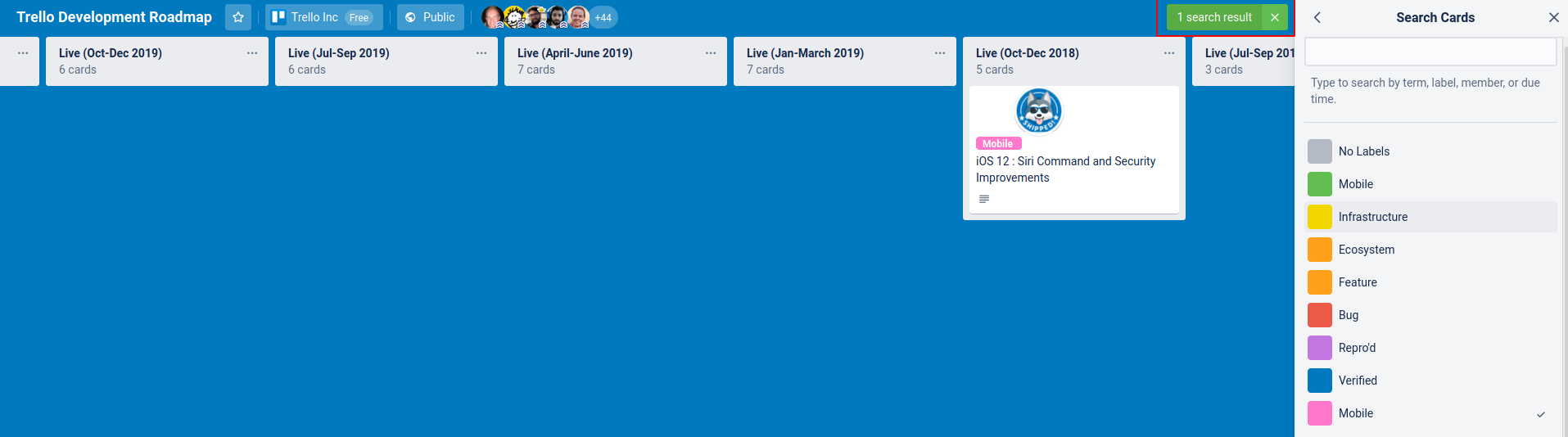
We could also show some additional context to make it clear that the current view is filtered (if space allows) like trello shows the number of results:
 juliushaertl
on 11 May 2020
juliushaertl
on 11 May 2020
Related issues
 jbonlinea
·
4Comments
juliushaertl
·
4Comments
jbonlinea
·
4Comments
juliushaertl
·
4Comments
 armaccloud
·
3Comments
Dubidubiduu
·
4Comments
armaccloud
·
3Comments
Dubidubiduu
·
4Comments
 NebriBlackwing
·
4Comments
NebriBlackwing
·
4Comments
Most helpful comment
There is a change it the opacity when a filter was set:

whithout filter:
with filter:

@nextcloud/designers Do you have a hint for me? I like it for exampe how it is done in the android deck app:
