I'm using a 3D model that has pitch, roll, and yaw inside of a Scene Graph.
I have noticed, what I think is a Gimbal Lock issue due to the Euler Angles. https://en.wikipedia.org/wiki/Gimbal_lock
I have used both the getOrientation method and the getTransformMatrix methods.
Has anyone had a similar issue?
 brswan
All 9 comments
I think is a Gimbal Lock issue due to the Euler Angles.
@brswan The standard remedy for gimbal lock is to use quaternions. See e.g. Quaternion in math.gl.
@tsherif
 ibgreen
on 14 Apr 2020
ibgreen
on 14 Apr 2020
@ibgreen Thank you. I am new to 3D programming so this is helpful. I have the roll, pitch, yaw angles in degrees. I am a little lost as to how I would do these calculations with Quaternion and deck gl.
Am I correct in thinking I need to convert the Euler angles into a Quaternion? Then perform my rotations on the quaternion? Any help or point in direction would be greatly appreciate. Thank you
brswan
on 14 Apr 2020
gimbal lock doesn't really happen in a static situation. It tends to happen when you "compose" euler angles. If you keep rotating an object by applying new Euler angles.
If you are doing this you can maintain the rotation of the object in a quaternion, and multiply that with another quaternion that represents the incremental rotation. Quaternions can e.g. be converted to matrices that can then be further multiplied to compose with other transformations.
Scenegraphs are unfortunately not an emphasized feature of deck.gl and luma.gl but there is lots of material on the internet on scenegraphs and quaternions, and as the approach really depends on how your code is structured now, maybe just google "replace euler with quaternion"?
On the other hand, if you are not actually updating rotations, you are probably not suffering from gimbal lock...
ibgreen
on 14 Apr 2020
Thank you for the information.
That does bring up a good point because I am only updating the values statically. I'm not using animations.
brswan
on 14 Apr 2020
It is possible to see gimbal lock without animation. It depends on the order in which you apply the angles. Try using the getTransformMatrix accessor and create a rotation matrix with the angles applied in a different order.
 tsherif
on 15 Apr 2020
tsherif
on 15 Apr 2020
Also can you post the code you're using to create the transform matrix and describe the phenomenon you're seeing?
tsherif
on 15 Apr 2020
The first two images appear pitch and roll are locked. I am using getTransformationMatrix here
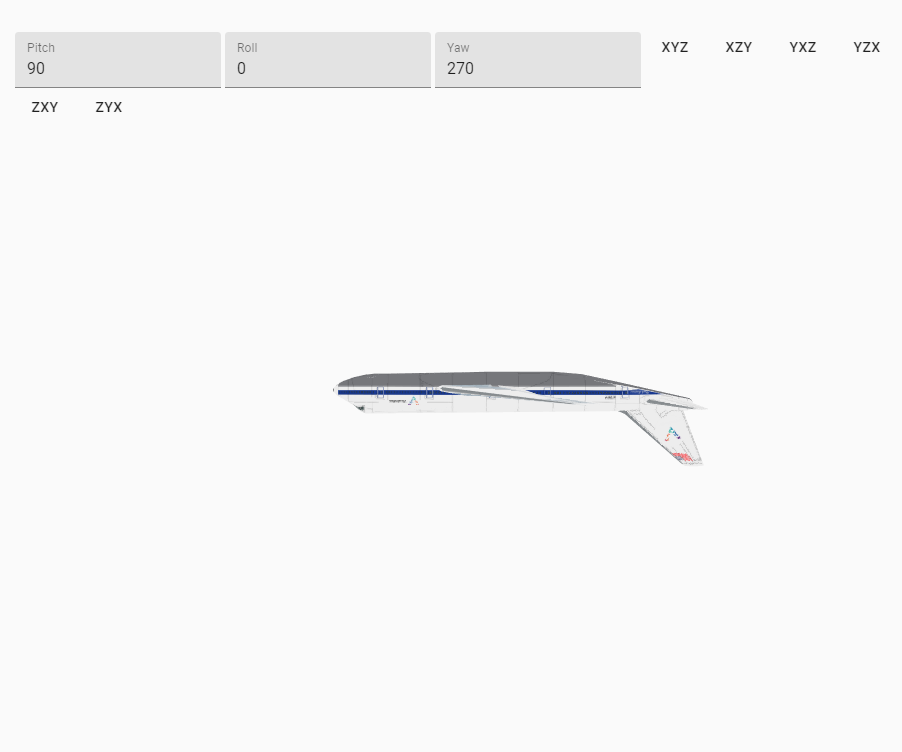
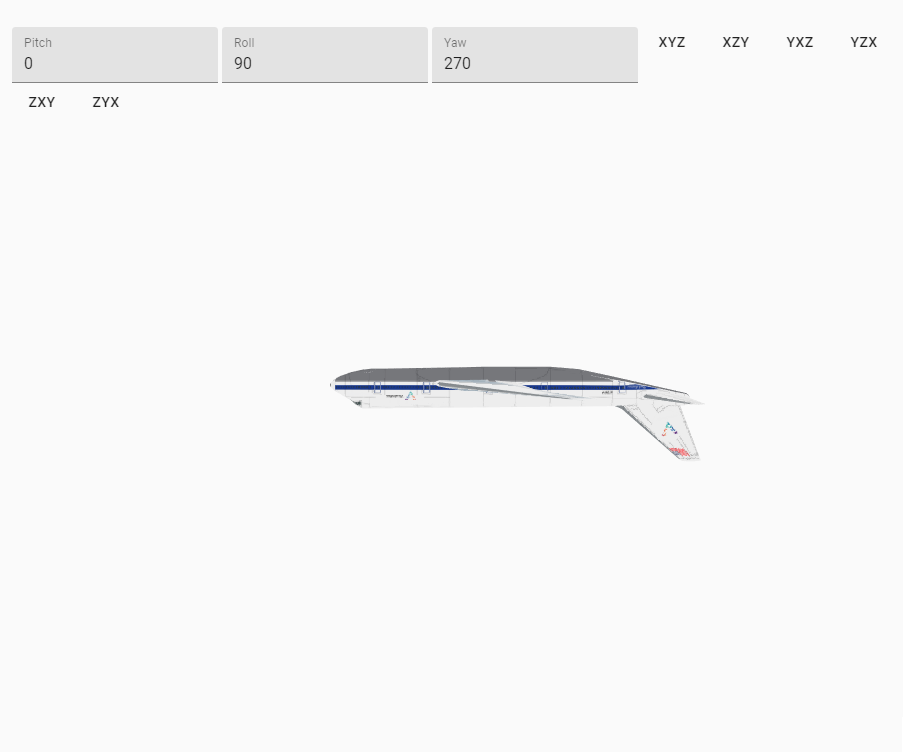
These two have the same issue. I'm using getOrientation here
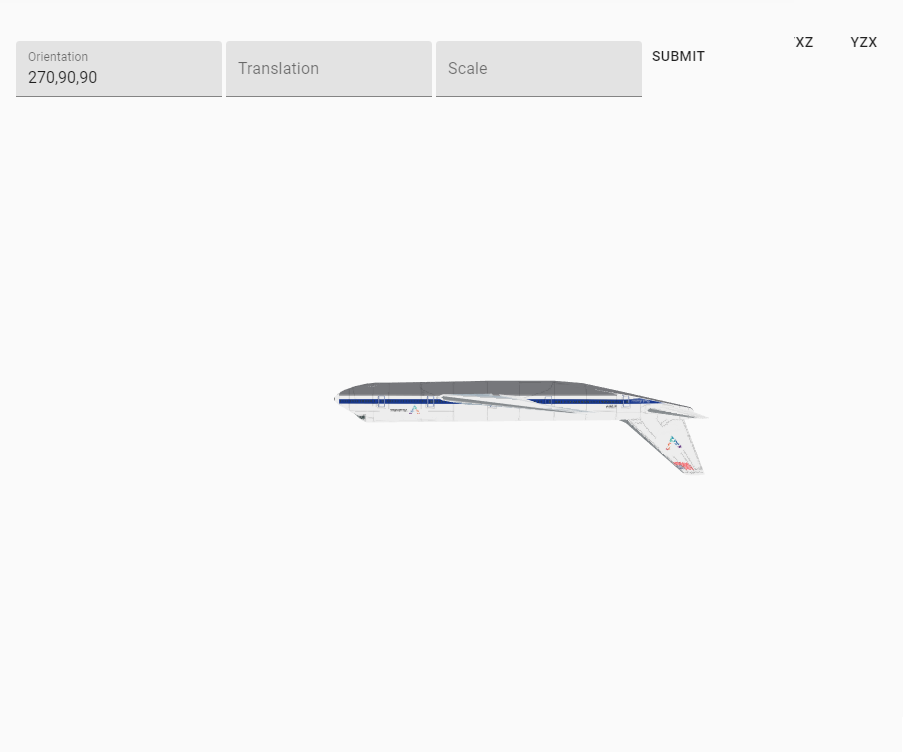
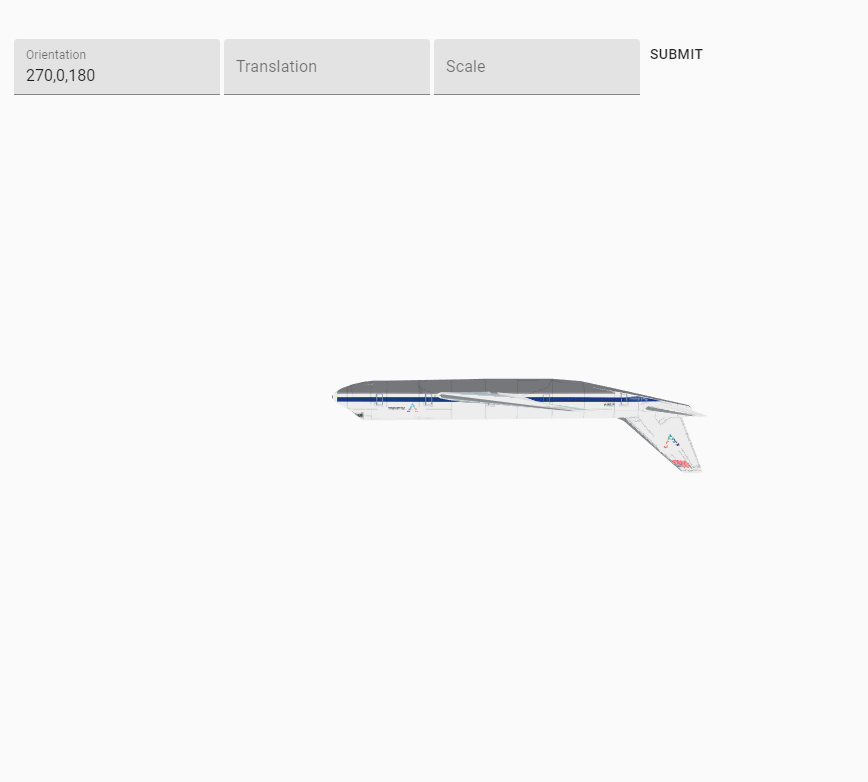
This is my actual issue. You can see the heading stays the same, But between the two position points the aircraft is looking the wrong direction. I'm using getOrientation here. getTransformation Matrix has the same issue.
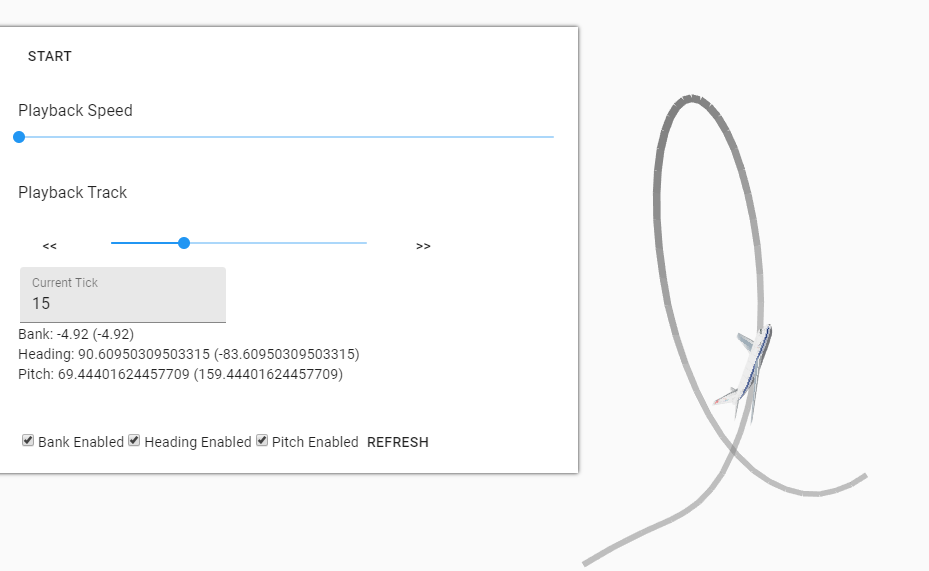
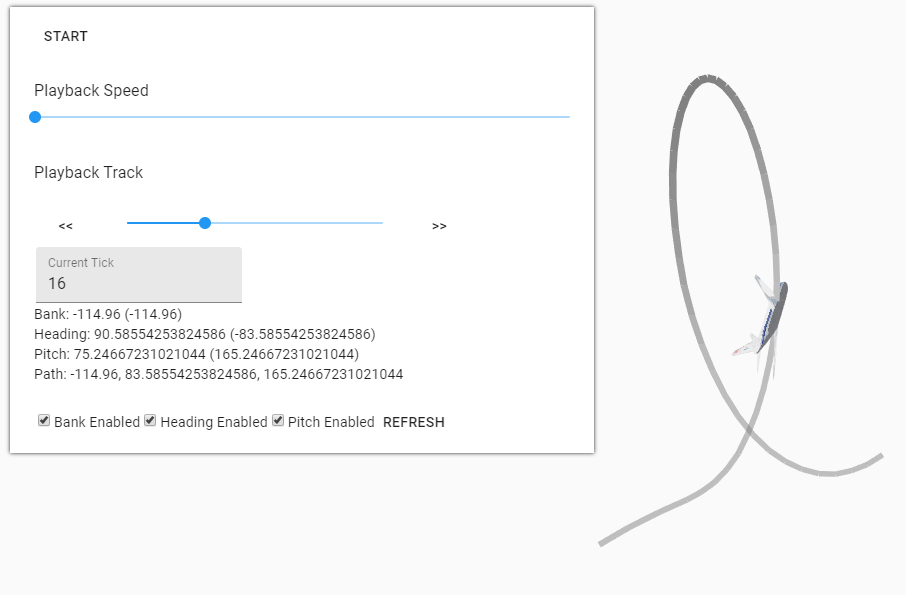
Hopefully you can install the code with npm install.
The hamburger button reveals 3 pages: Dashboard, Matrix, and Scene Graph Layer.
The dashboard show the loop that is causing me the problem. You can click through each datapoint and see the issue using the Playback Track. If you disable the bank during the loop, the loop does look better.
The Matrix page allows you to manipulate the 3d object using matrix transformations. I have a button that will perform the transformation in the order stated.
The scene graph layer is the final one. It uses Orientation. You must have it in the form of "0,0,0".
Thank you so much for you assistance with this!
Slimmed.zip
brswan
on 15 Apr 2020
I'm still stuck with this problem. Were you able to replicate this or have any potential solutions?
Thanks
@ibgreen @tsherif
brswan
on 22 Apr 2020
@brswan I do not have time to look into the detail of your example, but assuming it is a static gimbal lock situation, I would still start by trying to replace Euler angles.
You can set up a matrix and call rotateX, rotateY, rotateZ, or create a quaternion for each axis rotation and multiply them.
import {Matrix4} from '@math.gl/core';
const rotation = new Matrix4().rotateX().rotateY().rotateZ(); // or rotateXYZ()
I personally rarely use Euler angles for the reasons you have found out, and I do not have the mapping from Euler angles to other operations fresh in mind - there may be a couple of caveats compared to my simplistic code above.
But again, there is an impressive wealth of resources on this topic on the web, e.g.: https://www.andre-gaschler.com/rotationconverter/
ibgreen
on 22 Apr 2020
Related issues
 Dieegho
·
3Comments
Dieegho
·
3Comments
 RELNO
·
4Comments
RELNO
·
4Comments
 TareqAlqutami
·
3Comments
TareqAlqutami
·
3Comments
 nagix
·
3Comments
nagix
·
3Comments
 patilvikram
·
3Comments
patilvikram
·
3Comments