Deck.gl: Way of dynamically desaturate part of image TileLayer
When using TileLayer, we could desaturate a tile by setting desaturate props of BitmapLayer returned from TileLayer.renderSubLayers, which is quite handy.
Now, we want to achieve effect that dynamically desaturating some rectangle part of a tilelayer:
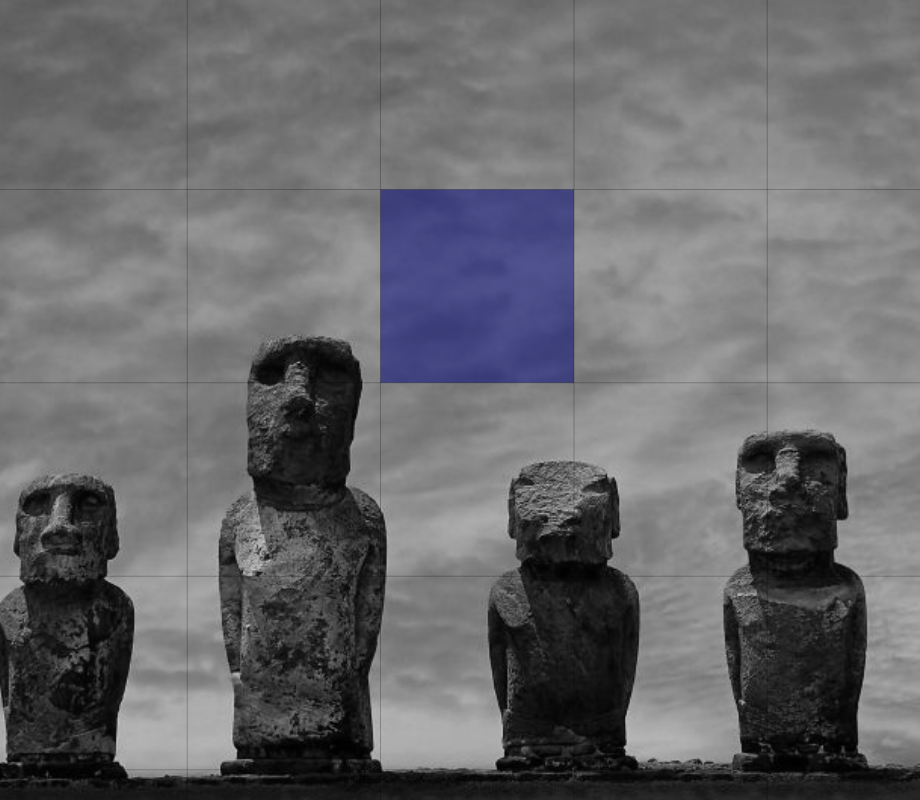
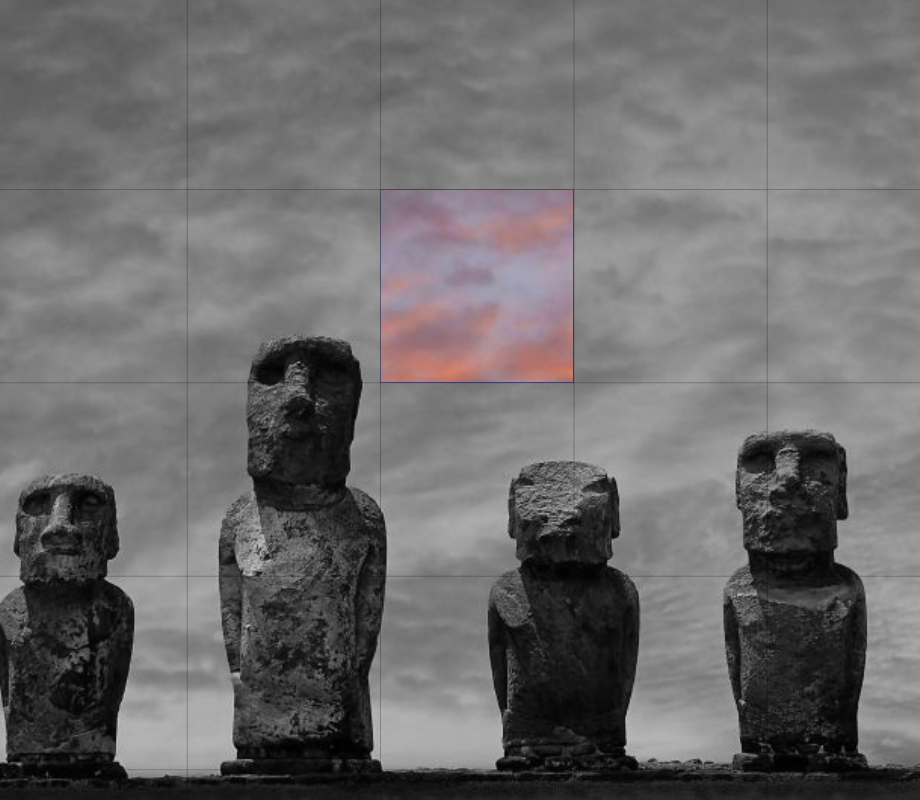
On top of an image TileLayer, there are rectangle grids specified by PolygonLayer. Depending on data, some grids are shown in greyscale while others are shown as original.
The desaturate props works at tile level, how do we have similar effect at this grid level?
- Need we do some manual modification upon image when constructing
BitmapLayer? Or - we could have some blend function in extended
PolygonLayerorBitmapLayerto achieve the target? Or - maybe Mask RFC #4161 could help?
Thanks!
 liokm
liokm
All 7 comments
could you just have another (desaturated) bitmap layer on top of the colour layer?
 mogmog
on 9 Apr 2020
mogmog
on 9 Apr 2020
need a digram to see what you are after.
I have a memory somewhere of seeing in the documentation a custom shader that adjusted the amount of red in a bitmap tile. Can't find it now.
mogmog
on 9 Apr 2020
mogmog
on 9 Apr 2020
Thank you @mogmog ! The way of layer extensions is enlightening.
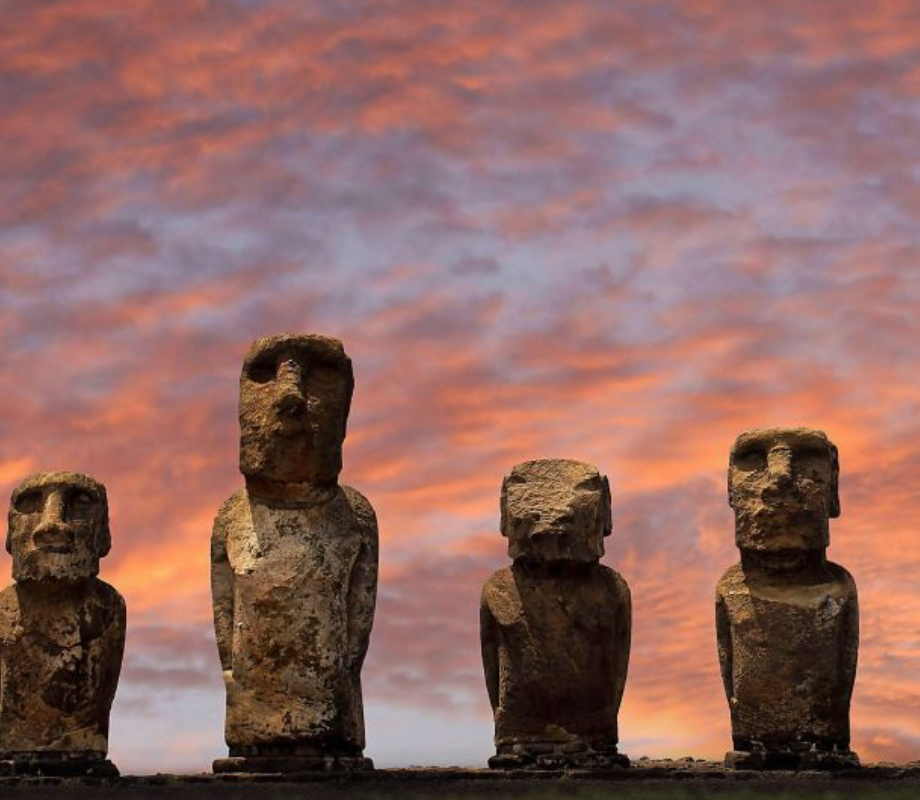
I want to show original color and adjusted color for different tiles which are not same as image tile in TileLayer.
For example, the first pic below is the original one. With the help of PolygonLayer, there is a grid on top of the image and I would like to have the effect of the third pic, which shows original color for the highlighted block in the second pic.
liokm
on 16 Apr 2020
I think you could do this in a relatively straightforward manner if that polygon coincides with a tile.
const { bbox } = props.tile;
if (!bbox intersects Polygon) {
    desaturate
}
And use Turf.js for the intersection. The problem is that desaturates _entire tiles_ at once. I don't think there's currently a way to desaturate portions of the image without creating a custom LayerExtension
 kylebarron
on 25 May 2020
kylebarron
on 25 May 2020
You can also subclass the BitmapLayer to apply color filter inside a custom boundary. See https://observablehq.com/@pessimistress/deck-gl-shader-injection
 Pessimistress
on 16 Oct 2020
Pessimistress
on 16 Oct 2020
Thank you @Pessimistress ! It is interesting of the bounds usage.
I solved the issue by extending the BitmapLayer to accept a secondary bitmap which indicates the highlighted positions for shader to render.
liokm
on 20 Oct 2020
Related issues
 ToddJacobus
·
4Comments
ToddJacobus
·
4Comments
 pybokeh
·
3Comments
pybokeh
·
3Comments
 nagix
·
3Comments
nagix
·
3Comments
 flowsipher
·
3Comments
flowsipher
·
3Comments
 RELNO
·
4Comments
RELNO
·
4Comments