Description
Map attribution not clickable.
The Mapbox attribution page says
You must properly attribute and link Mapbox and OpenStreetMap when using the Mapbox Streets tileset
(emphasis mine).
I'm not affiliated with Mapbox, but it still seems like it would be nice to have each attribution source be a hyperlink.
Repro Steps
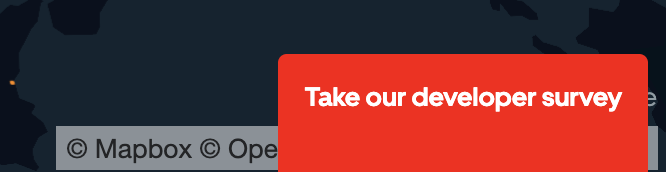
In any of the published examples, for example LineLayer, I can't click on the attribution link. For example, (c) Mapbox should be clickable, but when I try to click, it moves the map instead.
 kylebarron
All 15 comments
Because deck.gl renders a transparent canvas on top of mapbox, it is not possible to click on the hyperlink in mapbox's container. There is not much we can do. Maybe Mapbox can offer a standalone attribution control.
 Pessimistress
on 18 Jan 2020
Pessimistress
on 18 Jan 2020
Ok, that seems to make sense. Would it be best to create an issue on mapbox-gl-js then?
kylebarron
on 18 Jan 2020
Yes, I think we need Mapbox's help to fix this. There are two possible solutions:
- Instead of hyperlinks, use the
clicklistener. That way if we disablepointer-eventson the canvas, clicking on the links will still open the attribution page. - Allow its attribution control to be rendered into a user-provided container. Then you can position a div above the canvas for the links to go in.
Pessimistress
on 18 Jan 2020
Ok thanks, I created the linked issue in mapbox/mapbox-gl-js
kylebarron
on 18 Jan 2020
Is this a mapbox-gl-js issue?
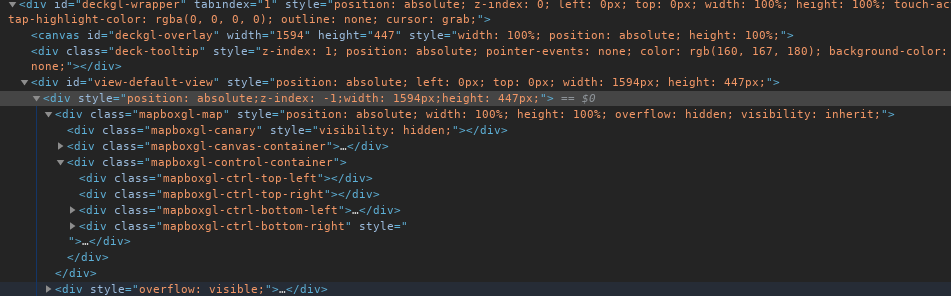
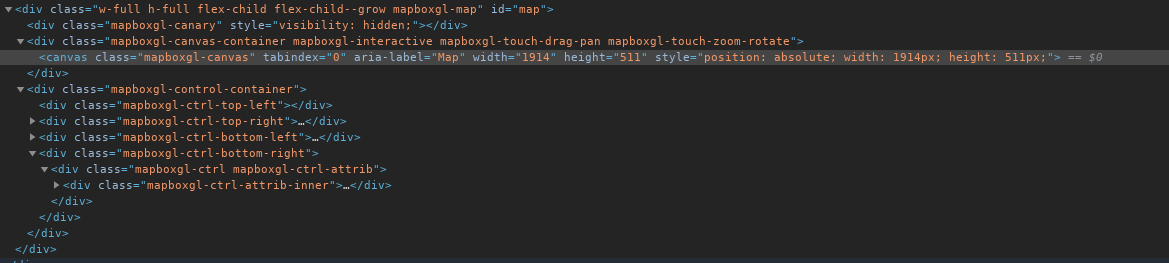
See here in the linked example using deck.gl, the div which contains the whole Mapbox map div (including canvas and controls) is z-index: -1, and then the deck.gl canvas on top is z-index: 1, which is what's causing the issue.
I would have thought the correct solution would be to insert the deck.gl canvas in between the Mapbox canvas and the Mapbox controls (either by using z-index or by inserting the deck.gl canvas in between in the DOM).
with deck.gl
stock mapbox gl js
 andrewharvey
on 18 Jan 2020
andrewharvey
on 18 Jan 2020
Is this a mapbox-gl-js issue?
It is not a mapbox-gl-js “issue” per se, more like a feature request. I’m afraid we can’t use the stock mapbox gl js solution. To name a few use cases, We need to support using one deck canvas with two synced based maps side by side; or a main 3D scene with a mini-map; or a “free” camera that allows pitch angle > 60, in which case we need to hide the base map but keep rendering the 3D scene.
deck.gl can also be used with other base map solutions, and the more hard-coded special treatment we do the more likely it’s going to break.
Pessimistress
on 18 Jan 2020
@Pessimistress et al, thank you for working on this issue. The ticket of record is this: https://github.com/mapbox/mapbox-gl-js/issues/9205.
 scottpietka
on 21 Jan 2020
scottpietka
on 21 Jan 2020
Hello,
I am investigating potential fixes to this issue in mapbox-gl-js. Is this problem happening solely in the example page?
I cloned the deck.gl version 7.0-release and I didn't see this problem (the glass element preventing the user to click on the attribution) in my local server.
Are there any other releases that are being effected? If so, it would be very helpful if there was a minimal example demonstrating the issue.
 sgolbabaei
on 27 Feb 2020
sgolbabaei
on 27 Feb 2020
@sgolbabaei the latest release branch is 8.0-release. 7.0 may be using an old version of mapbox.
Pessimistress
on 28 Feb 2020
@Pessimistress I tried the 8.0-release version locally and still I am able to click on the attribution control on my local server..
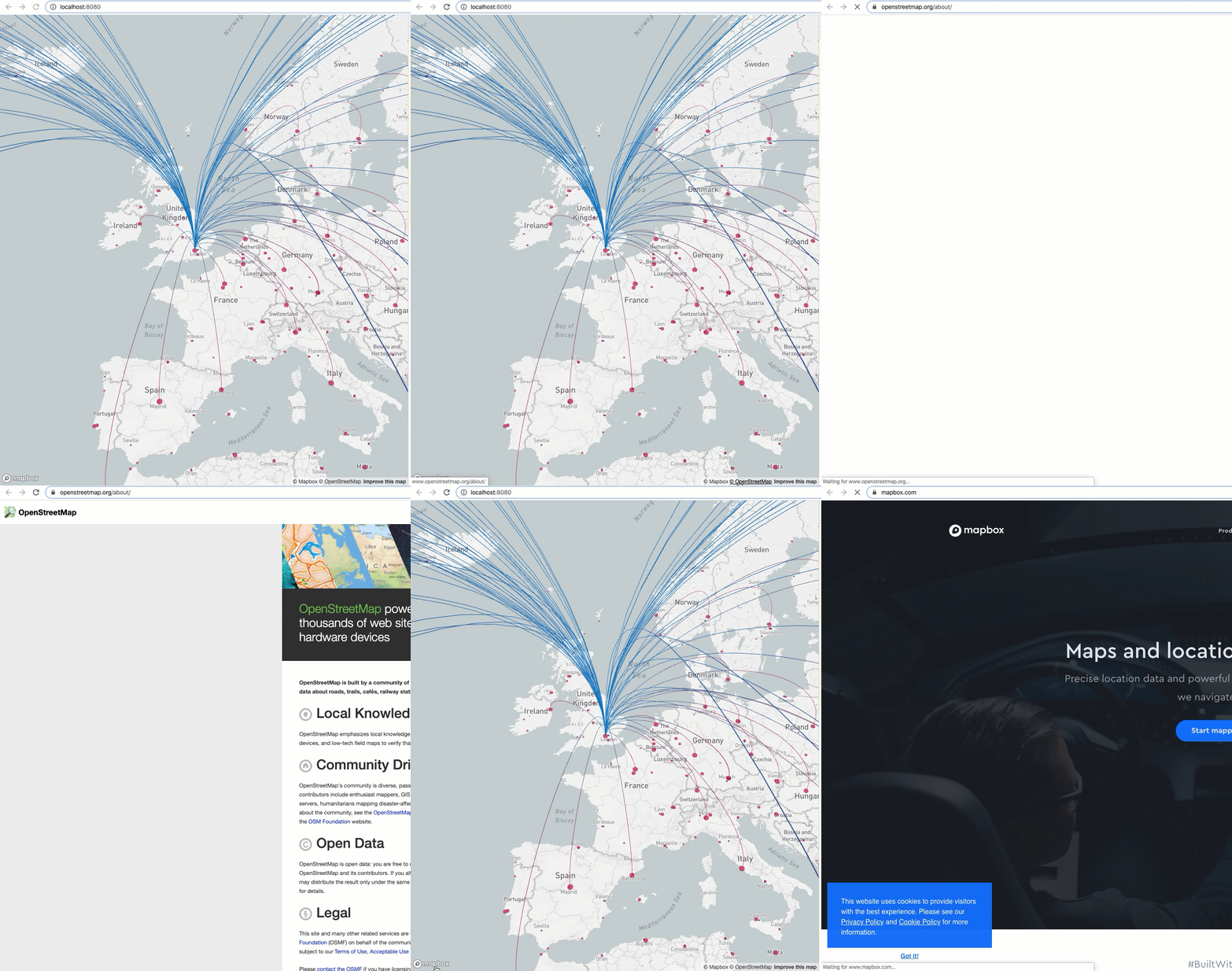
Is this problem happening solely in the example page? it would be very helpful if there was a minimal example demonstrating the issue.
sgolbabaei
on 28 Feb 2020
It doesn't work for me with the deck examples on master
git clone https://github.com/uber/deck.gl
cd deck.gl
npm run bootstrap
cd examples/website/geojson
npm install
export MapboxAccessToken=...
npm run start-local
thanks @kylebarron for providing the example.
sgolbabaei
on 2 Mar 2020
I can confirm I'm seeing the same results with an IconLayer in 8.1. Both the attribution and navigation control are losing a z-index fight to the DeckGL overlay. The offending code seems to be the z-index: -1 nested inside of div#view-default-view.
 shawnmmatthews
on 21 Mar 2020
shawnmmatthews
on 21 Mar 2020
You can fix the navigation control by putting it in its own div, and passing ContextProvider={MapContext.Provider} to Deck.gl:
import {
  _MapContext as MapContext,
  NavigationControl
} from 'react-map-gl';
...
        <DeckGL
          ContextProvider={MapContext.Provider}
        >

          <div style={{ position: 'absolute', right: 30, top: 110, zIndex: 1 }}>
            <NavigationControl />
          </div>
        </DeckGL>
I think the point of this discussion here is that we'd like an AttributionControl element like NavigationControl.
kylebarron
on 21 Mar 2020
Just reading through this again...
Maybe Mapbox can offer a standalone attribution control.
@Pessimistress React Map GL already offers a ScaleControl, NavigationControl, GeolocateControl, etc. The Mapbox GL JS API additionally includes an AttributionControl. How hard would it be to wrap the Mapbox AttributionControl into a React component in React Map GL?
Then it would seem possible to do:
import {
  _MapContext as MapContext,
  AttributionControl
} from 'react-map-gl';
...
        <DeckGL
          ContextProvider={MapContext.Provider}
        >

          <div style={{ position: 'absolute', bottom: 0, right: 0, zIndex: 1 }}>
            <AttributionControl />
          </div>
        </DeckGL>
It should then be clickable in the same way that the NavigationControl currently is. Does that sound feasible? Should a new issue be created in React Map GL?
kylebarron
on 4 May 2020
Related issues
 ibesora
·
4Comments
ibesora
·
4Comments
 Dieegho
·
3Comments
Dieegho
·
3Comments
 nagix
·
3Comments
nagix
·
3Comments
 jfuehner
·
3Comments
jfuehner
·
3Comments
 pybokeh
·
3Comments
pybokeh
·
3Comments
Most helpful comment
You can fix the navigation control by putting it in its own
div, and passingContextProvider={MapContext.Provider}toDeck.gl:I think the point of this discussion here is that we'd like an
AttributionControlelement likeNavigationControl.