Hi! Can you give me a short and rough recipe on how I can achieve to render texts with text layer, but with white rounded background boxes, that have the same width as the text? I think I have to create a custom layer.
Is there a best practices for this without copying too much internals and messing around with a custom FontAtlasManager?
Thank you very much!
 maps82
All 12 comments
I solved this by writing a custom background layer, based on the original text layer source, together with a custom fontAtlasManager to calculate the background width based on the text, and modified the canvas texture created by the fontAtlasManager.
I think this is currently the only way to achieve such a background box. I leave this open in case someone has better ideas. If not feel free to close this issue.
maps82
on 4 Jun 2019
@xintongxia I think we could easily expose a TextLayer prop to set the background color of the texture canvas?
 Pessimistress
on 4 Jun 2019
Pessimistress
on 4 Jun 2019
Would be great. But additionally I need (and have now) some rounded corners on the left and right of the background.
To be precise it's even more complicated, as the background color should be different for a specific portion of the text on the left (so should the text color). So also the text text layer is a custom one in my case. I think it's too complicated to get this done in a generic way.
maps82
on 4 Jun 2019

Thats what it looks like currently in my case, but there is more to come...
maps82
on 4 Jun 2019
@maps82 would you please share the code snippet?
 vnugent
on 1 Aug 2019
vnugent
on 1 Aug 2019
@Pessimistress : Would a background color enhance picking? I am hoping to get less accurate picking of text - for example, I would like the inside of the o and space between characters to be pickable.
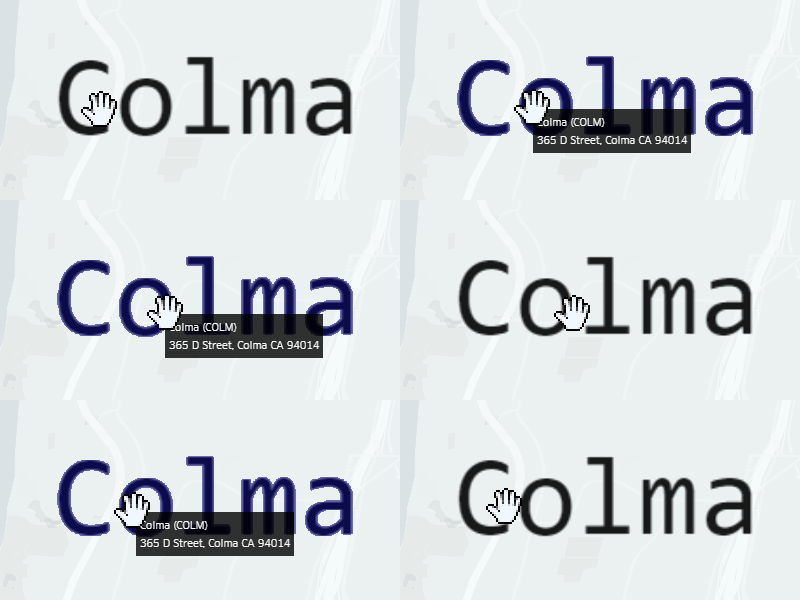
 danmarshall
on 23 Aug 2019
danmarshall
on 23 Aug 2019
@xintongxia The picking issue should be fixable even without supporting a secondary color , if we make the cuttoff configurable: https://github.com/uber/deck.gl/blob/master/modules/layers/src/icon-layer/icon-layer-fragment.glsl.js#L47
Pessimistress
on 24 Aug 2019
@maps82
I solved this by writing a custom background layer, based on the original text layer source, together with a custom fontAtlasManager to calculate the background width based on the text, and modified the canvas texture created by the fontAtlasManager.
I think this is currently the only way to achieve such a background box. I leave this open in case someone has better ideas. If not feel free to close this issue.
How does the fontAtlasManager work? I'm trying to do the same thing as you but with no success..
 mdsviola
on 18 Nov 2019
mdsviola
on 18 Nov 2019
@miguel-viola
I'll enable text-layer to support customized background color this week.
 xintongxia
on 18 Nov 2019
xintongxia
on 18 Nov 2019
How does the fontAtlasManager work? I'm trying to do the same thing as you but with no success...
It's quite hacky and tailored to my use case, so I would need some time to prepare a clean generic sample, without showing too much of my client's code here, which I can't do.
I hope the upcoming text layer background feature will serve you. The trick for the background is basically to copy the text layer/fontmanager and modify the canvas it creates to your needs. And then overlay it with the regular text layer.
maps82
on 18 Nov 2019
Is there any documentation for the fontAtlasManager?
mdsviola
on 18 Nov 2019
@xintongxia Did you manage to add custom background support?
mdsviola
on 26 Nov 2019
Related issues
 mayteio
·
3Comments
mayteio
·
3Comments
 ibesora
·
4Comments
ibesora
·
4Comments
 patilvikram
·
3Comments
patilvikram
·
3Comments
 pybokeh
·
3Comments
pybokeh
·
3Comments
 RELNO
·
4Comments
RELNO
·
4Comments
Most helpful comment
Thats what it looks like currently in my case, but there is more to come...