Deck.gl: Is there any way to use static base layers like OpenStreetMap tiles with Deck.GL?
Open Street Map provides tiles on that api:
https://{s}.tile.openstreetmap.org/{z}/{x}/{y}.png
How could I use static base layers of Open Street Map in Deck.gl?
 hyzhak
All 7 comments
Yes, by using the experimental TileLayer with the BitmapLayer. Unfortunately the latter is a little outdated and lacks documentation. We're planning to refresh it for v7.0, and then I can put together an example for your use case. Is this blocking you right now?
 Pessimistress
on 17 Dec 2018
Pessimistress
on 17 Dec 2018
Big thanks for reply! Yes, I'm working on open source project, and I can't use deck.gl, because it requires MapBox. It would be great to have examples, as starting point. But thanks for mentioned experimental layers, I haven't seen them.
hyzhak
on 18 Dec 2018
Well, technically, deck.gl does require mapbox. There are examples without map and also prototypes working with Google Maps.
Also, a paid service is not required to use mapbox-gl. You can use OSM raster layers with mapbox (info) or use alternative vector tile service providers (info).
Pessimistress
on 18 Dec 2018
First, I want to say thanks for sharing this project!
I came across this PR, which seems to document how to load a raster source like https://{s}.tile.openstreetmap.org/{z}/{x}/{y}.png:
https://github.com/uber/deck.gl/pull/2821/files#diff-4f90d4e6ab9c03e5819086ec5ac1848a
and that PR adds an openstreet-map directory to the examples/website directory here:
https://github.com/uber/deck.gl/tree/master/examples/website
but I see that it's no longer there. And there is no mention of loading raster tile sources in the TileLayer docs or the BitmapLayer docs.
Is this use case supported? If so, is there any documentation or example of it?
 jalMogo
on 28 Jun 2019
jalMogo
on 28 Jun 2019
@jalMogo
The example is renamed and moved to here
Also it is under the examples category on the website
 xintongxia
on 28 Jun 2019
xintongxia
on 28 Jun 2019
@hyzhak Have you ever been load tile layer published by youself.
I tried load a building layer published by geoserver. #3329, could you help me have a look.
 HeiYanjing
on 17 Jul 2019
HeiYanjing
on 17 Jul 2019
@xintongxia thank you very much for this example it is a life saver 🙏 !
On an unrelated question, do you know if there is a way to style the openstreetmap example?
Maybe with something like maptiler ?
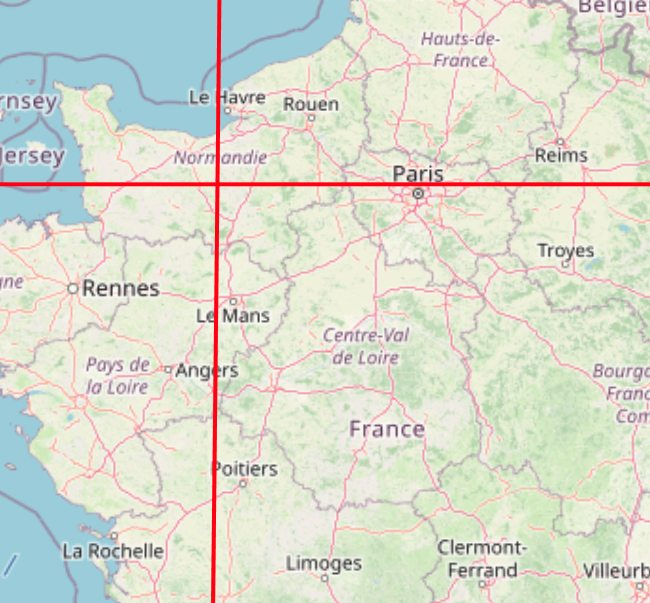
The following MAP doesn't look too pretty :D
 RaedsLab
on 1 Nov 2020
RaedsLab
on 1 Nov 2020
Related issues
 RELNO
·
4Comments
RELNO
·
4Comments
 ibesora
·
4Comments
ibesora
·
4Comments
 heumsi
·
4Comments
heumsi
·
4Comments
 jianhuang01
·
3Comments
jianhuang01
·
3Comments
 mayteio
·
3Comments
mayteio
·
3Comments
Most helpful comment
Yes, by using the experimental TileLayer with the BitmapLayer. Unfortunately the latter is a little outdated and lacks documentation. We're planning to refresh it for v7.0, and then I can put together an example for your use case. Is this blocking you right now?