Deck.gl: Strange behaviour of deck.gl 6.3.1 in IE11
I'm got strange behaviour of deck.gl last version in IE11.
I attach example, where you can create line object by mouse click on map.
In Chrome browser it works fine, but in IE11 it blinks all the time and line width always grows.
How it looks in IE:

And in Chrome:
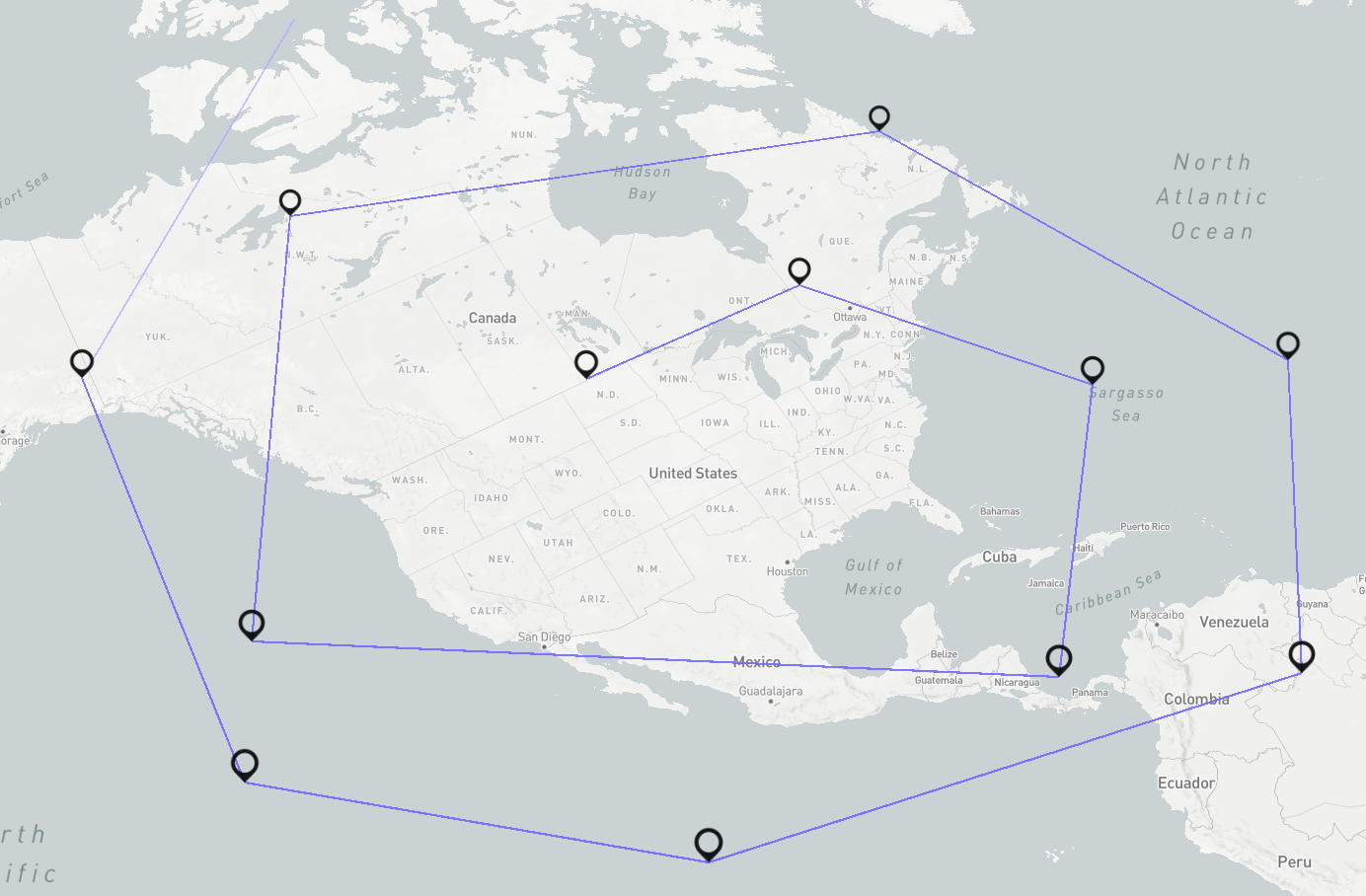
My example for reproduce:
pure-js.zip
 interseptor
All 13 comments
What version of deck.gl you are using? Is this a regression? Can you try with older deck.gl versions.
Can you share the console log output.
Does the behavior change with zoom-in/zoom-out several levels?
Is this reproducible with standard deck.gl examples, can you try running website examples.
Due to limited resources our IE11 testing is limited. By the way can you try Edge?
 1chandu
on 6 Dec 2018
1chandu
on 6 Dec 2018
I using last version: 6.3.1
My code you can find in issue attachment - you can reproduce it by yourself.
FYI if I remove IconLayer - lines start draws normally
And how you can see on screenshot - icons are drawn cropped
interseptor
on 7 Dec 2018
 interseptor
on 7 Dec 2018
interseptor
on 7 Dec 2018
There are several webgl errors in your log :
WEBGL11002: INVALID_ENUM: pixelStorei
WEBGL11002: INVALID_ENUM: pixelStorei
WEBGL11002: INVALID_ENUM: pixelStorei
WEBGL11002: INVALID_ENUM: pixelStorei
WEBGL11002: INVALID_ENUM: pixelStorei
WEBGL11002: INVALID_ENUM: pixelStorei
WEBGL11002: INVALID_ENUM: pixelStorei
WEBGL11002: INVALID_ENUM: pixelStorei
WEBGL11002: INVALID_ENUM: hint
WEBGL11002: INVALID_ENUM: disable
WEBGL11082: INVALID_ENUM: bindFramebuffer: Invalid framebuffer target
WEBGL11002: INVALID_ENUM: getParameter
WEBGL11002: INVALID_ENUM: getParameter
WEBGL11002: INVALID_ENUM: getParameter
WEBGL11002: INVALID_ENUM: getParameter
WEBGL11002: INVALID_ENUM: getParameter
WEBGL11002: INVALID_ENUM: getParameter
WEBGL11002: INVALID_ENUM: getParameter
WEBGL11002: INVALID_ENUM: getParameter
WEBGL11002: INVALID_ENUM: isEnabled
WEBGL11002: INVALID_ENUM: getParameter
This could be causing this rendering problems, does deck.gl examples work fine on your browser? http://deck.gl/#/examples/overview
We have limited resources and also couldn't reproduce this on our Windows IE11 or Edge environment. I would suggest starting with deck.gl examples and digging more into above issues.
1chandu
on 10 Dec 2018
@interseptor Agree that the best start is for you to quickly test through the deck.gl examples on your browser. If you can reproduce rendering issues or console errors in our examples that would be the quickest way to get us started on a fix, or at least confirm that these issues are specific to your app.
 ibgreen
on 10 Dec 2018
ibgreen
on 10 Dec 2018
I guess that exceptions come from https://github.com/uber/luma.gl/issues/793.
Going with option#2 given , whole point of this PR is to fix an IE specific issue. One caveat is, users will see an error in console
Exceptions printed ones on start, no exceptions during rendering
interseptor
on 11 Dec 2018
I too have this issue. Same exact thing.
 pr1ntr
on 9 Apr 2019
pr1ntr
on 9 Apr 2019
I have same issue. I found that the issue is comping from position attribute passing to Triangle_Fan.
In deck.gl/modules/layers/src/icon-layer/icon-layer.js
I have changed the
const positions = [-1, -1, 0, -1, 1, 0, 1, 1, 0, 1, -1, 0];
to
const positions = [-1, -1, 0, -1, 1, 0, 1, 1, 0, 1, -1, 0, -1, -1, 0, -1, 1, 0, 1, 1, 0, 1, 1, 0];
There was an improvement as you see. But the position that I 'm trying is just what I 'm gussing, and I 'm not sure how I can calculate poitions. Could you let me know more about the positions attribute?
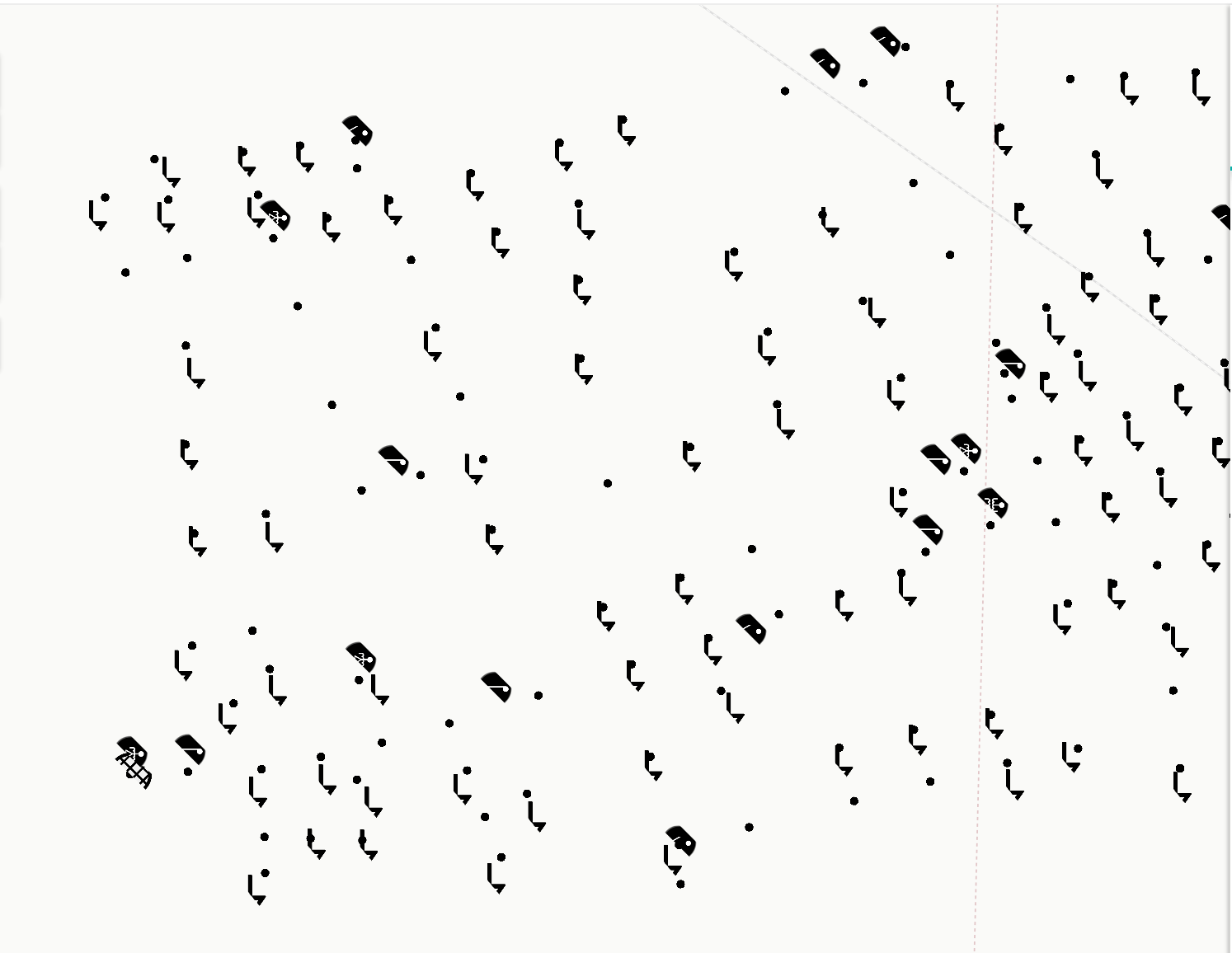
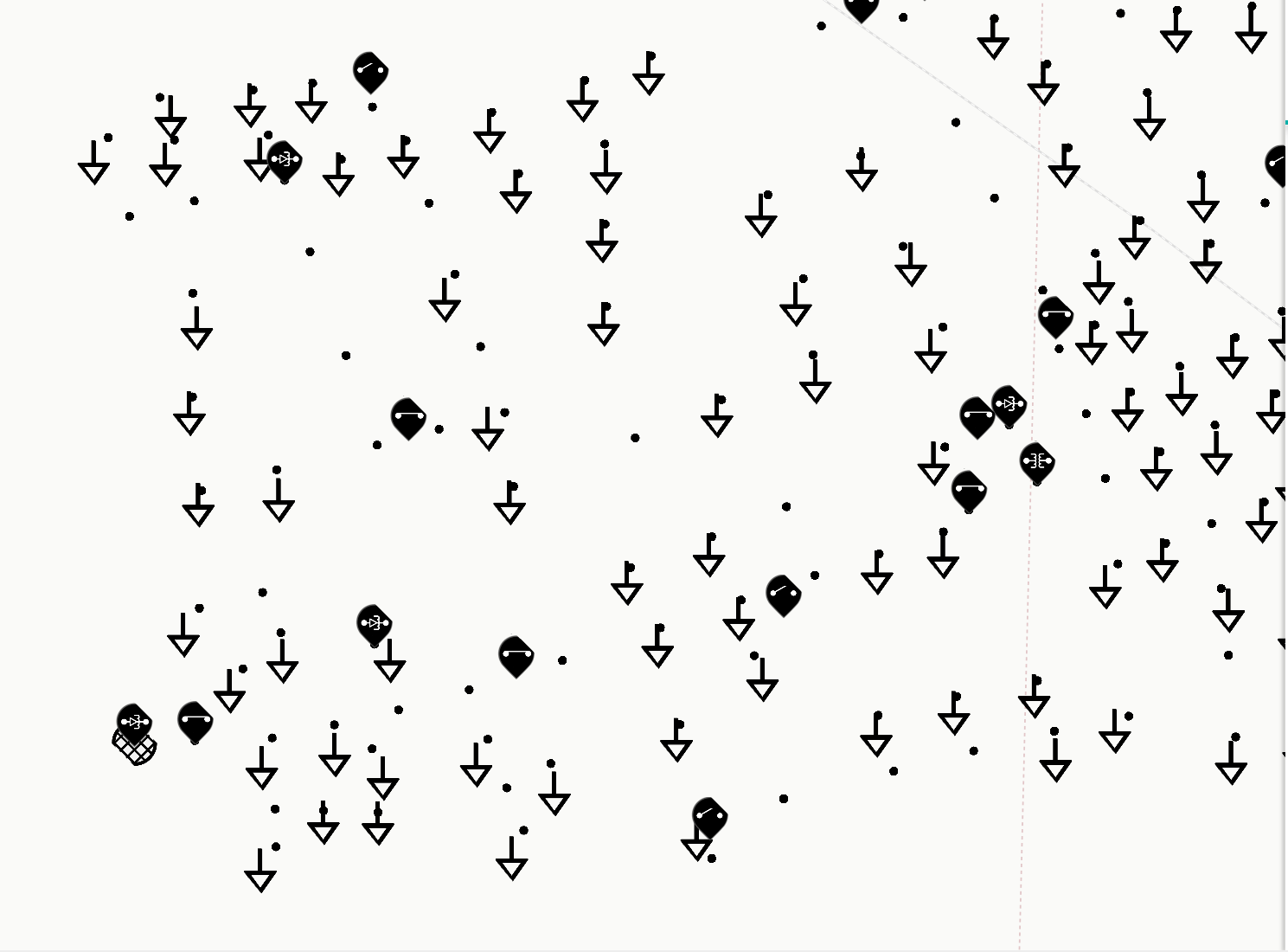
 ellie-farjoud
on 18 Sep 2019
ellie-farjoud
on 18 Sep 2019
This appears to have been resolved at the luma.gl level by https://github.com/uber/luma.gl/pull/1238
Can the people who were having this issue confirm by testing against deck.gl 7.3-beta.2?
 tsherif
on 20 Sep 2019
tsherif
on 20 Sep 2019
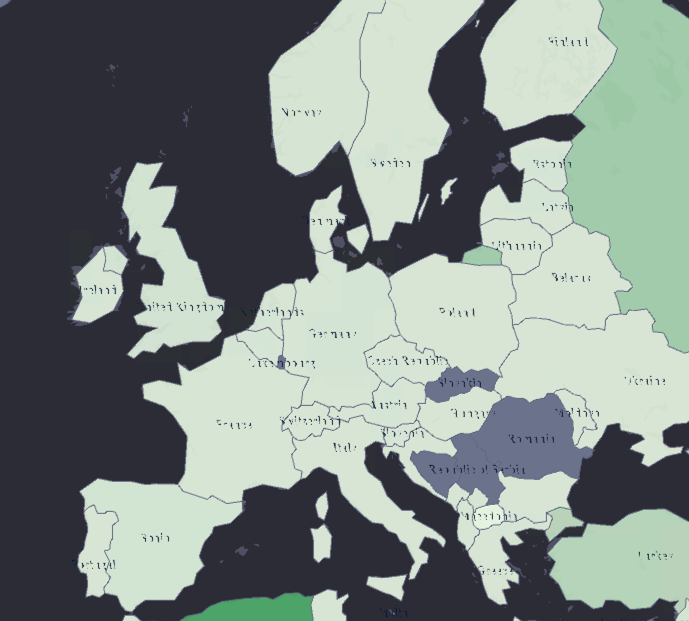
No it's not working, I tried https://github.com/uber/luma.gl/pull/1238 this solution by using luma.[email protected], deck.[email protected] which still have problem under IE11. And https://github.com/uber/deck.gl/pull/3736 @etimberg's pr not working either. In the screenshots the map are using GeoJsonLayer, the labels are using IconLayer. Btw the map will crash under IE11 with newer version of luma.gl/deck.gl (v7.3).
Chrome/Edge
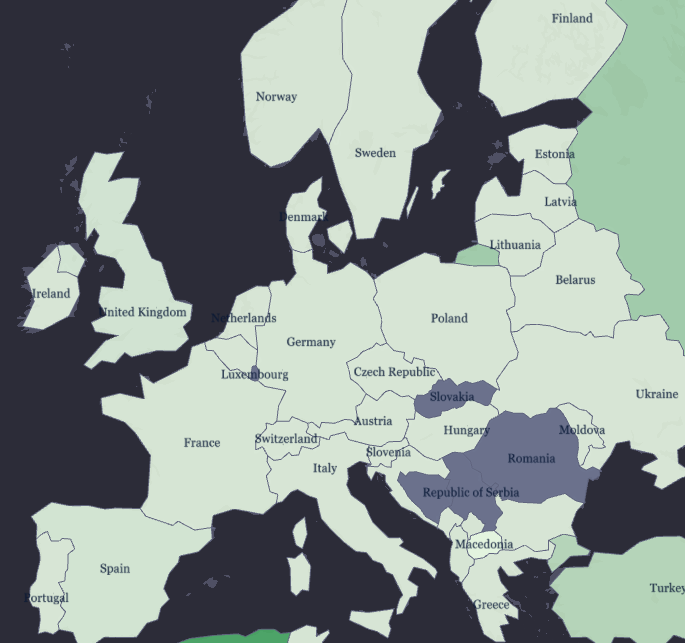
IE11
 MarshallChen
on 18 Oct 2019
MarshallChen
on 18 Oct 2019
@MarshallChen I am using deck.gl v7.3.1 and it's working in IE11. I am using both the IconLayer and GeoJsonLayer.
After deck.gl v7.2.0, everything broke until I included https://github.com/greggman/oes-vertex-array-object-polyfill as recommended by @CaitlinWeb in https://github.com/uber/luma.gl/issues/1208#issuecomment-541177267
 etimberg
on 18 Oct 2019
etimberg
on 18 Oct 2019
@etimberg Thanks for your reply, I will try your solution see if that works. Thanks!
MarshallChen
on 21 Oct 2019
@etimberg Thanks again that it all works by simply added this polyfill without upgrade deck.gl and luma.gl.
MarshallChen
on 5 Nov 2019
Related issues
 jianhuang01
·
3Comments
jianhuang01
·
3Comments
 jacklam718
·
4Comments
jacklam718
·
4Comments
 mayteio
·
3Comments
mayteio
·
3Comments
 SymbolixAU
·
4Comments
SymbolixAU
·
4Comments
 euzu
·
3Comments
euzu
·
3Comments
Most helpful comment
@etimberg Thanks again that it all works by simply added this polyfill without upgrade deck.gl and luma.gl.