Dataverse: Add Documentation: When a tabular file has been restricted, users can still access some file information via DDI Export/Codebook
Hi Dataverse team,
A member of our community has reported that when a tabular file has been uploaded and ingested into Dataverse, and then restricted, some file information can still be accessed through the DDI Metadata Export and Codebook, e.g. summary statistics. One example can be seen in this file in our demo instance (4.17), where click Export > DDI or Export > DDI HTML will reveal summary statistics. These should not be accessible for a restricted file. I can also see some examples of this in the Harvard instance.
https://demodv.scholarsportal.info/file.xhtml?fileId=2826&version=2.1
My understanding is that everything within <dataDscr> should not be accessible, but there may be other parts as well.
 kaitlinnewson
All 12 comments
It is possible that your user has serious reasons not to want to have<dataDscr> sections for restricted files. So we should probably consider adding a configuration switch for this. But the way it is implemented now was definitely by design. The idea was that all the metadata are always public, for all published datasets. So just like you can see the file names, sizes, mime types and md5s, etc. for restricted files, you can also see the metadata under <dataDscr> that describes the variables in these files. Our data curators here specifically wanted our users to be able to see the summary stats for restricted files - so that they could decide if they wanted to request access.
 landreev
on 20 Dec 2019
landreev
on 20 Dec 2019
As @landreev points out, what is exposed here is just the metadata that describes the variables. This has been like this since even before Dataverse, in the VDC days.
As we work towards supporting DataTags, when we support Orange level, we cannot expose the summary stats. In that scenario we have been working with groups on using Differential Privacy to provide a privacy preserving version of the summary stats as public metadata (i.e the file itself would be tagged Orange, but the summary stats would be tagged Green).
 scolapasta
on 20 Dec 2019
scolapasta
on 20 Dec 2019
Aside from the summary stats, the nightmarish scenario of a file with sensitive/identifiable data I've been thinking of is a data column with, for example, patients' last names or social security numbers, with the column variable defined as a categorical. These last names/SSNs then become categorical labels, and end up showing in the DDI metadata.
So yes, we'll obviously need to revisit all this before we can handle really sensitive data. (But we'll have to similarly secure many/most other parts of Dataverse!)
landreev
on 20 Dec 2019
I guess the thing I keep wondering is if the column names of restricted files are considered metadata, should we expose them in the new "Preview" tab like in the screenshot below?

That way you don't have to click around and find the column names in the HTML Codebook. They'll be right there for you in the "Preview" tab while you think about if you want to click "Request Access" or not.
 pdurbin
on 20 Dec 2019
pdurbin
on 20 Dec 2019
I think that is the plan via Data Explorer, once it supports a Preview mode. (note this may be news to the Data Explorer team :))
scolapasta
on 20 Dec 2019
@kaitlinnewson, I'm going to close this out as this is the expected behavior in our current, pre-sensitive data world. Feel free to comment or create another issue if you feel we should discuss further.
 djbrooke
on 24 Jan 2020
djbrooke
on 24 Jan 2020
At the very least, it would probably be nice to document this behavior, which I find surprising. It feels like a gotcha to me.
pdurbin
on 24 Jan 2020
@pdurbin I agree, I think this is something most users aren't aware of when they expect their data files to be fully restricted.
kaitlinnewson
on 24 Jan 2020
Sure, we can document this.
djbrooke
on 24 Jan 2020
While poking around I noticed that even though there is no "Explore" button in the example @kaitlinnewson provided at https://demodv.scholarsportal.info/file.xhtml?fileId=2826&version=2.1 ...
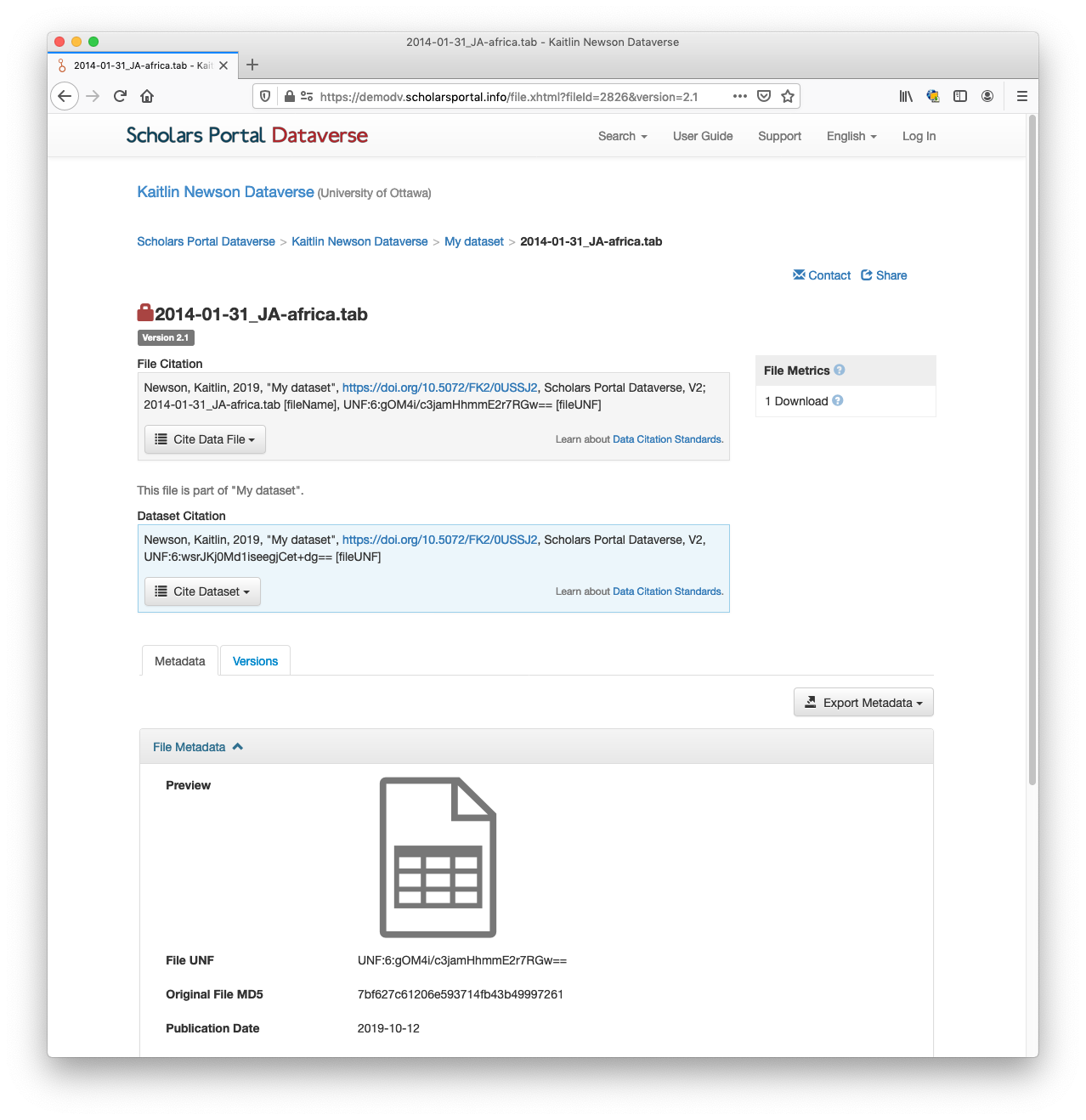
... if you add the file id (2826) to the URL like https://demodv.scholarsportal.info/ddi_explore/index.html?dfId=2826 you can see the variable names, labels, and summary statistics in Data Explorer:

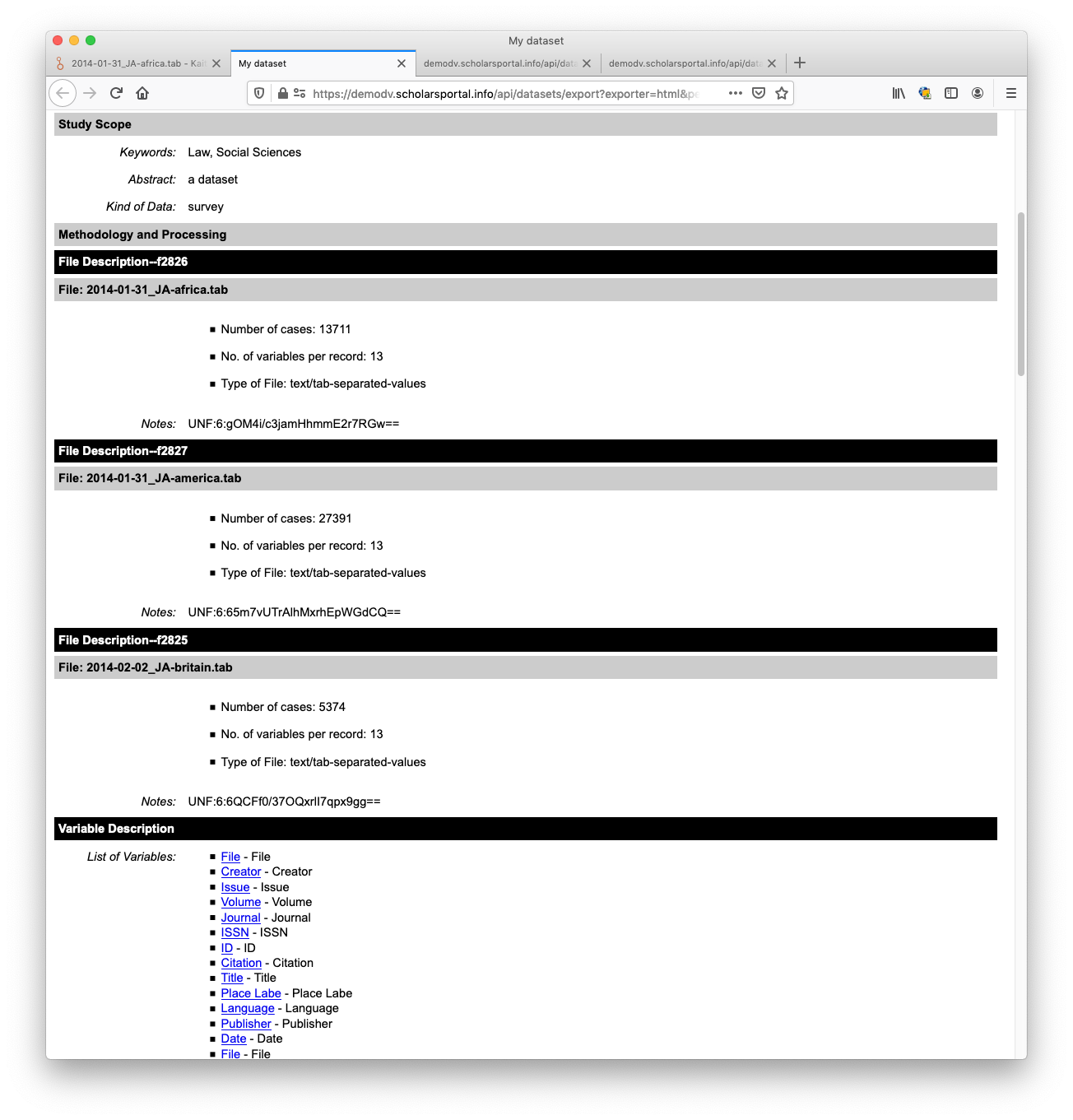
As has already been mentioned, this information is also available in the DDI HTML Cookbook (no URL hacking required for this). Here's what that looks like:
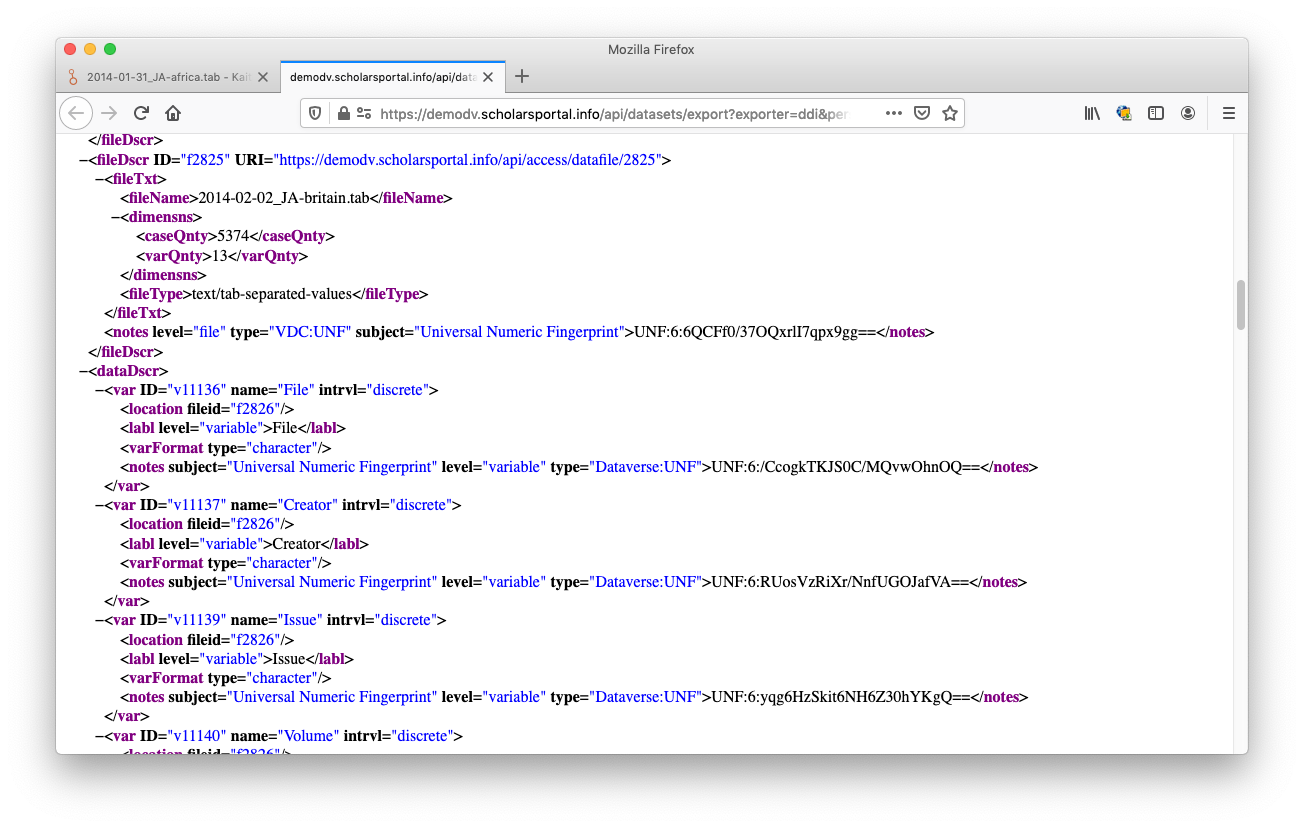
Finally, the name, label, and summary statistics are also available in DDI export (no URL hacking required). Here's how that looks:
If there are other places where information is exposed, I'm not aware of them.
pdurbin
on 6 Feb 2020
@kaitlinnewson I just made pull request #6620 and you are welcome to take a look!
pdurbin
on 6 Feb 2020
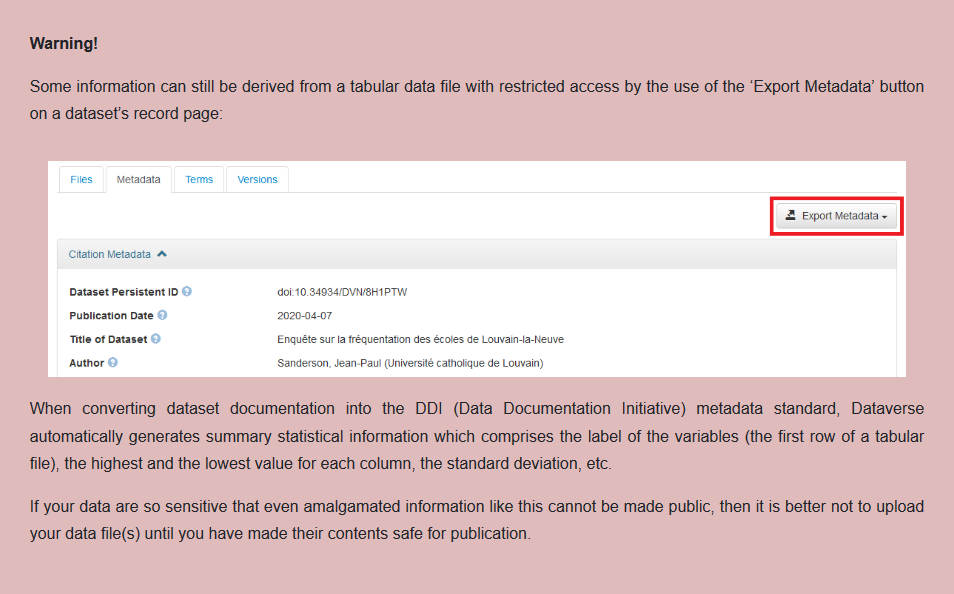
At SODHA we warn depositors in our user guide that some of the information is made available via the DDI export:
 BPeuch
on 28 Oct 2020
BPeuch
on 28 Oct 2020
Related issues
 pameyer
·
47Comments
pameyer
·
47Comments
 eaquigley
·
52Comments
pdurbin
·
45Comments
pdurbin
·
51Comments
eaquigley
·
52Comments
pdurbin
·
45Comments
pdurbin
·
51Comments
 omaralsoudanii
·
73Comments
omaralsoudanii
·
73Comments
Most helpful comment
At SODHA we warn depositors in our user guide that some of the information is made available via the DDI export: