i want to see the dashboard showing in Chinese when i run :
gulp serve
// or gulp serve:prod
I have looked through the build\i18n.js,but can,t find the answer.
what should i do ?
thanks!
 chunnallu
All 9 comments
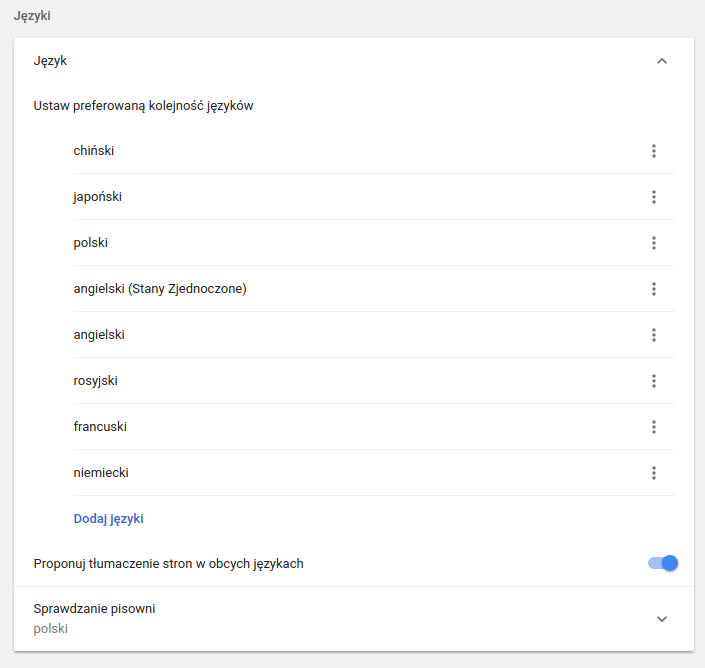
Just change yor browser main language to Chinese:
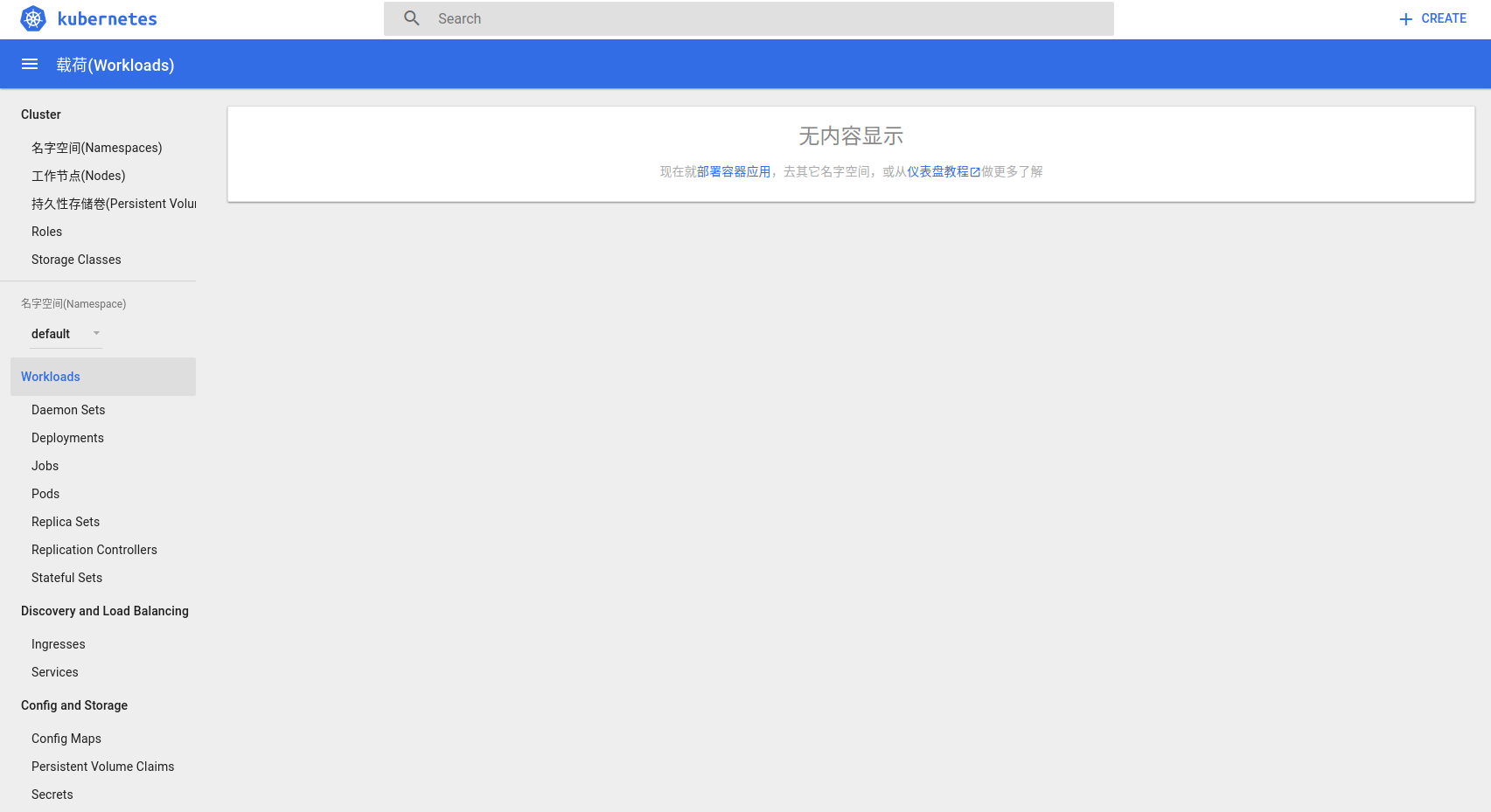
You will be able to see translations:
 maciaszczykm
on 11 Jul 2017
maciaszczykm
on 11 Jul 2017
Will you be able to help us with providing more Chinese translations? We track it from https://github.com/kubernetes/dashboard/issues/2077. I am working on translation guide in https://github.com/kubernetes/dashboard/pull/2103. Your help would be appreciated very much!
maciaszczykm
on 11 Jul 2017
it not work anyway
i use this
export LANG="zh_CN.UTF-8"
change my system language
then i run
"gulp serve"
i access url http://ip:9090
it still display English
 kaasia
on 11 Jul 2017
kaasia
on 11 Jul 2017
Which browser do you use?
maciaszczykm
on 11 Jul 2017
i use IE , not local access , use external style
kaasia
on 11 Jul 2017
Please follow this tutorial: https://www.youtube.com/watch?v=XpoFlwJ_y9s
maciaszczykm
on 11 Jul 2017
thanks very much! @maciaszczykm
Will you be able to help us with providing more Chinese translations? We track it from #2077. I am working on translation guide in #2103. Your help would be appreciated very much!
my pleasure ! I'd like have a try ! you do a great job !
chunnallu
on 11 Jul 2017
@maciaszczykm,
my outsite ie is using Chinese, but still not work
@chunnallu do you know how to display Chinese
kaasia
on 12 Jul 2017
I have solve the problem in my project !
- if you are using an older version of dashboard , open the
build/i18n.js, search
  if (fileExists(translationBundle)){
    command = `${command} --translations_file ${translationBundle}`;
  }
the code fileExists(translationBundle) can't not work in my ubuntu although the translationBundle
path exist ! It would cause your i18n folder be overrideed everytime you run gulp serve:prod , by the default english version.
you can quick fix it by replace by :
 if (fileExists.sync(translationBundle)){
    command = `${command} --translations_file ${translationBundle}`;
  }
or update to last version
- if you are run with
gulp serve, you should run withgulp serve:prodinstead!
@kaasia
chunnallu
on 12 Jul 2017
Related issues
 stephenrlouie
·
44Comments
stephenrlouie
·
44Comments
 dorsegal
·
31Comments
dorsegal
·
31Comments
 chirothespearow
·
36Comments
chirothespearow
·
36Comments
 bryk
·
55Comments
bryk
·
55Comments
 Rahul91
·
71Comments
Rahul91
·
71Comments
Most helpful comment
Just change yor browser main language to Chinese:
You will be able to see translations: