Dash-to-panel: Distorted 'tray icons' on panel
Describe the bug
Dear Dev(s)!
I like very much your fantastic extension so firstly I want to thanks for it!
But sadly I have some problems with the layout as how you can see on the attached screenie there are distorted icons on the panel. The problematic icons are just the normal application icons what I mentioned as 'tray icons'. All the Gnome Shell extension icon are fine.
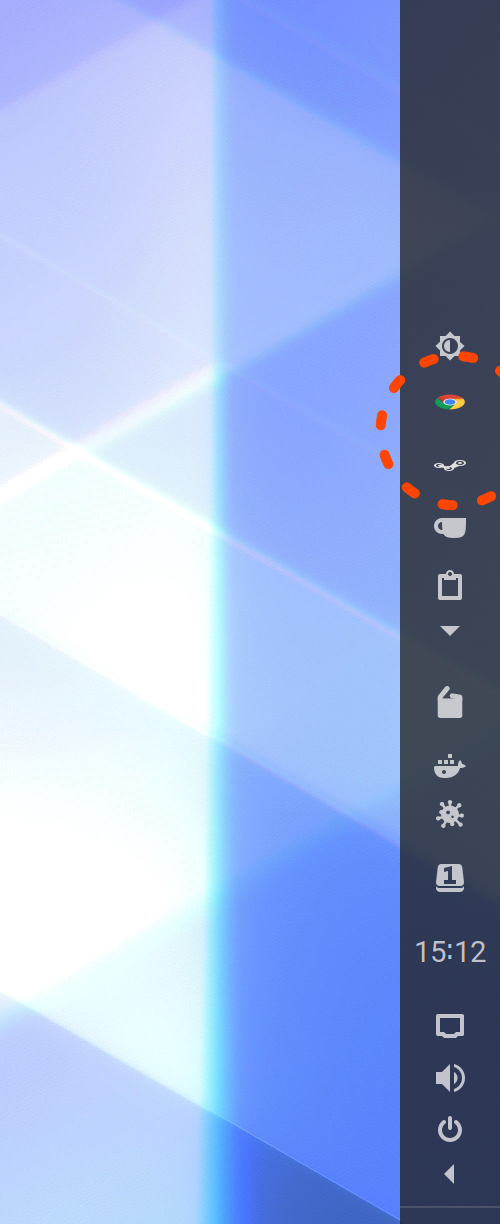
Could you please solve it and use them in 16x16px containers as all standard Gnome Shell panel icons? If they could aligned really in size (maybe with custom settings for just the normal application icons) for the extension icons without distortion would be perfect!
The screenshot from a 4k monitor with double pixel density, while the settings of the Dash to Panel is the following:
Panel is vertical on right side of screen.
Panel size: 50px
App Icon Margin: 0px
App Icon Padding: 13px
Tray Item Padding: 8px
Status Icon Padding: 4px
LeftBox Padding: -1px
Lot of thanks for your efforts in advance!
Linux distribution and version
Ubuntu 20.04 beta (Official)
GNOME Shell version
GNOME Shell 3.36.1
Dash-to-Panel version
version: 35 (Latest from extensions.gnome.org)
Where was Dash-to-Panel installed from?
extensions.gnome.org
Screenshots / Video captures
Already attached.
Additional Info
Already detailed.
 Tamas-Toth-ebola
All 8 comments
Hello Tamas-Toth-ebola! Thank you for the report, I could reproduce the issue on Ubuntu 20.04. Looks like their tray -icons extension ([email protected]) has a rendering issue when the panel is set to a size that is larger than 48px. I've looked into their code and they are forcing the icon's height to 16px. Not sure why they do so, but it is causing the scaling issue. If I remove this height assignment (appIndicator.js:302), I get the desired result.

I've tried different settings with the default gnome-shell's panel and different scaling factors, but can't see any difference with the icons without this height assignment, so it might be worth it to bring the issue to the Ubuntu folks.
Thanks!
 charlesg99
on 10 Apr 2020
charlesg99
on 10 Apr 2020
Thank you very much for your fast response. Tomorrow will try without that forced 16px height. Thanks again!
Tamas-Toth-ebola
on 11 Apr 2020
@charlesg99 you are absolutely right!!!
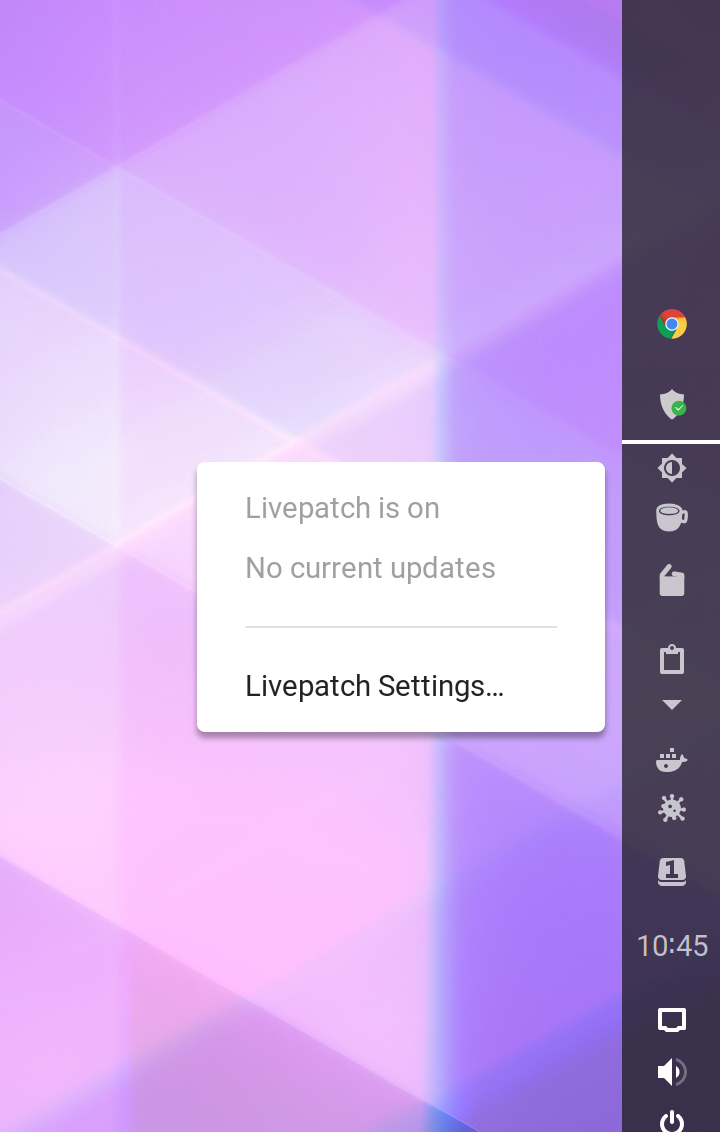
Thanks for your investigation. If I'm comment out that icon height definition line the result is as fine as you can see on the following screenshot.
I really do not want to mix multiple thoughts into one but as question I throw 2 relevant:
- The AppIndicator handled icons (I mean not directly own Gnome Shell extension icons as we talked in the subject (Chrome, Steam, etc.)) in vertical panel open their menus below the icon (aligned to the corner) and not near the icon where is a little bit uncomfortable to move the pointer onto their options. Is it also the problem of the AppIndicator extension itself and not belong to Dash to Panel? (You can see on my screenshot.)
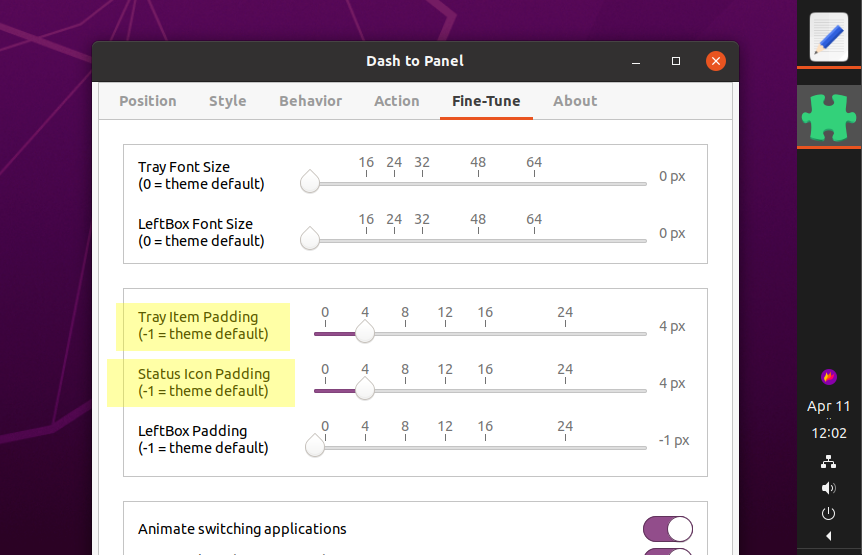
- There are padding/margin differences between the icons. Basically AppIndicators icons have lot more spaces between each other as standalone Gnome Shell extensions, but sadly the standalone Gnome Shell extension panel icons also not seems to use homogeneous paddings. Do you have some tips where and how could I investigate it to help on the problem?
Thanks for your help in advance!
_(The problem of the main subject, the fixed height thingie. Need I report to 'Ubuntu"s team' or maybe do you made it already?)_
Tamas-Toth-ebola
on 11 Apr 2020
Thanks for the feedback! I opened an issue on the appindicator's repo, hopefully they can fix it before the Ubuntu 20.04 release.
As for your other questions,
I'm not sure how the position of those menus is calculated. We're using what is provided by gnome-shell, so not much we can do here aside from overriding those calculations. Seems to be working fine most of the time, although it might change with the theme you're using (not sure):
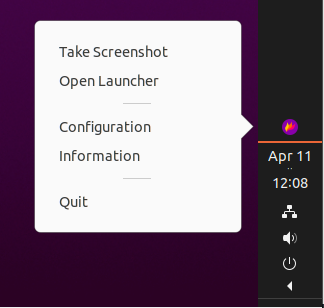
You could try playing with the settings found under the "Fine-Tune" tab, see if you can get a better result. We aren't responsible for setting other extensions padding/margin though.
Thanks!
charlesg99
on 11 Apr 2020
Hi @charlesg99 !
From one aspect I would like to thanks again for you investigation on this earlier situation. The result was more then fine for me.
But now I just would like to inform you about my other question about the heterogen paddings/margins. In the last some days I had an idea what I verified and the result had confirmed my idea. The differences between paddings/margins caused by the different panel icon/button handling of the corresponding extension. Some of them use one hbox parent container for the icon itself in case if there is no any requirement for it while some others use the icon as direct object on the panel.
I do not know yet if there is any official guidance or policy for them but it's absolutely sure that developers use the 2 methods on a totally random basis. There are some requirement for the hbox in case of extra arrow or so, but usually not this is the situation while the extension use hbox container also.
I just would like to inform about it you as the small simple and ugly background of why the extension icons in the practice could not be really nice.
Thanks again for your efforts and have a nice further day!
Tamas-Toth-ebola
on 14 May 2020
I am using pop!os. It offers the Ubuntu app indicator, and still in June there is the problem of distorted icons. Another solution is to disable the Ubuntu extension and use a gnome extension Tray Icons.
 timrichardson
on 14 Jun 2020
timrichardson
on 14 Jun 2020
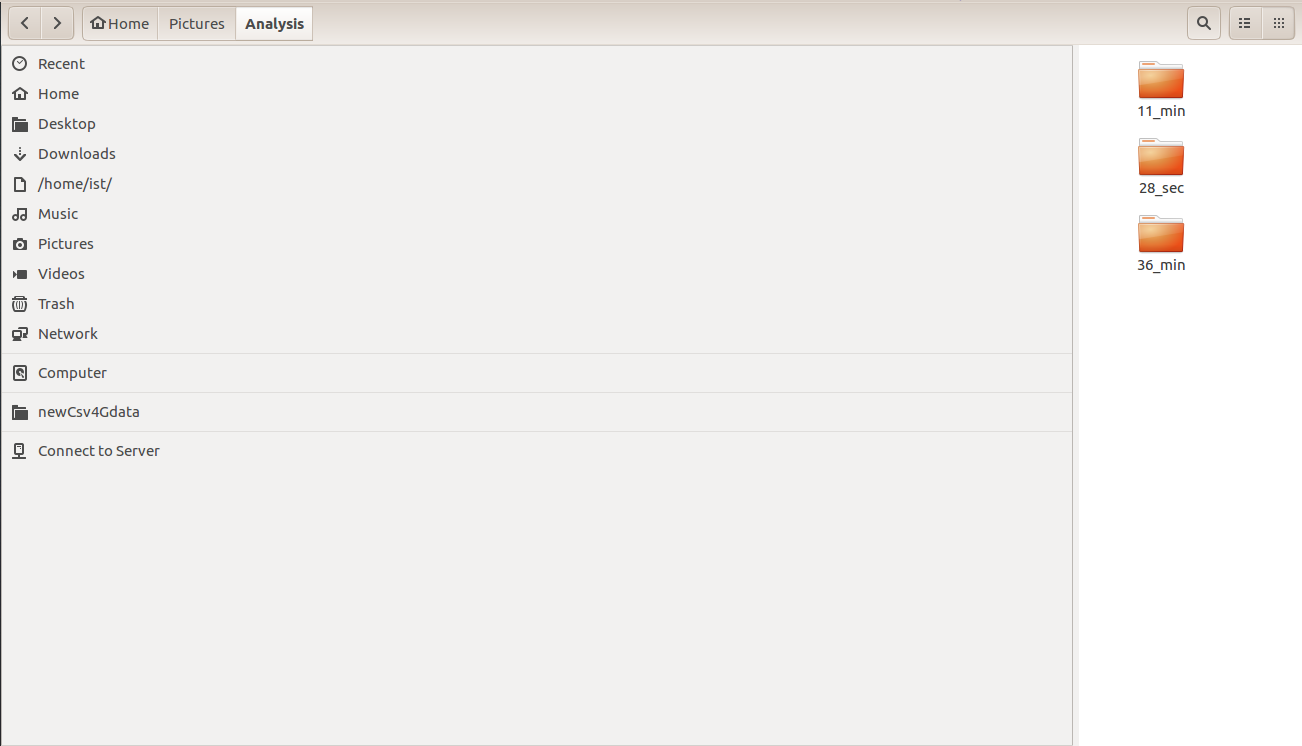
Can anyone help me to rearrange this file panel. Thanks in advance
 priyankkasera
on 5 Oct 2020
priyankkasera
on 5 Oct 2020
@priyankkasera Hover over the margin and your cursor will then you can then click and drag to adjust.
 mansoorahmedmemon
on 5 Dec 2020
mansoorahmedmemon
on 5 Dec 2020
Related issues
 simonbcn
·
4Comments
simonbcn
·
4Comments
 ningacoding
·
6Comments
ningacoding
·
6Comments
 BoQsc
·
4Comments
BoQsc
·
4Comments
 ErwinBaeyens
·
5Comments
ErwinBaeyens
·
5Comments
 alex285
·
6Comments
alex285
·
6Comments
Most helpful comment
Hello Tamas-Toth-ebola! Thank you for the report, I could reproduce the issue on Ubuntu 20.04. Looks like their tray -icons extension ([email protected]) has a rendering issue when the panel is set to a size that is larger than 48px. I've looked into their code and they are forcing the icon's height to 16px. Not sure why they do so, but it is causing the scaling issue. If I remove this height assignment (appIndicator.js:302), I get the desired result.
I've tried different settings with the default gnome-shell's panel and different scaling factors, but can't see any difference with the icons without this height assignment, so it might be worth it to bring the issue to the Ubuntu folks.
Thanks!