Dash-to-panel: Right click on an empty Panel space around Apps and open a menu
Most of the time there is plenty unused space on the panel.
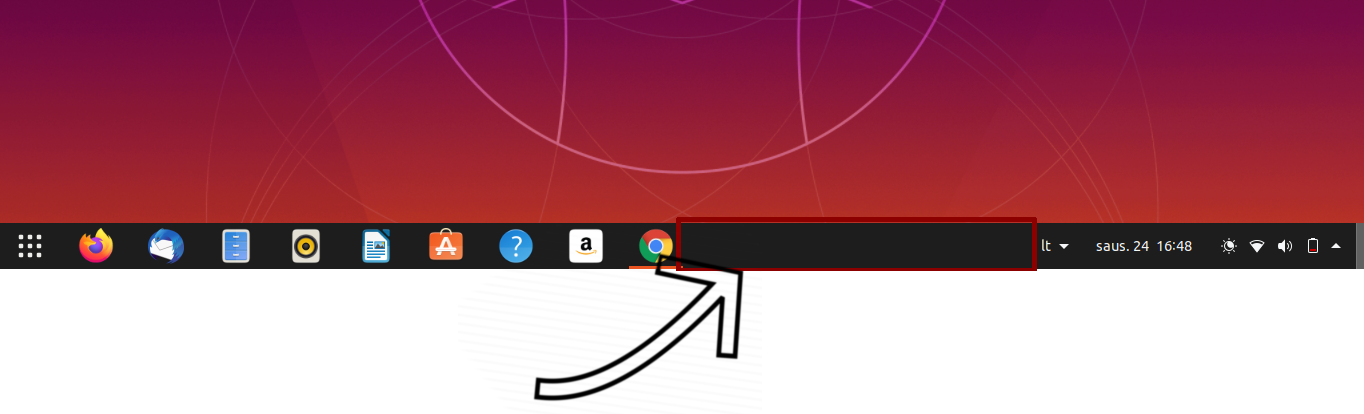
It would be great that Right-clicking on that area would bring up some kind of menu that would let to choose similar settings to that of 9 dots icon.

 BoQsc
BoQsc
All 4 comments
Hello BoQsc, thank you for the suggestion! I always thought it would be a nice addition as well. The feature was added on the master branch if you want to give it a try. Thanks!
 charlesg99
on 11 Feb 2020
charlesg99
on 11 Feb 2020
It works as expected Charles. I tested the master branch changes.
You can leave it as it is or consider further recommendations.
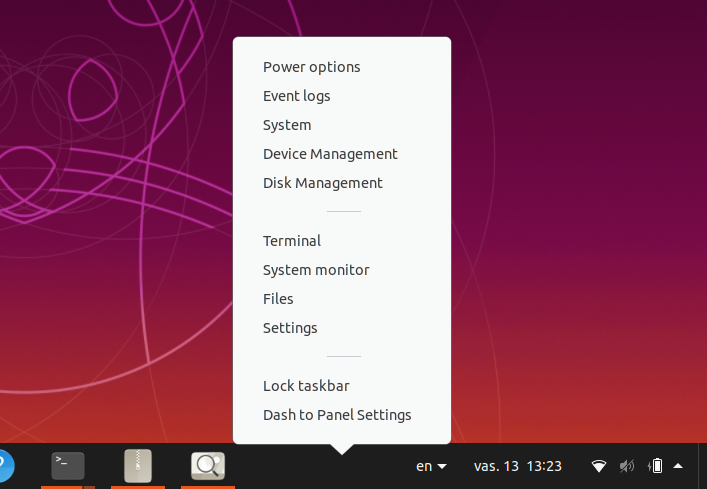
My futher recommendations:
Remove entries
- Power options
- Event logs
- System
- Device Management
- Disk Management
Note: Leave these administration entries to the 9 dots' popup menu 
The reason for removal of these entries:
- These entries adds slight feeling of being overwhelmed
- These entries are more of administration entries than user entries
- Takes large portion of the screen
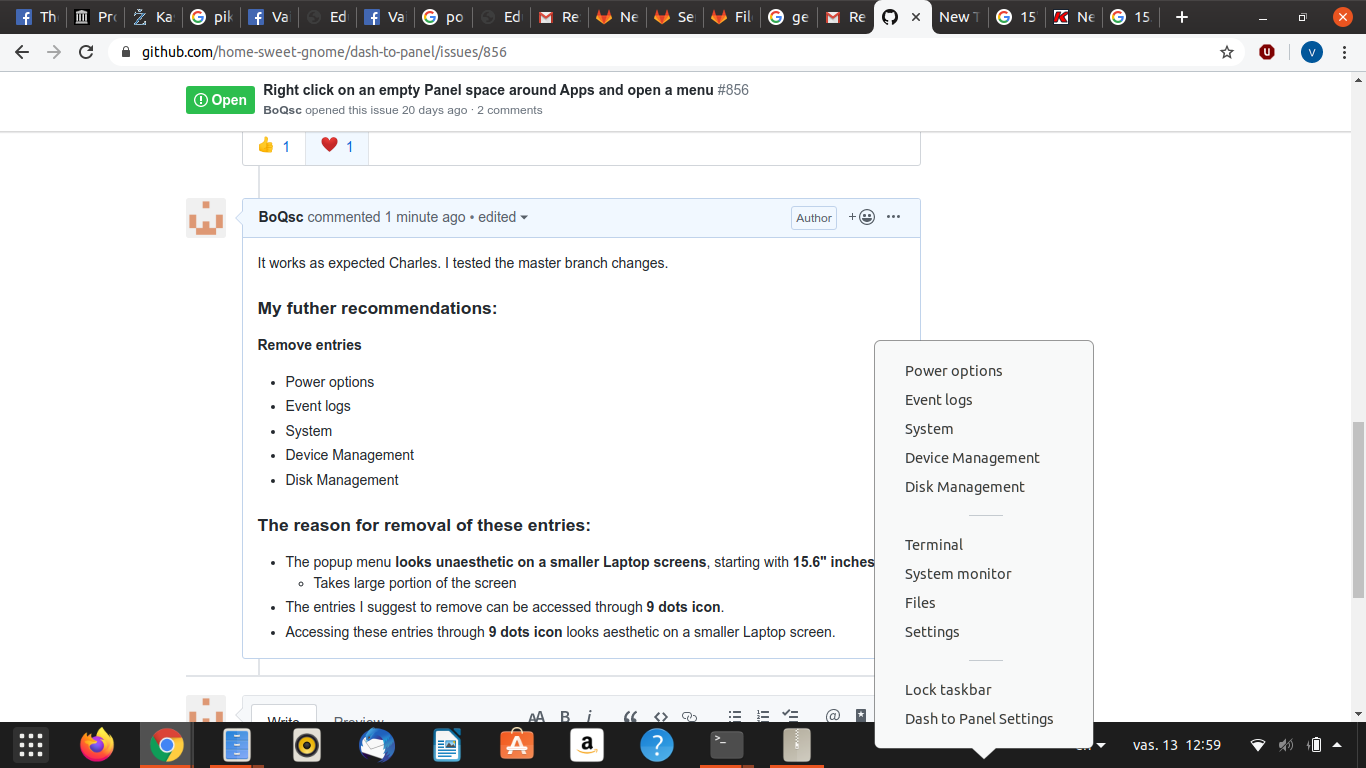
- The popup menu feels unaesthetic on a smaller Laptop screens, starting with 15.6" inches.
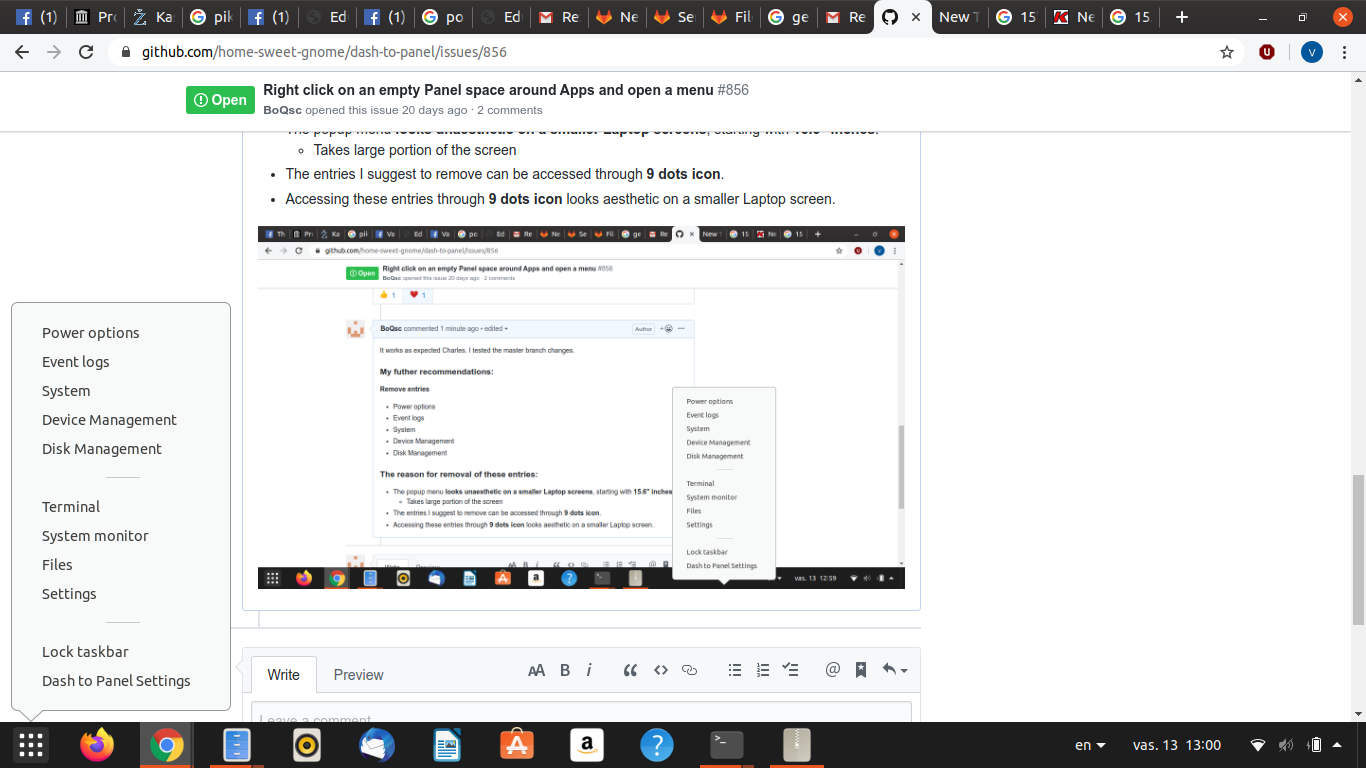
- The entries I suggest to remove can be accessed through 9 dots icon.
- Accessing these entries through 9 dots icon feels more aesthetic on a smaller Laptop screen.
Some random screenshots from the master branch testings. (15.6" inches Laptop, 1336 x 768, 16:9)
BoQsc
on 13 Feb 2020
Hello BoQsc! Thank you for the recommendations, the entries you mentioned were remove from the context menu when opening it by right clicking on the panel (they'll still be available when right clicking on the showapps button). Thanks!
charlesg99
on 18 Feb 2020
For now, it is great. I'm having some feeling that it still needs some improvement.
However, I have nothing clear to say on exactly what needs an improvement.
I will close this issue for now, since everything is done as expected in the original issue above.
BoQsc
on 18 Feb 2020
Related issues
 andrewgazelka
·
6Comments
andrewgazelka
·
6Comments
 dobkeratops
·
4Comments
dobkeratops
·
4Comments
 ktamp
·
5Comments
ktamp
·
5Comments
 ningacoding
·
6Comments
ningacoding
·
6Comments
 alex285
·
6Comments
alex285
·
6Comments
Most helpful comment
Hello BoQsc! Thank you for the recommendations, the entries you mentioned were remove from the context menu when opening it by right clicking on the panel (they'll still be available when right clicking on the showapps button). Thanks!