Dash-to-panel: Peek won't go away
Describe the bug
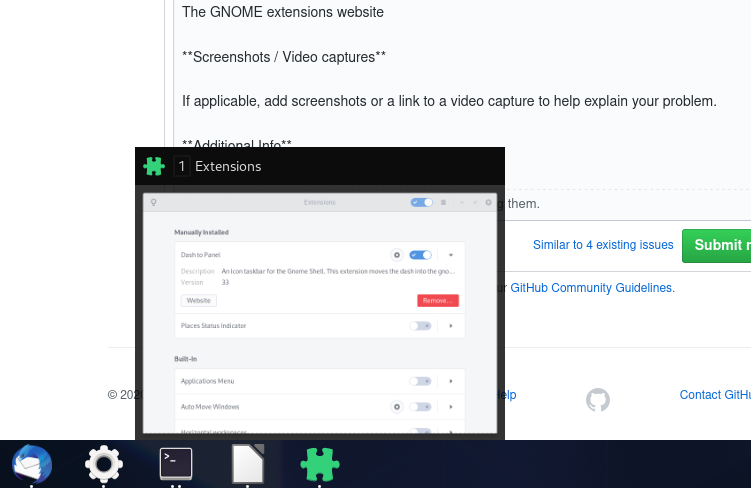
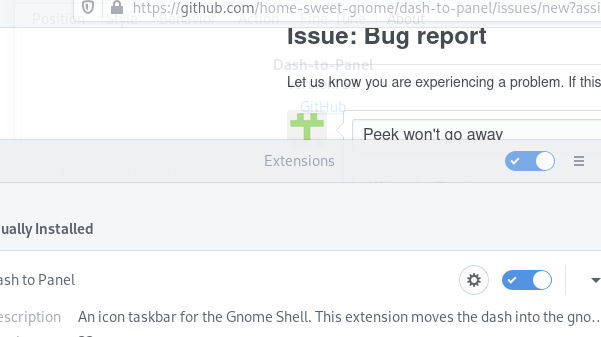
After upgrading to v33, peek doesn't go away (might be intermittent, I can't log out right now), switching and starting programs doesn't work any more, and the right-click menu is mispositioned and drawn incorrectly.
Linux distribution and version
Arch Linux
GNOME Shell version
3.36.1
Dash-to-Panel version
33
Where was Dash-to-Panel installed from?
The GNOME extensions website
Screenshots / Video captures
Additional Info
Toggling peek in settings does not fix it. I'm too scared to disable the extension (Wayland). There's also an opacity issue with the settings window (last screenshot above). Closing the programs does not hide the window preview. Disabling the extension leaves the preview around for a couple of settings, then the shell crashes.
 lnicola
All 15 comments
Hello, thank you for notifying us, this indeed happens on wayland. Seems like wayland is trying to animate a "gnome-shell" window that isn't on x11 and that special window doesn't have a MetaSurfaceActor to animate :( No idea what that "gnome-shell" window is supposed to be. Anyway a fix for it has been added to master, if you want to install it until we can get a fix released. My bad, sorry about this!
@jderose9 I guess we'll have to keep up our "daily release" tradition, as this is a crippling bug for wayland users who use peek.
 charlesg99
on 3 Apr 2020
charlesg99
on 3 Apr 2020
Thanks for the fast fix. I'm afraid I'm not too familiar with the way Gnome extensions are built, so I'll probably try the new release when it gets approved on the Gnome site.
lnicola
on 3 Apr 2020
It goes away for me when I switch workspaces.
 RutgerMoons
on 4 Apr 2020
RutgerMoons
on 4 Apr 2020
I tried that (scrolled on the panel), didn't work.
lnicola
on 4 Apr 2020
I use the keyboard shortcuts, since the panel is not responsive anymore. For me it's ctrl + alt + arrow key.
RutgerMoons
on 4 Apr 2020
My workaround is not complete.
I get this bug when I peek a window for around 2 seconds or more. The preview stays visible at the top. It doesn't matter if I click it or not.
I work around by pressing the windows key. (The overlay is still present). Then switch workspace (ctrl + alt + arrow Down). There is no overlay on the second workspace.
I then go back to the previous workspace (ctrl + alt + arrow Up) and choose an active window.
Result: overlay is gone. Hope this helps you.
RutgerMoons
on 4 Apr 2020
Hello guys, sorry about this! Until we can release another version on e.g.o., as a temporary solution you could switch to an X11 session or install the extension from github. Thanks!
charlesg99
on 4 Apr 2020
@charlesg99 Do you think we are still good to go on a new release?
 jderose9
on 4 Apr 2020
jderose9
on 4 Apr 2020
@jderose9 Yeah, it's gonna be a pathetic one :man_facepalming:, but I think the wayland issue needs to be fixed asap. Thanks!
charlesg99
on 4 Apr 2020
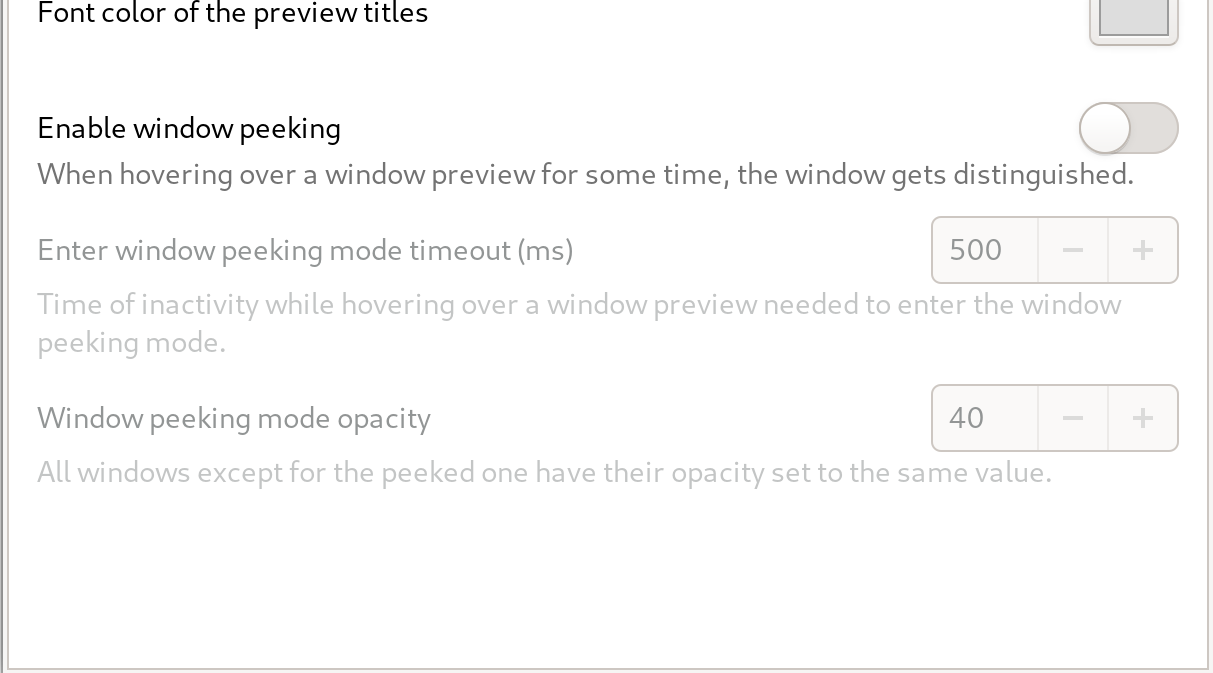
I found that Disabling "Enable window peaking" let me use peek without issue. Might be a good stop gap solution.
 earth4s
on 5 Apr 2020
earth4s
on 5 Apr 2020
@earth4s
I found that Disabling "Enable window peaking" let me use peek without issue. Might be a good stop gap solution.
That didn't do anything for me, but sure, it's worth a try.
In the meanwhile the updated version (actually versions) got published. I didn't see the issue in a quick test (although it was a bit hard to reproduce), but I'll close this. Thanks again @charlesg99 for the fix.
lnicola
on 6 Apr 2020
I updated to v35 from GNOME Extensions website and still experience this issue on Pop!OS 19.10. I disabled Window peaking for now.
 orditeck
on 8 Apr 2020
orditeck
on 8 Apr 2020
Hello orditeck, gnome 3.34 (Pop!Os 19.10) shouldn't be affected by these changes, but it also is the only version where we can't animate the windows opacity. Is this what you're seeing? I just tested on 3.34 (xorg and wayland) and peek works as expected (minus the opacity animations).
Also, make sure to restart gnome-shell following an extension update, as it can't entirely reload the new extension. Thanks!
charlesg99
on 8 Apr 2020
When I put my mouse over a window, I see a small preview of that window.
If I leave my cursor on that preview, I see a peek view of that window.
All the other windows are hidden and the only window I see is the one I'm "peeking".
My issue is that when I move my mouse, all my windows come back but the window I've peeked is still visible, kinda statically printed there, even if it was minimized before.
As suggested by @RutgerMoons, switching to another workspace and coming back does hide the window.
Sorry if it's not clear, I'm new to all this. I can record my screen if it'd help.
GNOME Shell 3.34.3
orditeck
on 8 Apr 2020
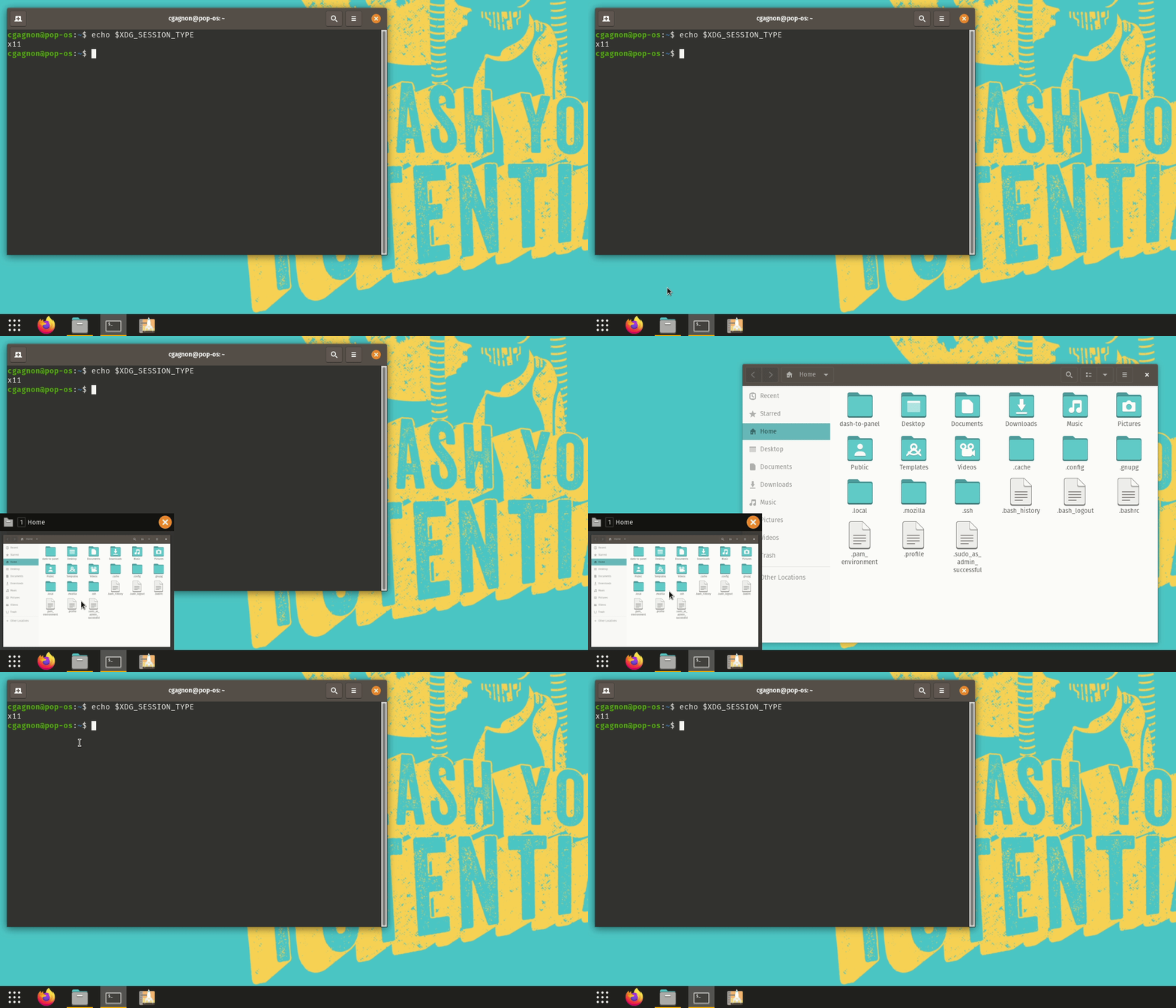
@orditeck Hmm strange, I just tried on 3.34.1 (Fedora 31, wayland and xorg) and 3.34.3 (a fresh PopOs 19.10, xorg), and I can't reproduce what you're describing. Does it happen with every application or only specific ones?
Thanks!
charlesg99
on 9 Apr 2020
Related issues
 simonbcn
·
4Comments
simonbcn
·
4Comments
 andrewgazelka
·
6Comments
andrewgazelka
·
6Comments
 ghost
·
5Comments
ghost
·
5Comments
 BetaConnector
·
5Comments
BetaConnector
·
5Comments
 Steps65
·
5Comments
Steps65
·
5Comments
Most helpful comment
@earth4s
That didn't do anything for me, but sure, it's worth a try.
In the meanwhile the updated version (actually versions) got published. I didn't see the issue in a quick test (although it was a bit hard to reproduce), but I'll close this. Thanks again @charlesg99 for the fix.