Dash-to-panel: "Enable window peeking" causes peeked windows to temporarily replace GNOME Desktop background
Describe the bug
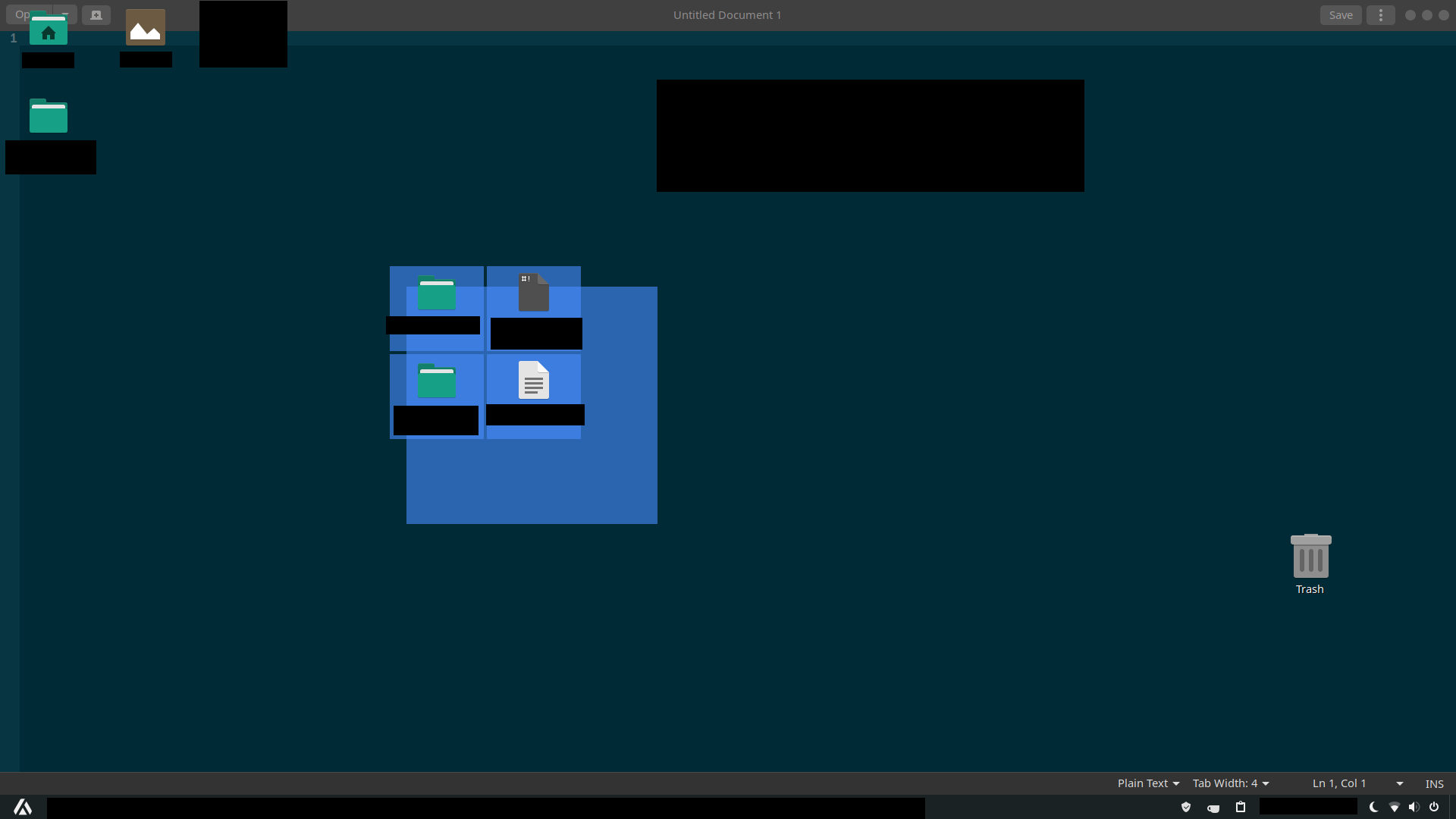
When the "Enable window peeking" feature (under Behavior>Show window previews on hover>Window preview options) is enabled, hovering the mouse cursor over the window preview of a minimized application can sometimes cause the peeked window of that application and/or other open applications to be "imprinted" on the GNOME desktop background. To get rid of the "imprinting" temporarily, the affected windows have to be maximised and minimised.
Linux distribution and version
Manjaro 19.02
GNOME Shell version
GNOME Shell 3.36.0
Dash-to-Panel version
31
Where was Dash-to-Panel installed from?
GNOME extensions website
Screenshots / Video captures
Additional Info
nil
 elliotwutingfeng
All 8 comments
Thank you for the report elliotwutingfeng! I could reproduce the issue, it is a side effect of a mutter bug. I just added a workaround for it (big thanks to @Noobsai) on the master branch, could you please install it and see if that works on your end? Thanks!
 charlesg99
on 2 Apr 2020
charlesg99
on 2 Apr 2020
@charlesg99 While trying to reproduce this, I noticed that window peeking opacity seems to be broken since v27. Do you observe that? (All windows aside from the peeked one disappear)
 jderose9
on 2 Apr 2020
jderose9
on 2 Apr 2020
@jderose9 Good timing :)
charlesg99
on 2 Apr 2020
so..... v33? :)
jderose9
on 2 Apr 2020
Lol, if you want to! We're on a roll!
charlesg99
on 2 Apr 2020
@charlesg99 Problem appears to be gone now, the window peeking opacity is also working properly. Thanks!
elliotwutingfeng
on 2 Apr 2020
I'm seeing some oddities with the new commits on Fedora 31/GS 3.34.
- Firefox opacity doesn't seem to change (it's always fully visible)
- Chromium is flickering/flashing when it's in the background during a peek
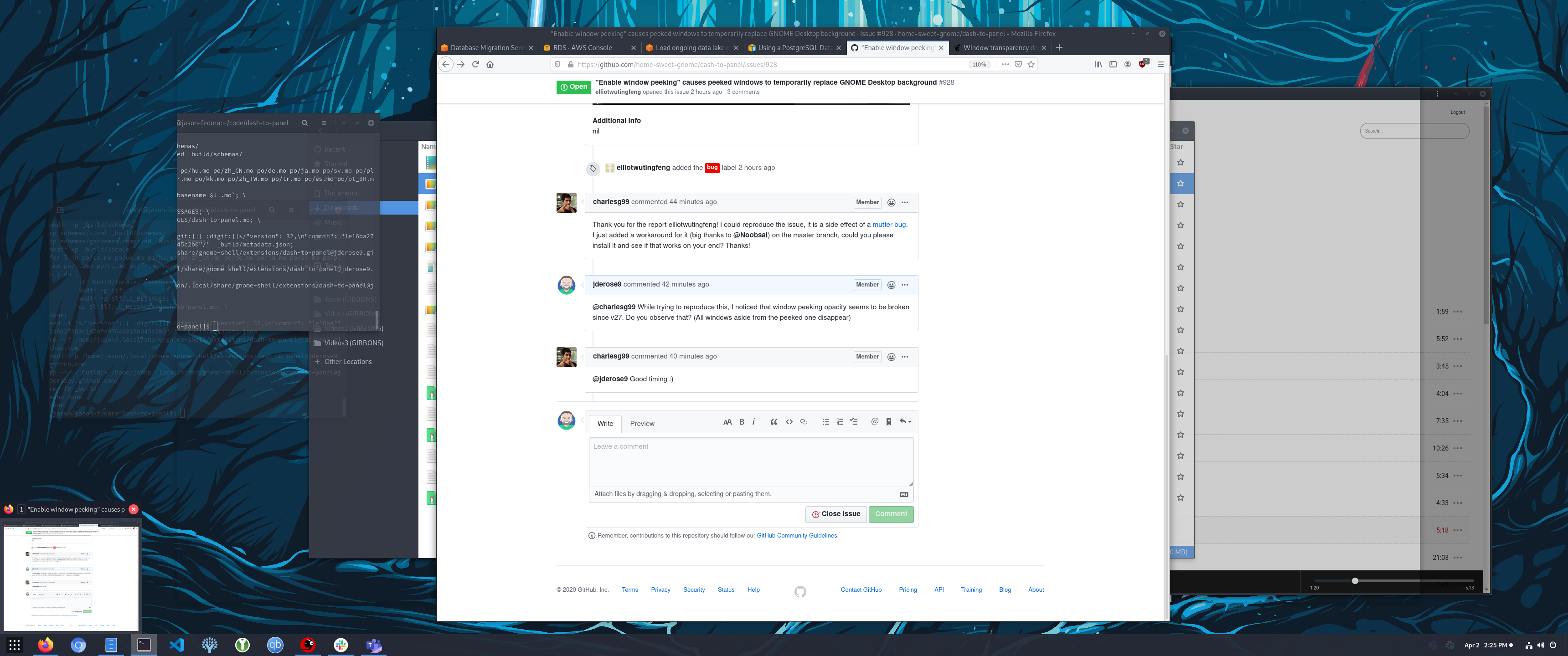
- I once got stuck in a weird state where the opacity wasn't changing on any pixels within the borders of one the background windows:
jderose9
on 2 Apr 2020
Hum I guess the workaround for the animation only works on 3.36+ :( That makes sense as I tried the proposed mutter workaround some time ago and dismissed it as it wasn't working properly (got the same as you mentioned), but I was still on 3.34 then... My memory seems to be failing!
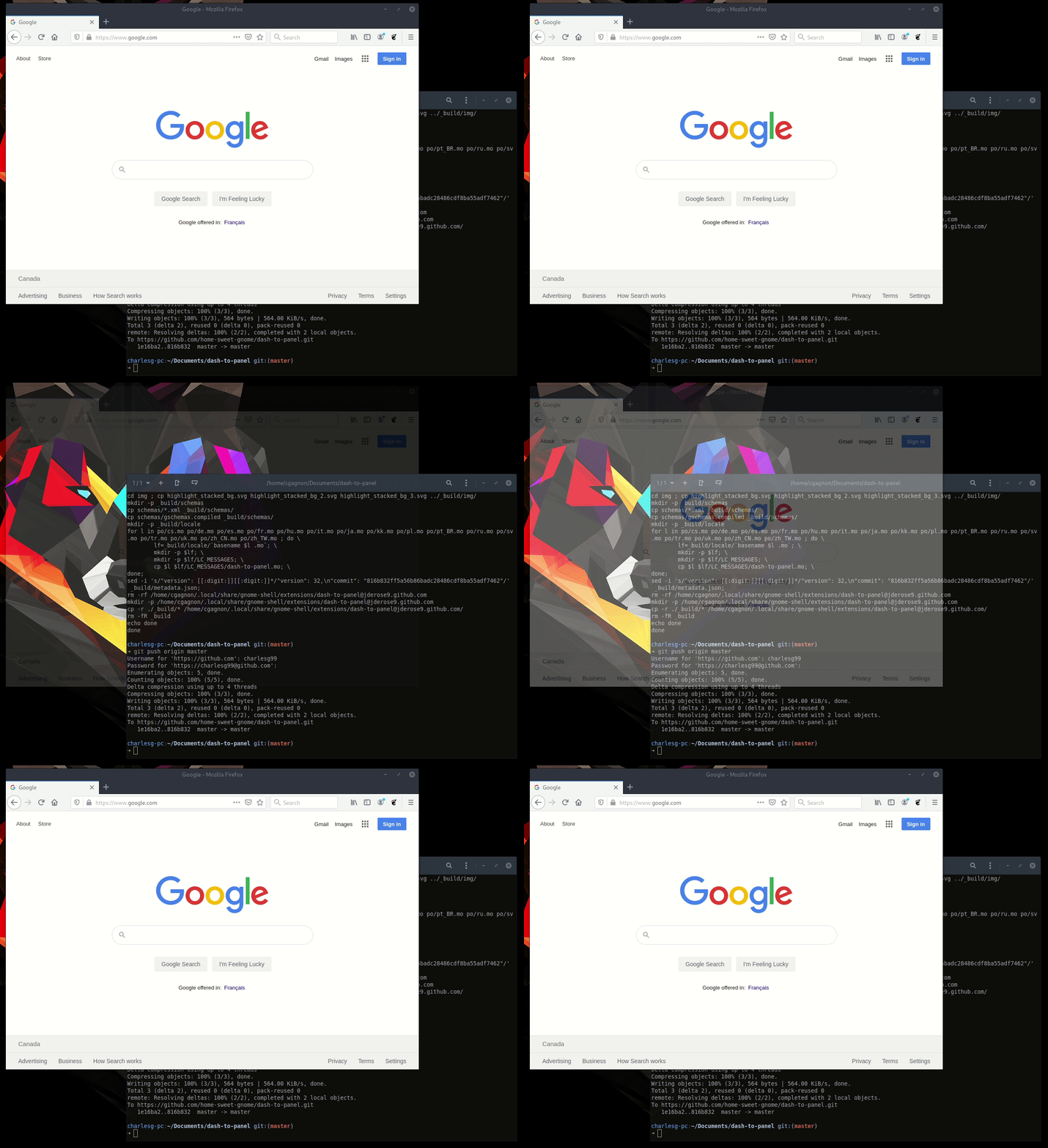
Anyway I pushed another fix, so only 3.34 is condemned of having no window fade animations. Still happy that it is working on 3.36 though:
Thanks!
charlesg99
on 2 Apr 2020
Related issues
 simonbcn
·
4Comments
simonbcn
·
4Comments
 dobkeratops
·
4Comments
dobkeratops
·
4Comments
 MicleBrick
·
6Comments
MicleBrick
·
6Comments
 andrewgazelka
·
6Comments
andrewgazelka
·
6Comments
 ningacoding
·
6Comments
ningacoding
·
6Comments
Most helpful comment
@charlesg99 Problem appears to be gone now, the window peeking opacity is also working properly. Thanks!