Dash-to-panel: Let users drag and drop into individual preview windows
Current behaviour
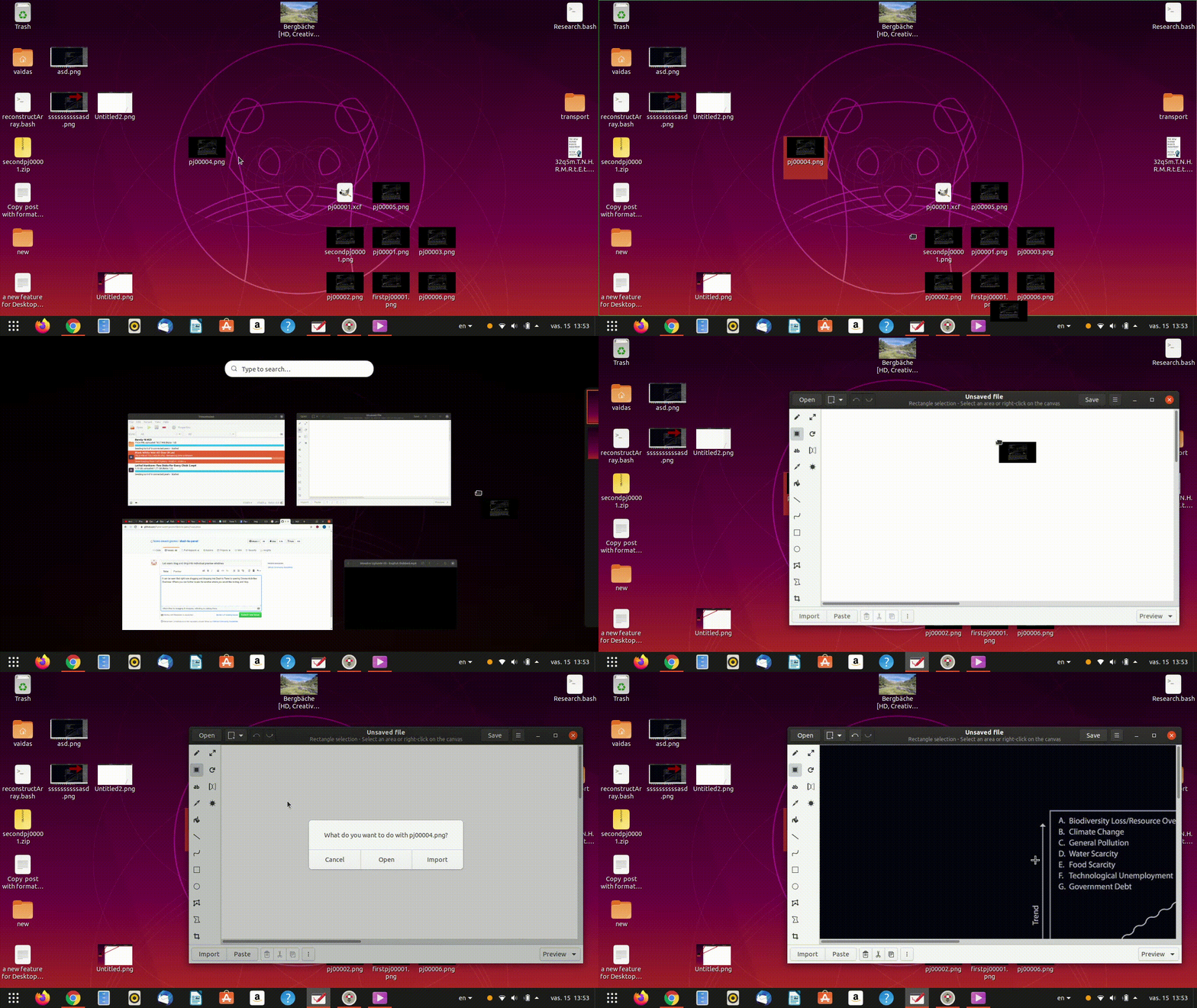
It can be seen that right now dragging and dropping into Dash to Panel is opening Gnome Activities Overview. Where you can further locate the window where you would like to drag and drop.
Alternative Behaviour
While it is not a bad experience at all, I just though that giving people an alternative option to
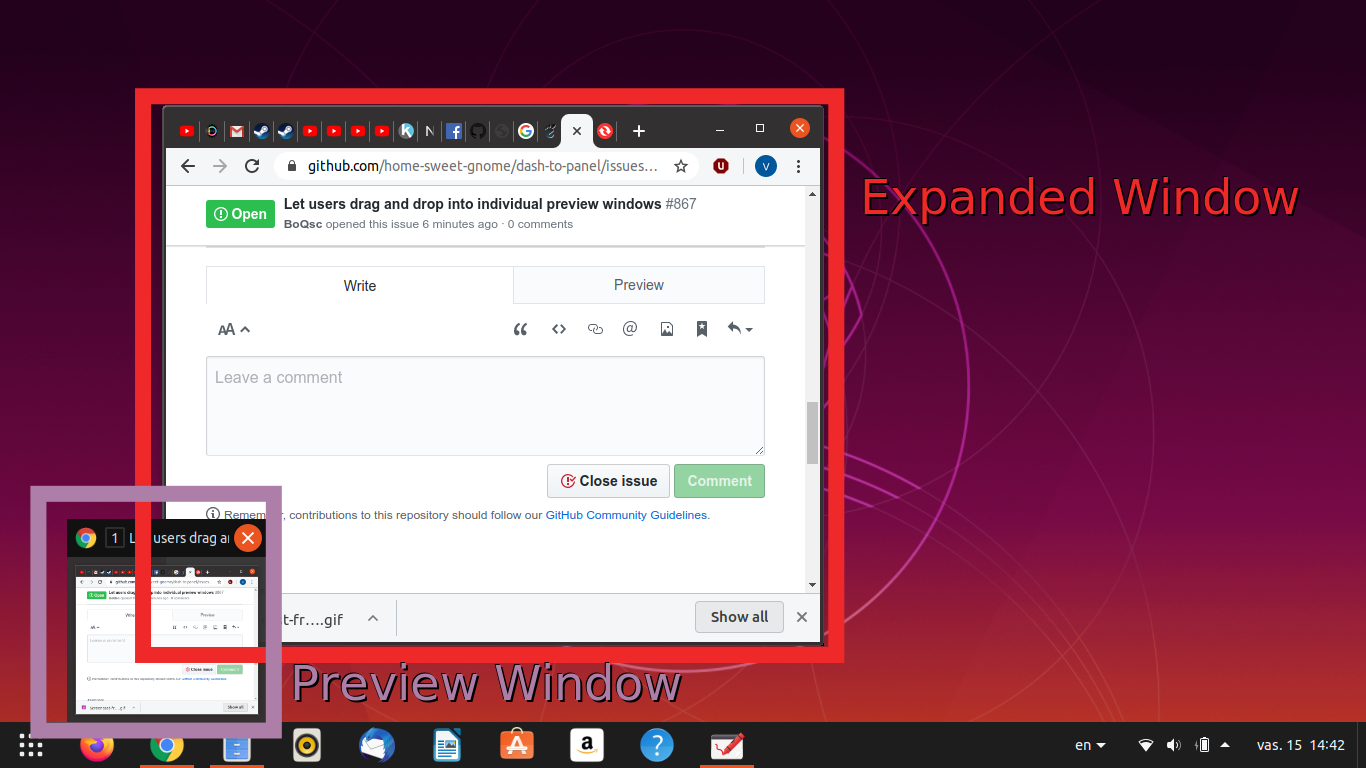
Drag and Drop directly into Dash To Panel preview windows would be more straightforward.
Note: I do not mean to drop directly into preview windows, rather the expanded windows and their parts that show up after hovering over the preview windows.
 BoQsc
BoQsc
All 7 comments
Thanks @BoQsc! I'm not necessarily opposed to this, but I'm not clear on how you are envisioning the details to work. If you currently drag and drop over anywhere in the panel, the overview opens. Are you suggesting that if they then moved over to be hovering over an application icon, the overview would close and the preview would open instead?
 jderose9
on 7 Mar 2020
jderose9
on 7 Mar 2020
Thanks @BoQsc! I'm not necessarily opposed to this, but I'm not clear on how you are envisioning the details to work.
If you currently drag and drop over anywhere in the panel, the overview opens.
Are you suggesting that if they then moved over to be
- hovering over an application icon,
- the overview would close and the preview would open instead?
I think you understood correctly @jderose9 :
- pick a desktop icon, drag it over an application icon
- while hovering over an application icon
- instead of Gnome Activities Overview:
- show the "application's preview windows"
- Drag into one of the "application's preview windows"
- Show the "large application's preview window".
- Drop where you want into "large application window".
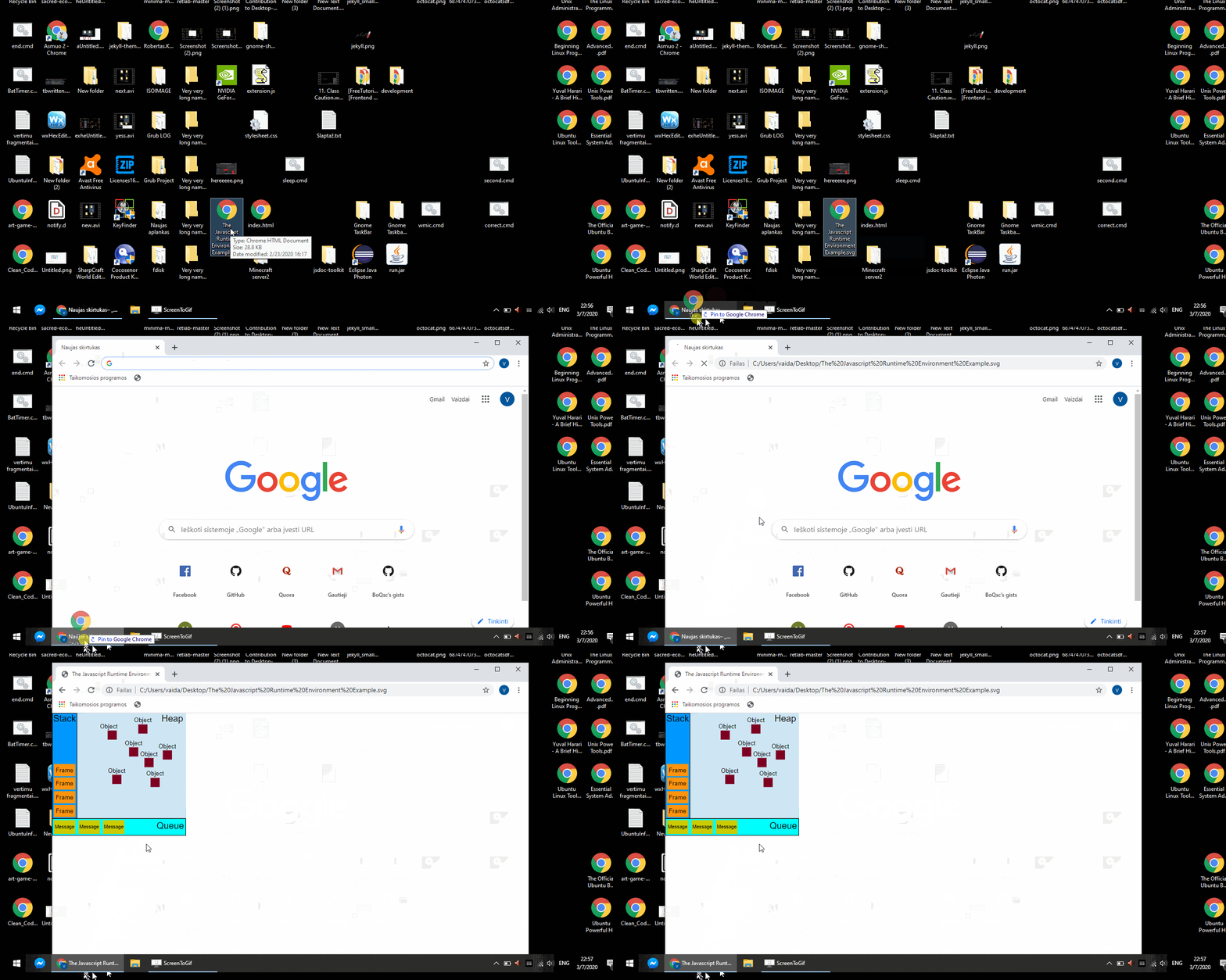
Windows 10 as a basic reference, a visual representation
(Windows 10 looks similar to what I suggest, but not exactly )
BoQsc
on 7 Mar 2020
So, I attempted that a couple of years ago and wasn't able to do it without upstream changes, as you can read here:
https://github.com/home-sweet-gnome/dash-to-panel/issues/46#issuecomment-283208983
But, since @charlesg99 reworked the preview windows a few months ago, I think we may no longer be a slave to the grab handler that was eating all of the event information. It's definitely worth revisiting.
jderose9
on 7 Mar 2020
I would love to see this setting happening.
To me it is also a matter of performances (as generating the Gnome Activities Overview can be a sluggish on my laptop) and usability (quicker to hover on your app of interest to drop your file than look around in the overview).
 mbousq
on 14 Jul 2020
mbousq
on 14 Jul 2020
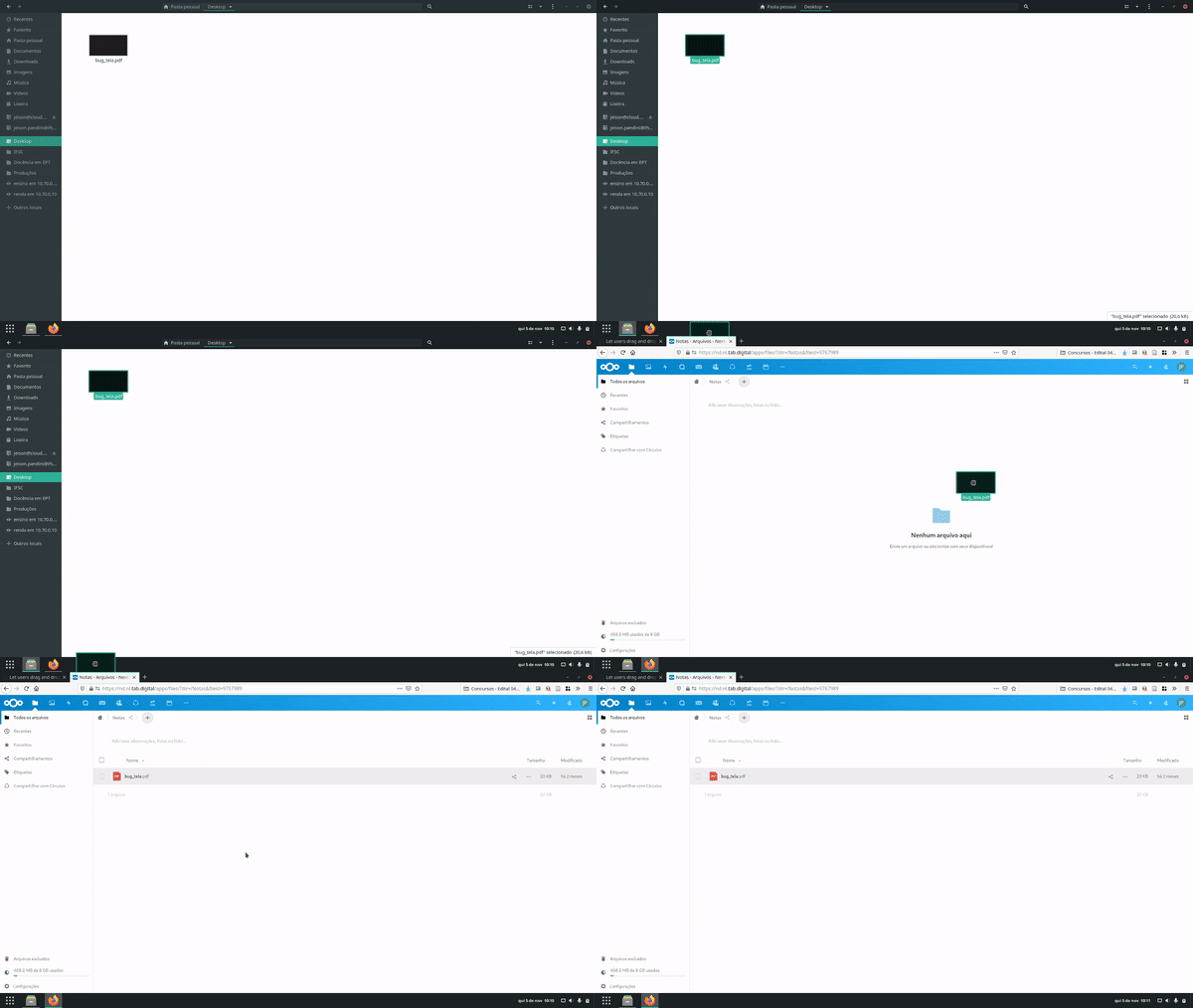
Leave the mouse over the panel doesn't works to me. I have to side over it:
 jeisoncp
on 5 Nov 2020
jeisoncp
on 5 Nov 2020
This issue has been automatically marked as stale because it has not had recent activity. It will be closed if no further activity occurs. Thank you for your contributions.
![stale[bot] picture](https://avatars.githubusercontent.com/in/1724?v=4&s=40) stale[bot]
on 9 Jun 2021
stale[bot]
on 9 Jun 2021
I would still be excited to get this feature back to Ubuntu! Thanks to anyone who could work on this!
 Filbuntu
on 9 Jun 2021
Filbuntu
on 9 Jun 2021
Related issues
 Steps65
·
5Comments
Steps65
·
5Comments
 alex285
·
6Comments
alex285
·
6Comments
 RomanShumikhin
·
3Comments
RomanShumikhin
·
3Comments
 ErwinBaeyens
·
5Comments
ErwinBaeyens
·
5Comments
 amivaleo
·
5Comments
amivaleo
·
5Comments
Most helpful comment
So, I attempted that a couple of years ago and wasn't able to do it without upstream changes, as you can read here:
https://github.com/home-sweet-gnome/dash-to-panel/issues/46#issuecomment-283208983
But, since @charlesg99 reworked the preview windows a few months ago, I think we may no longer be a slave to the grab handler that was eating all of the event information. It's definitely worth revisiting.