Dash-to-panel: "Show Applications" icon missing with update to version 15
Issue Description
I updated to version 15. Immediately after I noticed:
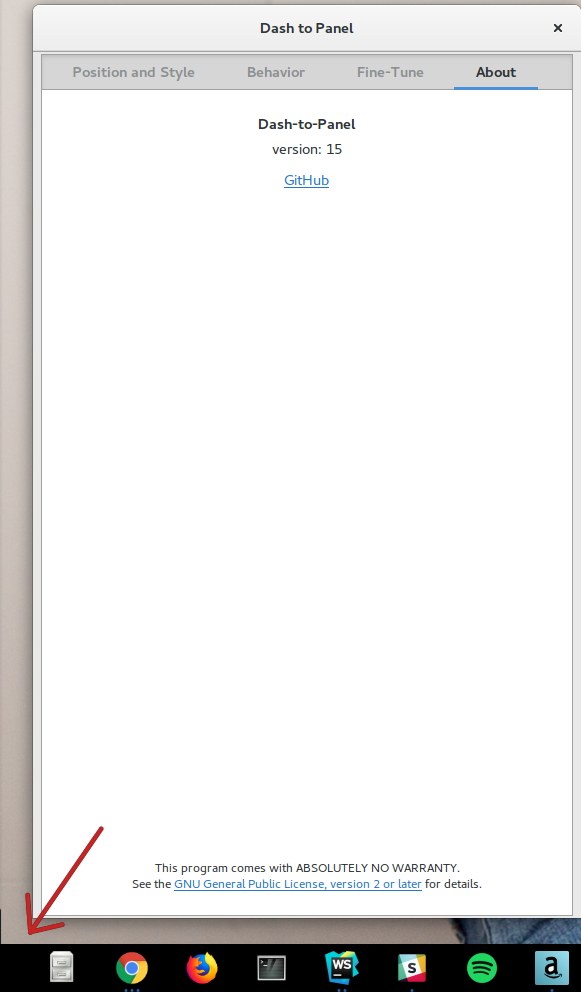
- The "Show Applications" button is missing its icon.
- The button still works although the hit box is not as wide.
- The button does not have a hover state like the rest of the icons do.
Troubleshooting Done
- Disabled and then enabled the plugin (no change).
- Logged out and then logged in (no change).
Reference Image
See the bottom left corner of this image:
 Gi60s
Gi60s
All 14 comments
Hey Gi60s, are you using a custom icon? Could you please try re setting it in the "Show Applications icon" options and see if the icon comes back? I can't reproduce the issue so far on v15. Thanks.
 charlesg99
on 6 Jul 2018
charlesg99
on 6 Jul 2018
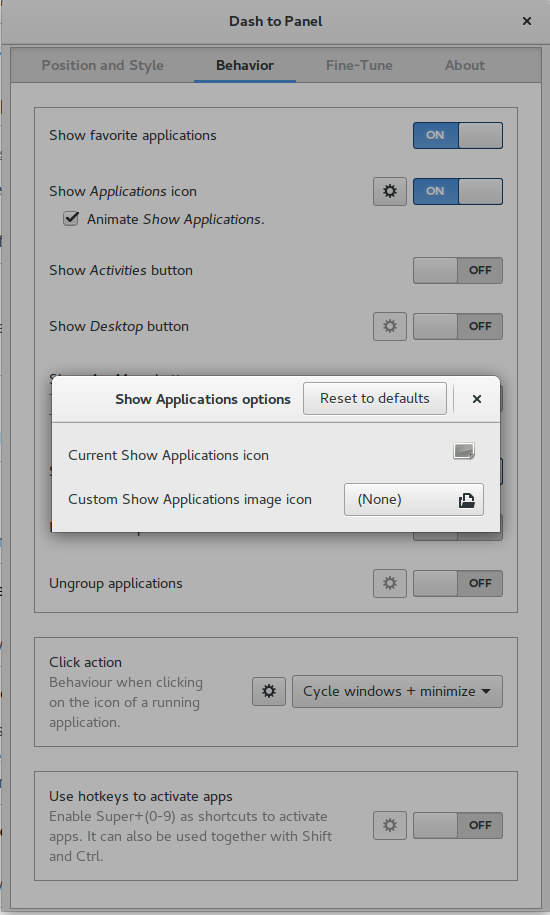
I haven't set a custom icon, but I did find where that is at in the settings. It looks to me that the current icon is set to none. I also noticed while playing with these settings that the "Show Desktop Button" also does not have an icon. Is it supposed to?
Clicking reset did not change anything.
I'm happy to go find the icon on my computer's hard drive, although I'm not sure where it is located.
Thanks for the help.
Gi60s
on 6 Jul 2018
What theme are you using? Seems like the default icon (view-app-grid-symbolic) isn't available. Do you have the same result if you try a different theme? Thanks
charlesg99
on 6 Jul 2018
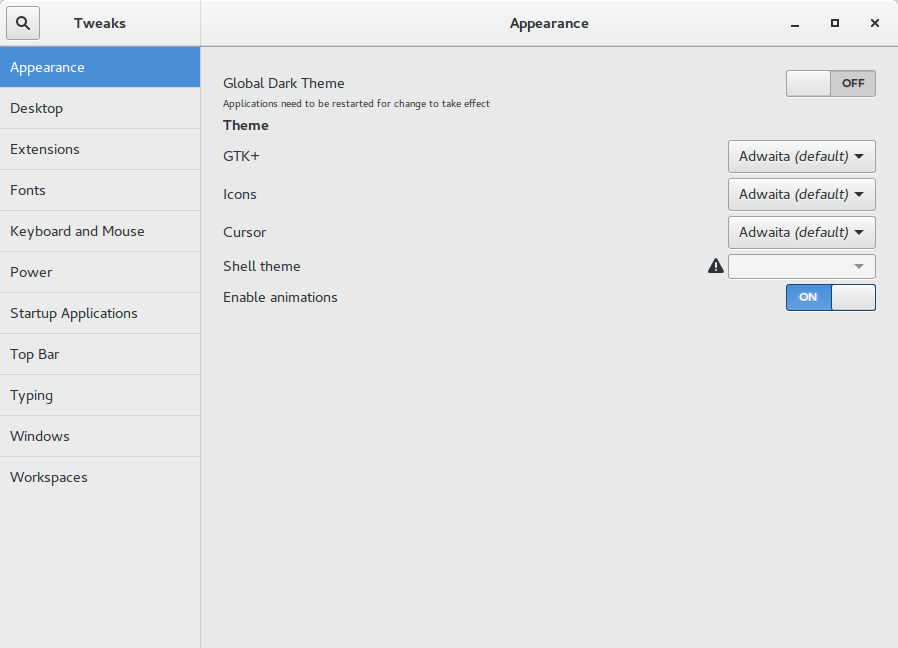
Are you referring to the theme set in tweaks? It says "Adwaita". Changing the theme or icons doesn't make it reappear.
Also, I don't know how this affects things, but I'm running Ubuntu Gnome 16.04.
Gi60s
on 8 Jul 2018
@charlesg99 Looks like this icon is actually called view-grid-symbolic in Gnome 3.18 and earlier.
 jderose9
on 9 Jul 2018
jderose9
on 9 Jul 2018
Ha that makes sense, thanks for your insight @jderose9. Gi60s, could you please install the latest master and see if the fix solves this issue?
charlesg99
on 10 Jul 2018
I could have done this wrong. I've never installed an extension from github directly. Here is what I did:
- Downloaded a zip
- Opened Tweaks and chose the "None" button at the bottom to select the zip file.
- Logged out and in.
It's getting this error:
GLib.FileError: Failed to open file '/home/james/.local/share/gnome-shell/extensions/[email protected]/schemas/gschemas.compiled': open() failed: No such file or directory

Stack trace:
  getSettings@/home/james/.local/share/gnome-shell/extensions/[email protected]/convenience.js:79
  Settings<._init@/home/james/.local/share/gnome-shell/extensions/[email protected]/prefs.js:148
  wrapper@resource:///org/gnome/gjs/modules/lang.js:178
  _Base.prototype._construct@resource:///org/gnome/gjs/modules/lang.js:110
  Class.prototype._construct/newClass@resource:///org/gnome/gjs/modules/lang.js:213
  buildPrefsWidget@/home/james/.local/share/gnome-shell/extensions/[email protected]/prefs.js:1303
  Application<._selectExtension@resource:///org/gnome/shell/extensionPrefs/main.js:95
  wrapper@resource:///org/gnome/gjs/modules/lang.js:178
  Application<._onCommandLine@resource:///org/gnome/shell/extensionPrefs/main.js:259
  wrapper@resource:///org/gnome/gjs/modules/lang.js:178
  main@resource:///org/gnome/shell/extensionPrefs/main.js:397
  @<main>:1
I don't think you can install an extension this way. Please see this page for the correct way to install from github. If you don't have/want git, just extract the zip you previously downloaded, cd into the "dash-to-panel-master" folder (coming from the zip), then run "make install" and restart gnome-shell as stated in the link above. Thanks.
charlesg99
on 11 Jul 2018
Is making a *.deb file as an easy install option too time consuming?
Though it would have to be maintained by a user that is trusted by the Dev team.
 Lucapz
on 11 Jul 2018
Lucapz
on 11 Jul 2018
Ah, thank you for the instruction. I'll try that and post an update.
Gi60s
on 11 Jul 2018
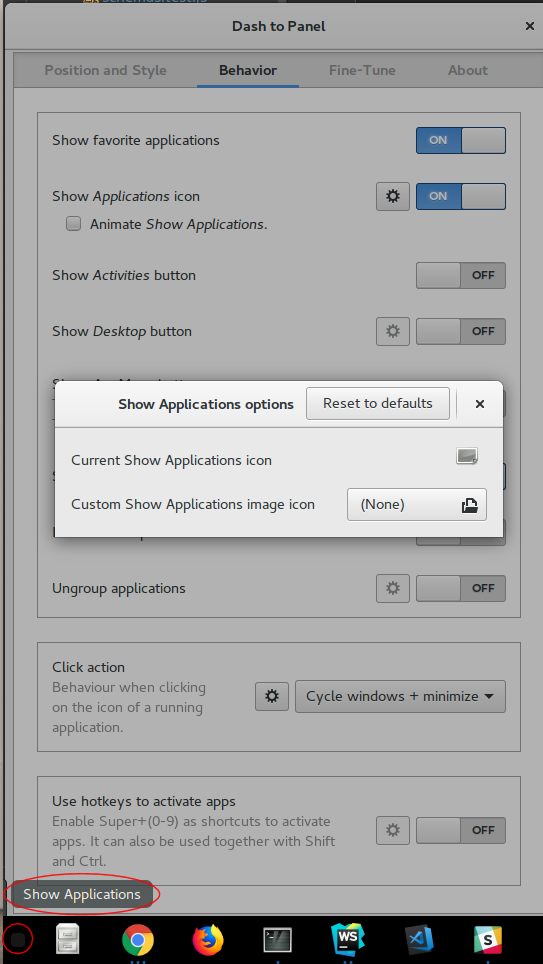
OK, that did install the panel successfully, but the icon is still missing. On the up side, there is now a hoverable area. Also, I don't think that the "Show Applications" menu used to show on hover. I did reset the application icon to default too.
Gi60s
on 11 Jul 2018
Looks like on a fully-updated 16.04 system, Config.PACKAGE_VERSION is '3.18.5'.
jderose9
on 11 Jul 2018
Sorry about that, my bad. Please update again, it should work correctly now. Thanks
charlesg99
on 11 Jul 2018
It works! Well done.
Thank you both for working through this issue. I'll leave this issue open in case you want to do anything else before closing it.
Also, I'd like to know when https://extensions.gnome.org/ has the updated copy too.
Thanks again.
Gi60s
on 11 Jul 2018
Related issues
 bmccorm2
·
5Comments
bmccorm2
·
5Comments
 BetaConnector
·
5Comments
BetaConnector
·
5Comments
 dobkeratops
·
4Comments
dobkeratops
·
4Comments
 sbadux
·
6Comments
sbadux
·
6Comments
 ghost
·
5Comments
ghost
·
5Comments
Most helpful comment
@charlesg99 Looks like this icon is actually called
view-grid-symbolicin Gnome 3.18 and earlier.