Dash-to-dock: v63 looks weird on Pop!_OS 18.04
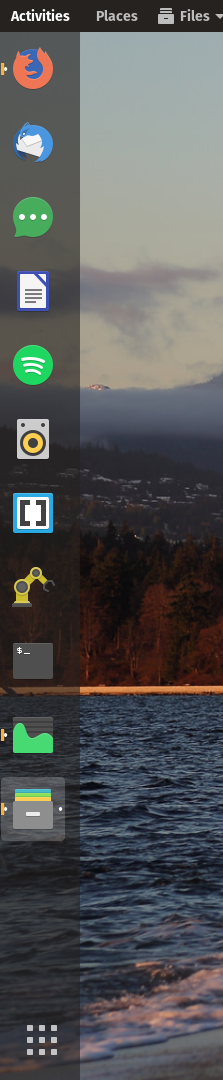
I've installed dash to dock on Pop OS 18.04 (gnome 3.28.1) and it looks weird and misaligned. Is there a way to fix it without having to wait for a new version?
 belenos
All 8 comments
Hi, I guess this is an incompatibility with Pop!_OS theme. I'm not really in the business of supporting all third parties themes as it would be impossible. I usually recommend to point the issue at the theme developers as it should be easier for them (if interested) to tweak their theme.
Have you tried playing with the options in the appearance settings? I'd like to point out that most of these are meant to function with the default Adwaita theme, so maybe disabling some of those might improve the dock appearance and should adhere to the theme author design more.
 micheleg
on 29 Apr 2018
micheleg
on 29 Apr 2018
What is the icon theme?
 Tarik02
on 30 Apr 2018
Tarik02
on 30 Apr 2018
@micheleg I did. Changing the appearance settings only makes it worse, unfortunately. I'll look into the code of the Pop!_OS theme and contact the devs. Thanks.
@Tarik02 no! I've tried other icon and shell/window themes and it was still misaligned. There's an extra 13px left margin on the ShowAppsIcon, I guess, pushing the whole dock alignment to the right. It's somewhere in the code, not the icon itself.
belenos
on 1 May 2018
@belenos, I want this icon theme :)
Tarik02
on 2 May 2018
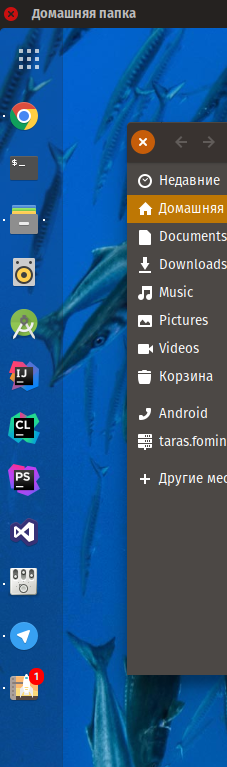
@Tarik02 It's Pop OS icon theme. You can download it here: https://github.com/pop-os/icon-theme
belenos
on 2 May 2018
Also..
Tarik02
on 2 May 2018
This has been fixed at https://github.com/pop-os/gnome-shell-theme/pull/24
 cassidyjames
on 16 May 2018
cassidyjames
on 16 May 2018
Can be closed now, right?
 dvorapa
on 8 Oct 2019
dvorapa
on 8 Oct 2019
Related issues
 k0rbendallas
·
7Comments
k0rbendallas
·
7Comments
 guenter-r
·
6Comments
guenter-r
·
6Comments
 DmitryAstafyev
·
6Comments
DmitryAstafyev
·
6Comments
 mikedep333
·
6Comments
mikedep333
·
6Comments
 swatquest
·
3Comments
swatquest
·
3Comments
Most helpful comment
This has been fixed at https://github.com/pop-os/gnome-shell-theme/pull/24