Darktable: Lighttable previews rendered at low resolution on 4K screen
Describe the bug
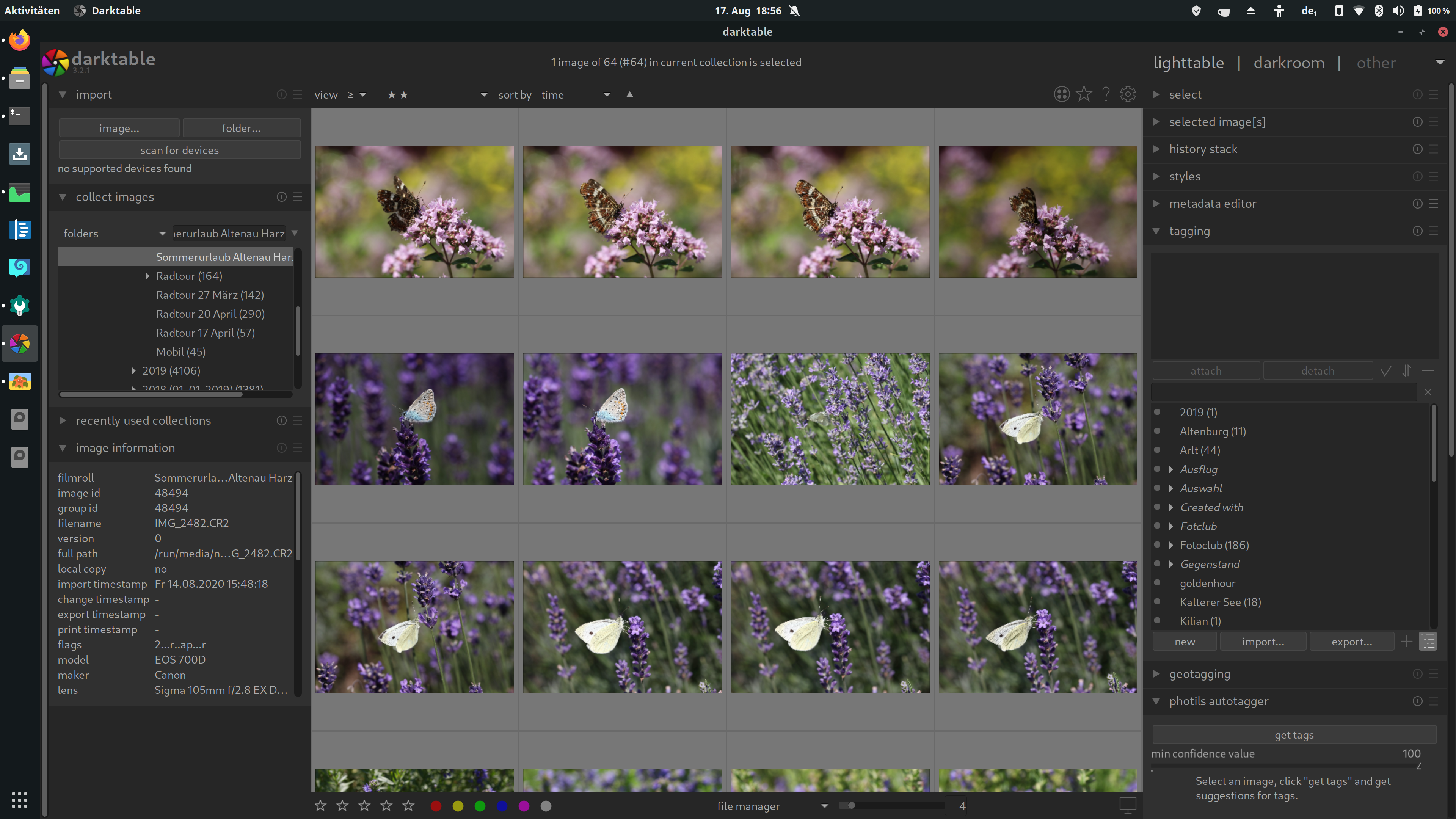
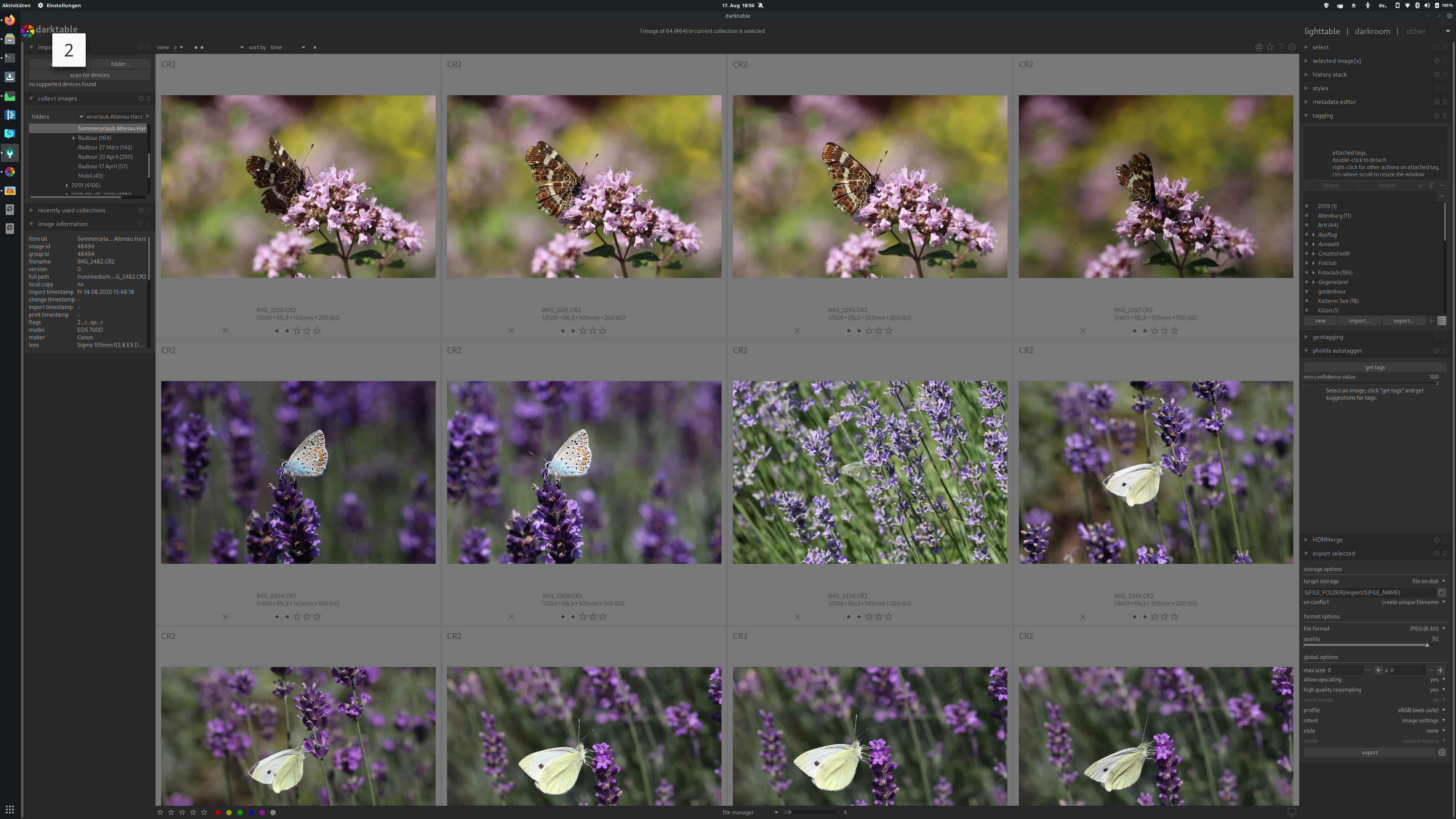
In 3.2.1, previews in the lighttable render at a non-native resolution, as can be seen in the screenshot below.
This applies to all preview sizes, including the full-screen sticky preview, and makes judging focus very difficult. The previous release of Darktable (3.0.1) did render at the correct resolution.
The issue appears only in the lighttable, darkroom rendering is unaffected.
To Reproduce
Import images into Darktable, look at them in the lighttable.
On a 4K screen.
Expected behavior
Image previews should render in the screen's native resolution, just like the rest of the UI, and in the darktable.
Screenshots
Platform (please complete the following information):
- Darktable Version: 3.2.1
- OS: Ubuntu 20.04
- OpenCL active (disabling does not fix the issue)
- AMD Vega M with RocM 2.9
 bastibe
All 61 comments
What did you set settings -> lighttable -> high quality thumbs processing form size to?
 cryptomilk
on 13 Aug 2020
cryptomilk
on 13 Aug 2020
I tried several, including "always" and "never", but it does not seem to make a difference. I restarted Darktable in between changes to "high quality thumb processing from size" as well.
bastibe
on 13 Aug 2020
The issue also persists in a pristine copy of Darktable right from the OBS latest release debian repo with my previous ~/.config/darktable removed.
Here is at least one more user affected by this on a thread in discuss.pixls.us
bastibe
on 13 Aug 2020
Hmm, I don't have that issue.
cryptomilk
on 13 Aug 2020
Is there anything I can do to help to debug this issue?
bastibe
on 13 Aug 2020
Had the same problem, but rolled back to 3.0.2 due to #5945. I experienced another related problem. For the same screen settings (3 images in row on a a MacBook Pro Retina 13’’, 2560 x 1600) now cached previews of size 5 are required, before it was 4.
 A-Herold
on 13 Aug 2020
A-Herold
on 13 Aug 2020
I am seeing the same issue. I have high quality thumbs processing set to "Always". I have not touched this setting in months. The effect applies to images imported before and after the upgrade.
I'm happy to help with any debugging or diagnostics that would be helpful as well.
Darktable 3.2.1
Arch Linux with i3 window manager
Nvidia GTX 1050Ti
4k display
[edit: typo]
 konig12
on 16 Aug 2020
konig12
on 16 Aug 2020
I am having the same issue. For me the thumbnails are rendered better if I change system screen scaling of the monitor to 100% (I use 200% normally). But even then it is not nearly as smooth and detailed as in darkroom.
Darktable 3.2.1
Manjaro Gnome
4k display
 hahihohehe
on 17 Aug 2020
hahihohehe
on 17 Aug 2020
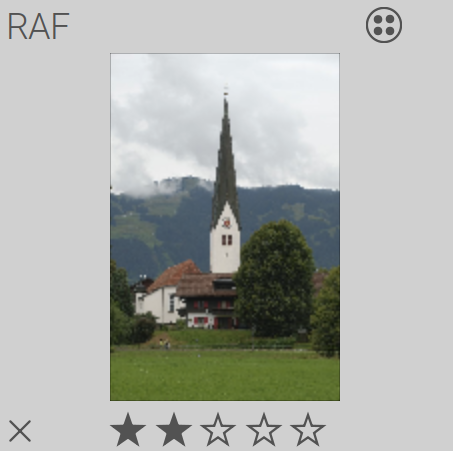
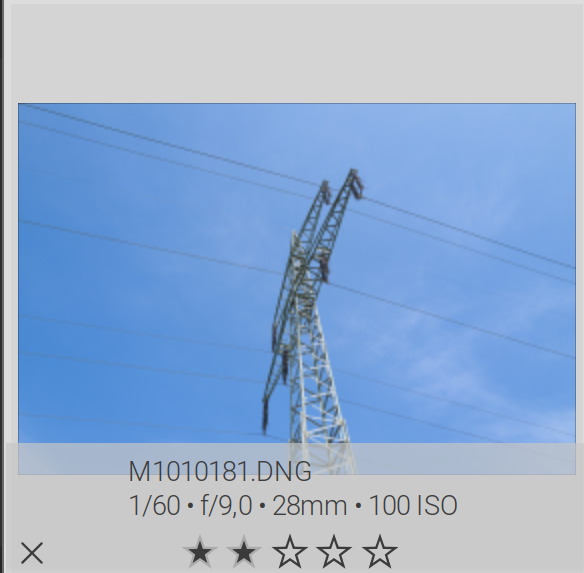
Setting "GUI thumbs and DPI scaling factor" to "1,0" gets rid of the pixeliness, but does not increase resolution:
(The crooked tower roof is straight in reality. This is an artifact of the faulty scaling.)
bastibe
on 17 Aug 2020
Setting "GUI thumbs and DPI scaling factor" to "1,0" gets rid of the pixeliness, but does not increase resolution:
Never mind. This also decreases darktable resolution by a factor of two.
bastibe
on 19 Aug 2020
I suffer from this too following the upgrade to 3.2.1. I don't have a 4K monitor, using just the Dell XPS 15 laptop monitor. Running Linux Manjaro.
 esm7
on 20 Aug 2020
esm7
on 20 Aug 2020
I have this bug too with ordinary FULL HD monitor: 1920*1080. In v3.2.1 on Windows 7 thumbs AND full screen previews looks like low quality - pixelated. On same PC and same photos but in Linux Mint 20 with v3.0.1 of Darktable there is no such problem. And in Windows 7 before upgrade from 3.0.2 to 3.2.1 all looked good. But there is a bug in 3.2.1 version.
 XAndrey
on 23 Aug 2020
XAndrey
on 23 Aug 2020
I confirm this behavior on a 1366 x 768 laptop monitor, in Ubuntu 20.04.
Thumbnails are cached in disk for all resolutions, but darktable seems to be picking a lower one.
Attached is a debugging log.
dt.txt
As a side note, there's a message where screen resolution seems to be calculated:
setting the screen resolution to 81,599609 dpi
However, the correct screen resolution should be 111,94, according to https://www.sven.de/dpi/, since the screen diagonal is 14". Screen diagonal can be calculated using screen dimensions:
xrandr | grep -w connected
LVDS-1 connected primary 1366x768+0+0 (normal left inverted right x axis y axis) 309mm x 173mm
 gadolf66
on 23 Aug 2020
gadolf66
on 23 Aug 2020
We will need to have a way to reproduce, but certainly as this affect many people there is a bug somewhere!
 TurboGit
on 23 Aug 2020
TurboGit
on 23 Aug 2020
As a side note, there's a message where screen resolution seems to be calculated:
setting the screen resolution to 81,599609 dpi
On my 24" 4K screen, it reads
1,248319 [HiDPI] setting ppd to 2,000000
1,248336 [screen resolution] setting the screen resolution to 96,000000 dpi
The first line is correct, the second should be 183 (which might be correct-ish as 96*2).
bastibe
on 24 Aug 2020
On my 24" 4K screen, it reads
1,248319 [HiDPI] setting ppd to 2,000000
1,248336 [screen resolution] setting the screen resolution to 96,000000 dpi
On my 27'' 4K screen I can read these two lines in the log as well.
But these lines are also included in a log from dt 3.0.2.
hahihohehe
on 25 Aug 2020
I started darktable from scratch (alternative cache and config dirs), immediately checking auto-apply scene referred mode and unchecking auto-apply sharpen, then importing a picture folder from the local hard drive, and it showed the same low res preview.
Then I started tweaking the following parameters, but the preview quality never changed:
- lighttable -> don't use embedded preview
- lighttable -> high quality thumb processing
Thumbnails cache showed 0 and 3 folders only, regardless the different settings values above.
I opened one of the images in the 3 folder using ubuntu's default image viewer, and the image had a better quality than shown by darktable in full preview mode
So, it seems to me that the issue may be in thumbnail rendering.
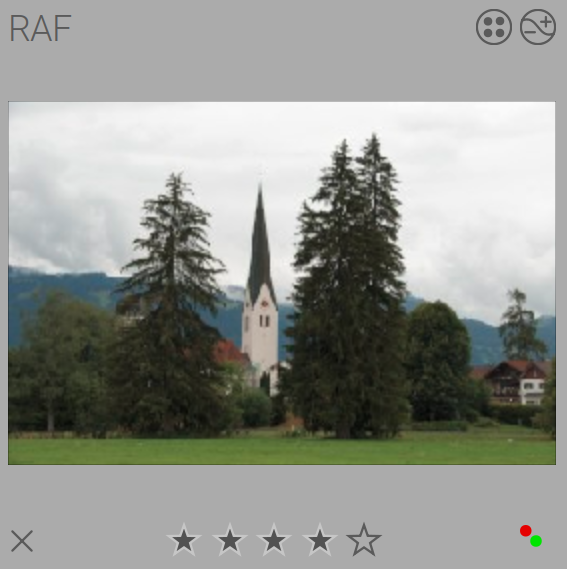
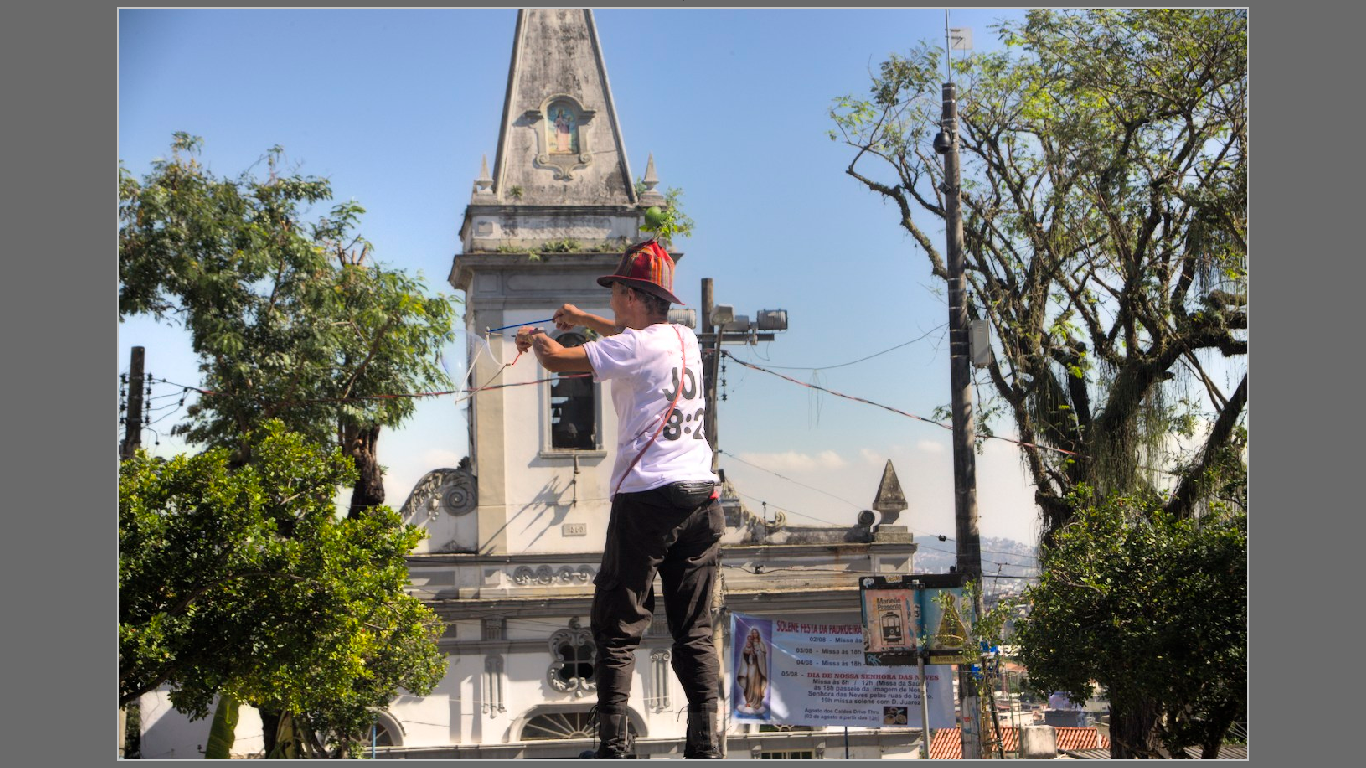
darktable full preview:
thumbnail in cache folder 3:
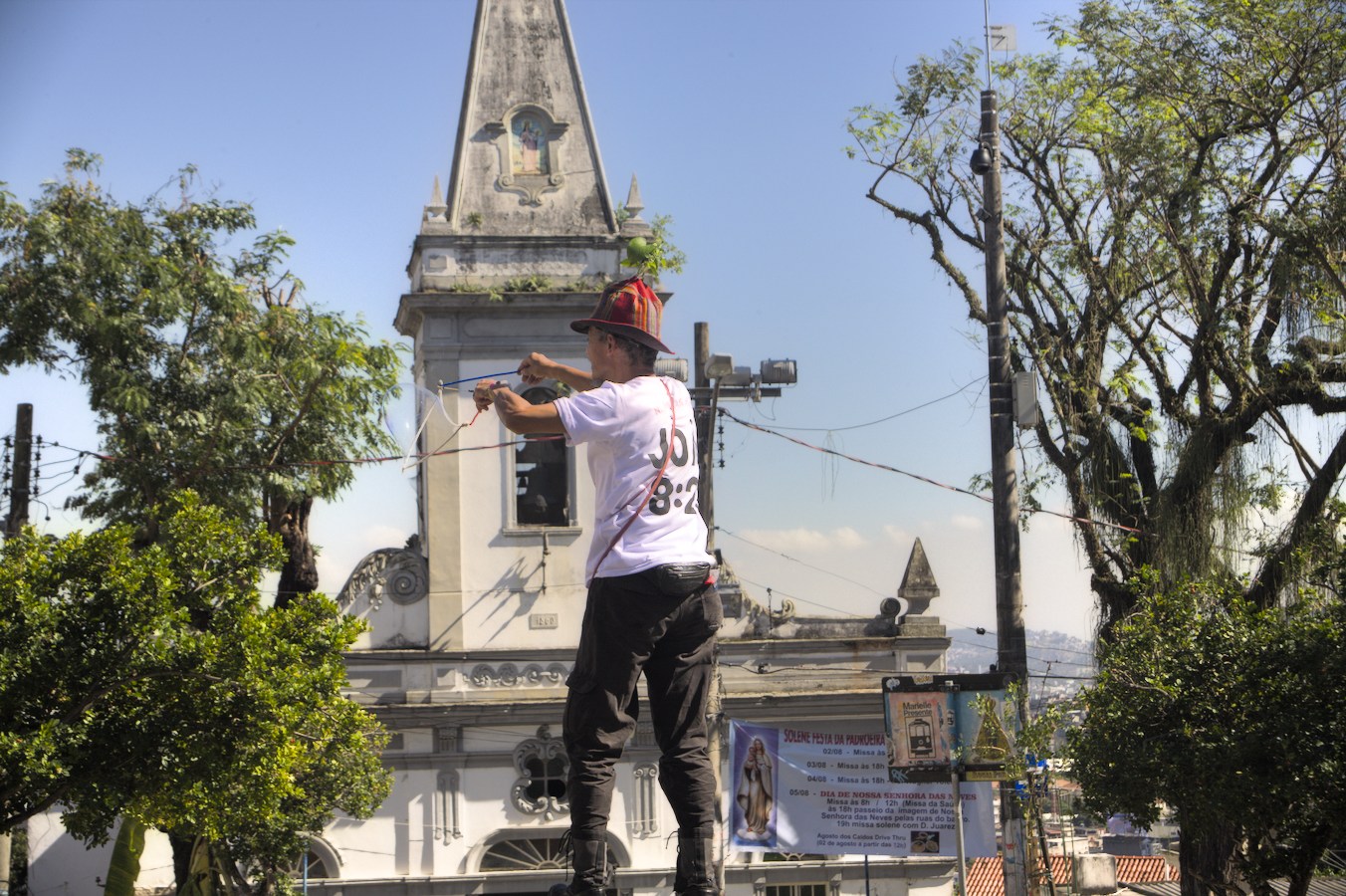
The issue is visible mainly in the church tower, where darktable's preview is pixelated.
gadolf66
on 26 Aug 2020
On my 27'' 4K screen I can read these two lines in the log as well.
But these lines are also included in a log from dt 3.0.2.
So it probably has nothing to do with this issue.
I only mentioned that to raise a possibility that darktable was picking the wrong thumbnail (for example, the one in the "0" folder) based on screen resolution.
But the test I made above showed that the thumbnail picked by darktable was in the "3" folder, and that it has a fair resolution when viewed by other app, as shown in my previous post.
So, I think we can discard this dpi thing.
gadolf66
on 26 Aug 2020
As I have written before, the thumbnail quality in lighttable changes (at least for me) if I change the scaling factor in system settings.
Maybe someone can reproduce that.
hahihohehe
on 27 Aug 2020
Me too. I'm running Arch Linux with GNOME under Wayland. My display settings have scaling set to 200%. I tried tweaking various parameters in the settings but nothing solves the problem. I also tried setting the display scaling to 100%, and the problem is still there.
 jonleighton
on 31 Aug 2020
jonleighton
on 31 Aug 2020
under Wayland
Me too. I disabled Wayland and switched to xorg, to see if it would change something, but no success, the issue remains.
gadolf66
on 31 Aug 2020
I also experience this issue on Fedora with wayland.
I spent the afternoon bisecting between 3.0.2 and latest master.
At each bisect step, I ran:
$ git submodule update
$ sh build.sh
$ sudo cmake --build "<...>/darktable/build" --target install -- -j8
$ rm ~/.config/darktable
and then imported a few photos to see if it was broken or not.
Bisect says that the first bad commit is 4cc927e989914aab00bf29ee7fdd3a3fc774002a
commit 4cc927e989914aab00bf29ee7fdd3a3fc774002a
Author: Aurélien PIERRE <[email protected]>
Date:   Fri Jun 12 16:28:11 2020 +0200

    ensure the right mipmap size is loaded by taking UI DPI scaling factor into account

    solves blurry thumbnail on HiDPI

 src/views/view.c | 4 ++--
 1 file changed, 2 insertions(+), 2 deletions(-)
 honza
on 6 Sep 2020
honza
on 6 Sep 2020
I spent the afternoon bisecting between
3.0.2and latestmaster.
thanks a lot for that. This is exactly the sort of useful things we need, as we can't reproduce.
Seeing the content of https://github.com/darktable-org/darktable/commit/4cc927e989914aab00bf29ee7fdd3a3fc774002a Maybe you can try things :
- in your darktable.rc file, find the entry named
ui/cairo_filter(create it if needed) and replace its value bygoodorbest - if you're able to do it : in
src/views/view.c:942can you add a line withprintf("ppd %f\n", darktable.gui->ppd);just before https://github.com/darktable-org/darktable/blob/733388a9360dbfb228b89c7d0ee04ab7eb0732e7/src/views/view.c#L942
 AlicVB
on 6 Sep 2020
AlicVB
on 6 Sep 2020
With @parafin's help on irc, I was able to set ui/cairo_filter to good, and this fixes the issue for me, even on master.
Also: I'm using a non-highdpi screen.
honza
on 6 Sep 2020
- if you're able to do it : in src/views/view.c:942 can you add a line with printf("ppd %f\n", darktable.gui->ppd); just before
The printed value is ppd 1.000000.
honza
on 6 Sep 2020
Small note - that dt_mipmap_cache_get_matching_size call is wrong, since it multiplies by ppd, but dt_mipmap_cache_get_matching_size also does the same internally, so we multiply by ppd squared in result. But just reverting it isn't a good idea since @aurelienpierre says it actually fixes a bug for him on highdpi screen. Also this particular bug is present on non-highdpi screens. Maybe there is a connection here. Something wrong with the logic selecting the mipmap size.
 parafin
on 6 Sep 2020
parafin
on 6 Sep 2020
My PPD factor here is 2, so PPD² or 2×PPD is the same in my case. If low-DPI users have the same ×2 error, maybe there is a wrong halving somewhere in the size computation, and indeed the additional ×PPD is just as wrong in general.
 aurelienpierre
on 7 Sep 2020
aurelienpierre
on 7 Sep 2020
I think the logic for selecting the mipmap size is wrong as @parafin suggested.
The code tests for minimum diff of width+height, it should test for width&height in mipmap are each at least what was requested so we always downscale.
Adding testing code shows that current code can easily lead to upscaling depending on aspect of image and required size in dt.
fprintf(stderr,"\ncache wanted %ix%i takes %ix%i",width, height, cache->max_width[best], cache->max_height[best]);
cache wanted 690x458 takes 720x450
cache wanted 690x458 takes 720x450
cache wanted 726x482 takes 1440x900
cache wanted 727x483 takes 1440x900
cache wanted 691x459 takes 720x450
cache wanted 691x459 takes 720x450
Will do the pr
 jenshannoschwalm
on 9 Sep 2020
jenshannoschwalm
on 9 Sep 2020
Thanks @jenshannoschwalm! :tada:
honza
on 10 Sep 2020
I still have (what seems) the same problem, after installing 3.3.0~git651.b6bbd0d56 (from OBS; I don't know how to check if the above commit is in this version, but I suppose so).
Please tell me if I should open a new issue or posting here is the right place even if it's closed.
I use a Full HD screen (1920*1080).
I tried with a new .config/darktable, a new cache, I launched darktable-generate-cache -m 4 (thumbnails are then 1800x1200).
Example:
- in lighttable:

- in darkroom:
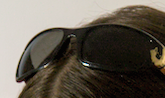
Thanks
 EC1000
on 13 Sep 2020
EC1000
on 13 Sep 2020
Nobody actually fixed that double multiplication by ppd. Plus people still complain that "fast" cairo scaling produce bad results, see e.g. #6325. Let's reopen this, it needs more work.
parafin
on 19 Sep 2020
Hi, I'm the one who opened #6325. Just to comment on performance - I can't test my git builds on my Atom (x7-z8750) machine at the moment, but I have no issue with the performance of Darktable releases on that machine which are using "good" scaling. And "fast" scaled thumbnails look so bad that I wouldn't use them even if they were noticeably faster.
 grudgingly
on 20 Sep 2020
grudgingly
on 20 Sep 2020
I think it would be interesting to understand which thumbnail sizes gets chosen (as seen in https://github.com/darktable-org/darktable/issues/5947#issuecomment-689309976) and how it looks depending on ppd (HighDPI or ordinary).
Original change from good to fast scaling algorithm was done by @aurelienpierre, so maybe he can comment on the why.
parafin
on 20 Sep 2020
Ok, we have to track this down. There was a minor problem fixed, sometimes the calculated thumbsize was too small, but that was in fact irrelevant.
I did a number of tests all with the same image. To reproduce for every thumbnail snapshot i discarded history, opened once in darkroom to force a thumb recalculation and did a snapshot cropped later.
Data shown are always like this after adding debug info lines
dt_view_image_get_surface img 7105, 279x279
get matching size 558x558 (1116x1116) --> 1920x1200
surface create 279x186
Line1: width and height passed to dt_view_image_get_surface
Line2: matching size calculation original size, size calculated with ppd, resulting size
Line3: surface created in dt_view_image_get_surface
Pic1: cairo_fast, default on normal monitor
dt_view_image_get_surface img 7105, 279x279
get matching size 279x279 (279x279) --> 720x450
surface create 279x186
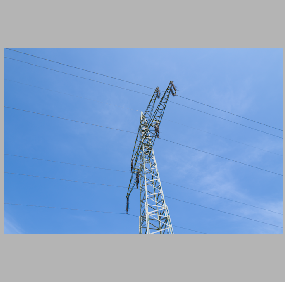
Pic2 cairo_good, default on normal monitor
dt_view_image_get_surface img 7105, 279x279
get matching size 279x279 (279x279) --> 720x450
surface create 279x186
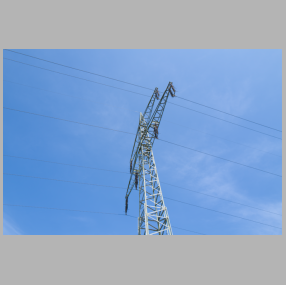
Pic3 cairo_fast, GUI thumbs scaling 2.0
dt_view_image_get_surface img 7105, 279x279
get matching size 558x558 (1116x1116) --> 1920x1200
surface create 279x186
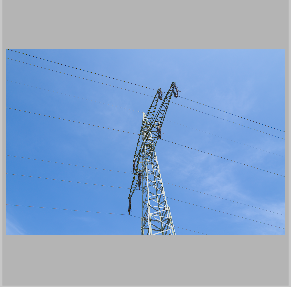
Pic4 cairo_good , GUI thumbs scaling 2.0
dt_view_image_get_surface img 7105, 279x279
get matching size 558x558 (1116x1116) --> 1920x1200
surface create 279x186
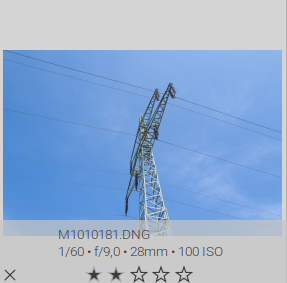
Results so far:
- the fast cairo is clearly inferior in presentation, a matter of tast whether thats ok for you
- increasing the gui scaling factor increased the generated thumbnail. But whats that for, i don't think there is a point in applying the ppd on size in dt_mipmap_cache_get_matching_size
No it gets somewhat more interesting, I checked same test with scaling after correction the gui scaler again to -1 but set size correction in gnome as it is done for hi-res monitors. Clearly the image size is doubled:
But
Pic 5: cairo fast
dt_view_image_get_surface img 7105, 279x279
get matching size 558x558 (1116x1116) --> 1920x1200
surface create 279x186
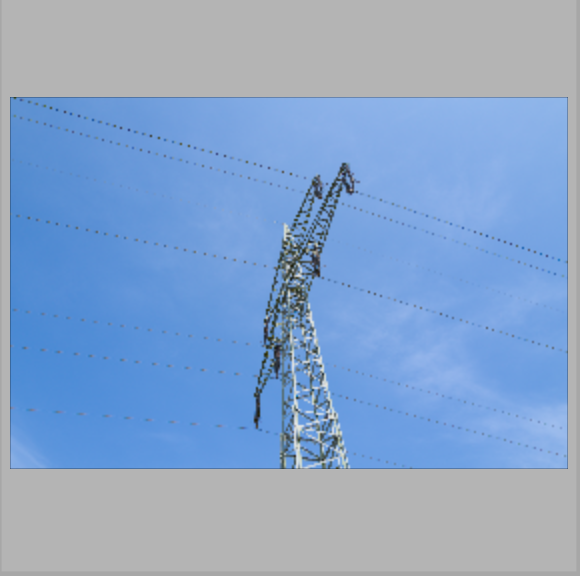
Pic6: cairo good
dt_view_image_get_surface img 7105, 279x279
get matching size 558x558 (1116x1116) --> 1920x1200
surface create 279x186
So what's wrong here?
1.The matching size is again calculated by 2.0 (this slows down the recalculation if you didn't do mipmap-cache before)
- The big point in my view: The surface size requested is clearly wrong. It results in later upscaling and that is the culprit imho.
@parafin @AlicVB you agree here?
jenshannoschwalm
on 21 Sep 2020
No it gets somewhat more interesting, I checked same test with scaling after correction the gui scaler again to -1 but set size correction in gnome as it is done for hi-res monitors. Clearly the image size is doubled:
But
I didn't quite understand this part. What is GUI scaler? The PPD setting in preferences?
As to your conclusions:
- PPD is applied twice, which is wrong, as I already wrote twice. The question is which multiplication to remove. I think logically dt_mipmap_cache_get_matching_size shouldn't care about ppd, but we need to check all code that calls it.
- I don't see anything wrong in the output, please elaborate on that.
- Obviously fast scaling method looks bad and good should be used instead as default. Maybe even remove this option altogether, since just changing the default won't fix this bug for anyone except new users installing dt the first time. @aurelienpierre, please explain why did you change good to fast? Did it look better to your eye (sharper)?
parafin
on 22 Sep 2020
I didn't quite understand this part. What is GUI scaler? The PPD setting in preferences?
(A) On hi-res displays everything is automatically scaled. (all gtk elements have double size) When using gnome you could also set this scaling in the preferences to simulate the enlarging, i used this for debugging on my standard 1:1 monitor
PPD is applied twice, which is wrong, as I already wrote twice.
Yes, i fully agree here. Also on: it should be removed from dt_mipmap_cache_get_matching_size
I don't see anything wrong in the output, please elaborate on that.
(B) Setting ppd via dt prefences. This does not enlarge the square-regions for each thumbnail. Enlarging the ppd value in preferences just uses larger thumbnails (either group from ppd or ppd^2 atm) but does not add any visual improvement at all as we downscale later anyway. (This option also seems questionable,
If the gui_ppd setting was taken from OS or from what is described in (A) the squares where the thumbnails are presented have double size as you also can see on the screenshots. But as shown in the logs the created surface does not have double size.
What's wrong with hi-res displays? (Case A) The screenshots show double size "graphical representation" as intended. But the logging shows surfaces created not according to this. So the screenshots (or what people describe) look even worse (pixelated with fast or blurred with good) as they will have to be upscaled later.
When looking at dt_view_image_get_surface code i was surprised the surface creation does not take the dt_create... variant which takes care of ppd but i'm not sure whether this is correct or not.
jenshannoschwalm
on 22 Sep 2020
That's not how PPD works. Cairo reports surface size in pixels not accounting for ppd. So with ppd == 2 actual dimensions are twice the size reported by cairo. So you have to render the picture sized 2w x 2h to the cairo surface sized w x h. PPD setting in darktable preferences doesn't double the actual size, it just overrides the auto-detect code. So if you don't have High-DPI screen, setting PPD to 2 just makes darktable choose bigger sized thumbnails (incorrectly). There is nothing wrong here.
parafin
on 22 Sep 2020
As usual you are most likely right telling me :-)
So with ppd == 2 actual dimensions are twice the size reported by cairo
Does this mean on a high res display (ppd == 2) a widget area of ~600*600 pixels will request (in this function) a surface of ~300x300 pixels? (That would take me a while to digest ) Or is the caller of dt_view_image_get_surface passing wrong data?
jenshannoschwalm
on 22 Sep 2020
PPD is pixels-per-dot. All screen dimensions GTK/cairo/etc. operate on are in dots. So let's say 3840 x 2160 monitor with ppd == 2 will have dimensions of 1920 x 1080 dots. So full-screen cairo surface has width of 1920 and height of 1080, but if you want to render a pixmap to it with full resolution, it needs to be 3840 x 2160 pixels. The idea was that not high-dpi-aware application will work without any code changes (so what was one pixel in size in low-dpi, automatically becomes 2 pixels with high-dpi). But it results in this brainfuck to write high-dpi-aware apps.
P.S.
Also note that DPI is dots-per-inch, not pixels-per-inch, so with ppd=2, dpi is half the real DPI of the monitor.
parafin
on 23 Sep 2020
Aah. THANKS A LOT for explaining in such detail. Now this makes sense for me too!
Will look through all code using the get_matching_size and check for double calculation to make sure we can remove the *2 there.
jenshannoschwalm
on 23 Sep 2020
@bastibe @parafin can this be closed now?
jenshannoschwalm
on 28 Sep 2020
No idea, I just gave pointers on what to do. People that noticed this bug should report if the fix helped.
parafin
on 28 Sep 2020
On current master, I did not notice any issues anymore. Thank you very much for fixing this.
hahihohehe
on 28 Sep 2020
I built darktable master and the issue still remains as seen below:
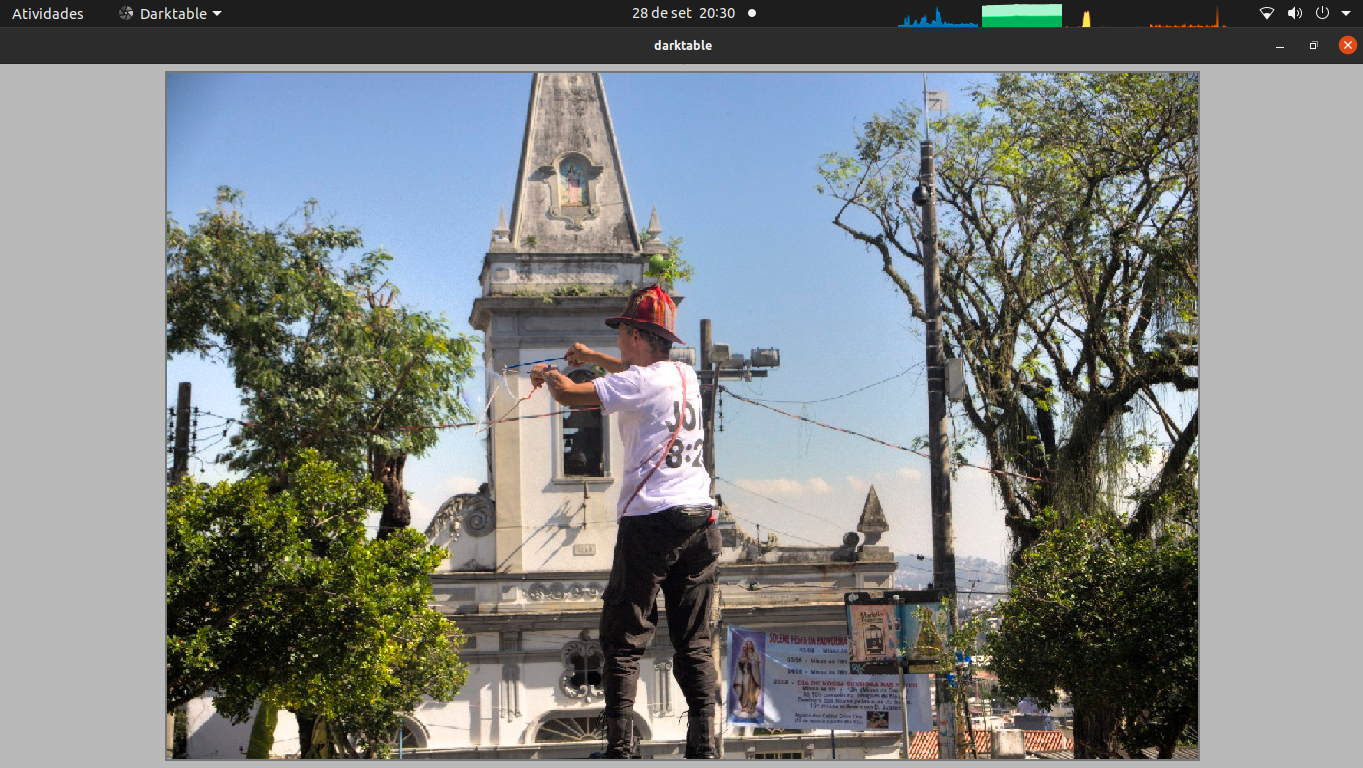
Better seen if you click on the image and put your browser in full screen mode (F11?)
this is darktable 3.3.0+869~gc5d05c948
EDIT: I used my current database and thumbnail cache.
gadolf66
on 29 Sep 2020
1) Preferences for "GUI thumbs ..." & "GUI controls..." please :-)
2) there also might be an old thumb in you cache. Just modify your image slightly to force a re-processing of the thumb.
jenshannoschwalm
on 29 Sep 2020
1. Preferences for "GUI thumbs ..." & "GUI controls..." please :-)
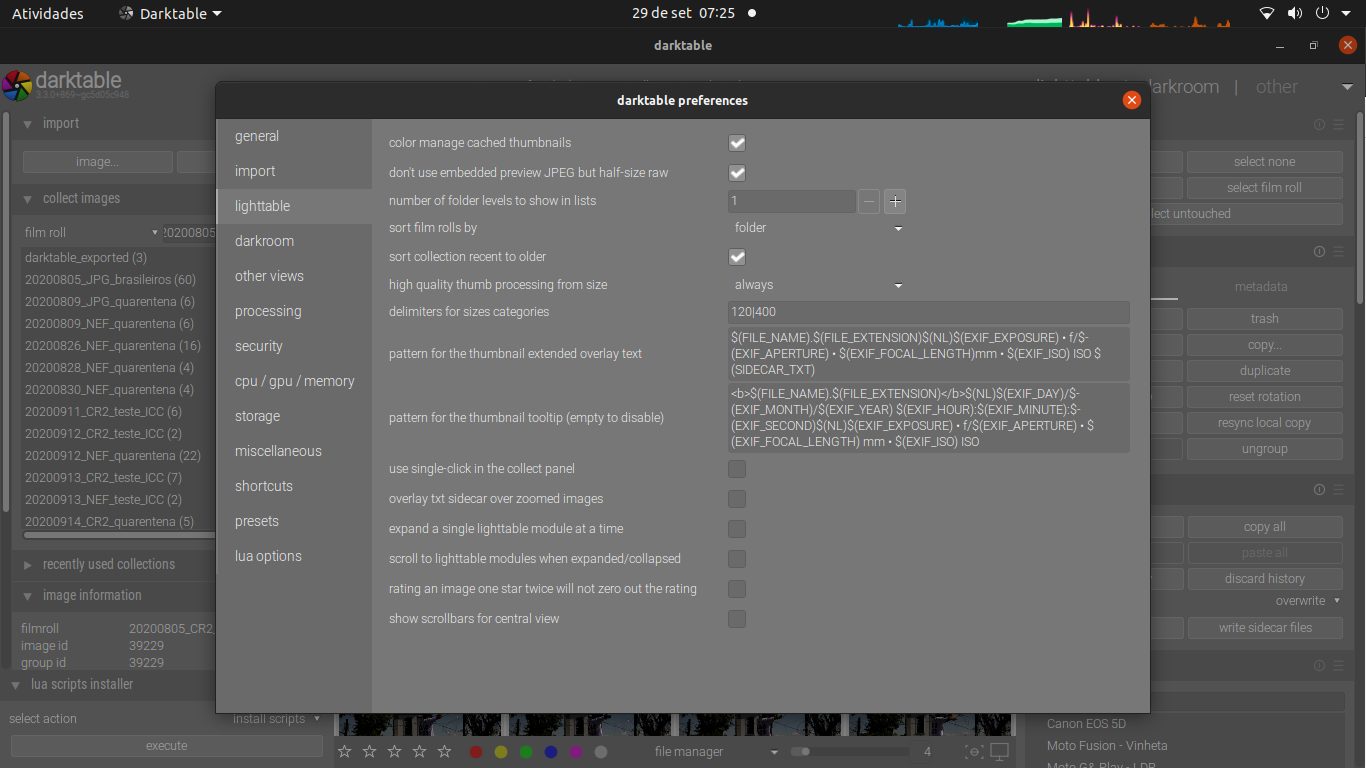
2. there also might be an old thumb in you cache.
I'm not sure I understand. I've lost over 48 hours to generate thumbs in all possible quality. In this post, above, I show one of the high quality thumbnails, one that I expected to be shown when in full screen mode ("w").
Do you mean I should recreate all thumbs? I have a reasonably big collection, so I'm avoiding to do this again.
Just modify your image slightly to force a re-processing of the thumb.
I'm aware of that, but this is a point I'm trying to avoid. Since I've already generated all thumbnails in all possible quality settings, I want to be able to browse the files and get a full screen high resolution view. If you're saying I should re-process the thumbnails, do you mean I should run darktable-generate-cache again? (I hope you don't :) )
Anyway, I edited the image to add a frame, but I still see it in low-res in full screen mode, in lighroom:
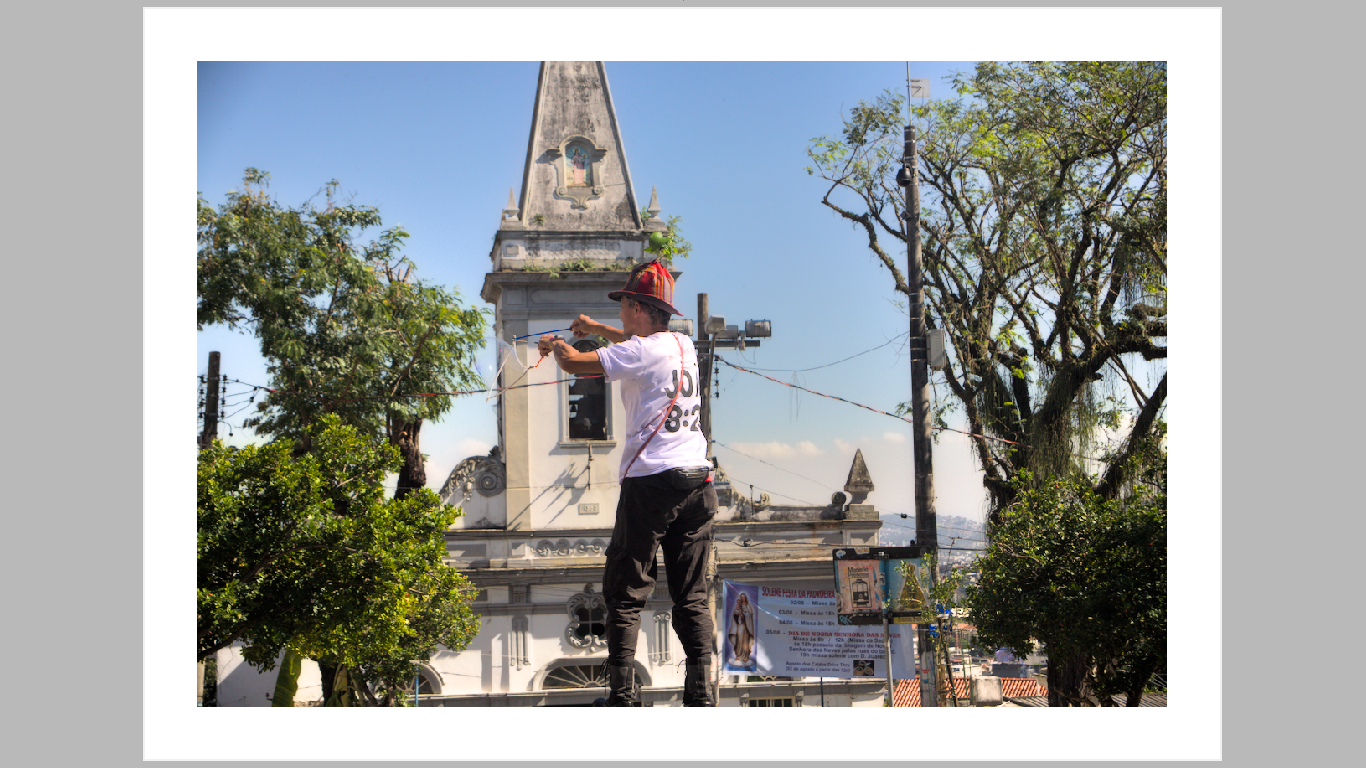
gadolf66
on 29 Sep 2020
I renamed .config/darktable to darktable-anything and now full screen shows a higher res thumbnail.
Now, what should I do? Will I have to recreate the database :( ... it's over 50K images... Will I have to regenerate thumbnails? Both?
gadolf66
on 29 Sep 2020
You should of course leave the database as it is! :-)
If you want to make sure you have good thumbs, just delete the whole thumbs cache and start dt again and it will show updated thumbs. Overnight you can regenerate ...
jenshannoschwalm
on 29 Sep 2020
BTW the ppd setting is in preferences->general ... both should be -1
jenshannoschwalm
on 29 Sep 2020
BTW the ppd setting is in preferences->general ... both should be -1
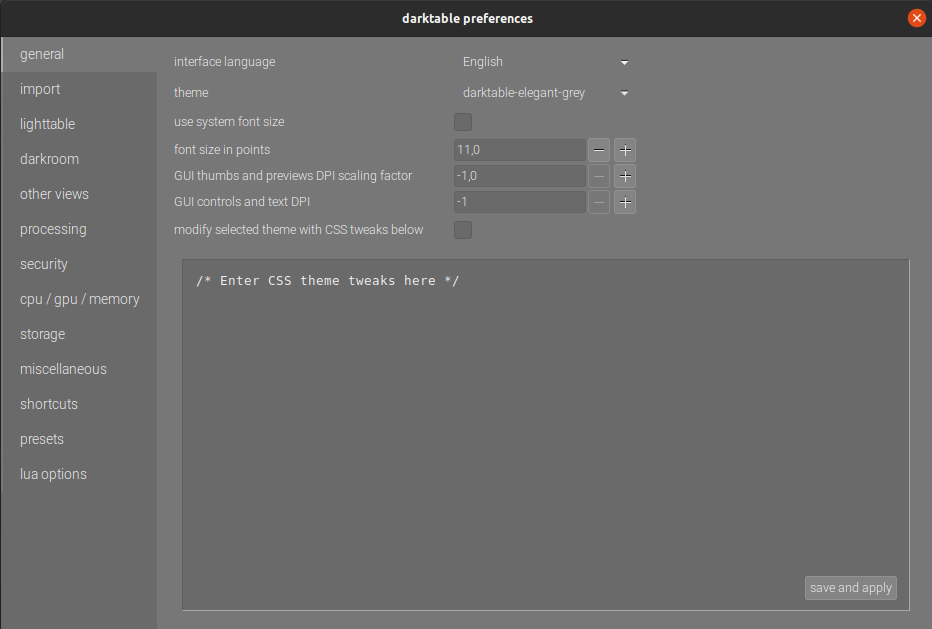
If you want to make sure you have good thumbs, just delete the whole thumbs cache and start dt again and it will show updated thumbs. Overnight you can regenerate ...
That's what I'm trying to avoid. As I mentioned, it took me over 48 hours just to generate the thumbnais. And I've already checked the thumbnails for this particular image and I can't see any issue with them, they all show as expected, when I opened them directly with the OS image viewer.
What is a bad thumbnail?
Also, can it be that the database has some wrong pointer to a low res thumbnail or something like that? If so, how come?
gadolf66
on 29 Sep 2020
Also, can it be that the database has some wrong pointer to a low res thumbnail or something like that? If so, how come?
database knows nothing about thumbnails. The fact you see them ok in external viewer does not mean that they have the right size and not resampled by dt when placing it in a thumbnail.
So yes you will probably need to regenerate them, actually long but that's only computer time...
TurboGit
on 29 Sep 2020
database knows nothing about thumbnails. The fact you see them ok in external viewer does not mean that they have the right size and not resampled by dt when placing it in a thumbnail.
The point is this: I've executed darktable-generate-cache -m 7 soon after installing dt 3.2.1, so I have all thumbnail sizes in cache for each one of the 50K images.
Also, to clarify, the issue, to me, is only when I use "w", to see the full screen image, when I expected darktable to show the highest resolution thumbnail that fits to my screen. I don't care about reduced thumbnails. I'm not testing them.
gadolf66
on 29 Sep 2020
Here's another image where the low res seem more evident:
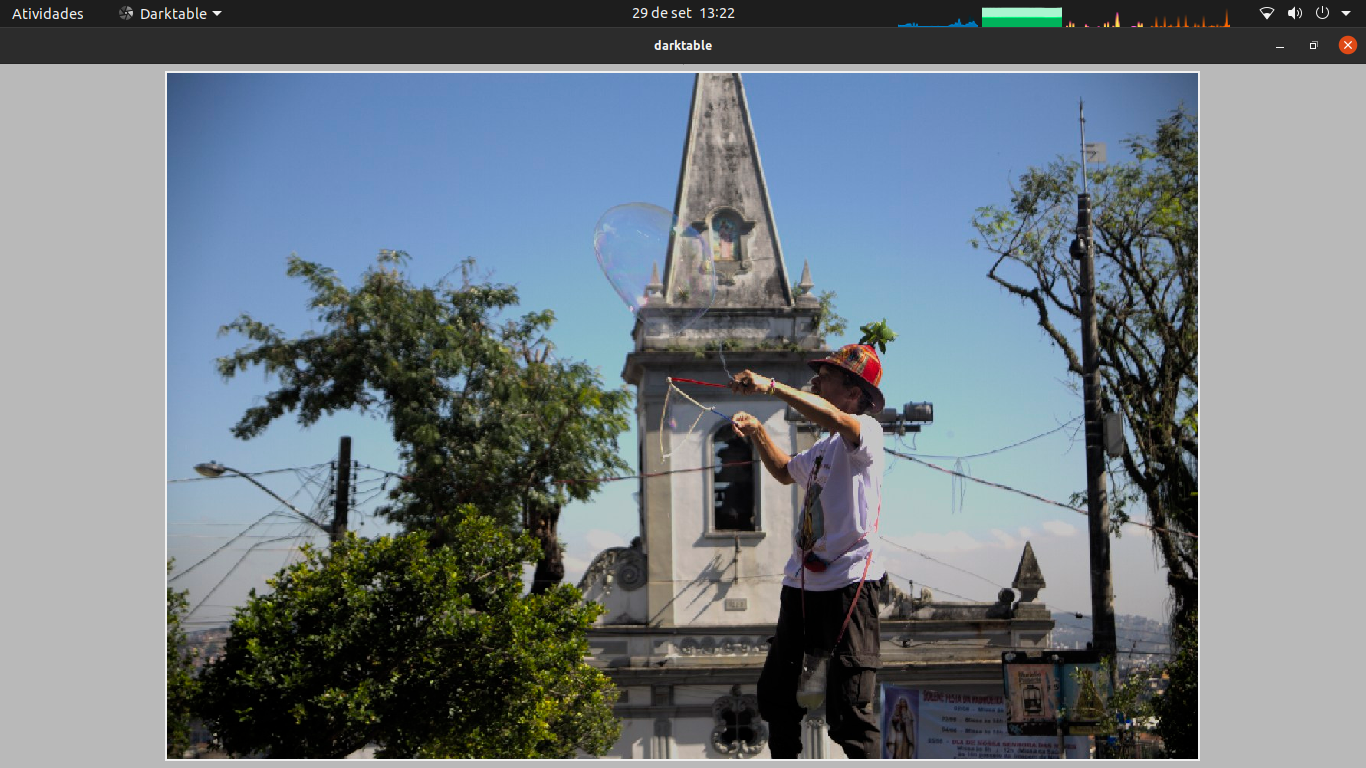
This one hasn't been edited before.
gadolf66
on 29 Sep 2020
Also, to clarify, the issue, to me, is only when I use "w", to see the full screen image
Aah, i might have missed that! Will test on my side tomorrow ...
jenshannoschwalm
on 29 Sep 2020
Just to make sure, you are working on the above mentioned 1366 x 768 monitor.
setting the screen resolution to 81,599609 dpi
Are you still seeing this with the above gui settings?
Are you sure you have set ui/cairo_filter=good in your config file?
I am just asking as your monitor is definitely not a hires monitor so this is not the issue discussed here. Anyway let's track this down.
jenshannoschwalm
on 29 Sep 2020
Are you sure you have set
ui/cairo_filter=goodin your config file?
No, I haven't :+1:
It surely improves it.
I guess I'm ok with this.
You can close it. (I mean, regarding my case)
Thank you!
gadolf66
on 29 Sep 2020
Thanks for the info.
jenshannoschwalm
on 29 Sep 2020
I think this is now(finally) understood and fixed in master.
jenshannoschwalm
on 2 Oct 2020
Closing as fixed in master.
TurboGit
on 7 Oct 2020
When we will see a fixed windows version?
XAndrey
on 28 Oct 2020
Christmas 2020
cryptomilk
on 28 Oct 2020
Related issues
 johnny-bit
·
5Comments
johnny-bit
·
5Comments
 trougnouf
·
5Comments
trougnouf
·
5Comments
 pphotography
·
3Comments
pphotography
·
3Comments
 elstoc
·
4Comments
elstoc
·
4Comments
 Egocentrix
·
5Comments
Egocentrix
·
5Comments