Darktable: Pipeline order: Spot removal / Crop&Rotate in the wrong order?
Is your feature request related to a problem? Please describe.
I find I can not remove a spot with a part of the image I cropped out.
This makes no sense as the information is available... but it can not be used anymore when Crop is applied.
I wonder if these are not accidentily in the wrong order.
I think Spot Removal should be applied first, and Crop&Rotate later.
 rekcodocker
All 6 comments
why would one want to remove blemishes in an area being discarded?
And what is stopping you from first removing a blemish/spot and later cropping w/o regard to module order? You are not bound to work in the order the modules are applied. And you can change the module(s) order.
If this satisfies your question, please close the issue.
 ptilopteri
on 20 Jul 2020
ptilopteri
on 20 Jul 2020
why would one want to remove blemishes in an area being discarded?
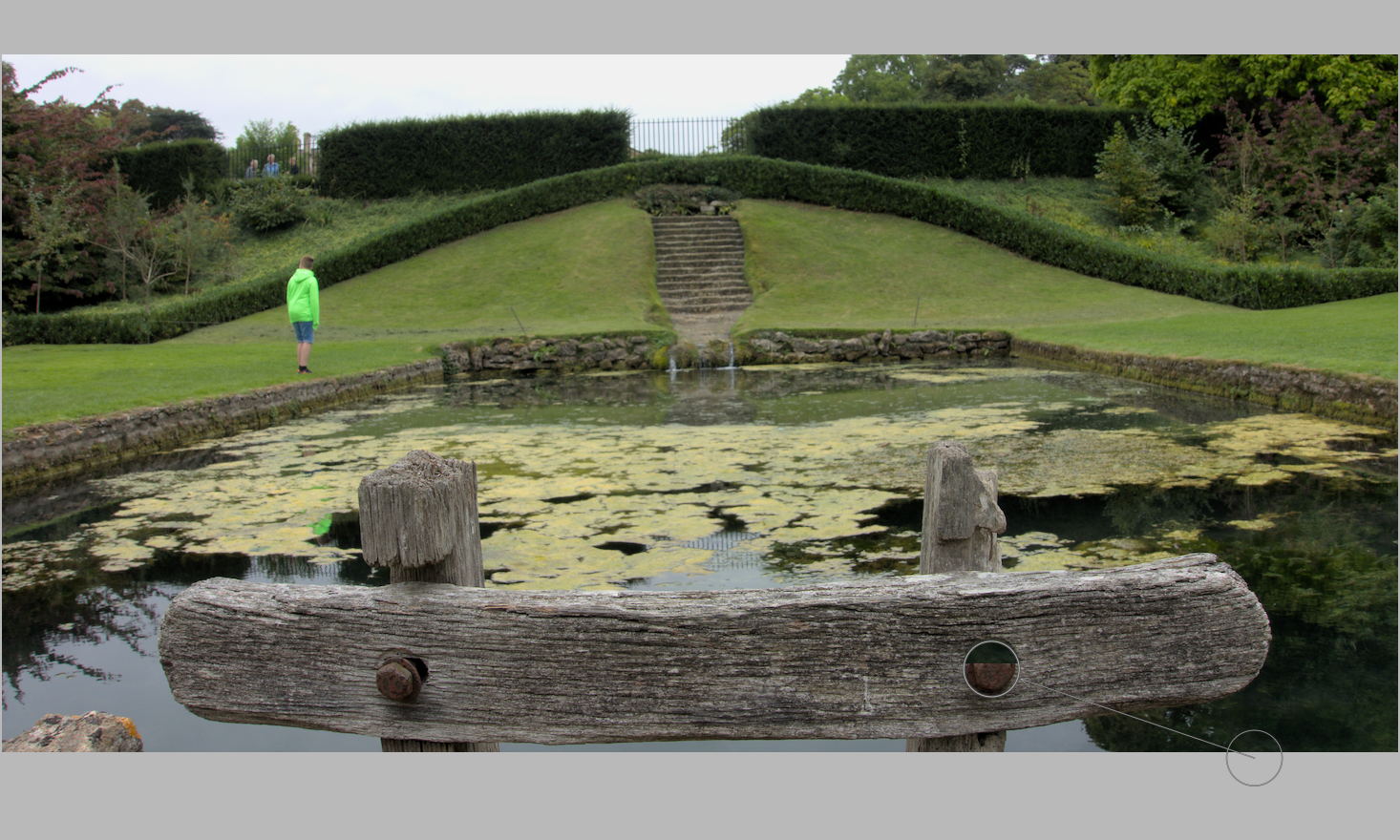
I suspect the issue is more that it's not possible to take the source for the spot removal (and retouch) from the cropped area. I find myself changing the module order quite often for the same reason. IMO it makes more sense to put spot/retouch before crop/rotate - the order was changed in 3.0.
This is the sort of issue you get without changing the module order:
 elstoc
on 21 Jul 2020
elstoc
on 21 Jul 2020
If this satisfies your question, please close the issue.
why would one want to remove blemishes in an area being discarded?
I suspect the issue is more that it's not possible to take the source for the spot removal (and retouch) from the cropped area. I find myself changing the module order quite often for the same reason. IMO it makes more sense to put spot/retouch before crop/rotate - the order was changed in 3.0.
This is the sort of issue you get without changing the module order:
This exactly.
I am using a _discarded_ part of the image to remove a spot in the _visible_ part.
It seems the pipeline order applies crop first and spot-fix later; this means the information is no longer available and it leads to visible artifacts.
This means that by default, you can not use information from the cropped-out part. This seems illogical since the Spot-Removal function has more potential if I have a larger potential source area to use.
rekcodocker
on 21 Jul 2020
ah, was not explained in your original comment and the particular situation not evident.
ptilopteri
on 21 Jul 2020
Not only Crop&Rotate, but also ashift.
 HansBull
on 22 Jul 2020
HansBull
on 22 Jul 2020
Then some other people will argue that doing it the other way around results in unnecessary slowdowns. And the next one will affirm that it's bad UI to allow sampling the source on hidden parts of the image.
The pipeline is now re-orderable specifically to avoid these pointless discussions : Ctrl+Shit+drag and drop on the module GUI.
 aurelienpierre
on 23 Jul 2020
aurelienpierre
on 23 Jul 2020
Related issues
 Praveen-Rai
·
5Comments
Praveen-Rai
·
5Comments
 trougnouf
·
5Comments
trougnouf
·
5Comments
 johnny-bit
·
5Comments
johnny-bit
·
5Comments
 sboukortt
·
3Comments
sboukortt
·
3Comments
 ChristopherRogers1991
·
6Comments
ChristopherRogers1991
·
6Comments
Most helpful comment
This exactly.
I am using a _discarded_ part of the image to remove a spot in the _visible_ part.
It seems the pipeline order applies crop first and spot-fix later; this means the information is no longer available and it leads to visible artifacts.
This means that by default, you can not use information from the cropped-out part. This seems illogical since the Spot-Removal function has more potential if I have a larger potential source area to use.