Darktable: [Bug] darkroom infoline variable $(LABELS_ICONS) is not working properly
Hi !
I was playing with $(LABELS_ICONS) in Darkroom infoline () and I have found a bug with it : i.e. the dots are not in color or even not appearing .
If I place the variable at the end of my info line, I see 2 dotes but they are black (missing color)

In addition, if the variable is placed in the middle of the infoline, I do not even see the (black) dots :+1:

If it helps, here is my infoline code (all the other variable work fine)
<b>💾 $(FILE_NAME).$(FILE_EXTENSION)</b> • $(MAX_WIDTH) x $(MAX_HEIGHT) • 📅 $(EXIF_DAY)/$(EXIF_MONTH)/$(EXIF_YEAR) - $(EXIF_HOUR):$(EXIF_MINUTES):$(EXIF_SECONDS) • <i>$(DESCRIPTION)</i> • 📷 $(MODEL) + $(LENS) : $(EXIF_EXPOSURE) s • f/$(EXIF_APERTURE) • $(EXIF_ISO) ISO @ $(EXIF_FOCAL_LENGTH) mm • $(RATING_ICONS) • $(LABELS_ICONS) • 🏷️ : $(TAGS) • 🛰️ : $(LATITUDE) $(LONGITUDE) • ⛰️ : $(ELEVATION)m
dt 3.1.0~git2270.f42aeca9a
Linux Kubuntu 20.04
Intel Core i7 7700K + 32GB RAM + NVidia GFX 1070
Thanks
GLLM
 GLLM
GLLM
All 23 comments
I don't reproduce with current master.
Some questions :
- Are you sure that the image has color labels ? (just in case)
- does it works in tooltips patterns or overlays patterns ?
- What is your theme ? Does it change anything with other themes
- Dos you have Roboto fonts installed ?
 AlicVB
on 17 Jun 2020
AlicVB
on 17 Jun 2020
hi @AlicVB !
- yes, I'm sure ... the first and second screenshot were taken on the same pics ... the 1st screenshot appropriately shows 2 bullets ... yet they are black (expected blue & green)
- I did not initially tested. Here are the results :
- tooltips in lighttable : it works but the bullets are black
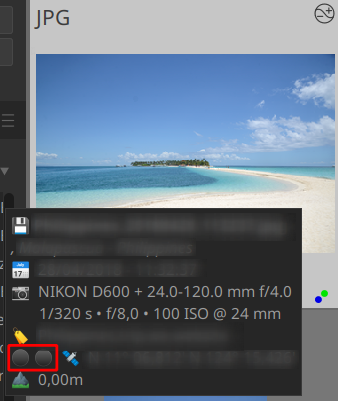
- overlay on Preview (extended one is used I think) : I see the bullets yet they are black (it work wherever I place the variable in the infoline)
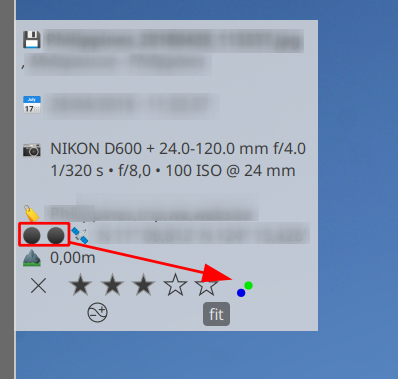
I also see, in preview, that when I stop hovering my pics, the black bullets are still visible, but should not ... not a glitch ... it's repeatable on any pic with color tag that I check in Preview
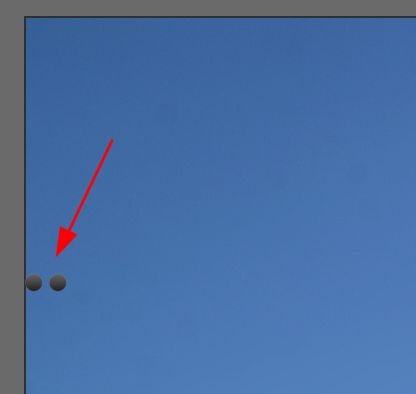
My theme is darktable-icons. I just tested with another one : I see the icons in the second case ... but they are also black ... in my usual theme, I now see them !

I do have Roboto fonts on my Kubuntu 20.04 system
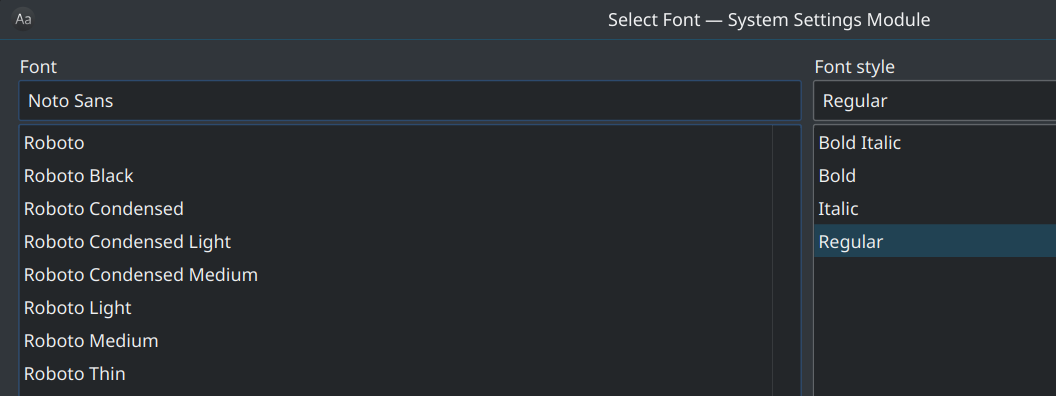
Addendum : as you may see here, @johnny-bit also reproduced... so i'm puzzled ...
https://github.com/darktable-org/darktable/pull/5347#issuecomment-645429164
Thanks
GLLM
GLLM
on 17 Jun 2020
I can replicate in very bad way (tm), for testing I set respective default infos line as:
- extended overlay:
$(FILE_NAME).$(FILE_EXTENSION)$(NL)$(EXIF_EXPOSURE) • f/$(EXIF_APERTURE) • $(EXIF_FOCAL_LENGTH)mm • $(EXIF_ISO) ISO $(SIDECAR_TXT) [$(LABELS_ICONS)]
tooltip:<b>$(FILE_NAME).$(FILE_EXTENSION)</b>$(NL)$(EXIF_DAY)/$(EXIF_MONTH)/$(EXIF_YEAR) $(EXIF_HOUR):$(EXIF_MINUTE):$(EXIF_SECOND)$(NL)$(EXIF_EXPOSURE) • f/$(EXIF_APERTURE) • $(EXIF_FOCAL_LENGTH) mm • $(EXIF_ISO) ISO [$(LABELS_ICONS)] - infos line:
$(EXIF_EXPOSURE) • f/$(EXIF_APERTURE) • $(EXIF_FOCAL_LENGTH) mm • $(EXIF_ISO) ISO [$(LABELS_ICONS)]
As you see, image has required colors:
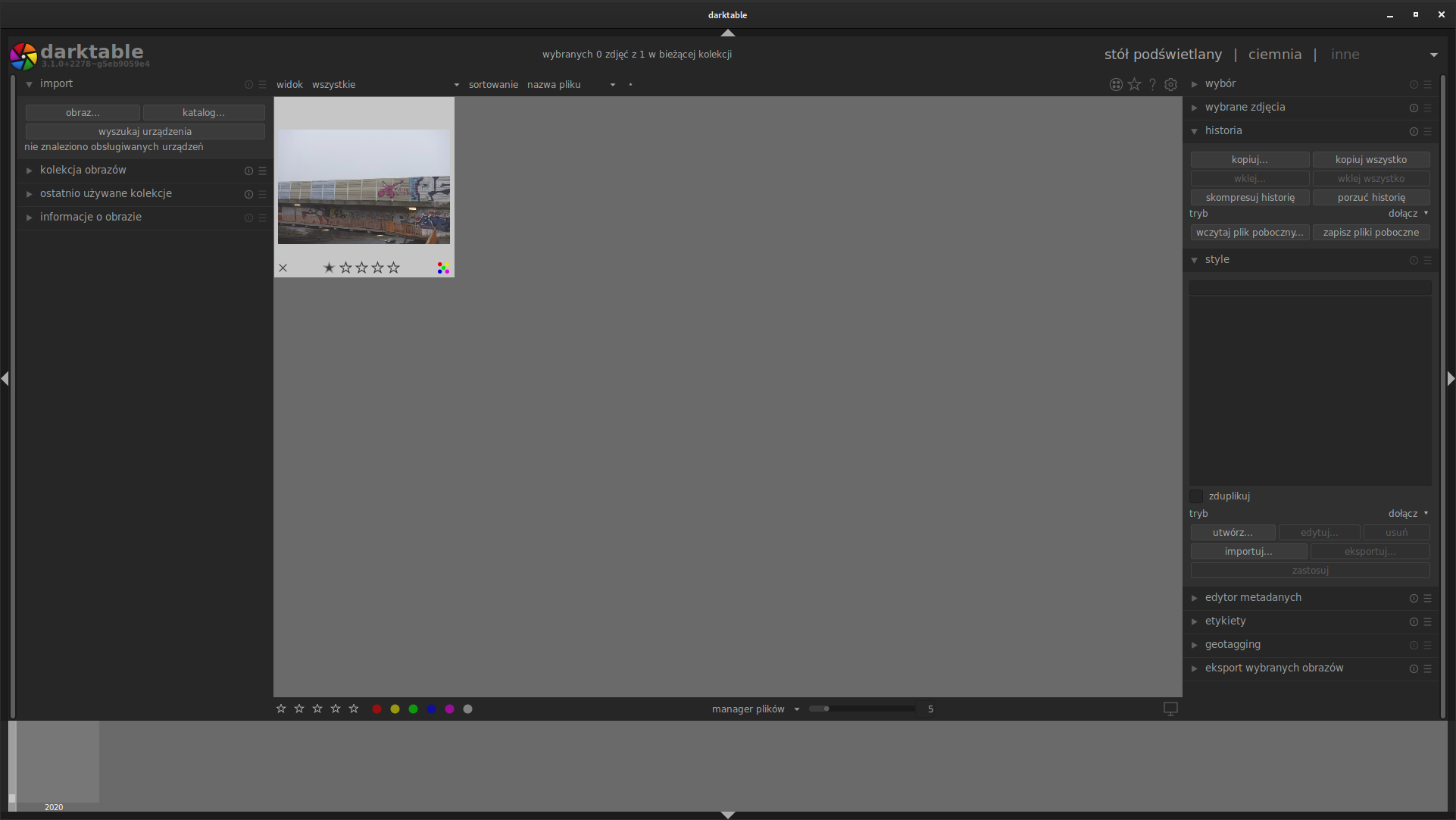
If interface language is english, everything works flawlessly:
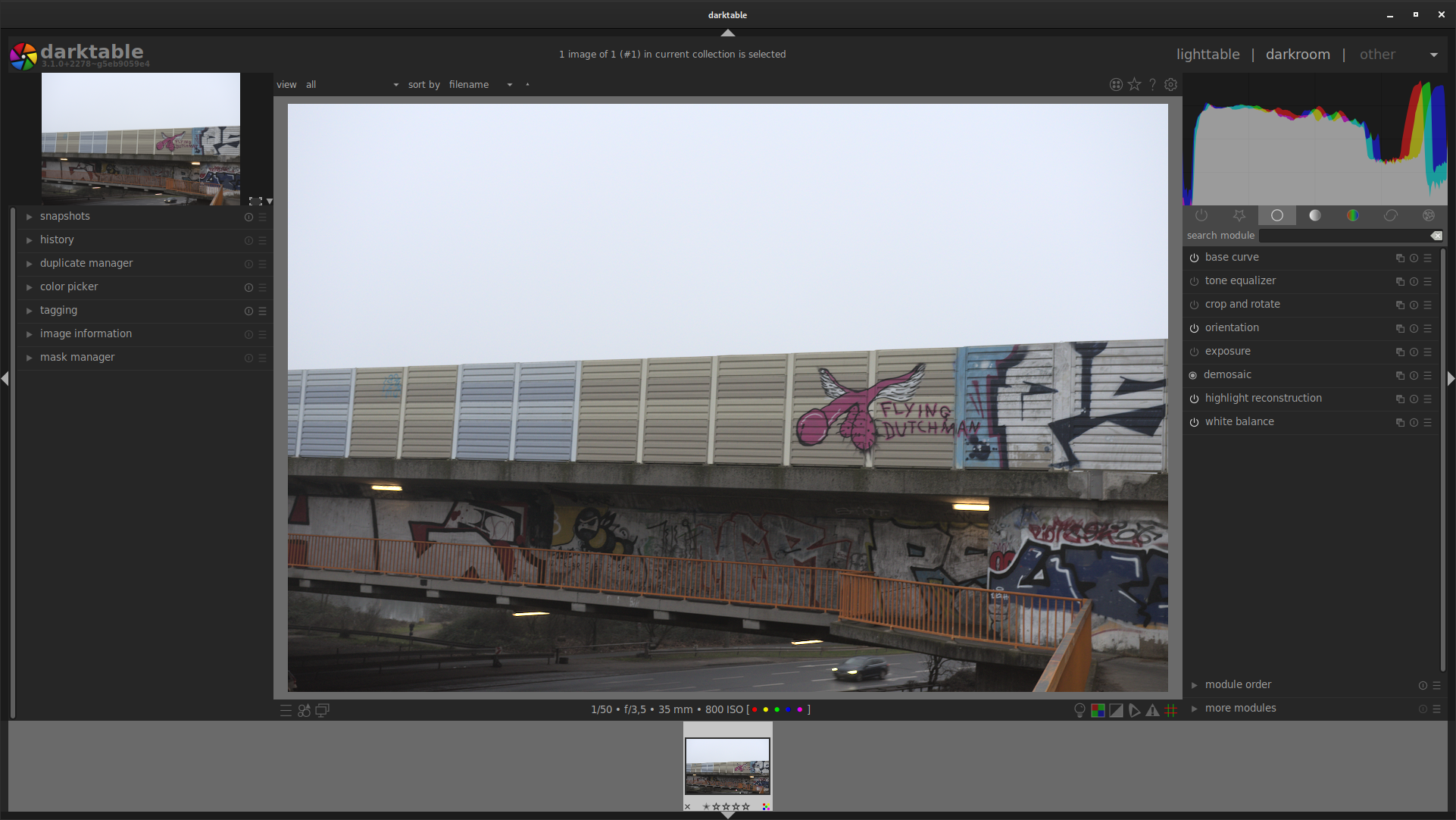
if interface language is polish, the icons aren't even there:
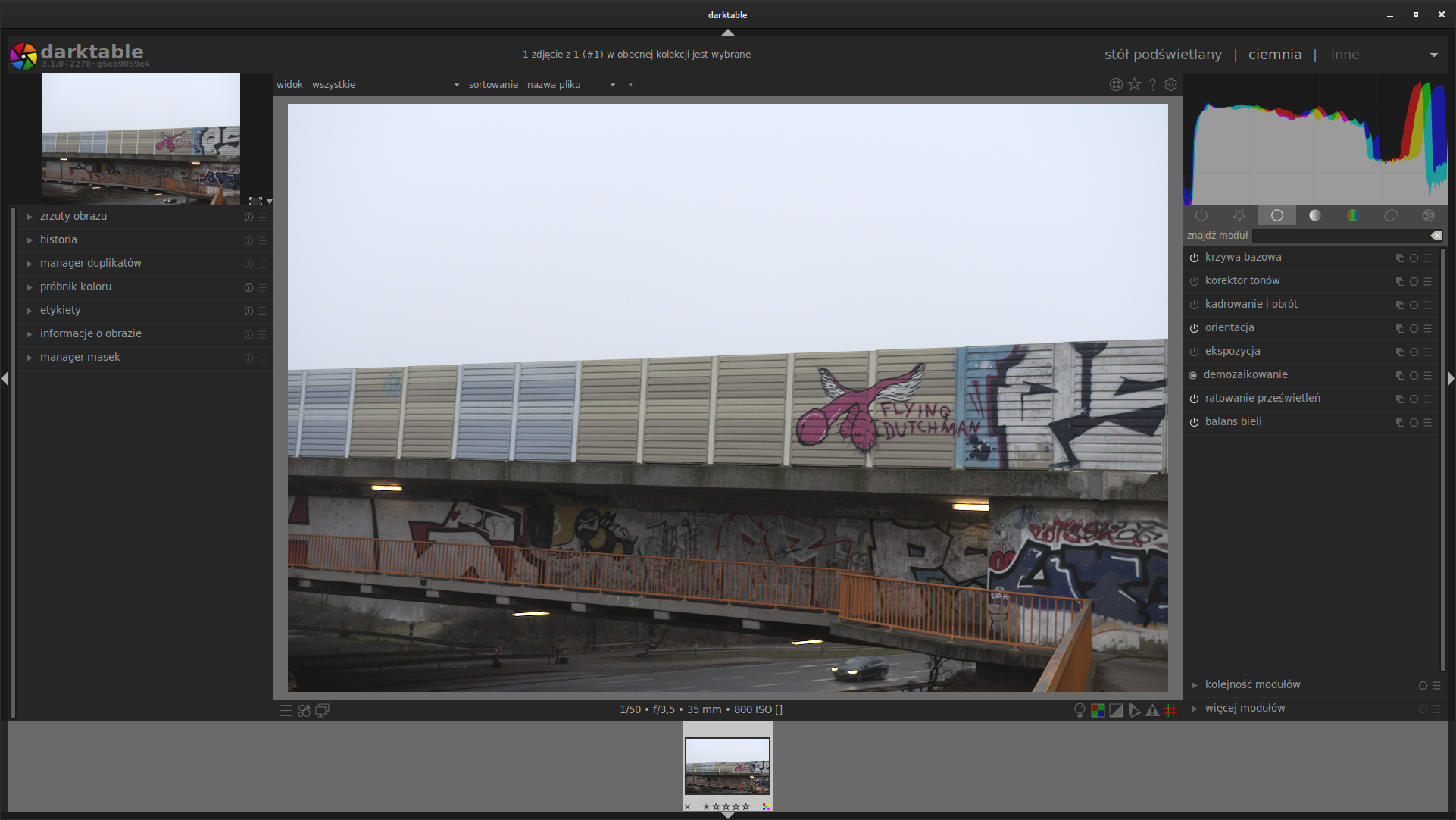
No change in prefs or dt version between screenshots except for interface language.
//EDIT:
I checked with @AxelG-DE and his report is same as mine: english works, but German not.
 johnny-bit
on 17 Jun 2020
johnny-bit
on 17 Jun 2020
FWIW : my OS is in english, the same goes for dt !
GLLM
on 17 Jun 2020
maybe it is, when sys-lang and dt-lang are same?
 AxelG-DE
on 17 Jun 2020
AxelG-DE
on 17 Jun 2020
maybe it is, when sys-lang and dt-lang are same?
I checked different languages - no other lang than English works with labels... I need to try and switch lang of OS and how that affects labels.
johnny-bit
on 17 Jun 2020
That's the key : the language. A stupid copy-paste error in the code.
PR #5540 fix that
Thanks for the report !
AlicVB
on 18 Jun 2020
@GLLM - Can you try instead pasting <span foreground="#ee0000">⚫ </span> in your infos line verbatim and see if it works? for me it works very nicelly, I wonder if there's something else since PR#5540 fixes the way problem manifest for me but I don't know if it would be same for you.
johnny-bit
on 18 Jun 2020
Hey @AlicVB, @johnny-bit,
Thanks for taking the time to investigate & try to fix !
I tested in 3.1.0~git2304.9b64fa299, it's still KO ! :-(
- In darkroom and lightable preview : it still see black bullet !

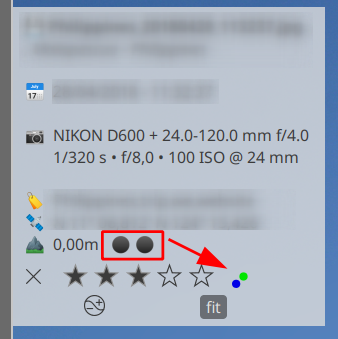
- Be it in darkroom infoline or in the extended tooltip (in preview), span foreground="#ee0000">⚫ does display a black bullet !
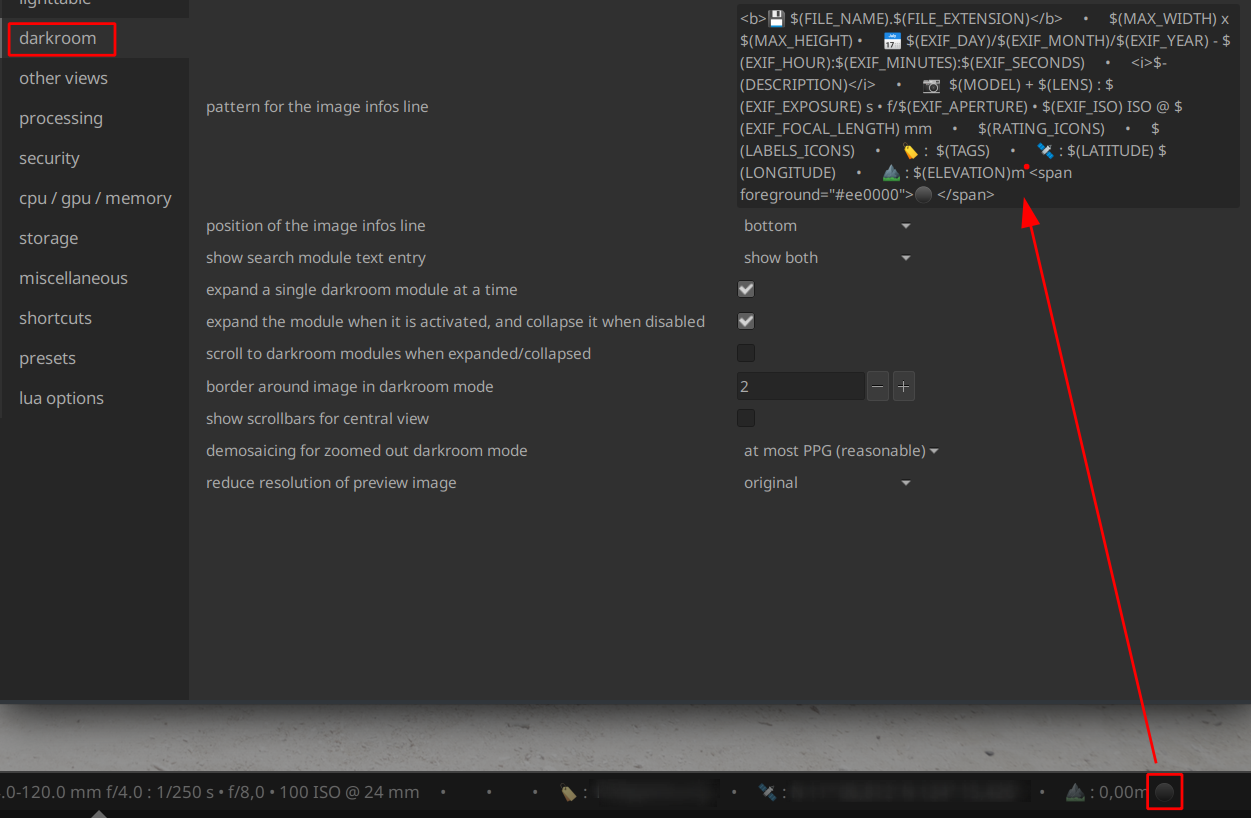
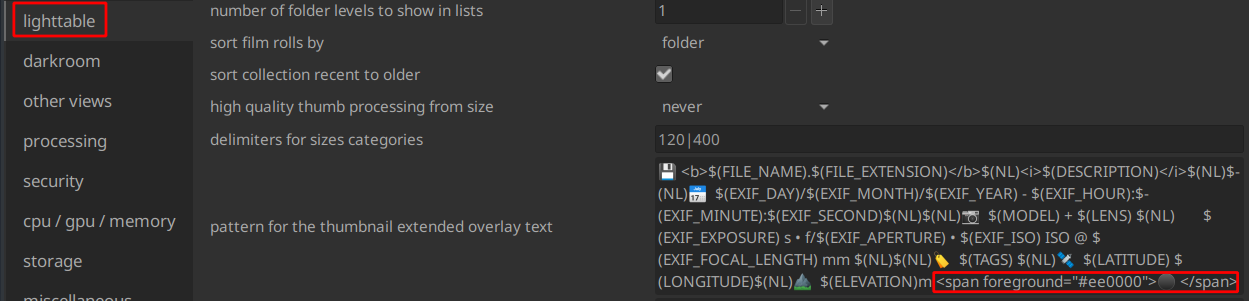
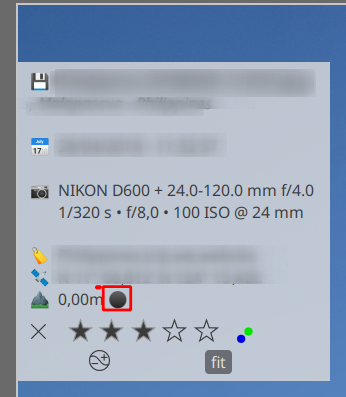
FWIW : my OS & dt language are both english
Thanks
GLLM
GLLM
on 18 Jun 2020
@GLLM : there's definitely something strange with your install/config. You seems to have colored "font-chars" but when you specifically specify some color, it's not taken in account.
Some question :
- what is your theme ?
- have you Roboto fonts installed ?
- Does it happen with roboto fonts and a darktable-elegant-* theme ?
AlicVB
on 18 Jun 2020
@AlicVB
My dt theme is darktable-icons

With darktable-elegant-dark, I have the same issue : black bullets !
Even with <span foreground="#ee0000">⚫ </span>
I do have Roboto fonts on my Kubuntu 20.04 system
Tested with dt in french : no impact.
ADDENDUM : just to be on the same page, those bullets are supposed to be colored with the color tag's color, right ??
GLLM
on 18 Jun 2020
Huh, that mountain directed me somewhere: this seems to be noto-color-emoji font!
wchich means - no color what so freaking ever for that. it's like trying to colour a PNG picture. For that particular nasty hack that is colored emoji, one hast to use emoji color code.
So...
johnny-bit
on 18 Jun 2020
just to be on the same page, those bullets are supposed to be colored with the color tag's color, right ??
exactly.
Like @johnny-bit I really think that it has something to do with your font. In fact I've never seen a font that "colored" emoji like that. I suppose that in this case the bullet is considered as a black emoji and the markup color is bypassed or something like that.
Do you have the possibility to test with a more "classical" font ?
AlicVB
on 18 Jun 2020
I've tested it and it's naaasty. #5550 is the only way around it IMO, no way to detect if emoji font used will work with span color or will work with utf color... so in case you see "black dots" in place of color labels, use LABELS_COLORICONS. Why not simply use LABELS_COLORICONS? well, if your emojifont is BW and uses dithering/werido effect it looks NASTY :)
so it's a workaround for those using color emoji fonts, which include noto-color-emoji, twemoji-color-font & probably others
johnny-bit
on 18 Jun 2020
Just for completeness (late as always) #5540 fixed it for me (but I am on roboto)
AxelG-DE
on 18 Jun 2020
So... ultimatelly it falls to - use LABELS_ICONS if you don't have color emoji font or use LABELS_COLORICONS if you have one.
johnny-bit
on 18 Jun 2020
Indeed, I use Noto font in my Kubuntu 20.04
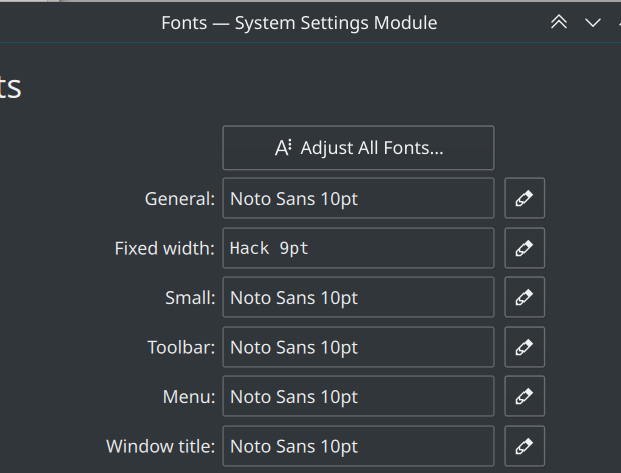
Changed all system font to Roboto, it didn't change anything ... I need to log out and log back into plasma just in case ... which is a no-go atm.
GLLM
on 18 Jun 2020
Well, it won't help. For some reason emoji fonts "take over" some ranges of UTF characters and changing fonts mean nothing. ultimatelly you can unistall color emoji but that brings bad experience with emoji overall (unless you like symbola bw emoji)
johnny-bit
on 18 Jun 2020
Mmmmhhh, I see.
I'll change my fonts back to what I had set up. Thanks
GLLM
on 19 Jun 2020
try now and share you screenshot! :)
johnny-bit
on 19 Jun 2020
It's working fine now with the fix !

Thanks all for your help !
GLLM
GLLM
on 19 Jun 2020
And now darktable looks like a teenage Instagram account \o/ [/not_helping]
 aurelienpierre
on 19 Jun 2020
aurelienpierre
on 19 Jun 2020
@aurelienpierre : you mean my (GLLM) infoline does so ;)
GLLM
on 19 Jun 2020
Related issues
 denever
·
4Comments
denever
·
4Comments
 trougnouf
·
5Comments
trougnouf
·
5Comments
 ChristopherRogers1991
·
6Comments
AxelG-DE
·
5Comments
johnny-bit
·
5Comments
ChristopherRogers1991
·
6Comments
AxelG-DE
·
5Comments
johnny-bit
·
5Comments
Most helpful comment
And now darktable looks like a teenage Instagram account \o/ [/not_helping]