Darktable: filmic rgb: added noise is distracting when zoomed out
Using the 'add noise in highlights' functionality of filmic rgb v4, the added noise is realtively subtle when zoomed in:
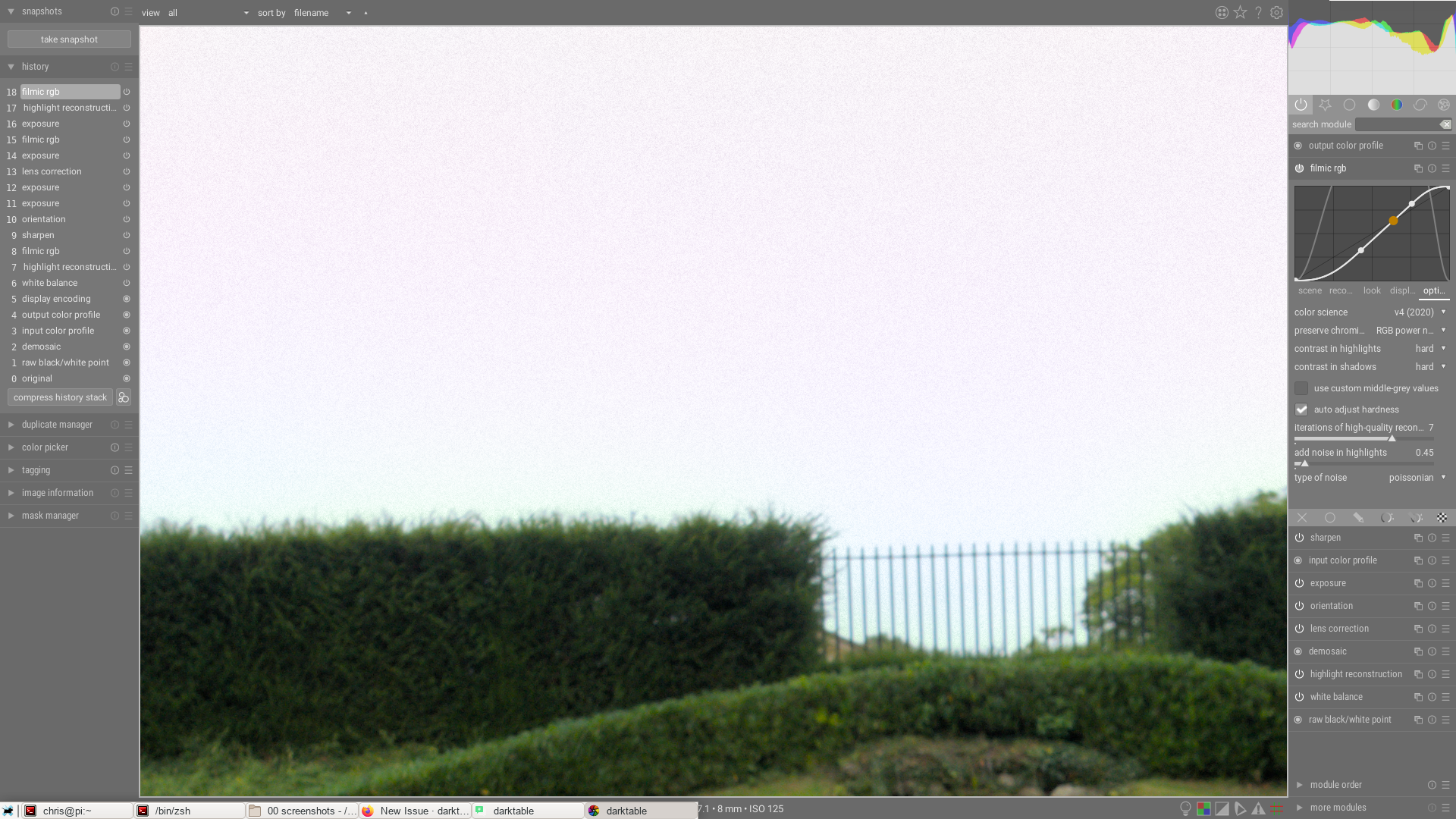
But more obvious and distracting when zoomed out:
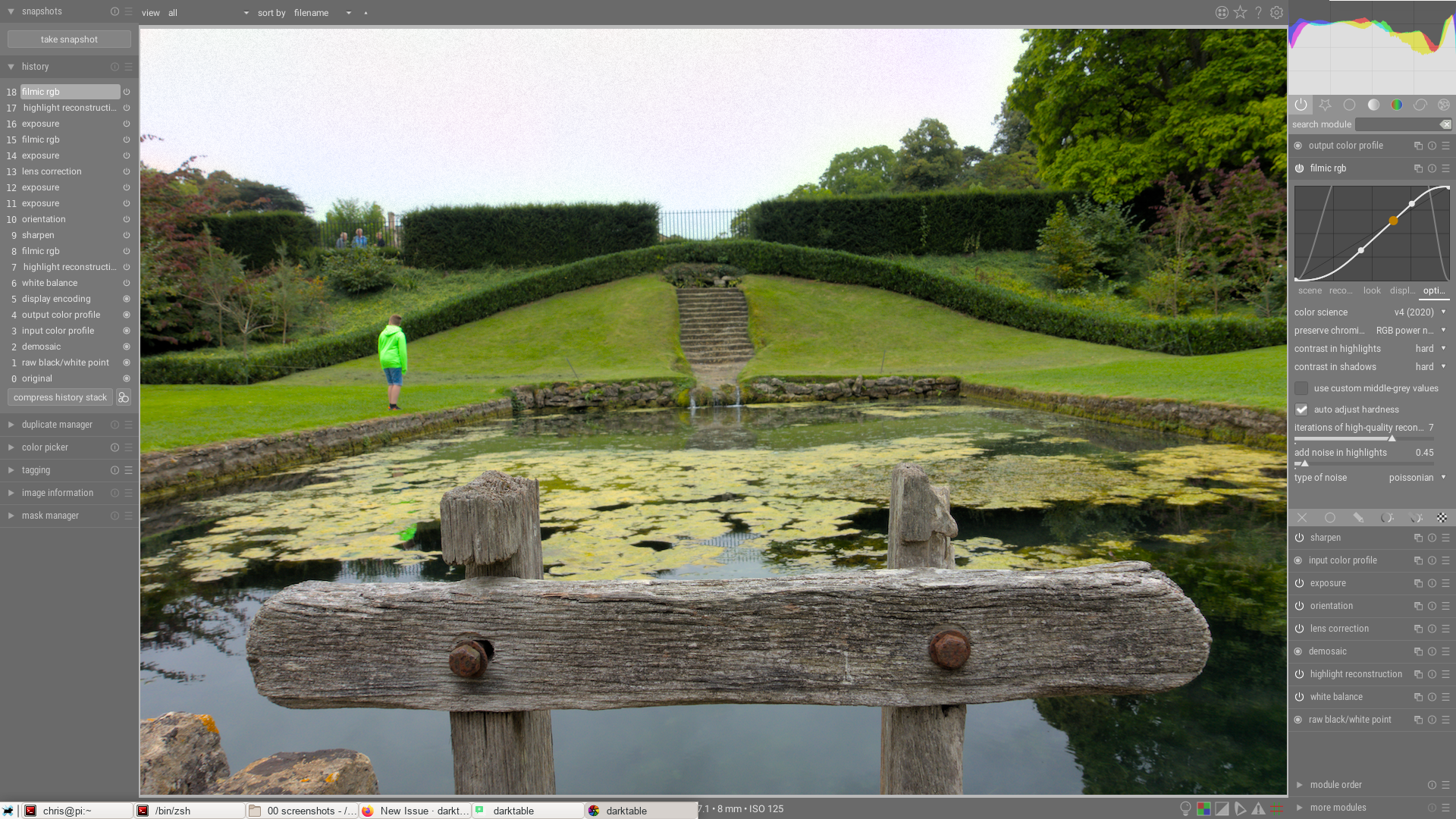
Ideally zoomed-out mode should have smaller observable texture than zoomed-in mode (i.e. it should look like you zoomed out!)
 elstoc
All 8 comments
That's the joy of scale-dependent filters… Nothing I can do here, except force a 1:1 preview and rescale after the noise is applied, which is going to be slow. Same problem applies to denoising modules too.
 aurelienpierre
on 17 Jun 2020
aurelienpierre
on 17 Jun 2020
I suppose the only thing you could do is disable it when fully zoomed out. I assume that if you forced 1:1 and rescaled the texture probably wouldn't be that noticeable in most scenarios anyway.
elstoc
on 17 Jun 2020
It's no better to entirely disable it too, since it will distract the user in the opposite way and might even lead them to exaggerate the noise amount in this view. In addition, what you see in zoomed-out view is true to the export in non-"high quality" mode.
aurelienpierre
on 17 Jun 2020
Also, I just thought about it, but noise is additive, so it's not a linear but an affine transform, and downscale(image + noise) ≠ downscale(image) + downscale(noise) since 2D interpolations are at least quadratic (even the ill-named bilinear).
aurelienpierre
on 17 Jun 2020
When downsampling at 50%, bilinear interpolation averages 4 pixels, which should divide noise variance by 4.
I think noise variance parameter should be changed according to the scale using that property: even if not perfect, this will probably give more accurate preview
 rawfiner
on 17 Jun 2020
rawfiner
on 17 Jun 2020
Hmm what about Lanczos and cubic methods ?
aurelienpierre
on 18 Jun 2020
More complicated with Lanczos and cubic, I don't know
rawfiner
on 18 Jun 2020
That smells like Taylor expansions, 3/8 of something and magic coeffs all along.
aurelienpierre
on 18 Jun 2020
Related issues
 johnny-bit
·
5Comments
elstoc
·
4Comments
johnny-bit
·
5Comments
elstoc
·
4Comments
 AxelG-DE
·
5Comments
AxelG-DE
·
5Comments
 jade-nl
·
3Comments
jade-nl
·
3Comments
 lapineige
·
4Comments
lapineige
·
4Comments
Most helpful comment
When downsampling at 50%, bilinear interpolation averages 4 pixels, which should divide noise variance by 4.
I think noise variance parameter should be changed according to the scale using that property: even if not perfect, this will probably give more accurate preview