Darktable: Add manual Vignetting correction
In darktable vignetting correction is automatically applied when lens is supported with Lensfun.
For lenses that are not supported by Lensfun, there is no reasonable way to manually correct vignetting in darktable.
Also with some supported lenses, the vignetting correction is not (yet) integrated or not always optimal and it would be good to have the possibility to manually improve the correction afterwards.
Darktable has a vignetting module, but to make vignettes. The module is not suitable for correction.
Vignetting itself is not always annoying, but for some scenes it is too noticeable. Especially when you increase the contrast of the image, the darker border becomes stronger, which distracts too much from the subject, and unnecessarily increases the dynamic range of the image, which leads to additional processing steps.
 s7habo
All 11 comments
For lenses that are not supported by Lensfun, there is no reasonable way to manually correct vignetting in darktable.
Using the exposure module with a drawn mask might be a manual way to correct vignetting.
 chrik5
on 31 Mar 2020
chrik5
on 31 Mar 2020
Using the exposure module with a drawn mask might be a manual way to correct vignetting.
No. The feathering on drawn mask does not work correctly, so the vignette cannot be corrected. There is always a ring (haloing) visible.
s7habo
on 31 Mar 2020
Perhaps it could be done in the lens correction module as suggested in #1990
 elstoc
on 31 Mar 2020
elstoc
on 31 Mar 2020
Hi @s7habo the vignetting module has been modified slightly. It's not perfect but what do think?
 jenshannoschwalm
on 11 Apr 2020
jenshannoschwalm
on 11 Apr 2020
Thanks @jenshannoschwalm! This is definitely a big improvement.
One suggestion: in case the scale value is very low, fall-off strength should also be in the range 0-200%.
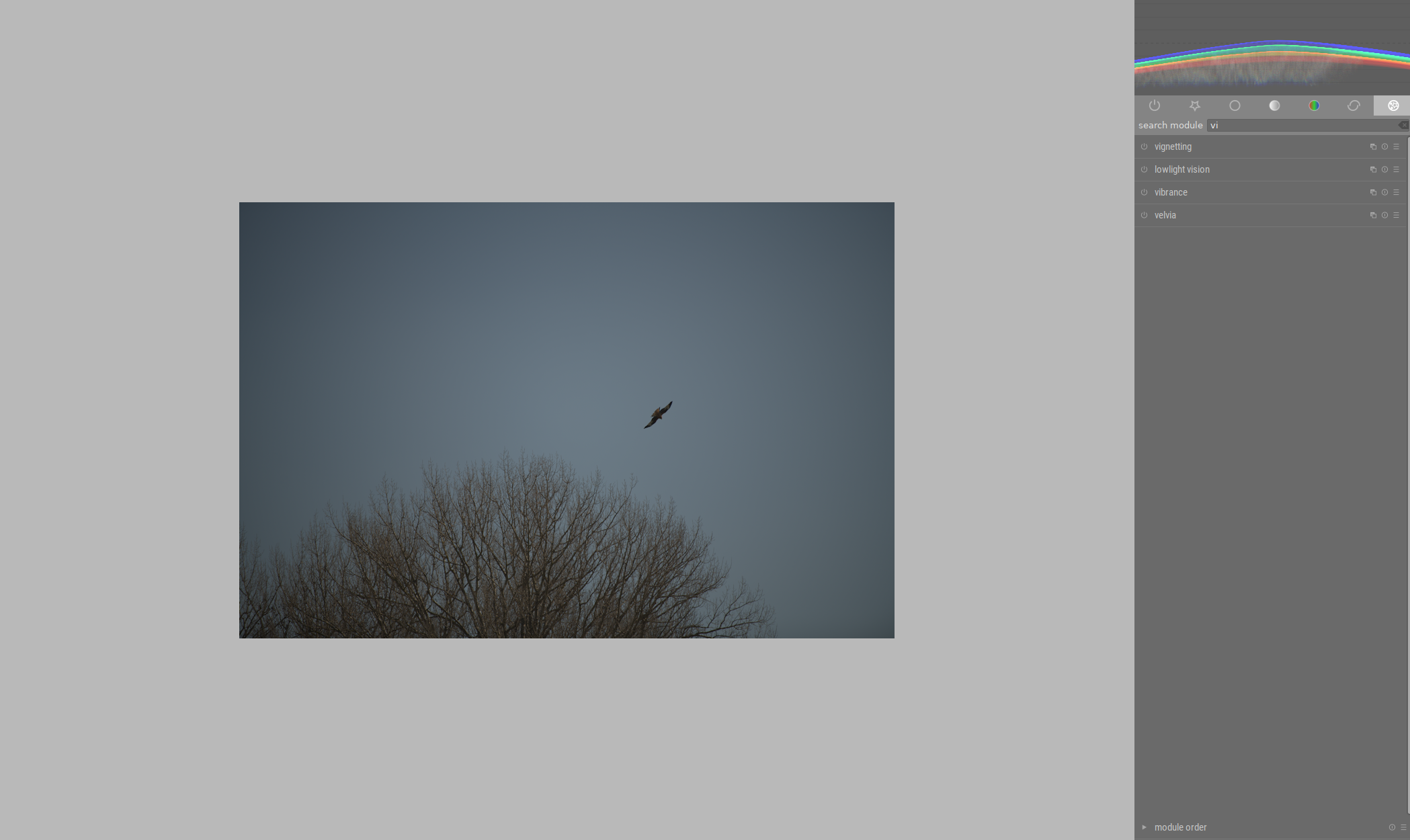
Here is an example:
Original:
With low scale:
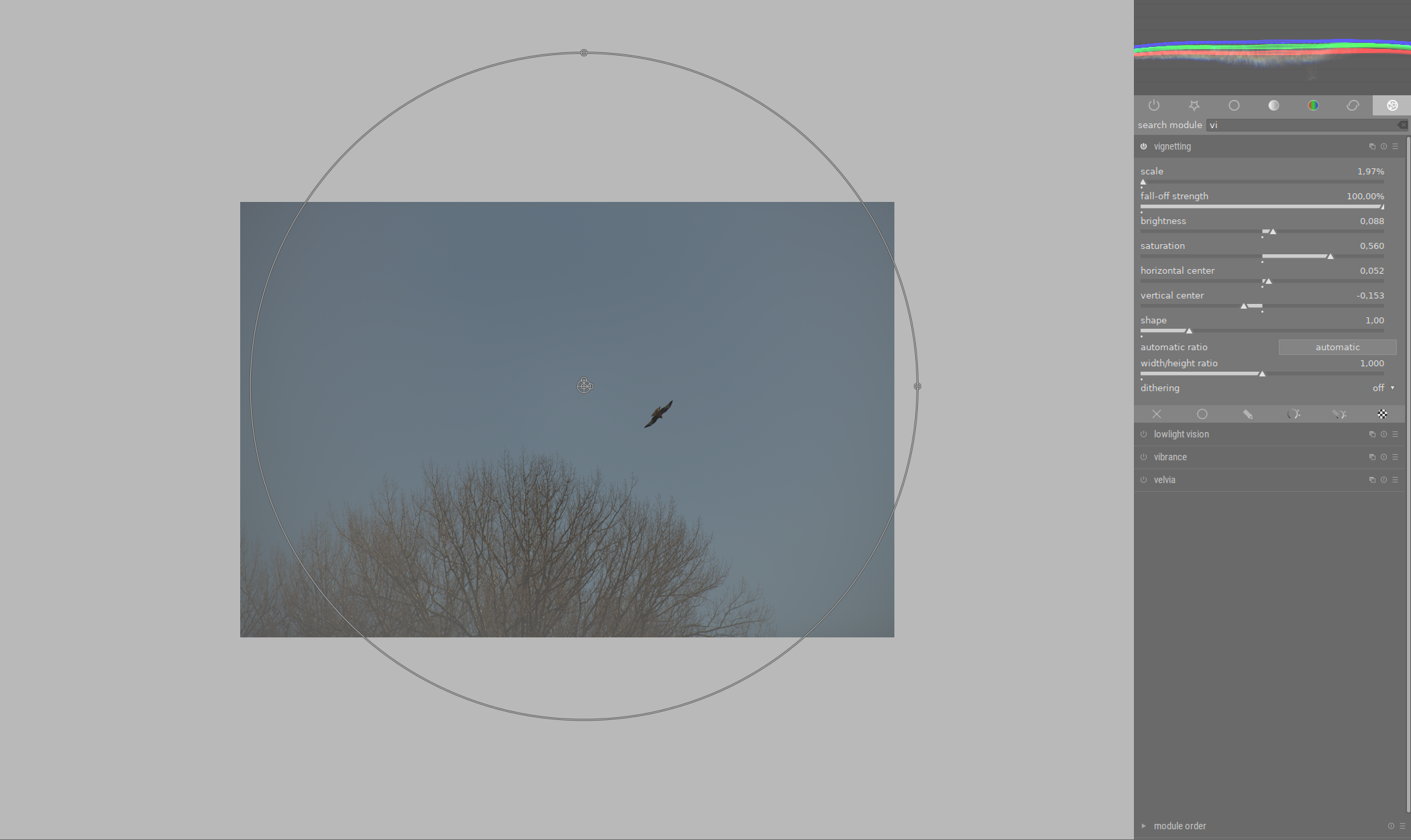
The second problem with the module is that the lightening is not done correctly (you can clearly see this by the branches at the bottom left. They lose contrast and become grayish). I suppose this is intentional if you want to have a white vignette.
Maybe the module should have an additional "correction mode" where the exposure is physically correct.
Here is the same example with exposure module. Here I used the circle as a drawn mask:
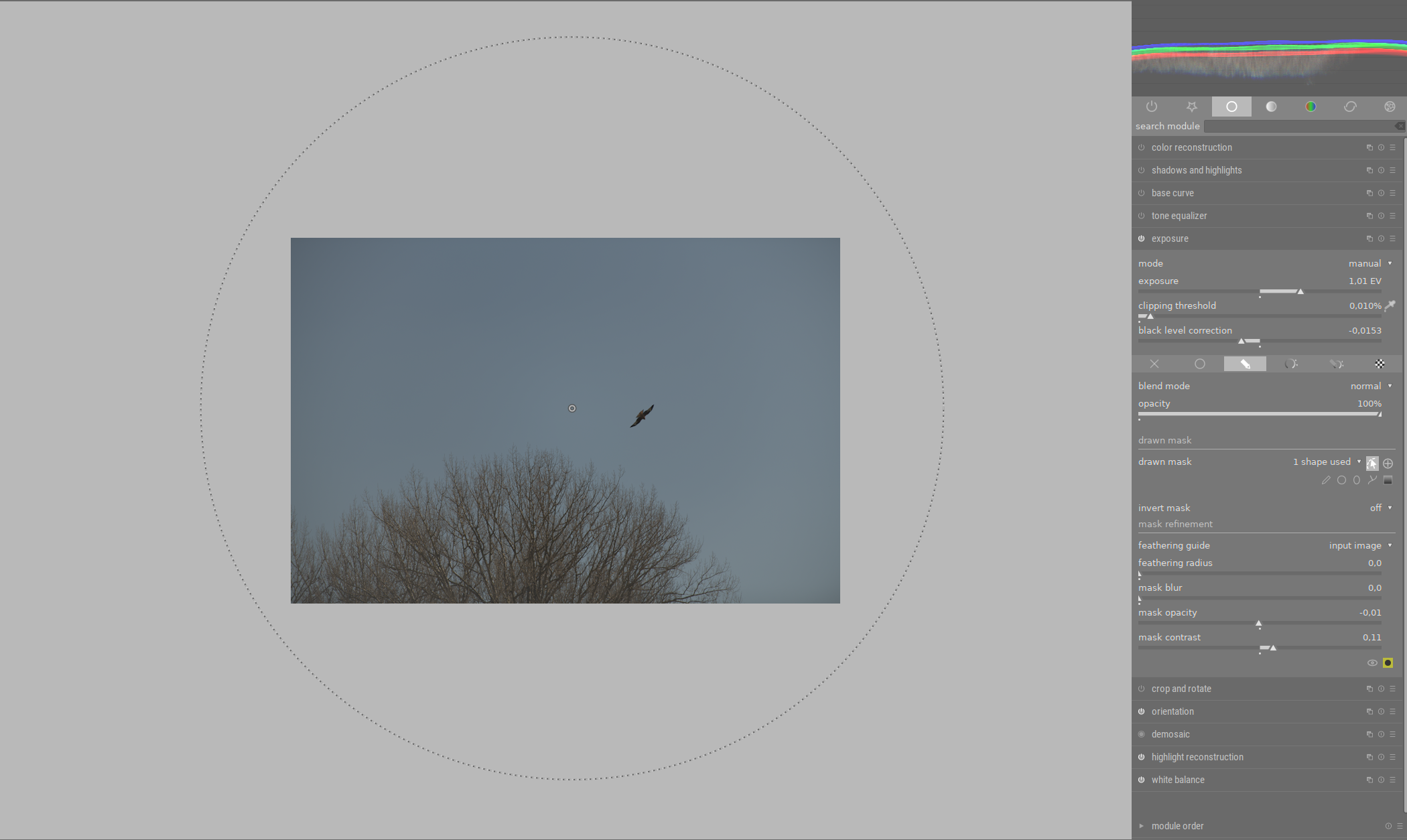
This is the best I could do. In this case, it works quite well (except at the outermost edges, which are still to darken - you can see that from the waveform).
But masking with a drawn mask is very difficult due to the limitation of feathering (gradient is very difficult to set without halos, which is partly due to the limitation between scale and fall-off, similar to the problem with the vignette module).
s7habo
on 11 Apr 2020
One suggestion: in case the scale value is very low, fall-off strength should also be in the range 0-200%.
Agreed, I had this case this morning were I was not able to have a large enough fall-off circle.
 TurboGit
on 11 Apr 2020
TurboGit
on 11 Apr 2020
@s7habo why not try to do a pr yourself? If you haven't done such before this would be a very good point to start contributing :-) Changing the fall-off is straightforward as in last pr.
Loosing colour/contrast/saturation is another story. We probably have to change the algorithm, not sure whether simply extending the saturation values will help. Have not tested.
jenshannoschwalm
on 11 Apr 2020
@s7habo why not try to do a pr yourself? If you haven't done such before this would be a very good point to start contributing :-) Changing the fall-off is straightforward as in last pr.
In fact, I did not do it because I lack the necessary discipline, concentration and abstract thinking. I find the syntax of programming very complicated and lose the overview very quickly. Some people see it as a positive challenge, but for me it quickly becomes frustrating.
That doesn't mean that I don't want to participate in such a project. But as a developer I would be a pretty bad contributor. :)
We probably have to change the algorithm, not sure whether simply extending the saturation values will help. Have not tested.
As a layman I will say that the "correction mode" of Vignette module should basically do what the exposure module does, with the difference that the exposure correction is only done in the range defined by scale and fall-off strength.
s7habo
on 11 Apr 2020
I experimented a bit and found out that the combination of offset, power and slope functions in the color balance module gives very good results:
Exposure only:
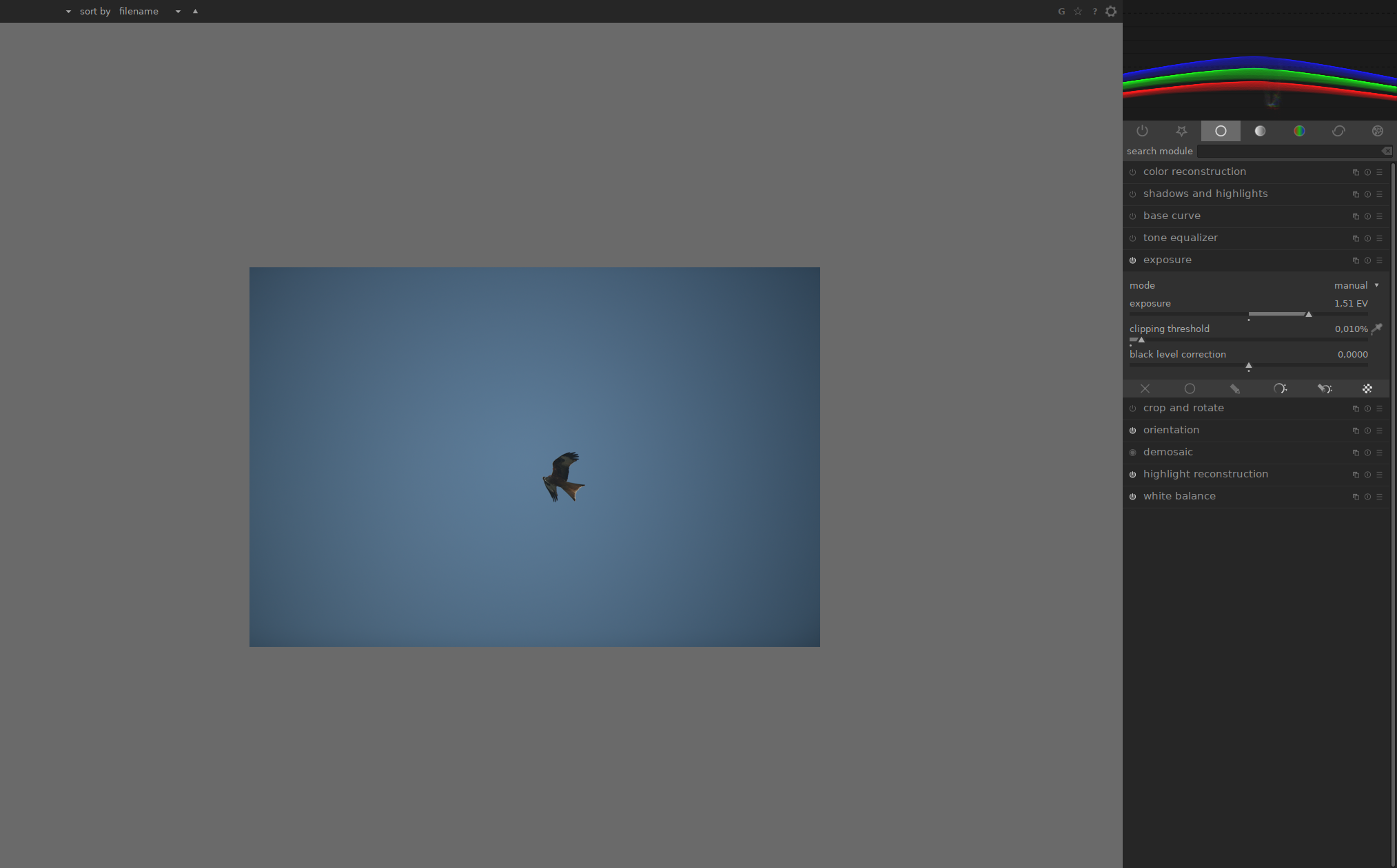
Color balance with offset, power and slope:
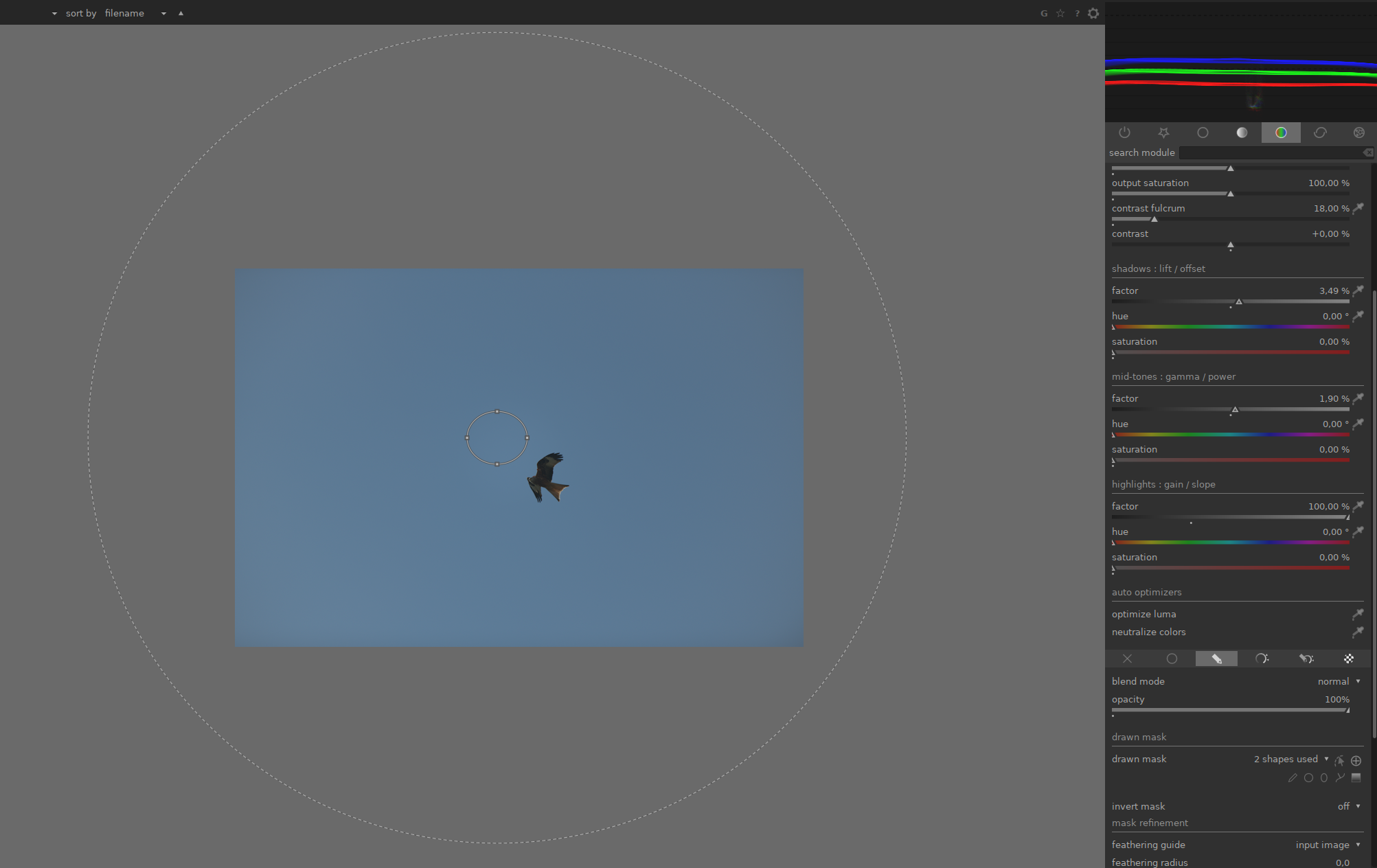
Observe the waveform. There you can see it well
s7habo
on 24 Apr 2020
This issue did not get any activity in the past 30 days and will be closed in 365 days if no update occurs. Please check if the master branch has fixed it and report again or close the issue.
![github-actions[bot] picture](https://avatars2.githubusercontent.com/in/15368?v=4&s=40) github-actions[bot]
on 25 May 2020
github-actions[bot]
on 25 May 2020
I will attempt the PR that @jenshannoschwalm suggested above.
This increases the range available of the fall-off.
Possible improvements in further PRs:
- add the second suggested method for correction (offset/power/slope)
- let the user choose between these methods
- set defaults based on what this community believes is the best of these two options, for an end user who is happy to stay with defaults even if they are not perfect.
- an "auto" mode. (Could dt measure the dropoff along a radius drawn by the user, and infer the correction required? I will have a look at some other software that includes autocorrection for vignetting, if I can find some.)
I'm quite interested in this because I use old glass and/or 2x teleconverters quite a lot.
 ghost
on 25 May 2020
ghost
on 25 May 2020
Related issues
 johnny-bit
·
5Comments
johnny-bit
·
5Comments
 GrahamByrnes
·
3Comments
GrahamByrnes
·
3Comments
 Nilvus
·
5Comments
Nilvus
·
5Comments
 jpellegrini
·
3Comments
jpellegrini
·
3Comments
 AxelG-DE
·
5Comments
AxelG-DE
·
5Comments
Most helpful comment
I will attempt the PR that @jenshannoschwalm suggested above.
This increases the range available of the fall-off.
Possible improvements in further PRs:
I'm quite interested in this because I use old glass and/or 2x teleconverters quite a lot.