Darknet: "input video stream closed." | Webcam working but not videos | Old checkout videos working !
darknet.exe detector demo data/coco.data yolov3.cfg yolov3.weights test_person/1.mp4 -i 0
In the old repo the following command is working !
But the checkout i took 2 days back is giving the error
101 conv 128 1 x 1 / 1 52 x 52 x 256 -> 52 x 52 x 128 0.177 BF
102 conv 256 3 x 3 / 1 52 x 52 x 128 -> 52 x 52 x 256 1.595 BF
103 conv 128 1 x 1 / 1 52 x 52 x 256 -> 52 x 52 x 128 0.177 BF
104 conv 256 3 x 3 / 1 52 x 52 x 128 -> 52 x 52 x 256 1.595 BF
105 conv 255 1 x 1 / 1 52 x 52 x 256 -> 52 x 52 x 255 0.353 BF
106 yolo
Total BFLOPS 65.864
Loading weights from yolov3.weights...
seen 64
Done!
video file: test_person/1.mp4
Video-stream stoped!
Stream closed.
Video-stream stoped!
Stream closed.
FPS:0.0
Video-stream stoped!
Stream closed.
FPS:0.0
Video-stream stoped!
Stream closed.
FPS:0.0
input video stream closed.
 deimsdeutsch
All 12 comments
- What OpenCV version do you use?
- Do you get this error for another mp4-files?
- Try to use the latest version from GitHub
 AlexeyAB
on 21 May 2018
AlexeyAB
on 21 May 2018
-OpenCV version 3.4.0
-Took new checkout and without modifying anything i played multiple mp4 files same error.
deimsdeutsch
on 21 May 2018
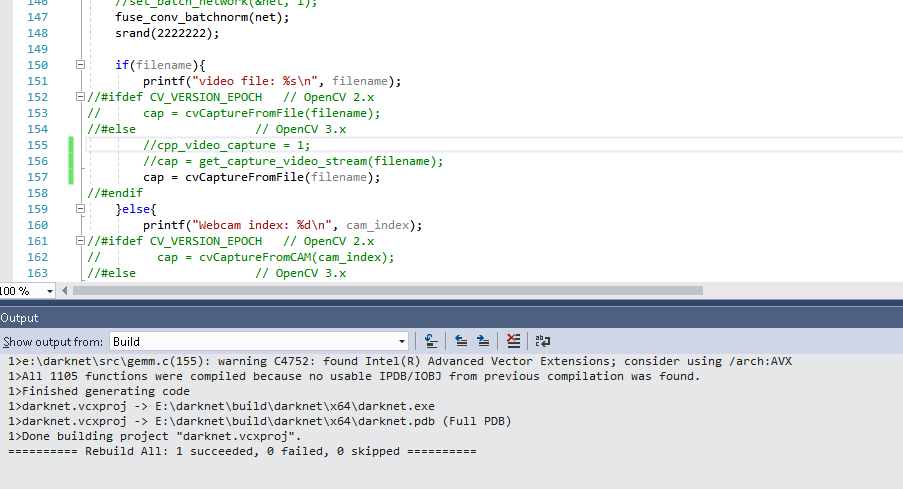
Try to change these lines: https://github.com/AlexeyAB/darknet/blob/c1bb8c129d7d4d8fc85348d5e7ac5441fa36ead5/src/demo.c#L155-L156
to this:
cap = cvCaptureFromFile(filename);
and recompile.
AlexeyAB
on 21 May 2018
----++ Getting the same error after update---
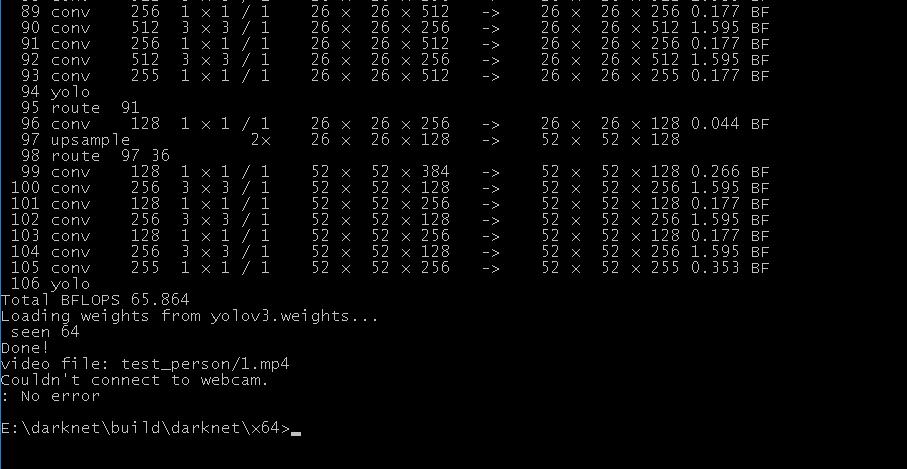
I am getting the following error after modification:
105 conv 255 1 x 1 / 1 52 x 52 x 256 -> 52 x 52 x 255 0.353 BF
106 yolo
Total BFLOPS 65.864
Loading weights from yolov3.weights...
seen 64
Done!
video file: test_person/1.mp4
Couldn't connect to webcam.
: No error
 dexception
on 21 May 2018
dexception
on 21 May 2018
Still not working...
deimsdeutsch
on 21 May 2018
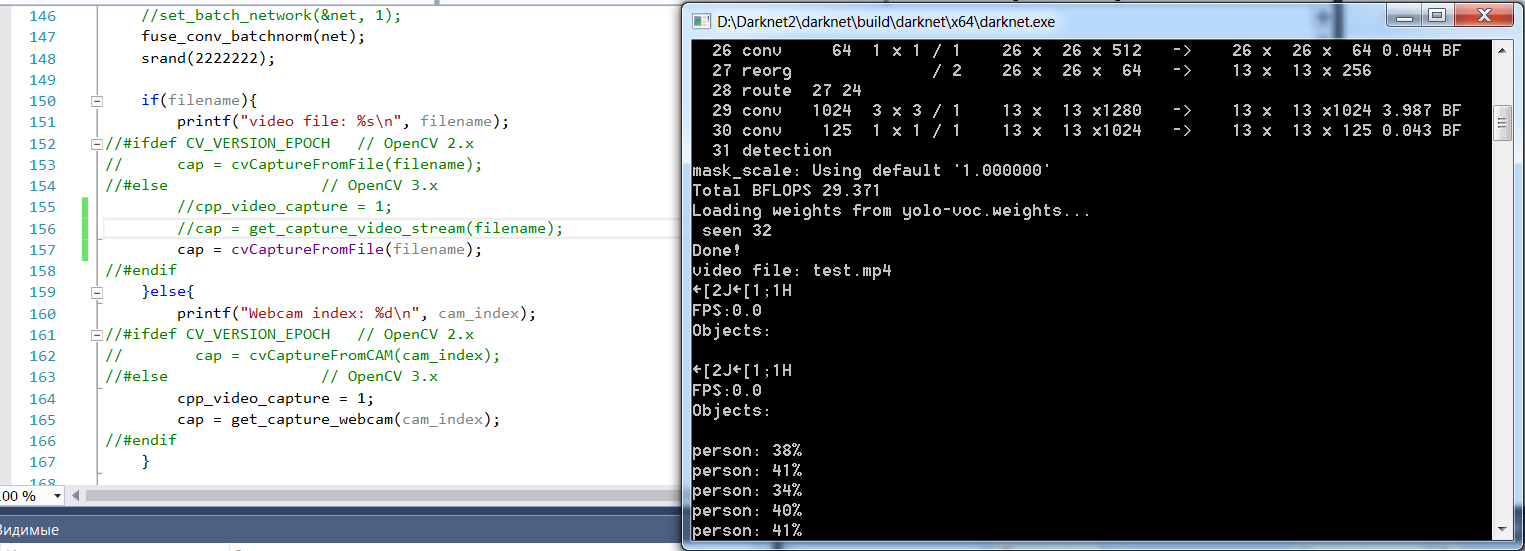
@deimsdeutsch @dexception
You use incorrect path to the mp4-file.
Did you set correctly in MSVS output directory and work directory?
Try to run Darknet not from MSVS.
I can use it successfully:
AlexeyAB
on 21 May 2018
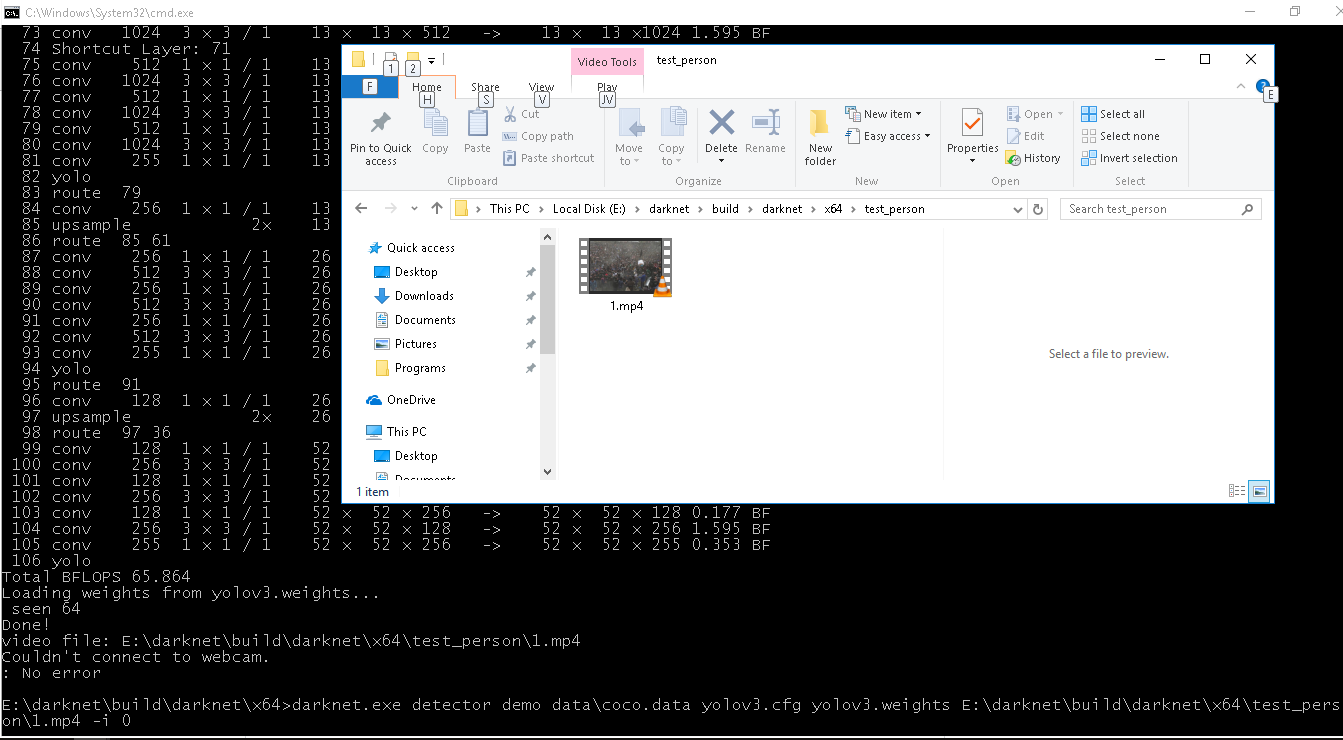
This time i have used the full path and i can play the video copy paste in VLC.
darknet.exe detector demo data\coco.data yolov3.cfg yolov3.weights E:\darknet\build\darknet\x64\test_person\1.mp4 -i 0
deimsdeutsch
on 21 May 2018
Looks like opencv is unable to decode the video and returning null which is strange because in the older working directory of darknet i am able to decode and play the same video ???
Same error faced by other person:
https://github.com/pjreddie/darknet/issues/669
deimsdeutsch
on 21 May 2018
Try to do this: https://github.com/AlexeyAB/darknet#how-to-compile-on-windows
1.1. Find files opencv_world320.dll and opencv_ffmpeg320_64.dll (or opencv_world340.dll and opencv_ffmpeg340_64.dll) in C:\opencv_3.0\opencv\build\x64\vc14\bin and put it near with darknet.exe
AlexeyAB
on 21 May 2018
copied the darknet.cvxproj from older directory to new one...
copied all 3 dlls and its working !
@AlexeyAB
Thanks.
deimsdeutsch
on 21 May 2018
Have the same issue on my linux machine. Any solution for this?
 nolancardozo13
on 16 Aug 2018
nolancardozo13
on 16 Aug 2018
Have the same issue on my linux machine. Any solution for this?
 PumayHui
on 6 Nov 2018
PumayHui
on 6 Nov 2018
Related issues
 Greta-A
·
3Comments
Greta-A
·
3Comments
 hemp110
·
3Comments
hemp110
·
3Comments
 Yumin-Sun-00
·
3Comments
Yumin-Sun-00
·
3Comments
 jasleen137
·
3Comments
jasleen137
·
3Comments
 Mididou
·
3Comments
Mididou
·
3Comments
Most helpful comment
Have the same issue on my linux machine. Any solution for this?