Cyberchef: Bug report: AES 256 CTR wrong encrypt/decrypt
With version v9.0.0 if you encrypt/decrypt a file with:
- AES-256
- Mode: CTR
- Input/Output: RAW
- Key/IV: HEX
the output file has a wrong size (more byte/Mbyte) and it is not encrypted correctly.
With version v8.38.2, with the same file and configuration, all work fine.
To Reproduce
Configuration:
[
  { "op": "AES Encrypt",
    "args": [{ "option": "Hex", "string": "603deb1015ca71be2b73aef0857d77811f352c073b6108d72d9810a30914dff4" }, { "option": "Hex", "string": "f0f1f2f3f4f5f6f7f8f9fafb00000000" }, "CTR", "Raw", "Raw"] }
]
Input file: text file with 16byte (es: "1234567890123456")
 gcmitec
All 6 comments
Hi @gcmitec, can you provide what result you are getting and what you should be getting? (preferably in hex)
Thanks
 n1474335
on 10 Jul 2019
n1474335
on 10 Jul 2019
Input file (hex):
31 32 33 34 35 36 37 38 39 30 31 32 33 34 35 36
Output v9.0.0 (hex):
c2 93 c3 8a c3 bf c2 95 c2 85 c2 89 c3 91 c3 8e c2 96 65 66 6f 7e c2 a5 63 c3 92
Output v8.38.2 (hex):
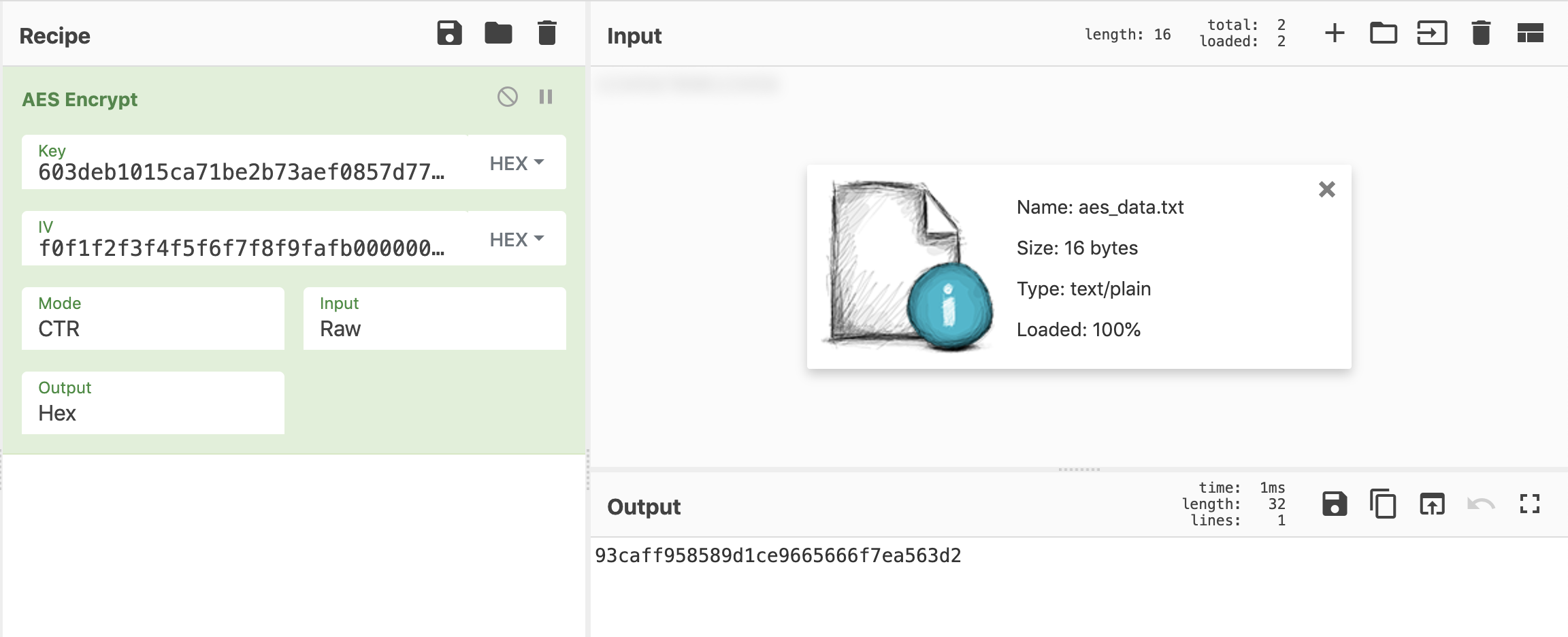
93 ca ff 95 85 89 d1 ce 96 65 66 6f 7e a5 63 d2
I use Firefox 68.0
gcmitec
on 10 Jul 2019
It seems to be giving me the correct answer. Try doing a forced refresh (Ctrl+Shift+R or Cmd+Shift+R) and try again. If you're still getting the wrong answer, can you upload the file in question please?
n1474335
on 10 Jul 2019
Output "raw" and you have to download the file (the size displayed is correct the download file size no).
test.txt
download_v9.0.0..txt
download_v8.38.2.txt
gcmitec
on 10 Jul 2019
Ok, I can confirm that the downloaded file is incorrect. Thanks for raising this, I'll see what the problem is.
n1474335
on 10 Jul 2019
This has been fixed in version 9.0.1. It was caused by the File API converting strings to UTF-8, so to fix this we now only pass data to the File API as an ArrayBuffer.
 j433866
on 10 Jul 2019
j433866
on 10 Jul 2019
Related issues
 joshbarth
·
3Comments
joshbarth
·
3Comments
 thejoker3000
·
3Comments
n1474335
·
6Comments
thejoker3000
·
3Comments
n1474335
·
6Comments
 wumb0
·
3Comments
wumb0
·
3Comments
 danielzgtg
·
4Comments
danielzgtg
·
4Comments
Most helpful comment
This has been fixed in version 9.0.1. It was caused by the File API converting strings to UTF-8, so to fix this we now only pass data to the File API as an ArrayBuffer.