Cwa-wishlist: UX Is the App already tracking?
Describe the issue
I opened the App an read all information. After that i came to the main screen. And then there was no information about my tracking. Is the tracking already on? Should i activate something?
Suggested change
Probably you need a bigger indicator for an active tracking. Like a radar or some animation. After that the users knows the tracking is active and it will find all persons around me.
 mrascher-cosee
All 14 comments
Yes it's already tracking, it just doesn't have enough information because only approx. 5000 People in Germany have this app downloaded until now, so the chance of being near someone with the app is quite low.
 WilliamReed2004
on 16 Jun 2020
WilliamReed2004
on 16 Jun 2020
You can find out if the tracing is active in the background by checking the app. At the top of the screen, "Exposure Logging Active" should be displayed. Otherwise, an error symbol (e.g. "Bluetooth turned off") will be shown.
As far as I am concerned, the notifications are handled by the API provided by Google/Apple, therefore the CWA has no influence on the notifications and only display the current state inside the app. However, you can test the notifications by disabling bluetooth or your location services, in this case a notification should pop up as well :wink:
 niklas2810
on 16 Jun 2020
niklas2810
on 16 Jun 2020
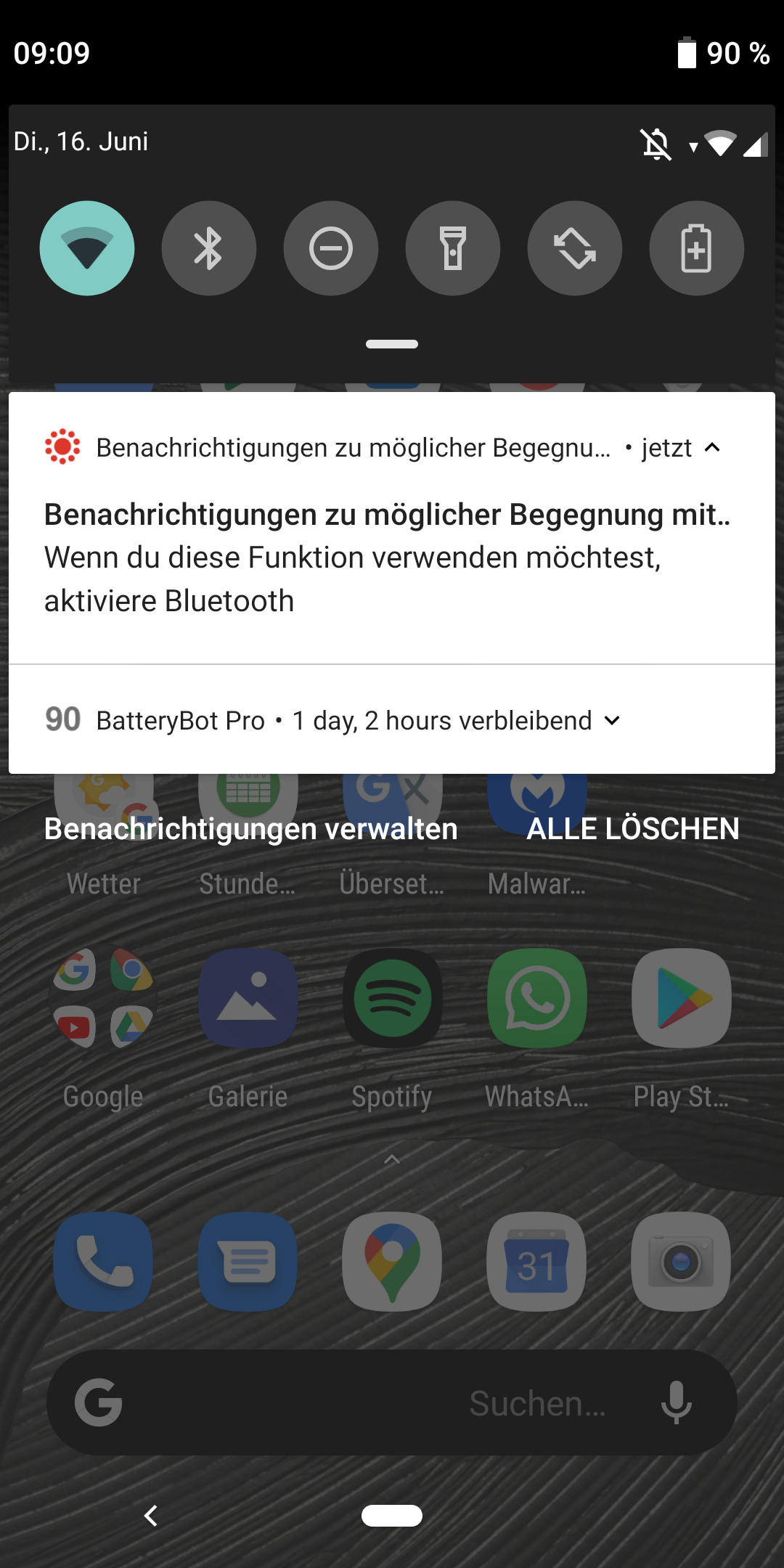
If Bluetooth is turend off while tracking is enabled a notification similar to this one will appear
WilliamReed2004
on 16 Jun 2020
yeah you are all correct, but remember there are people out there, which are not so confirmed with all the techniques. You get information about if somthing is turned off thats true but there is no information about "hey everthing is fine, everything is correct installed, we track in the background"...
mrascher-cosee
on 16 Jun 2020
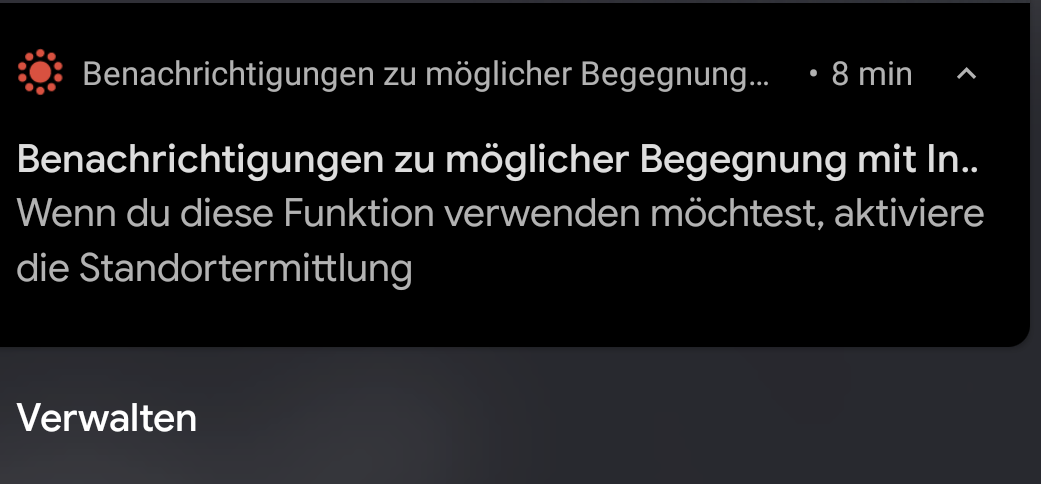
I have a similar error message. I have bluetooth active and the app is showing that the tracking is enabled on the top of the app.
But android 10 or the framework on the phone is warning me that tracking is not happending? Why does it seem like I need location data to be enabled?
 Faldrian
on 16 Jun 2020
Faldrian
on 16 Jun 2020
As far as I know, Google grouped "Bluetooth Low Energy", "GPS location" and "cellular location" into one group "Location data".
The app doesn't use GPS or cell locations (as seen by the app permissions and/or the source code), but the generic location setting on the phone needs to be enabled.
 Leseratte10
on 16 Jun 2020
Leseratte10
on 16 Jun 2020
So can someone confirm that I can't use the app / the exposure tracking if I don't want location services to be on (because I do not want my device to know where I am)? I'm more than happy to have bluetooth enabled, because it is on anyways (smartwatch...).
Faldrian
on 16 Jun 2020
Yeah, unfortunately you will have to enable location services. I guess this will lead to a lot of confusion in the future ("they are tracking our locations!!!!"), but that's nothing the devs can change...
niklas2810
on 16 Jun 2020
So my suggestion would be: Clearly communicate why this is necessary etc. on the corona page.
Further: The App is still showing me "everything ok", even if I disable location. This is a serious bug.
Faldrian
on 16 Jun 2020
I also don't get a notification if bluetooth is disabled (iOS). The app is still showing "everything ok".
 lennarto
on 16 Jun 2020
lennarto
on 16 Jun 2020
@lennarto Did you disable the tracking by turning off bluetooth in the settings or via the homescreen? For me, disabling bluetooth via settings is shown in the app, "disconnecting bluetooth devices until tomorrow" (what you're actually doing on the homescreens) seems to not trigger that. Either way, would be great if you can create an issue in the iOS repo for that.
 tkowark
on 16 Jun 2020
tkowark
on 16 Jun 2020
@tkowark Ah that's correct, disabling bluetooth in the settings triggers the warning, however, disabling bluetooth in the control center won't. I created an issue
lennarto
on 16 Jun 2020
@lennarto that is by design!
Toggling off Bluetooth in control center does not actually disable the Bluetooth chip. Only connection like media and stuff.
LE connection like smart watches and the tracing are still enables. Thus the app is correct to not display a warning
 tekook
on 16 Jun 2020
tekook
on 16 Jun 2020
Thanks for the proposal. With https://github.com/corona-warn-app/cwa-wishlist/issues/5 we already have a similar proposal that would also fulfil your request. Hence, we'll focus discussion on this one.
tkowark
on 16 Jul 2020
Related issues
 makr3
·
3Comments
makr3
·
3Comments
 achisto
·
3Comments
achisto
·
3Comments
 ststoessel
·
4Comments
ststoessel
·
4Comments
 tibor
·
3Comments
tibor
·
3Comments
 gempa-dirk
·
3Comments
gempa-dirk
·
3Comments
Most helpful comment
So my suggestion would be: Clearly communicate why this is necessary etc. on the corona page.
Further: The App is still showing me "everything ok", even if I disable location. This is a serious bug.