Cwa-app-ios: App is incompatible with iPod touch although listed as a compatible device on the App Store page
Avoid duplicates
[X] Bug is not mentioned in the FAQ
[X] Bug is not already reported in another issue
Technical details
- Device name: iPod touch 7th generation
- iOS Version: 14.4
- App Version: 1.11.0
Describe the bug
The App Store page lists as compatible devices “iPhone and iPod touch running iOS 13.7 or later“. But the app cannot be installed on an iPod touch running iOS 14.4.
Steps to reproduce the issue
- On an iPod touch with iOS 14.4, open the App Store.
- In the App Store, go to the Corona-Warn-App.
- At the top of the App Store page, a notice is displayed that the iPod touch is not a compatible device.

- At the bottom of the page, ”iPod touch running iOS 14.4 or later“ is listed as a compatible device.

Screenshots taken on an iPod touch 7th generation 
Expected behaviour
iOS 14.4 on iPod touch does support Apple’s Exposure Notification framework. 
The Corona-Warn-App should be possible to install on an iPod touch running the latest iOS.
Possible Fix
Additional context
Internal tracking ID: EXPOSUREAPP-3451
 docs-eng
All 13 comments
Hi @docs-eng 👋🏻
Could you please provide a screenshot of the "Begegnungsmitteilungen" menu?
Thanks
 Ein-Tim
on 29 Jan 2021
Ein-Tim
on 29 Jan 2021
Hi @Ein-Tim

docs-eng
on 29 Jan 2021
@docs-eng
Could you please try: https://www.coronawarn.app/en/faq/#ios_black_screen?
Ein-Tim
on 29 Jan 2021
@Ein-Tim
https://www.coronawarn.app/en/faq/#ios_black_screen did not help.
I have a 2nd iPod touch of the same model. I have fully reset that one to factory settings. I have just now set it up as a new device, no backup restored, only logged into iCloud.
The “Begegnungsmitteilungen” menu is the same, all black.

[Edit] The Corona-Warn-App’s page in the App Store is also the same as in the screenshots above.
docs-eng
on 29 Jan 2021
Okay thanks @docs-eng
As you probably know, this menu in the settings is provided by Apple.
I am quite sure that you can't download the App because of the shown black screen in the settings.
Sadly, I don't know what you could do to see the correct screen in the settings:
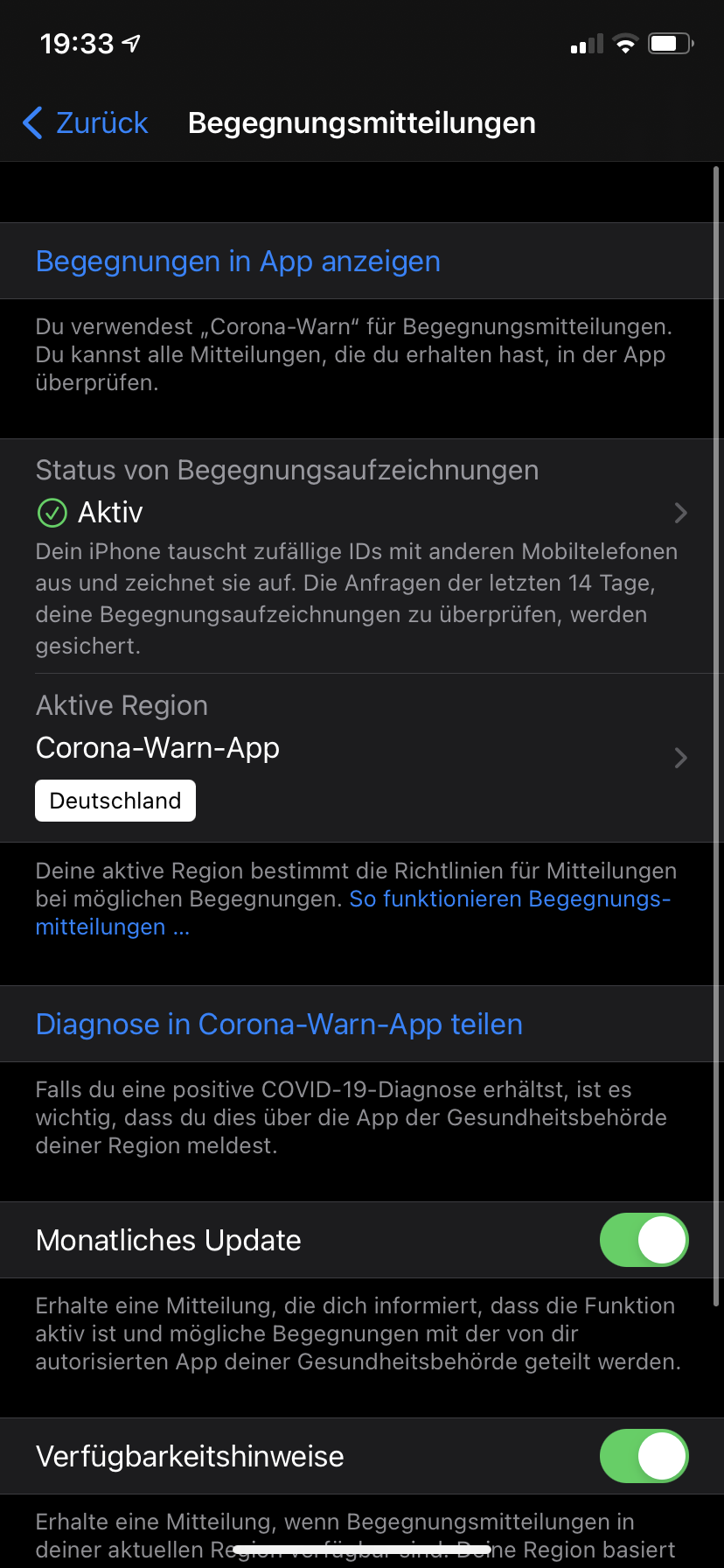
Did you restart the device after doing the steps described in the FAQ?
Any ideas @thomasaugsten?
Ein-Tim
on 29 Jan 2021
The app is not unlocked for iPod because our information are the framework is only working for iPhones. Can you install a different COVID-19 app?
https://www.xda-developers.com/google-apple-covid-19-contact-tracing-exposure-notifications-api-app-list-countries/
 thomasaugsten
on 29 Jan 2021
thomasaugsten
on 29 Jan 2021
@thomasaugsten
If the App is not unlocked for iPod you should consider to change the compatibility list in the App Store. Should I open a new Issue for this?
Ein-Tim
on 29 Jan 2021
We have already a ticket for this 3451
@docs-eng Can you please test this apps
https://apps.apple.com/ch/app/swisscovid/id1509275381
https://apps.apple.com/us/app/coronalert-belgium/id1526431891
thomasaugsten
on 29 Jan 2021
@Ein-Tim
Yes, I have restarted my first iPod touch after resetting the privacy data (according to https://www.coronawarn.app/en/faq/%23ios_black_screen&source=gmail-imap&ust=1612549194000000&usg=AOvVaw2psEC9s4V9pJrjJJVbRiDc). Also, I have fully reset my second iPod touch using Apple Configurator 2 on a Mac. (Restoring from a Mac is the most thorough way to reset any iOS device.)
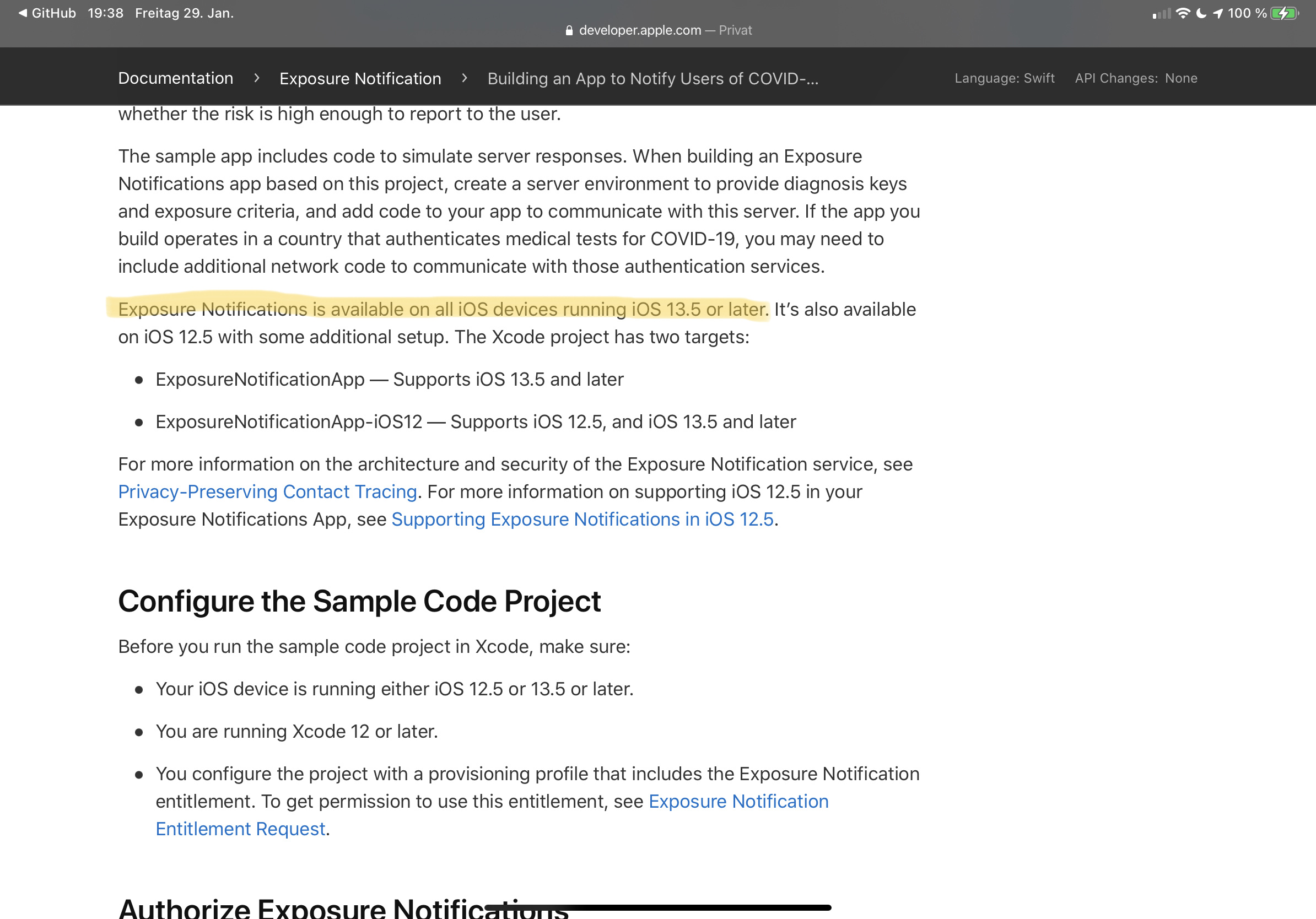
According to Apple’s Dev Docs, all iOS devices running iOS 13.5 supported exposure notifications. https://developer.apple.com/documentation/exposurenotification/building_an_app_to_notify_users_of_covid-19_exposure
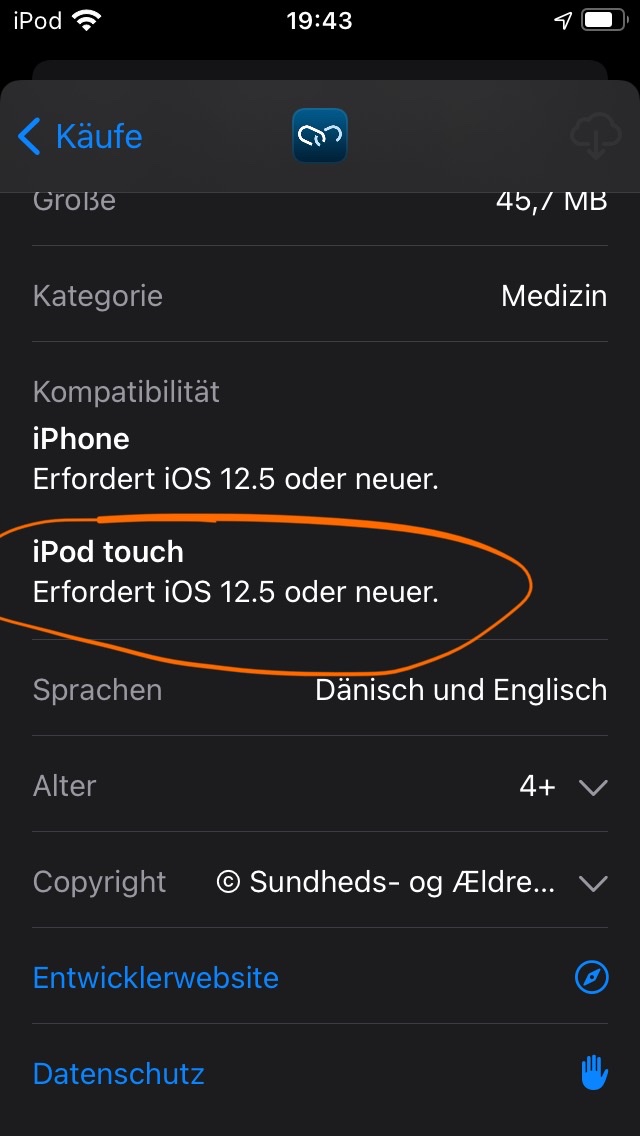
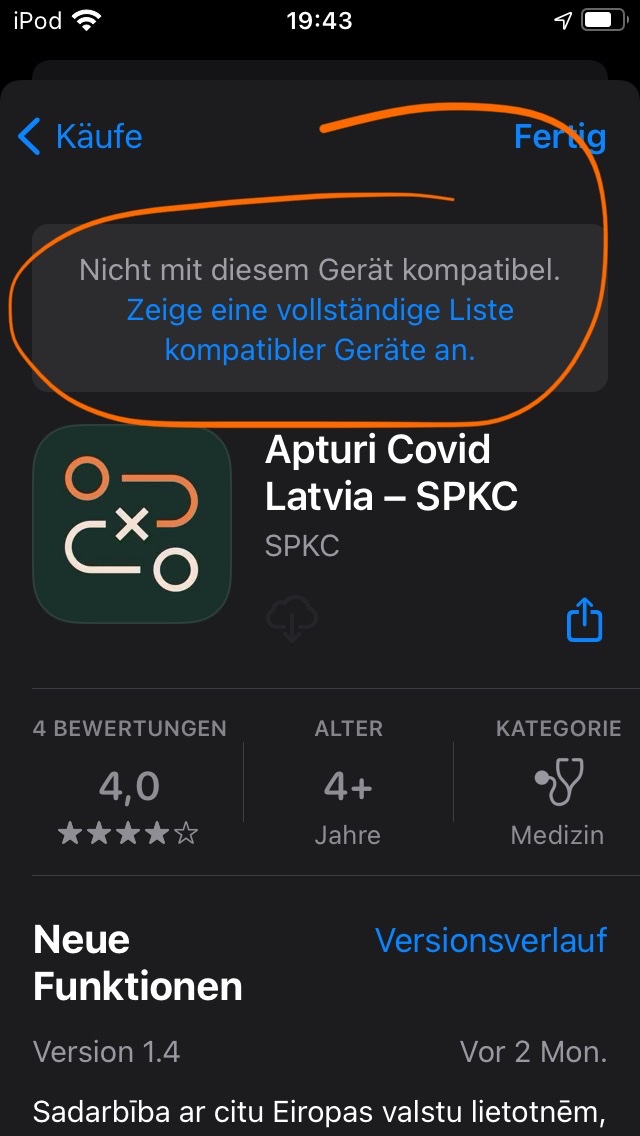
However, the Danish and the Latvian exposure tracking apps, for example, have the same problem (not able to install, but listing iPod touch as a compatible device).


Also, my iPad running iOS 14.4 does not even have the “Exposure Notification” menu in Settings.
I have submitted this issue to Apple via https://www.apple.com/feedback
Thank you for taking the time!
Thorsten
docs-eng
on 29 Jan 2021
Hi @thomasaugsten
Same

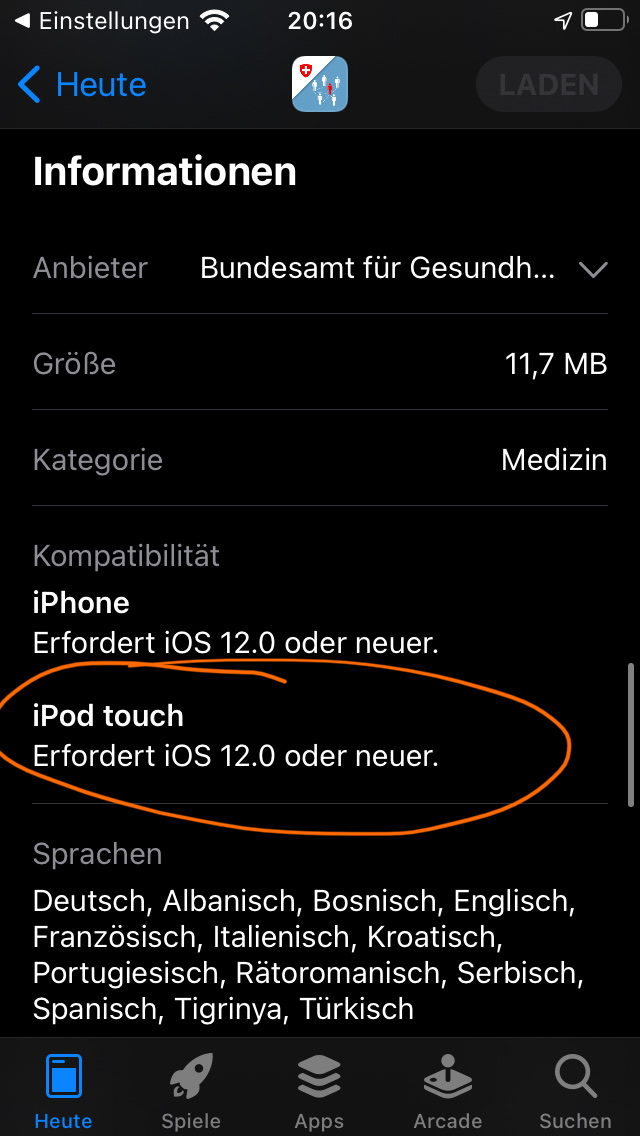
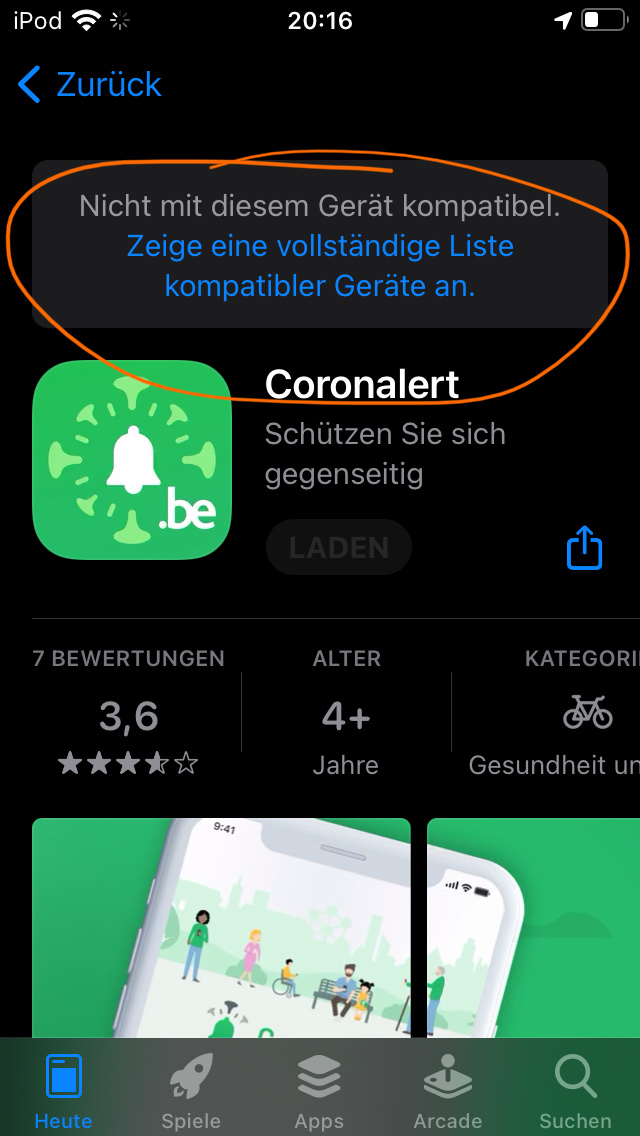
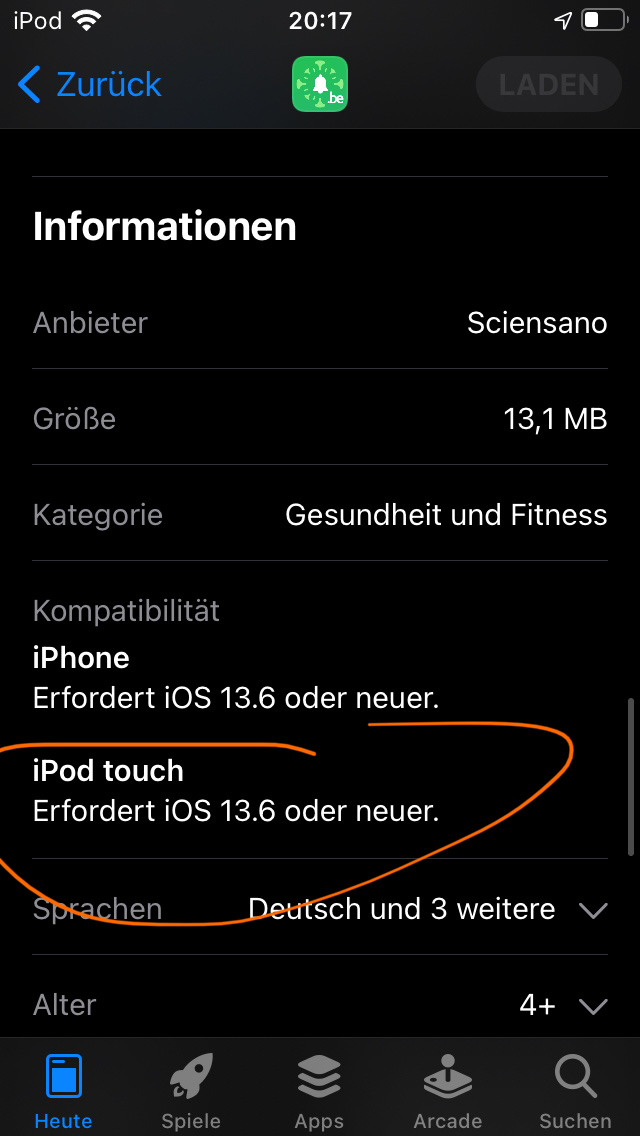
See also my comment above regarding the Danish and Latvian apps.
docs-eng
on 29 Jan 2021
Also, my iPad running iOS 14.4 does not even have the “Exposure Notification” menu in Settings.
iPads don't support Exposure Notification.
If you consider this as solved here (and @thomasaugsten does not want to investigate this further) you could close this.
Ein-Tim
on 29 Jan 2021
@thomasaugsten could you close this?
Ein-Tim
on 30 Jan 2021
@dsarkar please transfer the tested Apps to 3451
thomasaugsten
on 30 Jan 2021
Related issues
 avenius
·
3Comments
avenius
·
3Comments
 mw76
·
3Comments
mw76
·
3Comments
 rsplaul
·
3Comments
rsplaul
·
3Comments
 felixbohnacker
·
3Comments
felixbohnacker
·
3Comments
 christianbrb
·
3Comments
christianbrb
·
3Comments