Application version
Cura 4.7
Platform
Windows 10, Intel(R) UHD Graphics 630; NVIDIA GeForce GTX 1650
Printer
Creality CR-20 Pro
Reproduction steps
- Added a line of G-Code to the start procedure: "G29; Auto Bed-Levelling" to enable bed levelling procedure for BL Touch
- Upon use of Slicer, app freezes and will not respond. Forced to end task using task manager.
- When attempting to open again will not load and just says 'Not Responding" in top bar.
- Followed Ultimaker Support and updated Video Drivers and tried running different compatibilities. Still not working.
- Deleted Cura AppData Folder and then cura will open again, select printer, add line of G-Code, insert STL, when attempting to change print parameters or printer settings cura will freeze and not respond. Forced to close with task manager again.
Screenshot(s)

Actual results
Once I have the app freezes I am forced to clear appdata once again to allow myself to open app.
Log file*
cura.log
Additional information
DxDiag_Cura_Not Responding.txt
 RFort98
All 5 comments
So if you don't add the line, does it then behave as normal?
 nallath
on 16 Oct 2020
nallath
on 16 Oct 2020
I think there are two crashes here, of which one is probably easy to fix.
Go the the General pane of the preferences, and look for the option to "Restore window position on start", which is selected by default. Unselect that and start Cura again. As long as that option is unselected, Cura should not longer hang on start. That leaves just the initial crash.
 fieldOfView
on 16 Oct 2020
fieldOfView
on 16 Oct 2020
I think there are two crashes here, of which one is probably easy to fix.
Go the the General pane of the preferences, and look for the option to "Restore window position on start", which is selected by default. Unselect that and start Cura again. As long as that option is unselected, Cura should not longer hang on start. That leaves just the initial crash.
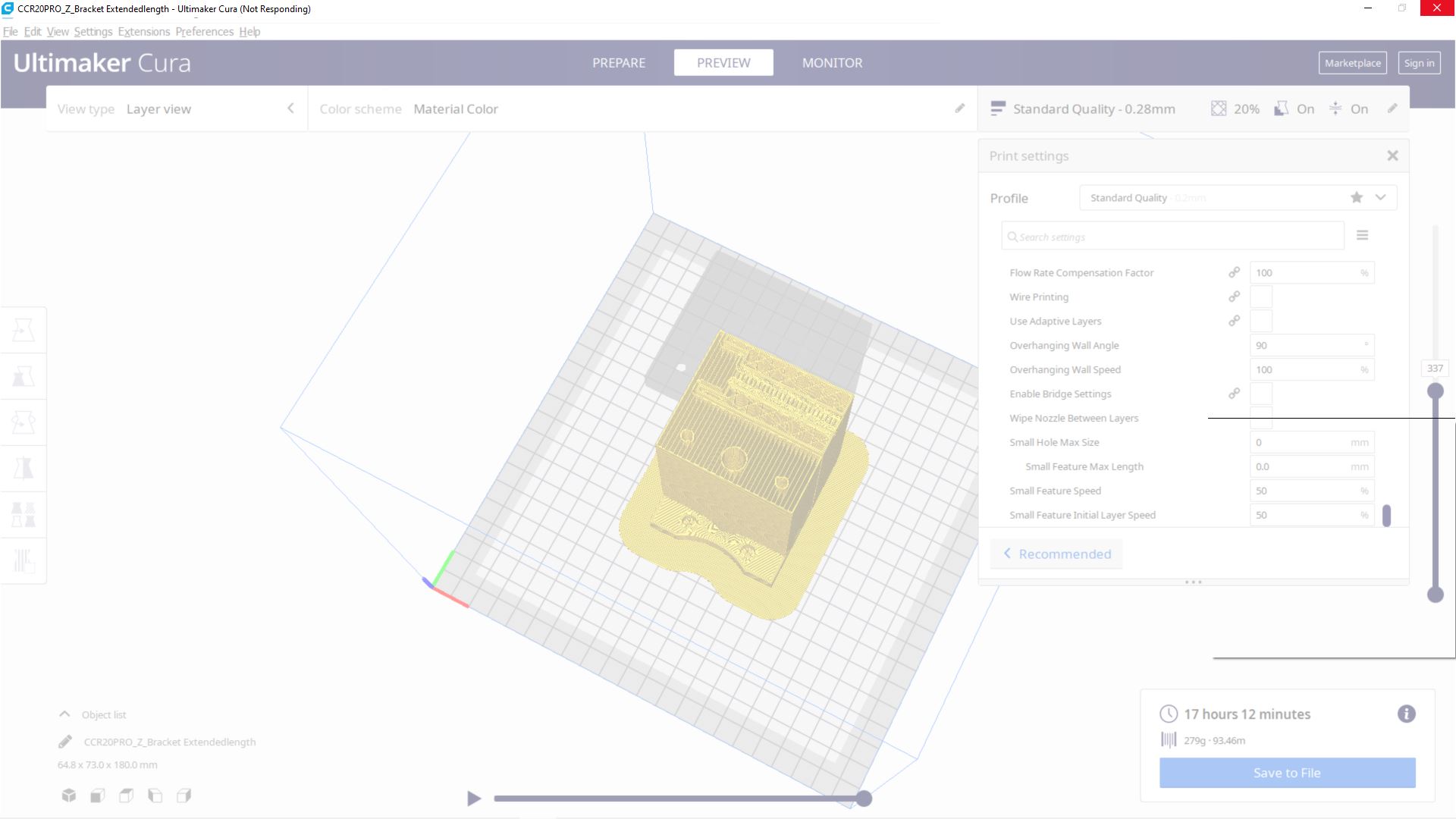
One of the suggestions Cura support made that i forgot to mention was switching to windows 8 compatibility mode, I tried turning that off and it allowed me to insert an STL, change parameters, and add that line of code and slice, but when I was in the preview, I accidentally right clicked my mouse and is caused my app to crash once again
RFort98
on 16 Oct 2020
I think there are two crashes here, of which one is probably easy to fix.
Go the the General pane of the preferences, and look for the option to "Restore window position on start", which is selected by default. Unselect that and start Cura again. As long as that option is unselected, Cura should not longer hang on start. That leaves just the initial crash.
Your suggestion to unselect "Restore window position on start" has fixed the initial crash when opening after app crashes while using it. But it is still currently crashing in multiple different positions when using.
RFort98
on 16 Oct 2020
It's weird how it seems to crash after a simple rotate operation (according to your log) or after a change in the settings. Maybe there is an antivirus application interfering, suspending Cura operation because it sees CuraEngine being restarted? Is it always hanging on the first operation after a slice has completed?
 Ghostkeeper
on 19 Oct 2020
Ghostkeeper
on 19 Oct 2020
Related issues
 mubarak111nsu
·
3Comments
mubarak111nsu
·
3Comments
 probonopd
·
3Comments
probonopd
·
3Comments
 konvoj
·
3Comments
konvoj
·
3Comments
 dstulken
·
3Comments
dstulken
·
3Comments
 timherrm
·
3Comments
timherrm
·
3Comments