Cura: [4.7] Support is printed where it shouldn't
Application version
Cura 4.7
Platform
Win10
Printer
Ultimaker S5
Reproduction steps
- Open project
- Slice it
Screenshot(s)
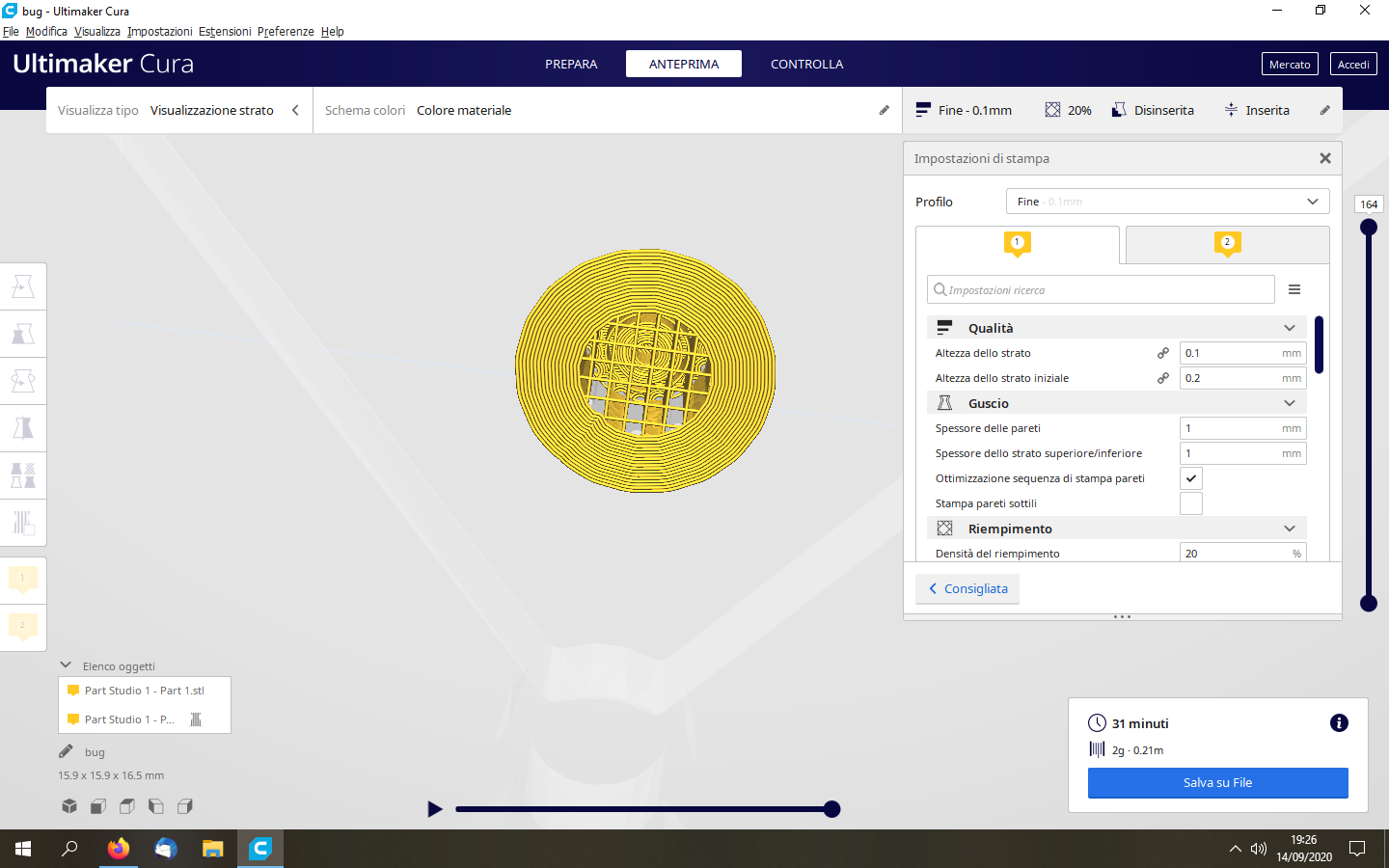
Actual results
Base support is printer on whole base
Expected results
An hole in support should be present
Project file
bug.zip
Additional info
Disable option to automatically place items in plate
 GMagician
All 7 comments
Change the value of "support merge distance" to zero. The round circle is simply too small and it is filled by the merge distance.
 nallath
on 15 Sep 2020
nallath
on 15 Sep 2020
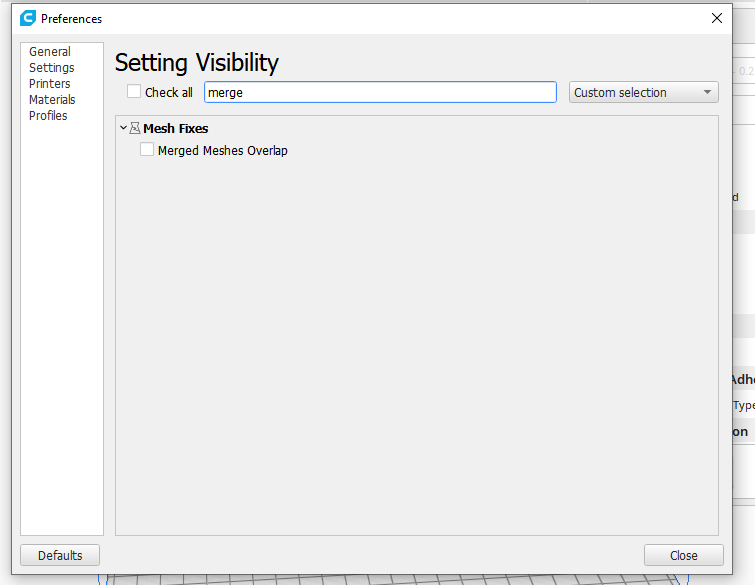
@nallath thanks for your answer but I can't find any "support merge distance" option
GMagician
on 15 Sep 2020
@GMagician I think it's support _join_ distance.
 rburema
on 15 Sep 2020
rburema
on 15 Sep 2020
@nallath & @rburema it doesn't work either
GMagician
on 15 Sep 2020
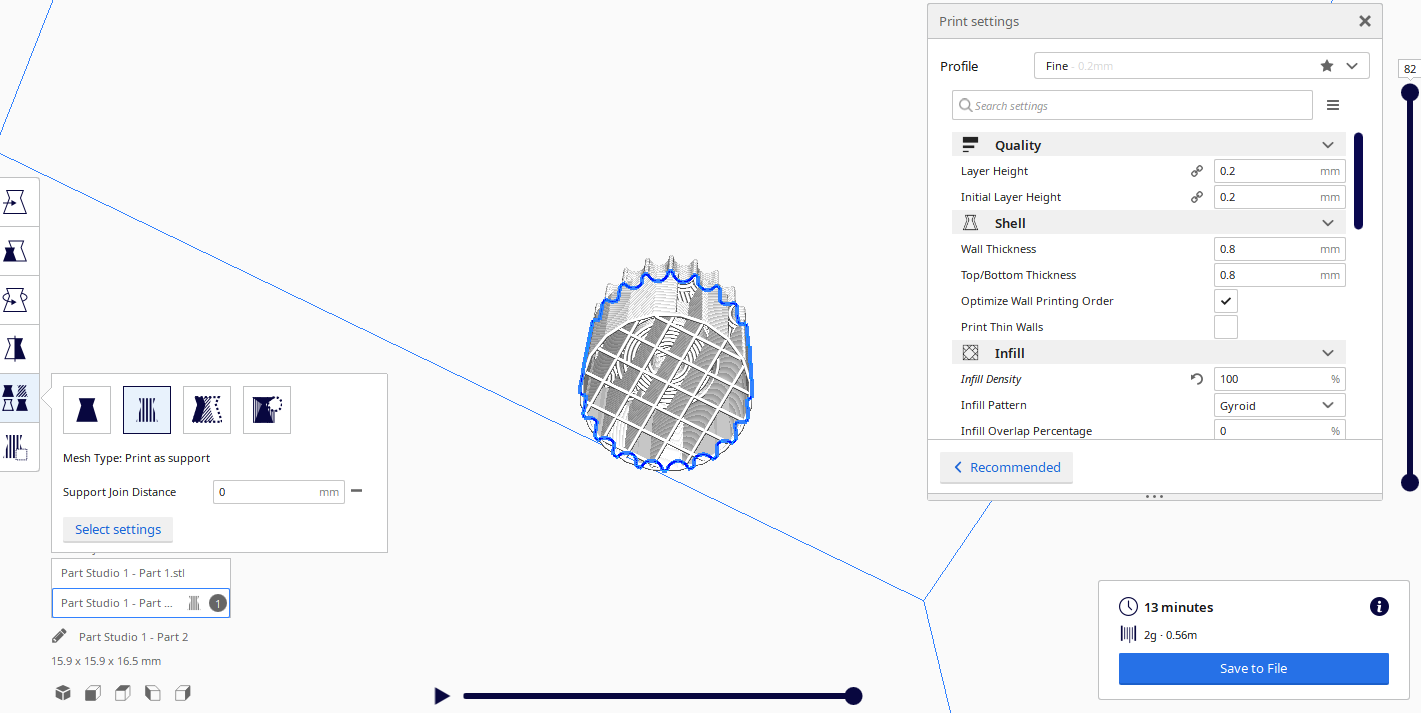
@nallath & @rburema I found why it's not working and how to let it works, but it's a bug to me.
Overriding value where you see in picture: it doesnt' work.
With such override I enabled supports in print settings and I wrote 0 there in "support join distance": it doesn't work
With override 0, print setting->support join distance 0 I re-disabled support enabled: it works!
I think that that's definetively a bug, even if not the original posted
GMagician
on 15 Sep 2020
That is strange indeed. I'll at least reopen it, and then we'll rediscuss how much priority this should get.
rburema
on 15 Sep 2020
We had an incongruence here in how the setting is displayed in the front-end and how the setting behaves when slicing. Basically, the problem was that the front-end thinks it's a per-object setting but the back-end gets the setting value as a per-extruder setting (from the Support Infill Extruder).
Here's a workaround for you:
- Enable support.
- Set Support Join Distance to 0.
- Disable support again.
It then shows the hole as expected.
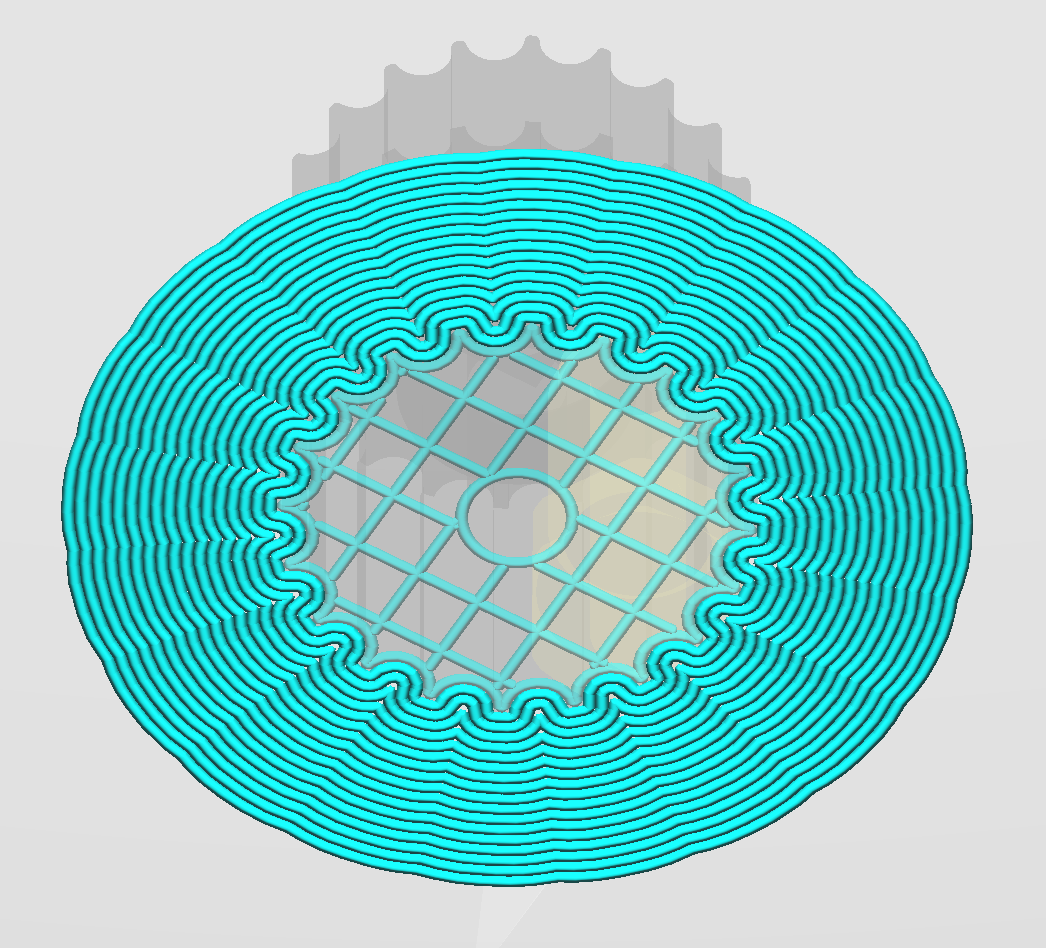
I've fixed this for 4.8. The changes I made are:
- The setting can no longer be added as a per-object setting.
- The setting will show up now if support is disabled but there are support meshes in the scene (so you don't need to enable-change-disable support any more).
Same goes for Support Horizontal Expansion, which had the same problem.
 Ghostkeeper
on 16 Sep 2020
Ghostkeeper
on 16 Sep 2020
Related issues
 probonopd
·
3Comments
probonopd
·
3Comments
 DamianSepczuk
·
3Comments
DamianSepczuk
·
3Comments
 tomoinn
·
3Comments
tomoinn
·
3Comments
 dstulken
·
3Comments
dstulken
·
3Comments
 jellewie
·
3Comments
jellewie
·
3Comments
Most helpful comment
We had an incongruence here in how the setting is displayed in the front-end and how the setting behaves when slicing. Basically, the problem was that the front-end thinks it's a per-object setting but the back-end gets the setting value as a per-extruder setting (from the Support Infill Extruder).
Here's a workaround for you:
It then shows the hole as expected.

I've fixed this for 4.8. The changes I made are:
Same goes for Support Horizontal Expansion, which had the same problem.