windows10
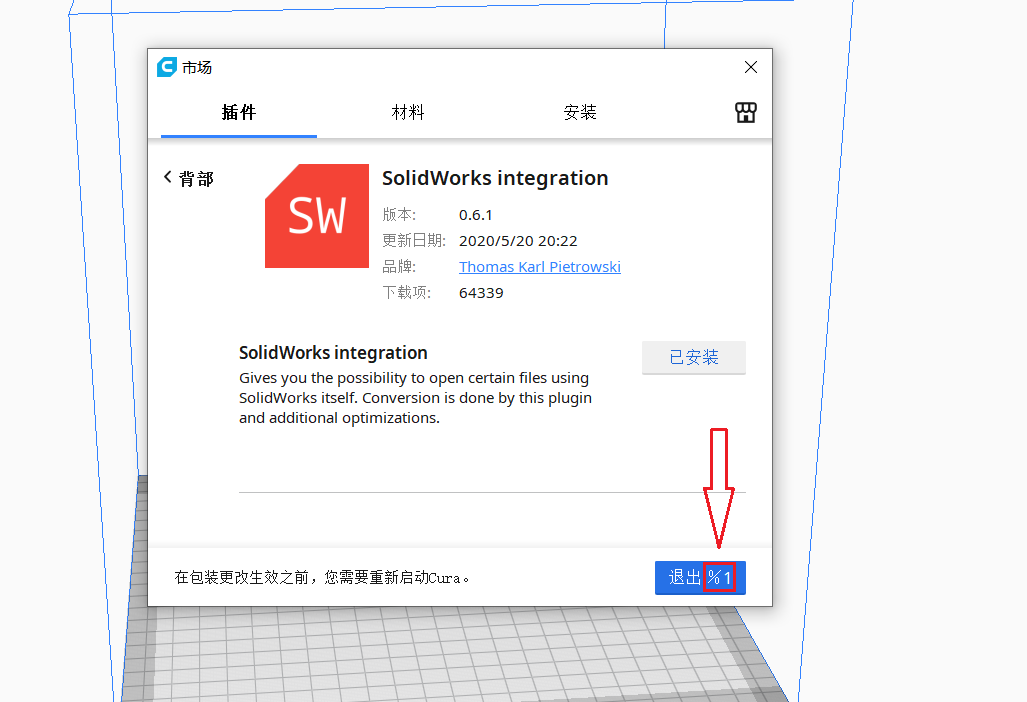
After the plug-in is installed in the marketplace, we need to exit Cura and restart it to make the plug-in take effect. When the plug-in is installed, this window will be displayed. The text on the button in the lower right corner of the window is wrong. The red box should have displayed "Ultimaker Cura". Now it shows "%1", which appears in version 4.6-4.7 in Chinese.When I changed the language back to English, the text displayed normally.
 gailulun
All 5 comments
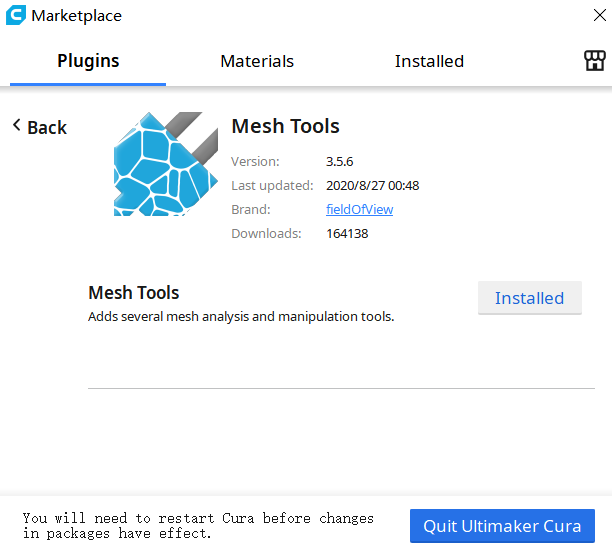
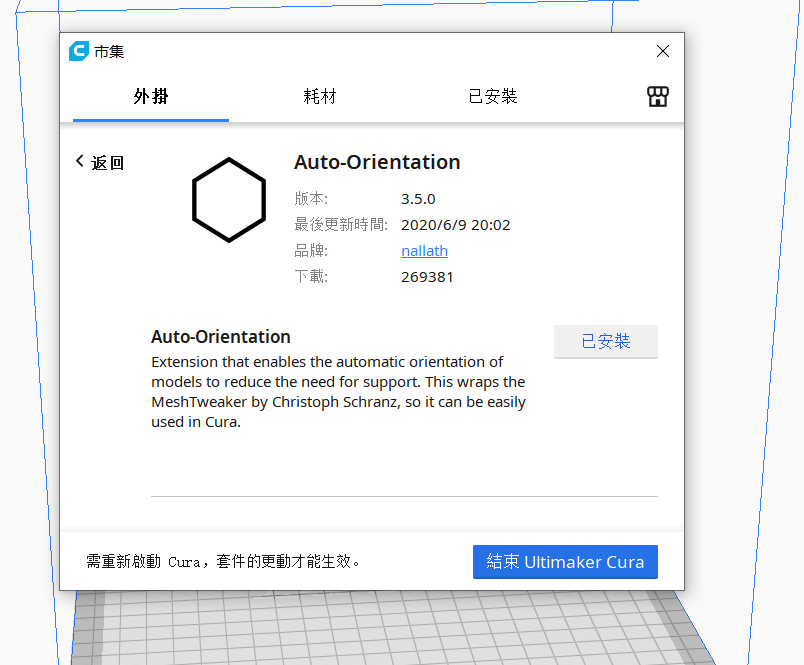
It seems that only simplified Chinese(简体中文) has this bug. If you change to traditional Chinese(正體字), it will be OK.
gailulun
on 5 Sep 2020
Similarly, the button that prompts you to restart Cura after you uninstall the plug-in is also wrong.

gailulun
on 5 Sep 2020
I can see what happened here; %1 is used as a placeholder in our strings (application name in this case). The translators are not supposed to change these, but it appears there's a separate unicode % character for this language that is different from the basic ASCII % character, that got inserted there instead.
I'll fix it for the next minor version (not the patch, sadly), and hope that this won't be repeated.
 rburema
on 6 Sep 2020
rburema
on 6 Sep 2020
Thanks a lot :)
gailulun
on 7 Sep 2020
Thanks for the report! Slipped through, somehow.
 Ghostkeeper
on 7 Sep 2020
Ghostkeeper
on 7 Sep 2020
Related issues
 jellewie
·
3Comments
jellewie
·
3Comments
 wi1k1n
·
3Comments
wi1k1n
·
3Comments
 muhammadelmogy
·
3Comments
muhammadelmogy
·
3Comments
 DamianSepczuk
·
3Comments
DamianSepczuk
·
3Comments
 timherrm
·
3Comments
timherrm
·
3Comments