Cura: [master/4.7] loading subsequent project doesn't update some/all settings or project name
Sorry, I haven't filled out the template but this issue is simply to alert you to the fact that with the current master/4.7 I am seeing a problem whereby loading a subsequent project doesn't update the settings or the project name correctly. Just try loading a few projects and see if you observe the same behaviour.
 smartavionics
All 25 comments
Just found another oddity which is that in the setting visibility dialog, clicking a checkbox no longer makes a visible change but then when the setting group is closed/reopened the new checkbox state is now visible. This is on Linux using Qt 5.13.2.
smartavionics
on 1 Aug 2020
The issue with the setting visibility checkboxen not getting updated is due to https://github.com/Ultimaker/Uranium/commit/b4585ffe48ef2fc9ca72c5461ce3972365fb9e21, before that commit all was good.
smartavionics
on 1 Aug 2020
Even when reverting https://github.com/Ultimaker/Uranium/commit/b4585ffe48ef2fc9ca72c5461ce3972365fb9e21 the visibility issue is still there for me, so it seems to have been caused by something else.
 nallath
on 3 Aug 2020
nallath
on 3 Aug 2020
Ah, OK, well at least you're on the case now...
smartavionics
on 3 Aug 2020
What's more worrying is the fact that some/all? settings are not updated or the file name updated when a project is loaded over another.
smartavionics
on 3 Aug 2020
I don't think both of them are very worrying, but it's still worth to have a look at both of them.
nallath
on 3 Aug 2020
- oddity in the setting visibility dialog
Commits on Jul 18, 2020, if revert "Only emit dataChanged signal once when visibility changes", setting visibility dialog is OK in my case
 joonghochoe
on 3 Aug 2020
joonghochoe
on 3 Aug 2020
We had seen the issue with setting visibility and project loading ourselves too, but aren't able to find reliable reproduction steps there.
 Ghostkeeper
on 3 Aug 2020
Ghostkeeper
on 3 Aug 2020
Good that you have seen it too.
smartavionics
on 3 Aug 2020
I can't reproduce the issue with the project name not updating or the settings not (all) updated when loading a project over another project. It seems to all get applied properly. Unless my projects aren't complex enough. I just had a change of profile and infill density. Does it depend on the contents of the project?
Ghostkeeper
on 4 Aug 2020
Does it depend on the contents of the project?
Good question, I can't say for sure right now so I will keep observing and see if I can determine what it takes to go awry.
smartavionics
on 4 Aug 2020
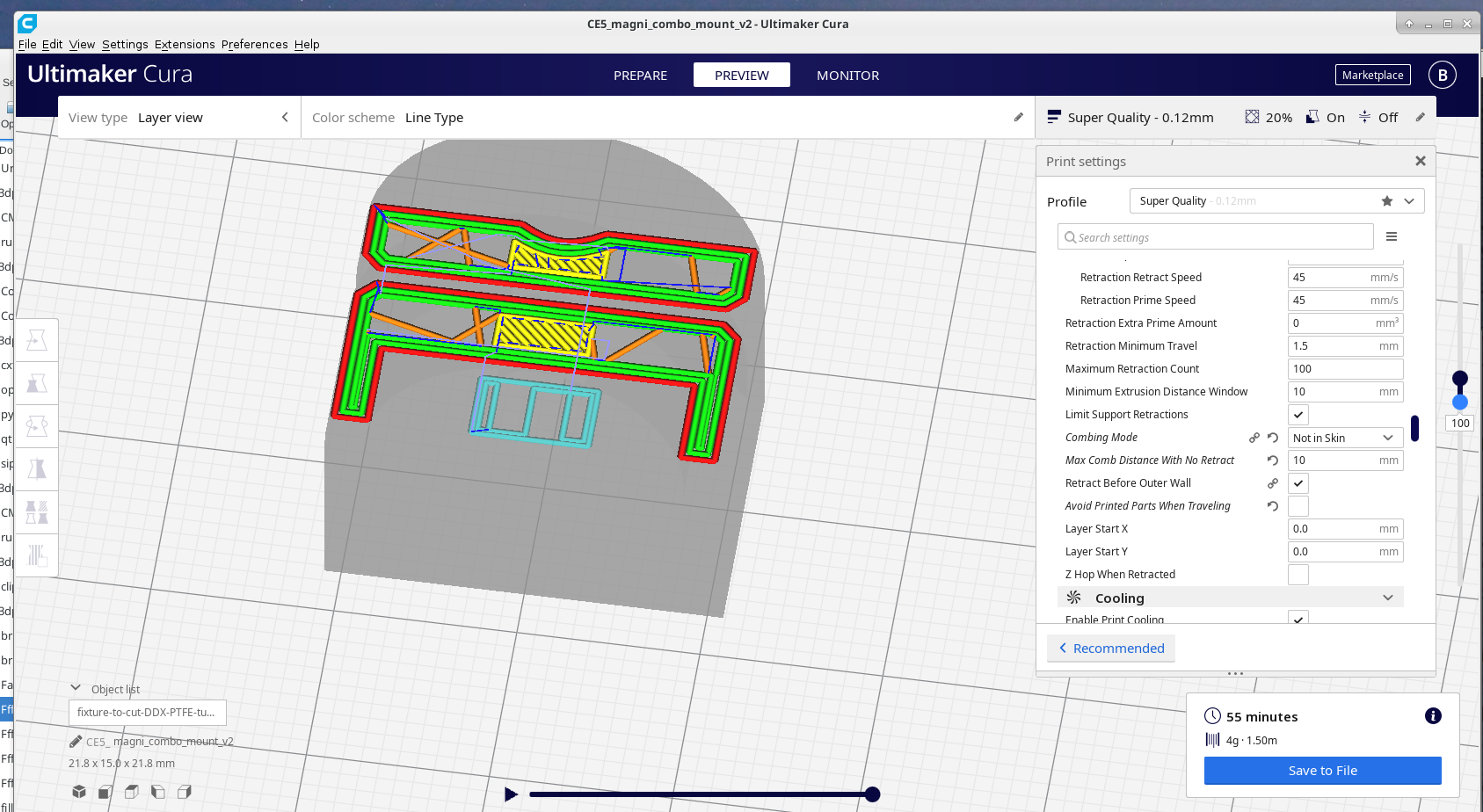
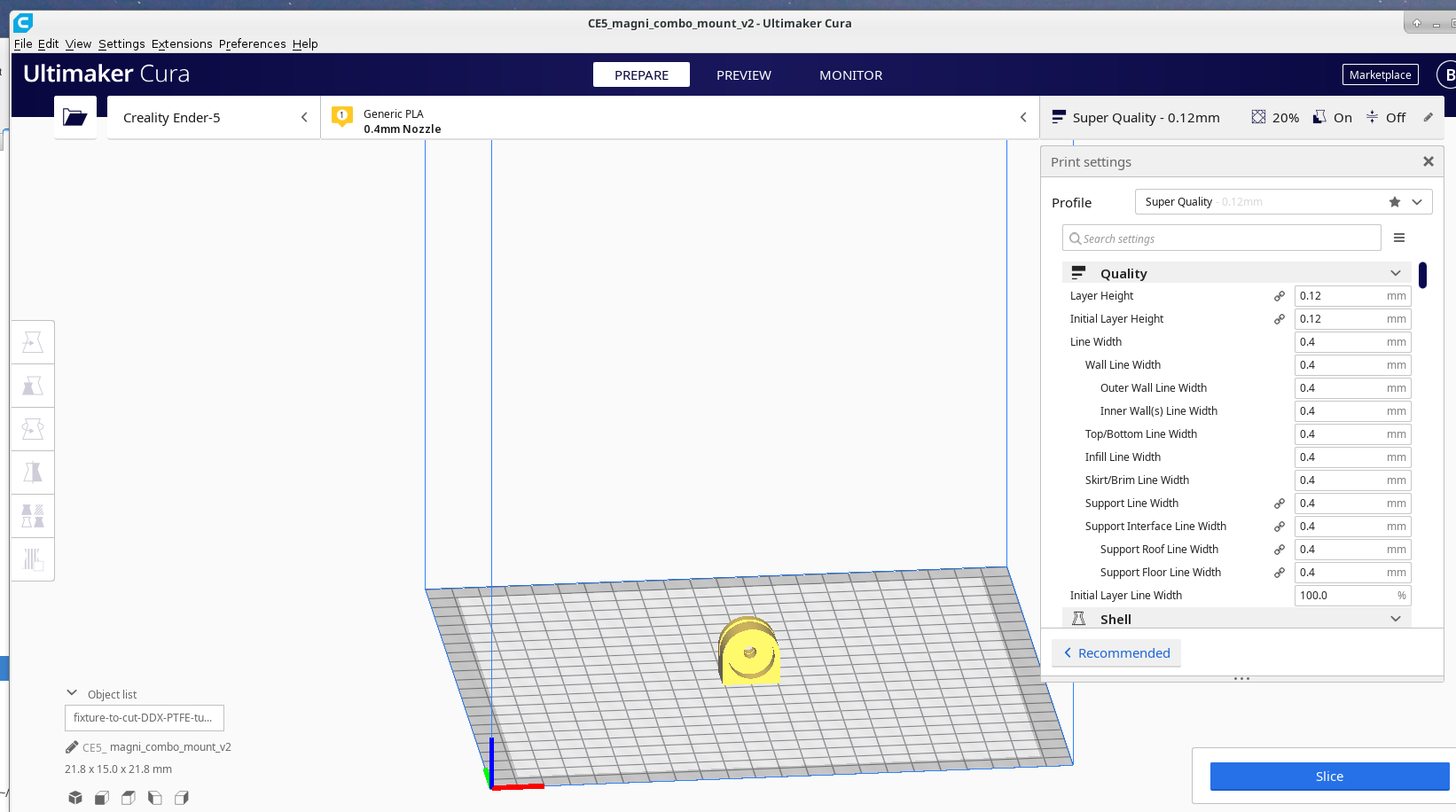
OK, it just failed to update the project name. From a fresh start I loaded a project called CCR10_magni_combo_mount_v2 and then I loaded a new project called CE5_fixture-to-cut-DDX-PTFE-tube and the project name didn't get updated. Don't know if any of the settings didn't get changed but at least some did.
Here's the screen after loading that second project, note the window title and the project name box...
smartavionics
on 4 Aug 2020
I have the magi_combo_mount project, so i tried to switch between that one and others, but I don't have the same issue. So maybe it's the CE5_fixture-to-cut-DDX-PTFE-tube project that is causing this?
Could you share that project?
nallath
on 5 Aug 2020
It's from another active issue...
smartavionics
on 5 Aug 2020
Damnit... It always updates for me, even when using exactly the same projects as you.
nallath
on 5 Aug 2020
Hmm, it's just another Cura random flakyness, then.
smartavionics
on 5 Aug 2020
I get this randomly when switching printers.
Edit: Actually, pretty reliably. It's always the same settings.
Ghostkeeper
on 5 Aug 2020
My reproduction steps involve no project file:
- Start fresh from factory defaults.
- In the welcome screen, add an Ultimaker 3 printer.
- Go to the custom settings list, expand the "Support" category and enable support. 3 new settings appear when you do this, making a total of 4 settings:
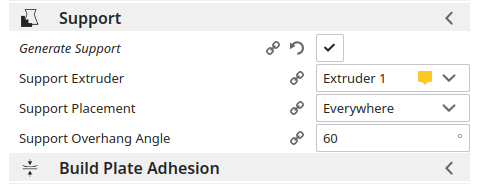
- Add a new Ultimaker S5 printer. The support category now shows two settings: "Enable Support" which is correct, but also "Support Overhang Angle" which should have disappeared. Closing the Support category and re-opening it makes it properly disappear. If you edit the undead setting, it doesn't trigger a reslice.
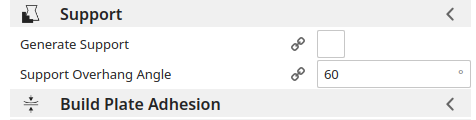
- Switch back to the Ultimaker 3. The support category now shows three settings:
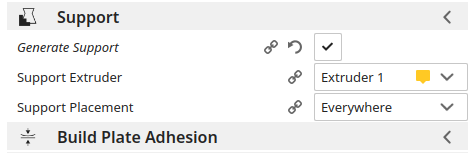
So the support overhang angle is missing.
I believe this is the same issue as Smartavionics' setting update issue. Perhaps not the same as the project title not updating though.
Ghostkeeper
on 5 Aug 2020
I found something worse that may also have been what Smartavionics saw initially. Try these reproduction steps:
- Create a project file that changes any setting or profile away from the defaults. For example, use ABS instead of PLA, and use 100% infill or something.
- Load that project file and in the pop-up, instruct it to create a new printer.
- Look at your settings/profiles. Settings are not correct and it'll have default profiles rather than your customised one.
- Now load the project file again but select to re-use an existing printer.
- Verify the settings/profiles. This time they are correct.
Reproduces both in 4.7 and master. This is a critical issue in my opinion.
With the project file given in https://github.com/Ultimaker/Cura/issues/8154 at least, this reproduces 100% of the time for me.
Ghostkeeper
on 7 Aug 2020
@smartavionics Could you try the latest 4.7 branches? We just merged a fix for this.
nallath
on 12 Aug 2020
I tried the latest 4.7 cura and it makes no difference, it still fails to update the project name. It does change the machine prefix.
Using the same projects as I used above, I see this after loading the second project...
smartavionics
on 12 Aug 2020
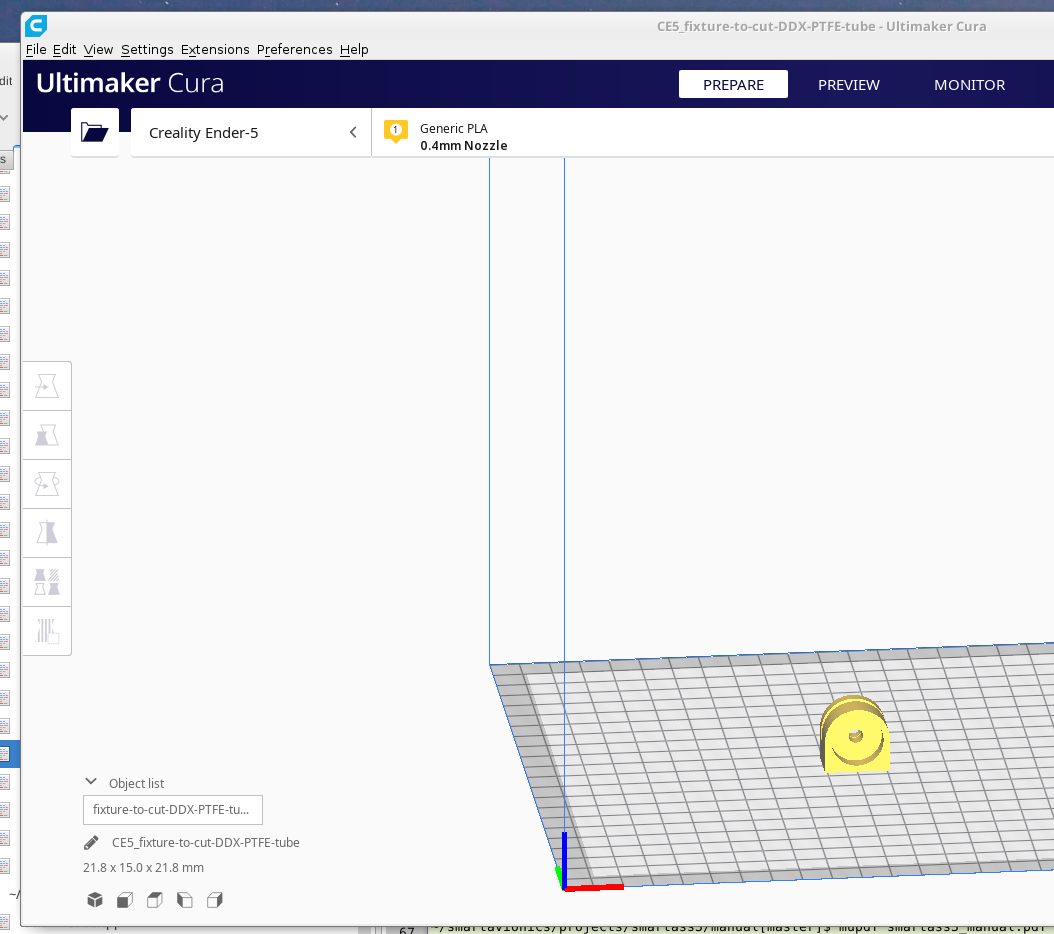
Ah, it's the custom job prefix plugin that's causing the problem here, when I disable that it updates the project name as expected...
smartavionics
on 12 Aug 2020
If I see any more problems with settings not being updated I will come back, otherwise I consider this issue solved...
smartavionics
on 12 Aug 2020
Maybe that's something that should be reported at https://github.com/fieldOfView/Cura-CustomJobPrefix/issues then?
Ghostkeeper
on 13 Aug 2020
Calling @fieldOfView , please read this issue...
smartavionics
on 13 Aug 2020
Related issues
 DamianSepczuk
·
3Comments
DamianSepczuk
·
3Comments
 wi1k1n
·
3Comments
wi1k1n
·
3Comments
 ferociousdiablo
·
3Comments
ferociousdiablo
·
3Comments
 jellewie
·
3Comments
jellewie
·
3Comments
 probonopd
·
3Comments
probonopd
·
3Comments