Cura: [4.6.1] [Linux AppImage] Layer Start X & Layer Start Y settings ignored.
Application version
4.6.1
Platform
System: Sparky Linux 5.12
CPU: i5-8350u
GPU: Intel UHD 620
Ram 8GB DDR4
Printer
Creality Ender 3
Reproduction steps
- Open Cura
- Open a model in Cura
- Adjust "Layer Start X" or "Layer Start Y" in the "Travel" section of profile settings
- Slice the model
5 In "Preview" slide down to first layer and set the horizontal slider a few steps to the right.
Screenshot(s)
Cura 4.6.1
Layer Start X = 0
Layer Start Y = 0

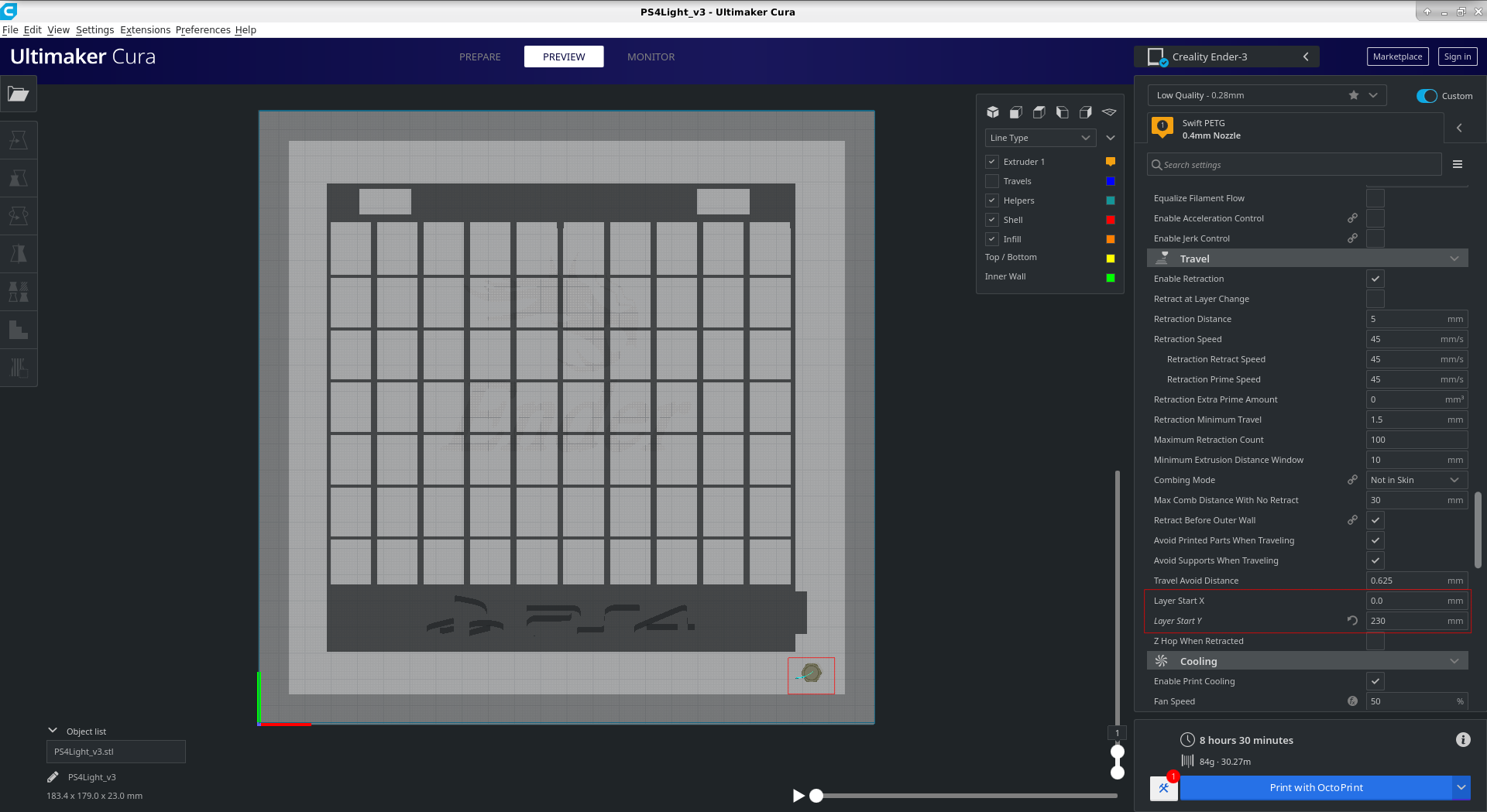
Cura 4.6.1
Layer Start X = 0
Layer Start Y = 230
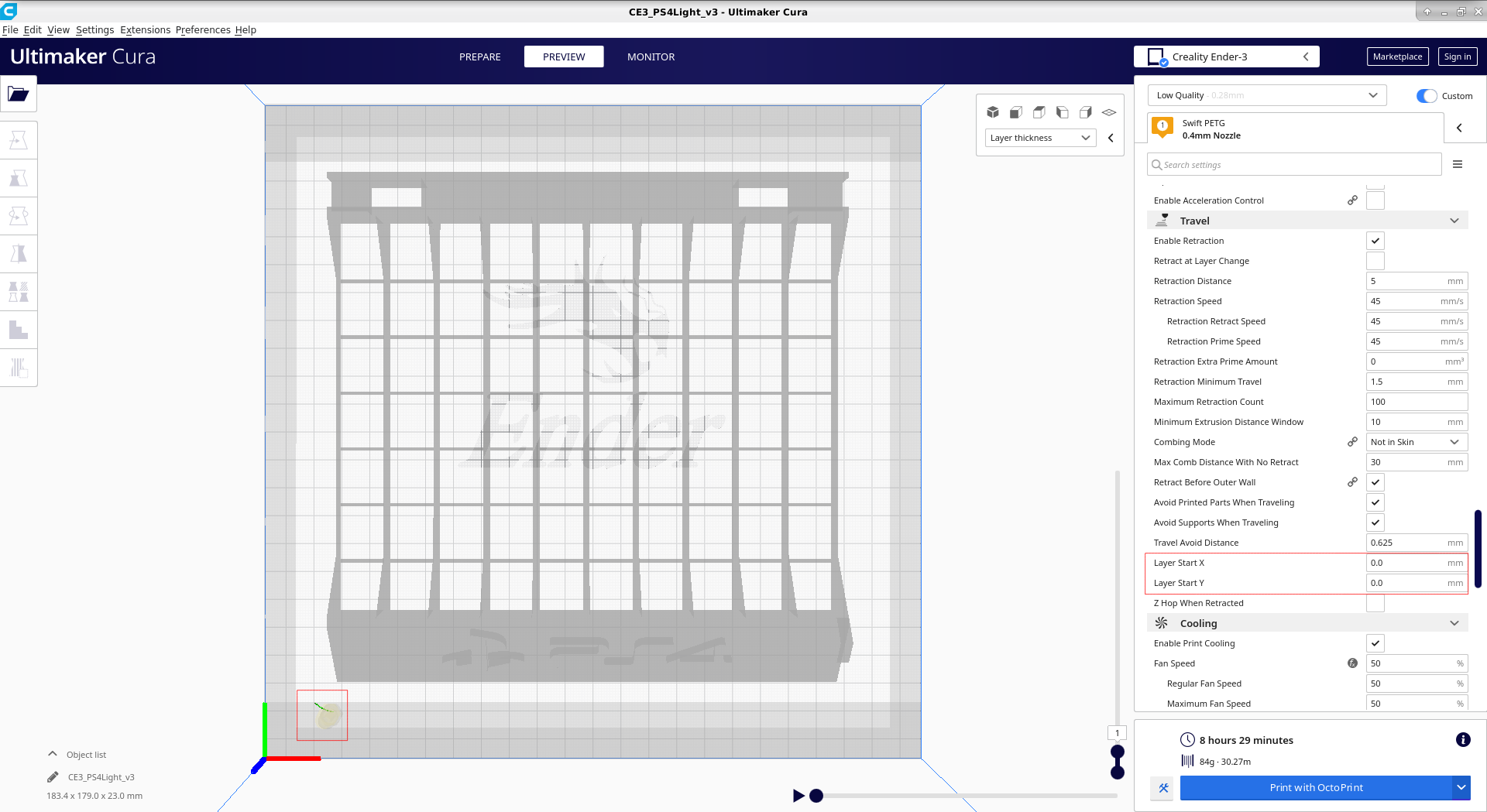
Cura 4.5.0
Layer Start X = 0
Layer Start Y = 0
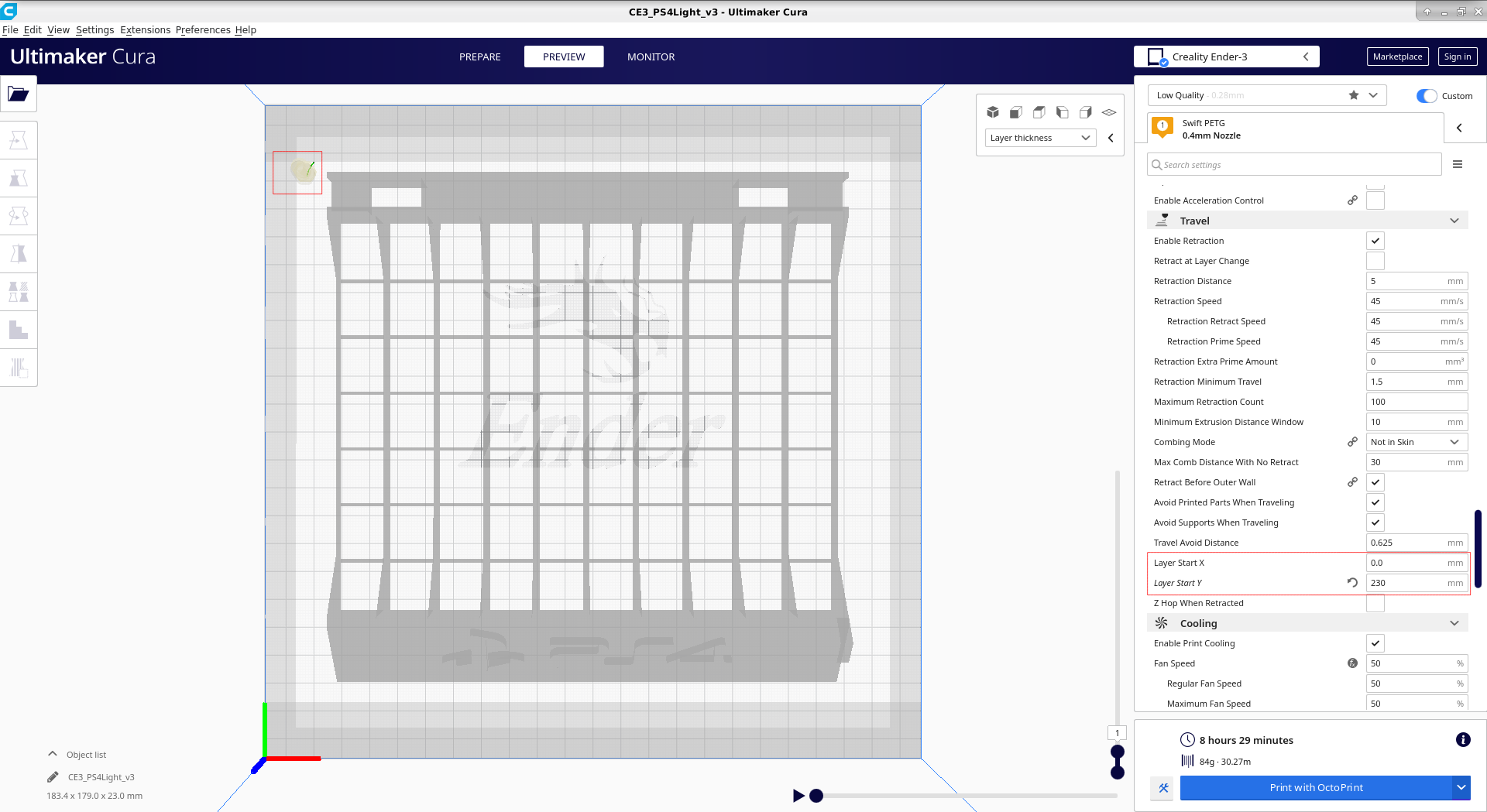
Cura 4.5.0
Layer Start X = 0
Layer Start Y = 230
Actual results
In Cura 4.6.1 the starting point is always the same, no matter what is set
In Cura 4.5.0 the starting point is adjusted according to the parameter set in the "Layer Start" fields
Expected results
In Cura 4.6.1 the starting point should be adjusted according to the parameter set in the "Layer Start" fields.
Project file
Two project files one from 4.5.0 and the other from 4.6.1 zipped just in case
Both_Cura_Projects.zip
 kostkoslaw
All 8 comments
 smartavionics
on 14 Jul 2020
smartavionics
on 14 Jul 2020
@smartavionics ok, so it's kinda hard to see at first in your pictures. but I get, that what you have contributed in the Ultimaker/CuraEngine#1231 changes the behaviour of printing the skirt.
After reading your comment in #7774 I believe, that this behaviour will be reversed back to the former?
If so then I guess my issue could be marked as duplicate?
Only now do I notice, that when using Brim, Raft and even no Build Plate Adhesion, the coordinates are taken into consideration when slicing.
Sorry for not finding the other topics, but I searched and looked through anything commenting on "start x", "print start coordinates" and simillar stuff, not Skirt in particular.
kostkoslaw
on 14 Jul 2020
Hi @kostkoslaw , sorry my comment was rather cryptic and that link was to a fix that could be relevant to you. Hopefully, it will be in a future Cura release.
smartavionics
on 14 Jul 2020
Hello @smartavionics, yes it was a little, butt it's nothing out of the ordinary in the IT world ;)
I have just checked the latest 4.6.2 and the behaviour is still not corrected back to 4.5.0.
Pictures follow:
[4.6.2 support]
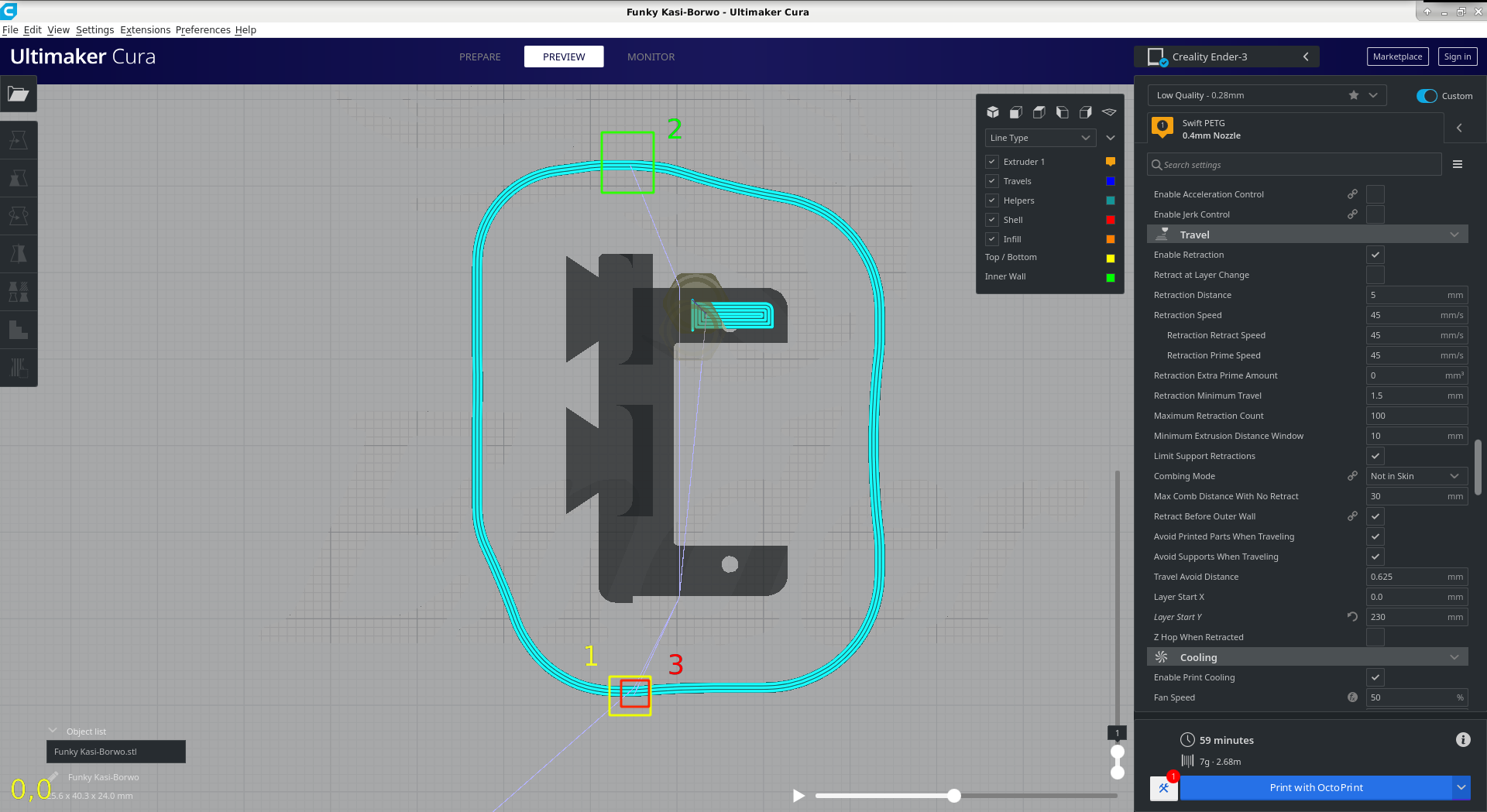
This is a variant with support enabled.
Here you can see that the skirt starts at what i presume would be x=117 y=0. (yellow rectangle)
It goes 1 way around the model, then travels to somewhere closer to layer starts of x=0 & y=230 (the green rectangle)that is set in the profile.
After that, there is another travel back to the first starting point (red rectangle) following the same travel path as from yellow to green, but in reverse.
[4.6.2 no support]
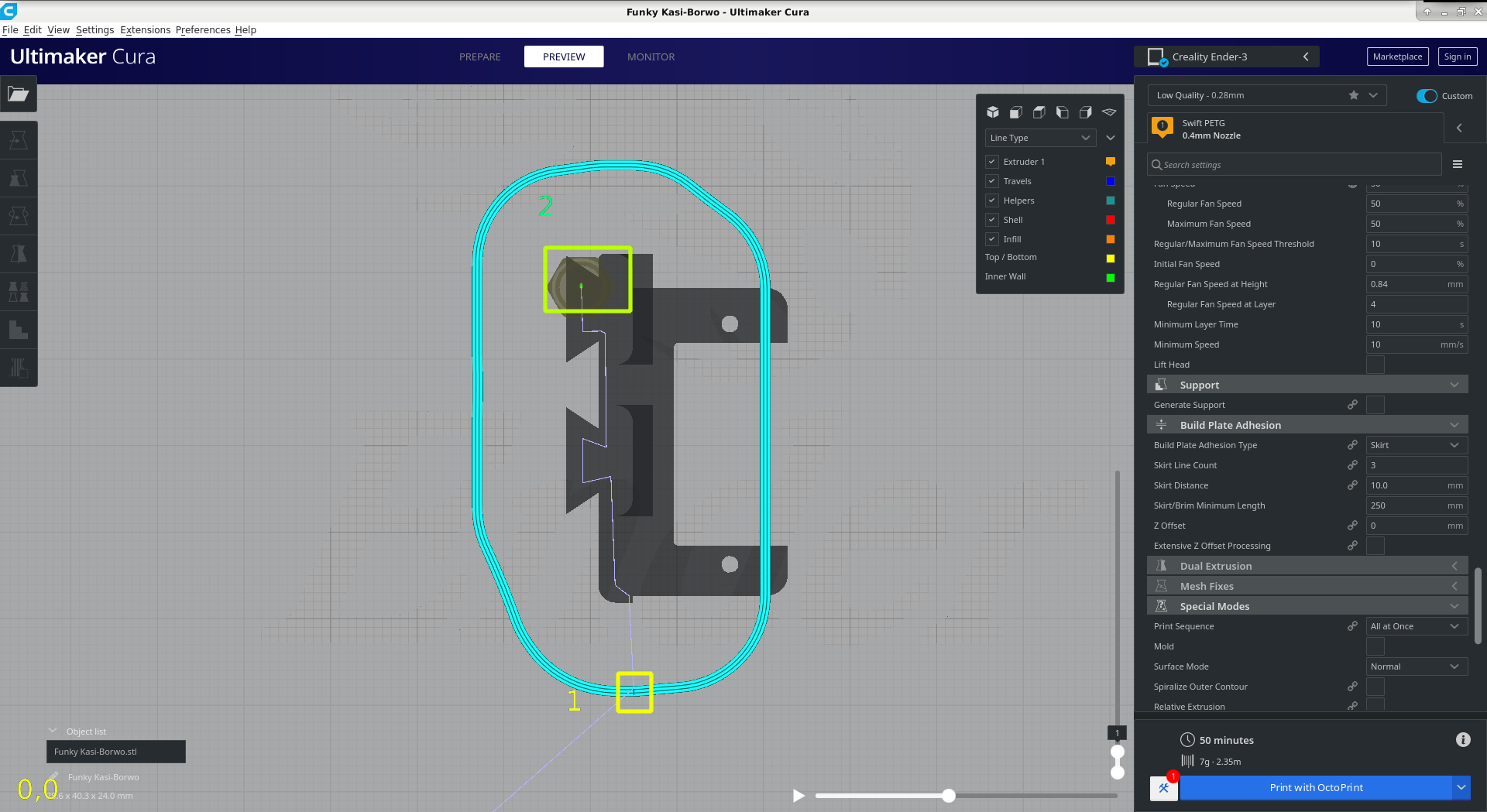
This time without support, the skirt starts at the bottom again (yellow rectangle) and does all the rounds without travels, then goes to the print the model at the green rectangle.
The profile setting of layer starts: x=0 & y=230 seems to be ignored for the skirt, and only used for printing the model.
[4.5.0 support and without]
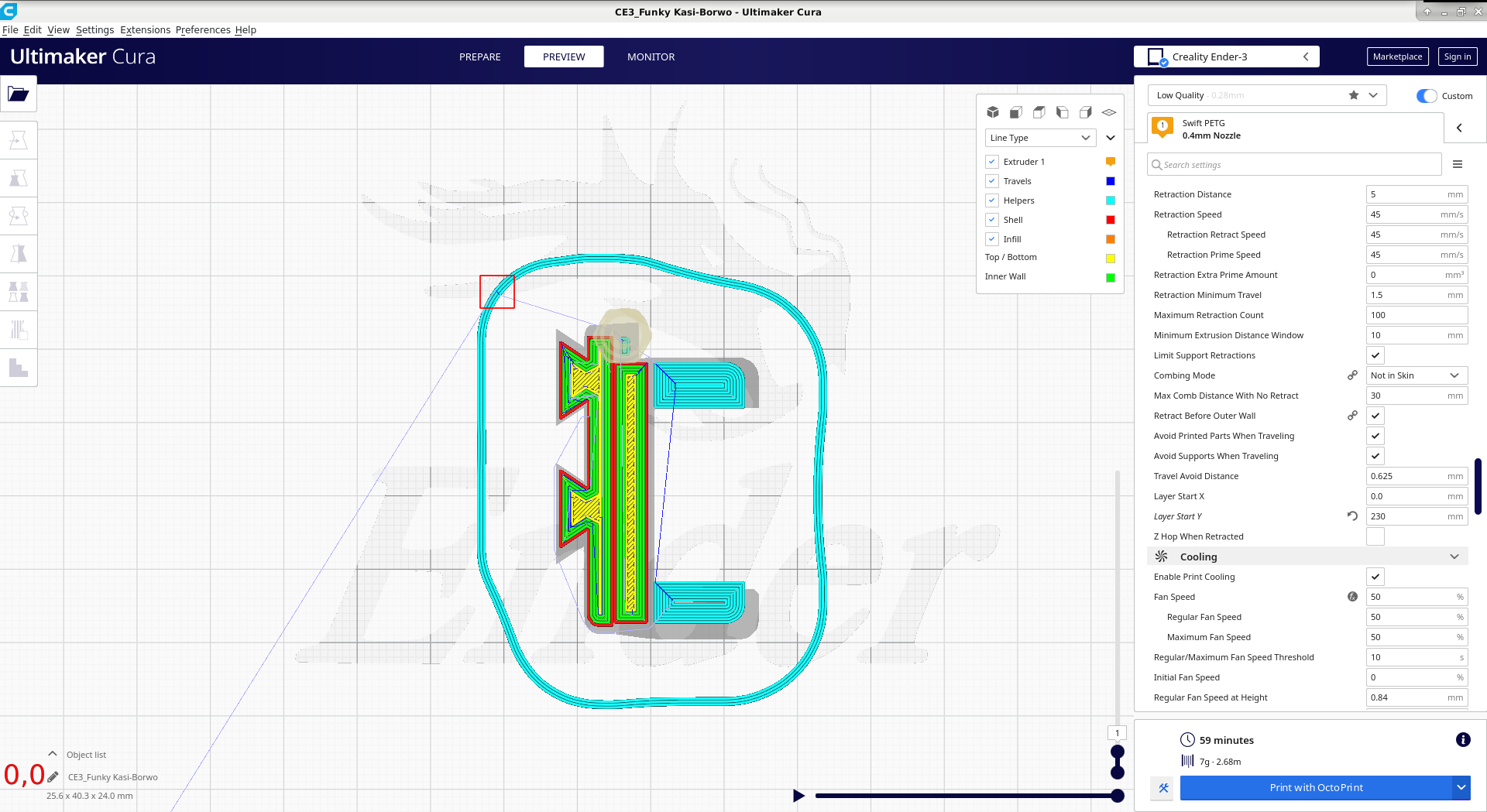
Here the situation is great.
The skirt starts at the red rectangle, respecting the Layer Start X = 0 and Layer Start Y = 230, continues without travels, then goes to print the model.
I hope this is helpful.
Again, the Brim, Raft and No Build Plate Adhesion, perform pretty much the same in 4.5.0 and 4.6.2.
Please forgive me if something is not clear. It took some time to do this(fixing errors in picture taking for eg.).
It's getting late so good night from me.
Here are 3mfs zipped:
4.5.0_and_4.6.2.3mf.zip
kostkoslaw
on 14 Jul 2020
Unfortunately, when I said future, I wasn't meaning the 4.6.2 release which doesn't appear to have any changes to the gcode generation compared to 4.6.1. If you are desperate, you can install one of my Cura builds that do have that fix already in place (along with lots of other funky stuff). My releases can be installed alongside the UM releases without conflict. You can find them at https://www.dropbox.com/sh/s43vqzmi4d2bqe2/AAADdYdSu9iwcKa0Knqgurm4a?dl=0. Please read the README.md file there before using.
smartavionics
on 14 Jul 2020
Oh man...now you've shown me a rabbit hole, that I'm all too eager to jump into and then won't be able to come back out of ;) Thank you, I will give this a try.
kostkoslaw
on 15 Jul 2020
@kostkoslaw 4.6.2 is only a very tiny update. Since this fix is merged, it'll be in the upcoming 4.7 though, which will be the next release, this summer.
 rburema
on 15 Jul 2020
rburema
on 15 Jul 2020
Yes, this is fixed in 4.7. Thanks to the fix by Smartavionics!
 Ghostkeeper
on 16 Jul 2020
Ghostkeeper
on 16 Jul 2020
Related issues
 dstulken
·
3Comments
dstulken
·
3Comments
 rudowinger
·
3Comments
rudowinger
·
3Comments
 mnswamp1
·
3Comments
mnswamp1
·
3Comments
 muhammadelmogy
·
3Comments
muhammadelmogy
·
3Comments
 Nemernemer
·
3Comments
Nemernemer
·
3Comments