Cura: trying to add a non-network printer in 4.6.1, only Ultimaker BV printers listed
following guidance from your ultimaker support page on how to add a custom printer to Ultimaker Cura
Application version
(The version of the application this issue occurs with.)
4.6.1 and 4.6.0
Platform
(Information about the operating system the issue occurs on. Include at least the operating system and maybe GPU.)
windows 10 pro 64, Intel i32310M
Printer
(Which printer was selected in Cura?)
n/a
Reproduction steps
Following guidance from your ultimaker support page on how to add a custom printer to Ultimaker Cura
Screenshot(s)
(Image showing the problem, perhaps before/after images.)
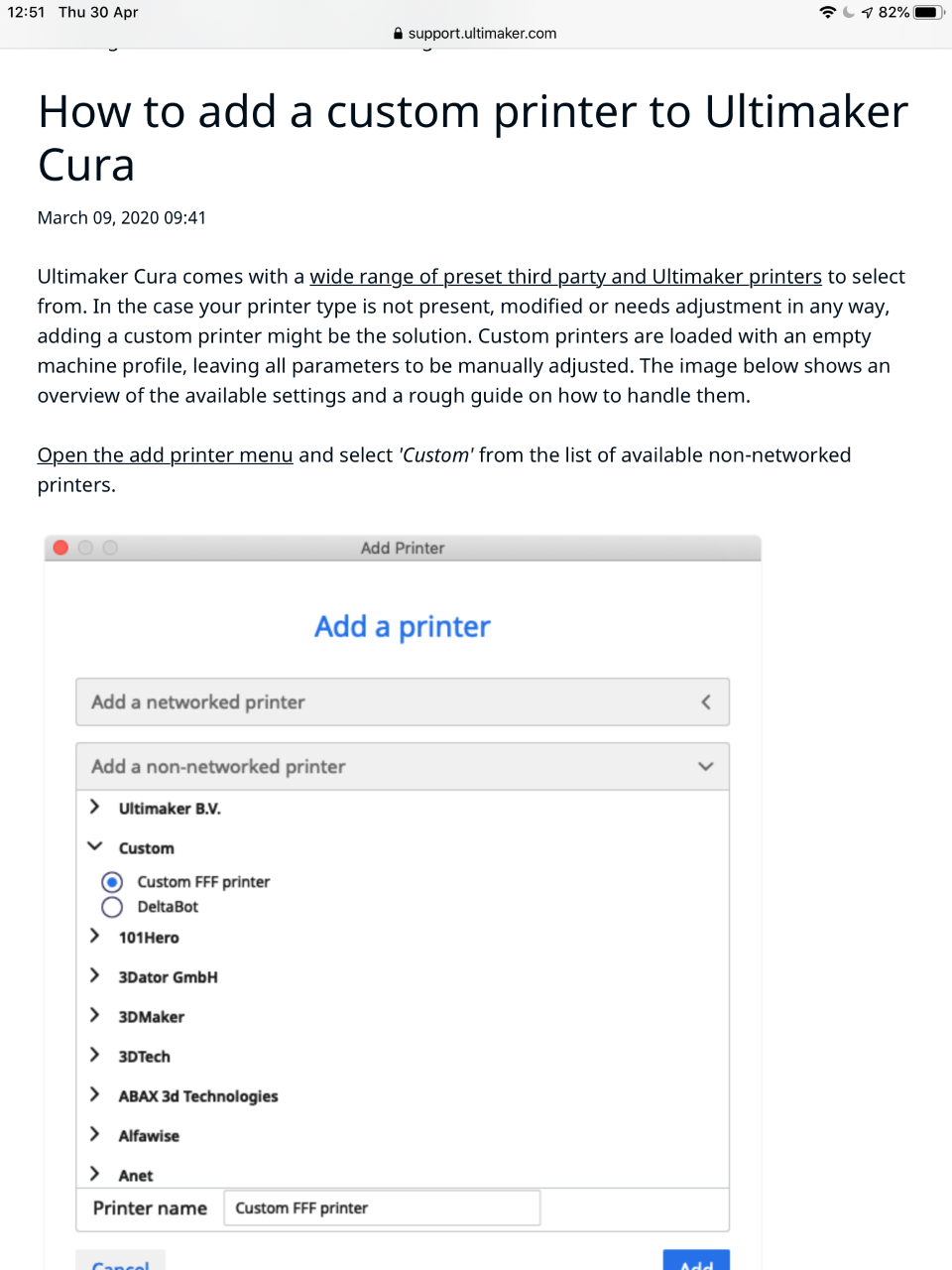
Actual results
(What happens after the above steps have been followed.)
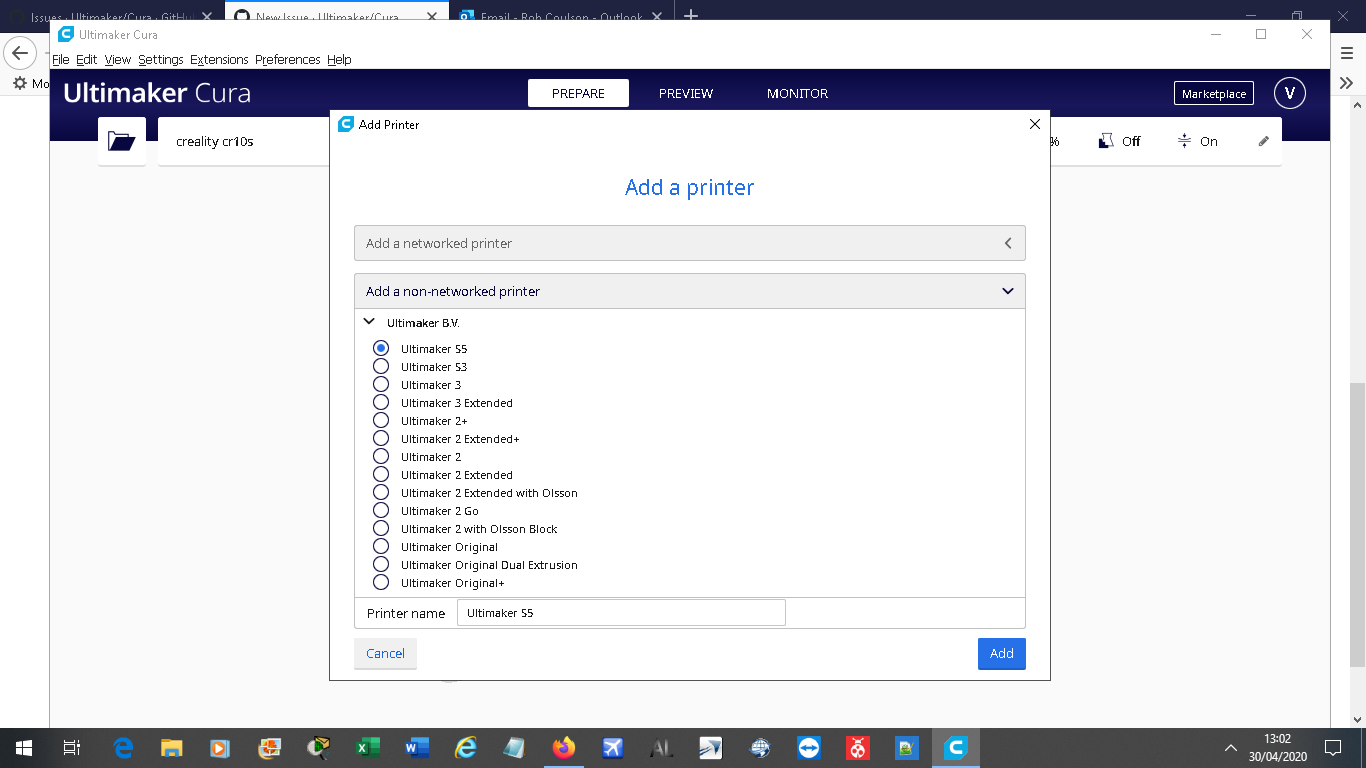
Expected results
(What should happen after the above steps have been followed.)
Project file
(For slicing bugs, provide a project which clearly shows the bug, by going to File->Save. For big files you may need to use WeTransfer or similar file sharing sites.)
Log file
(See https://github.com/Ultimaker/Cura#logging-issues to find the log file to upload, or copy a relevant snippet from it.)
Additional information
(Extra information relevant to the issue.)
 VOCAPTAIN
All 3 comments
You can scroll the list of printers. There's a scrollbar that is hidden until you use it.
 fieldOfView
on 30 Apr 2020
fieldOfView
on 30 Apr 2020
Duplicate of https://github.com/Ultimaker/Cura/issues/7614
fieldOfView
on 30 Apr 2020
thanks silly me the hidden scroll bar got me :-)
VOCAPTAIN
on 30 Apr 2020
Related issues
 probonopd
·
3Comments
probonopd
·
3Comments
 timherrm
·
3Comments
timherrm
·
3Comments
 dstulken
·
3Comments
dstulken
·
3Comments
 StanislavJochman
·
3Comments
StanislavJochman
·
3Comments
 mnswamp1
·
3Comments
mnswamp1
·
3Comments