Application version
4.6.0
Platform
Printer
Ender 3
Reproduction steps
- Download https://www.thingiverse.com/thing:790533/zip
- Select only one CE3_Top_CornerF2 File
- Print Settings Layer height 0.2 Infill Density 55% Speed 60mm/s
Screenshot(s)
Actual results
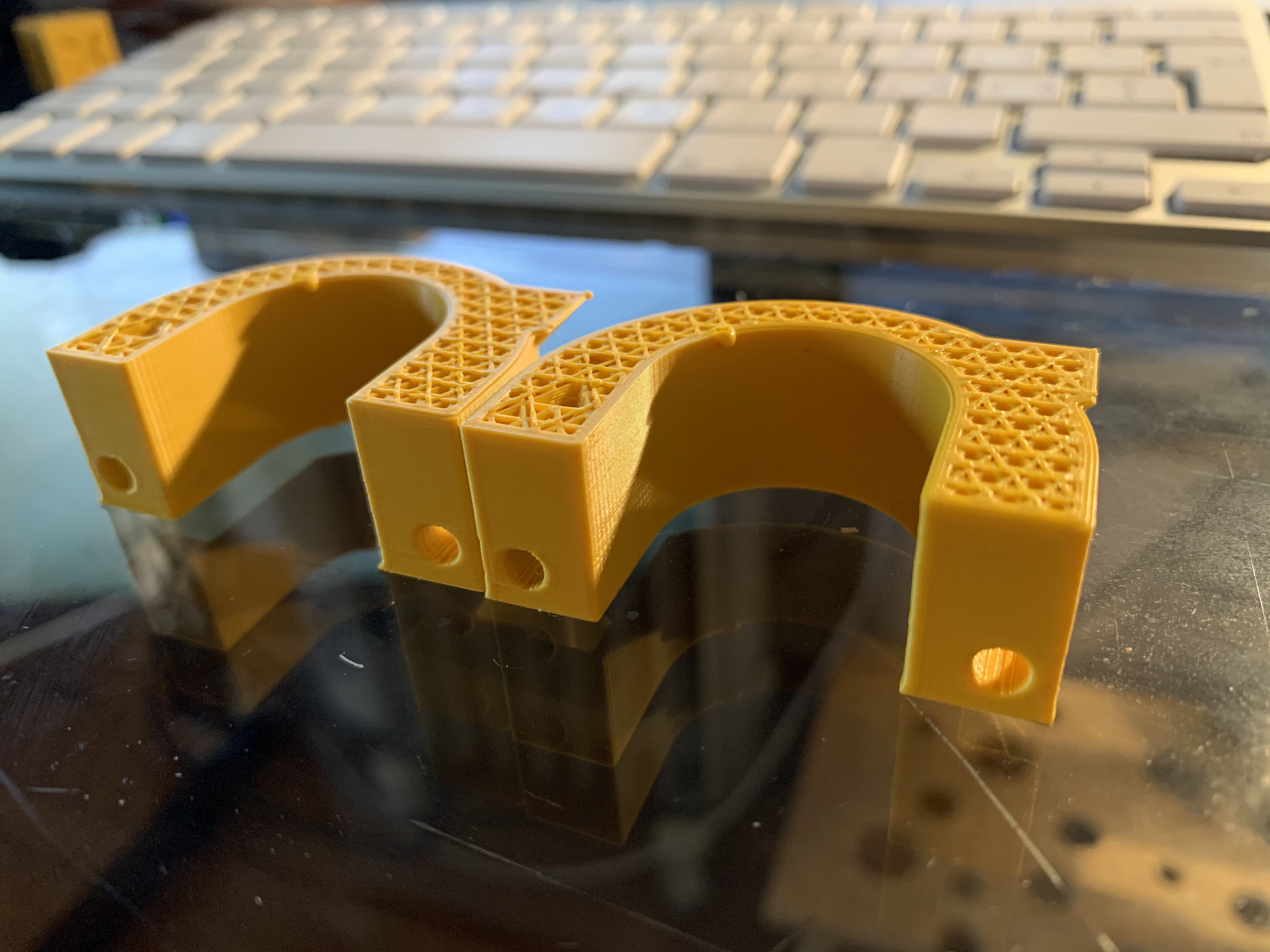
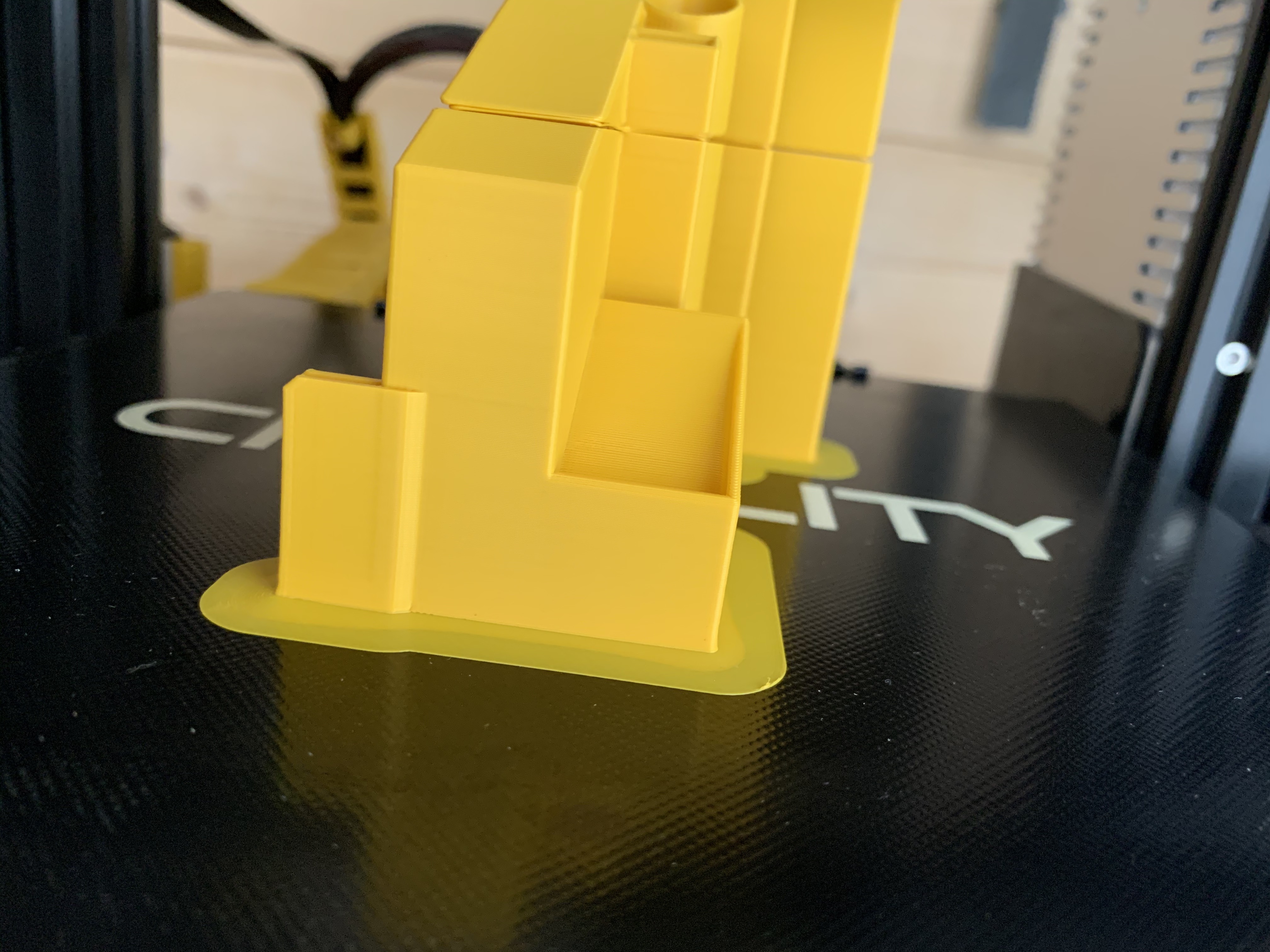
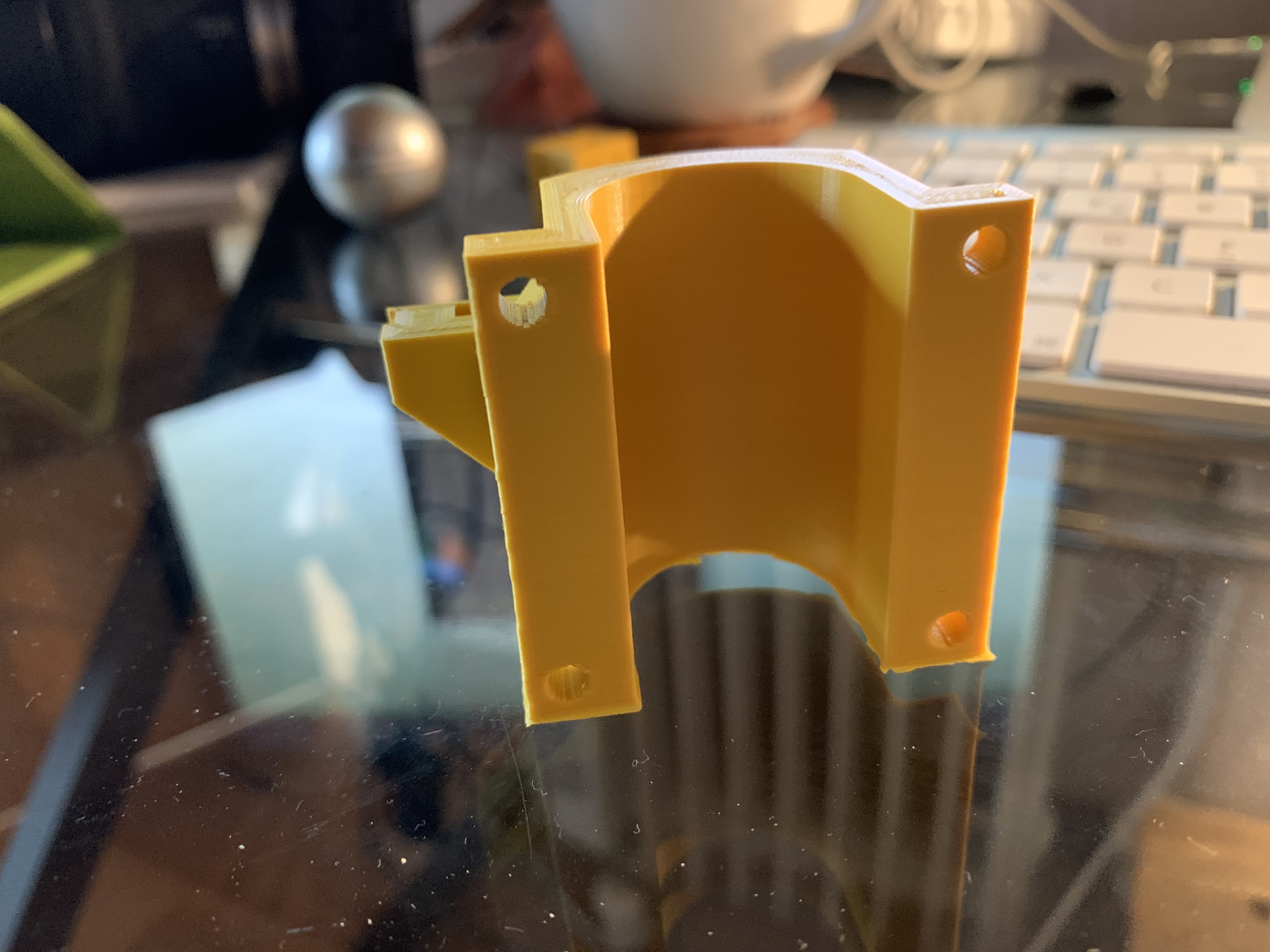
The printer Prints flawlesly but just "forgets" to print a layer. I've tried again and it stopped ad the exatly same height (Picture 1). Strangely only there the infil skipped also a little which never happened otherwise. When i tried to print the same piece again but with other parts, it printed without a problem (picture 3). Today i printed another piece with complete other settings from thingiverse, and it skipped again a layer on another height (Picture 2). Normally i would suspect the printer but i've double checked everything, z-travels light and without a problem, the extrusion isn't and wasn't a problem. Since its reproducable with a file and the same settings i belive its a problem with the Slicing.
Expected results
Print without problems
Project file
See description
Additional information
-none-
 Doriangaensslen
All 6 comments
If you look in Preview does the preview show the layer missing or with printing accomplished correctly?
 bill-orange
on 28 Apr 2020
bill-orange
on 28 Apr 2020
In the preview the layers are perfectly fine
Doriangaensslen
on 28 Apr 2020
Thanks. I thought it might be the same problem as #7611
bill-orange
on 28 Apr 2020
This is where I get stuck with the reproduction steps, since I don't have a Creality Ender 3.
From what I can tell from your pictures, comparing them to my own attempt at following your steps, it seems to fail around layer 90, no? I don't really see anything weird around layer 90. The closest thing that could possibly be a mistake is that it resets the E value at layer 119 because it would exceed E5000 and then cause larger and larger rounding errors in some firmware. Maybe the G92 is not implemented properly in the firmware. But maybe the G92 E0 occurs somewhere else for you. It's hard to tell without a project file or the g-code if the slice is exactly the same for me.
I'm not really seeing anything in the g-code that could lead to such a missing layer though. Maybe your filament is grinding?
 Ghostkeeper
on 29 Apr 2020
Ghostkeeper
on 29 Apr 2020
I will print this piece again and if it fails again il send you the Gcode. right now im waiting for filament, since ive used all.
Doriangaensslen
on 1 May 2020
Or maybe the Z stage gets stuck? Could use a bit of lubricant?
Ghostkeeper
on 6 May 2020
Related issues
 konvoj
·
3Comments
konvoj
·
3Comments
 jornada812
·
3Comments
jornada812
·
3Comments
 wi1k1n
·
3Comments
wi1k1n
·
3Comments
 dstulken
·
3Comments
dstulken
·
3Comments
 thopiekar
·
3Comments
thopiekar
·
3Comments