Cura: Print settings profile easy compare
Is your feature request related to a problem? Please describe.
There are so many settings and it is hard to compare different profiles. I tweak settings for specific prints and save the new settings as profiles.
Describe the solution you'd like
It would be very helpful to have a visually easy compare screen to see all the settings for two different profiles simultaneously.
Describe alternatives you've considered
Affected users and/or printers
everyone who is changing settings to make custom profiles.
Additional context
(Add any other context or screenshots about the feature request here.)
 ok4global
All 23 comments
Hello,
I'm very interested for this feature too !
As I can see / know, settings are cfg files stored in ./Library/Application Support/cura/4.2/quality_changes/ of my mac workspace ... (ok old cura too :-/ )
It's quite easy to use diff but not user friendly
In my point of view it could be relay nice if we could have a tools able to open 2 "settings" with a filter on all "changes" as filter
But I don't know how I can help to build this tools (as stand alone or as plugin)
 64Florian
on 27 Apr 2020
64Florian
on 27 Apr 2020
Cura devs, see CURA-7387
 Ellecross
on 28 Apr 2020
Ellecross
on 28 Apr 2020
Hello @Ellecross, I didn't understand what do you mean with "see CURA-7387" didn't find anything in google, the Cura/issues/7387 is not linked for me and I was not able to find a commit with this number.
I'm beginner in cura community (and on github too) sorry about that
64Florian
on 28 Apr 2020
Hi @64Florian, that number is a back-reference to an internal ticket we made in our systems.
 rburema
on 28 Apr 2020
rburema
on 28 Apr 2020
That internal issue seems to be unrelated though. It also refers to https://github.com/Ultimaker/Cura/issues/7468 which is a completely different feature request.
 Ghostkeeper
on 28 Apr 2020
Ghostkeeper
on 28 Apr 2020
Normally you'd be able to compare profiles quite easily in the profile manager. The profile manager lists exactly what settings are overwritten and what values they are overwritten to.
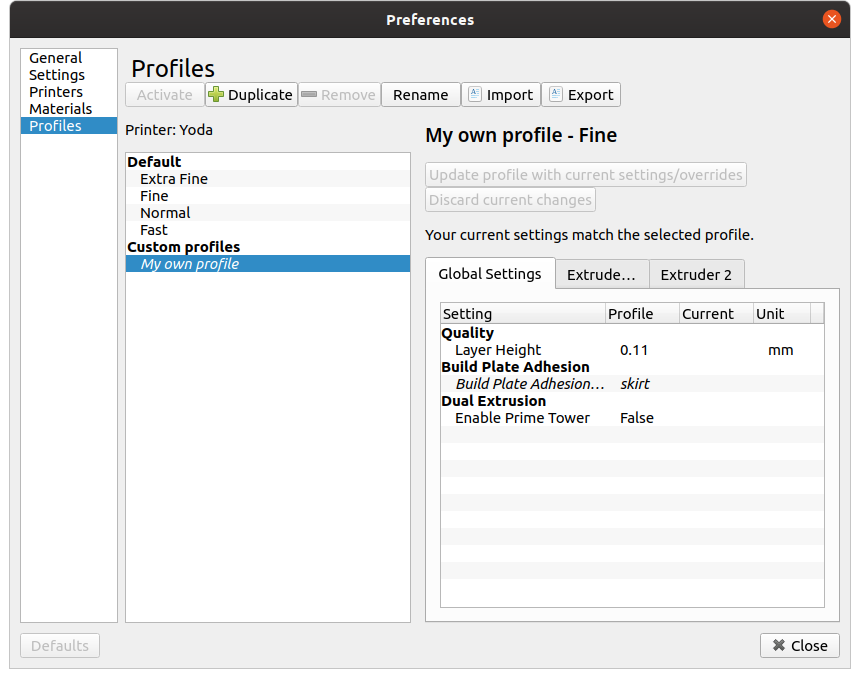
However due to a bug only the global settings are currently shown.
Is this something like what you had in mind, @ok4global ?
Ghostkeeper
on 28 Apr 2020
Well, in fact (in my case) it could be a bit difficult as you can see
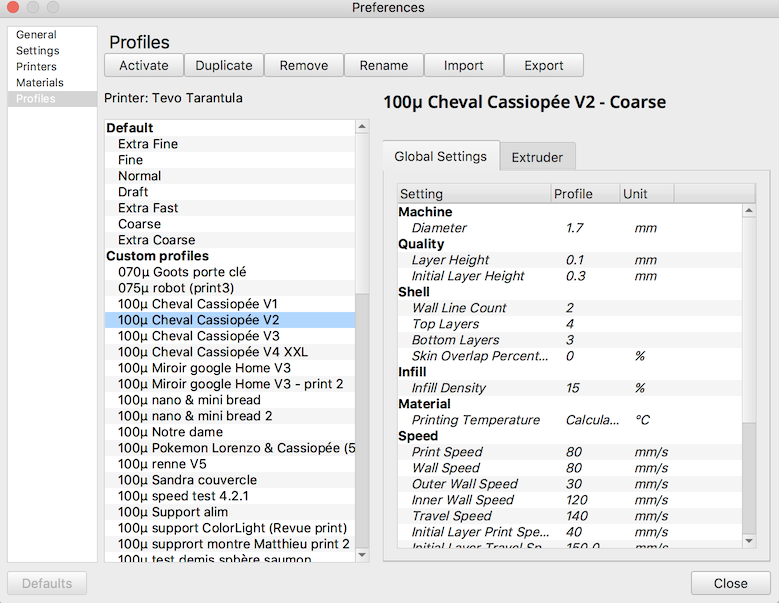
but it's a very good place to have this feature Please have a look on this little drawing
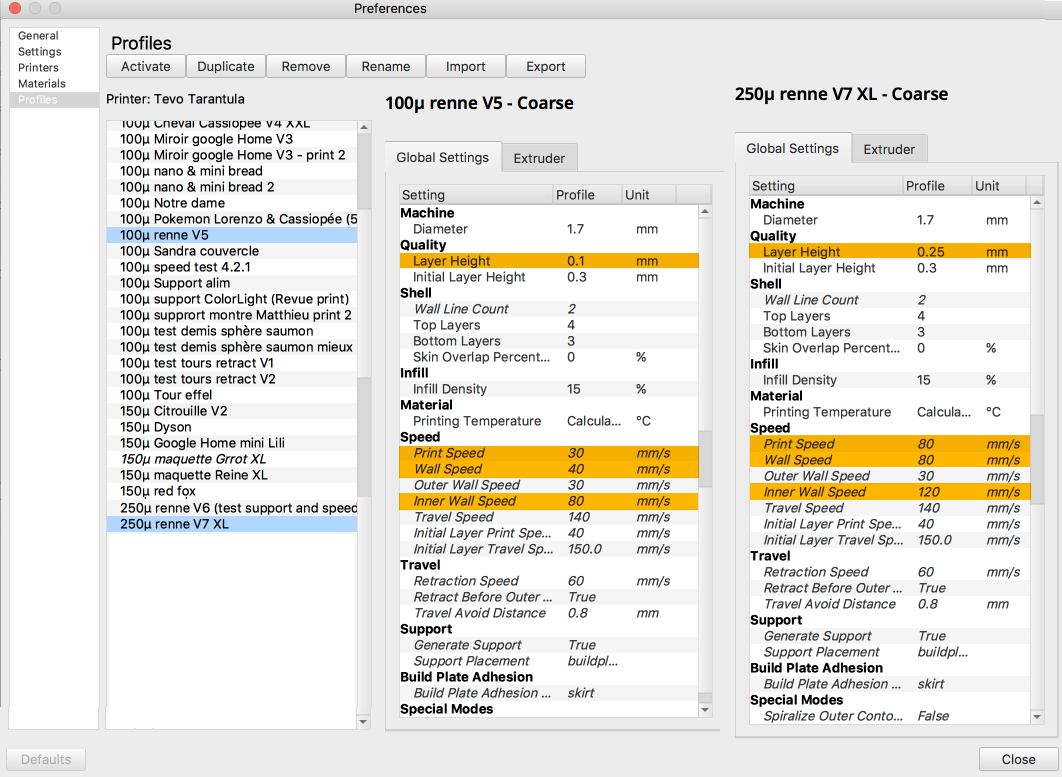
Hem .. it's a totally different thing, but while I made my this mock-up, I saw something strange :
values in settings are NOT the same as displayed in the application

Should I open another ticket ?
64Florian
on 28 Apr 2020
Yeah, for the settings not matching up you could make a new ticket. That needs to be fixed, but I think that if we work on fixing that extruder tab we'd also fix the extruder settings appearing there in the global tab for you.
Back to the issue at hand though, with those sort of large profiles, no comparison would really serve you short of a fully-fledged spreadsheet.
Ghostkeeper
on 29 Apr 2020
@Ghostkeeper, Thanks for the idea about the about looking at the profile manger, but no it is not my idea.
I use the printer to make prototypes for nonlinear, organic sculptures. Precise dimensions and strength are not important, but speed and aesthetics are. So, I experiment with all settings which affect speed: layer height, infill, speed settings, supports, etc. I also experiment with everything that affects aesthetics — we love fuzzy skin.
Cura is wonderful, but the only way to see the impact of a setting on speed is to run the slicer which takes a long time. So, I start with a bunch of tweaks, run the slicer until it seems like good settings, then I print. Based on the out come, I make new tweaks, but since I don't know if the new tweaks will result in a better print, I start with a duplicate of my custom settings and save a new profile so I don't loose my 1st try. The machine and software are amazing and amazingly complex — I don't know any other way of exploring their potential other than this type of trial an error.
If I understand it correctly, the Profile Manager screen you suggest shows which settings have been modified compared to one of the built in profiles — although it is unclear which default profile it is comparing itself to which limits its usefulness.
Also, it doesn't show the difference between custom profiles, so it is very hard to tell what the difference is between my 2 custom profiles. Yes, I suppose I could click back and forth between them and try to see the differences, but that is not terrible effective or comfortable. The software is not well designed to allow for efficient experimentation and trial and error.
It is so easy to compare things when it can be viewed side by side, as @64Florian beautifully mocked up. It is very hard to compare things when they are separate, especially if the list length is not identical so items are in a different position on the page. Still, even if you implemented 64Florian's mockup in Cura as it is now, it would be incomplete because it only shows changes. To do experiments efficiently, it is necessary to see what is changed clearly marked (highlighted, italics, etc) and what is not changed.
Also, for some reason, this page continues the separation of data for global, and each extruder. Why split the extruder settings into different pages anywhere, and especially here? It is so hard to flip between tabs to see all the micro changes between things. It is so easy when they are laid out side by side. Yes, Cura can support many extruders so it might be necessary to have many columns (although I suspect the vast majority of users only have two), but with many extruders it is even more important to see all the settings in a format which makes them easy to crosscheck.
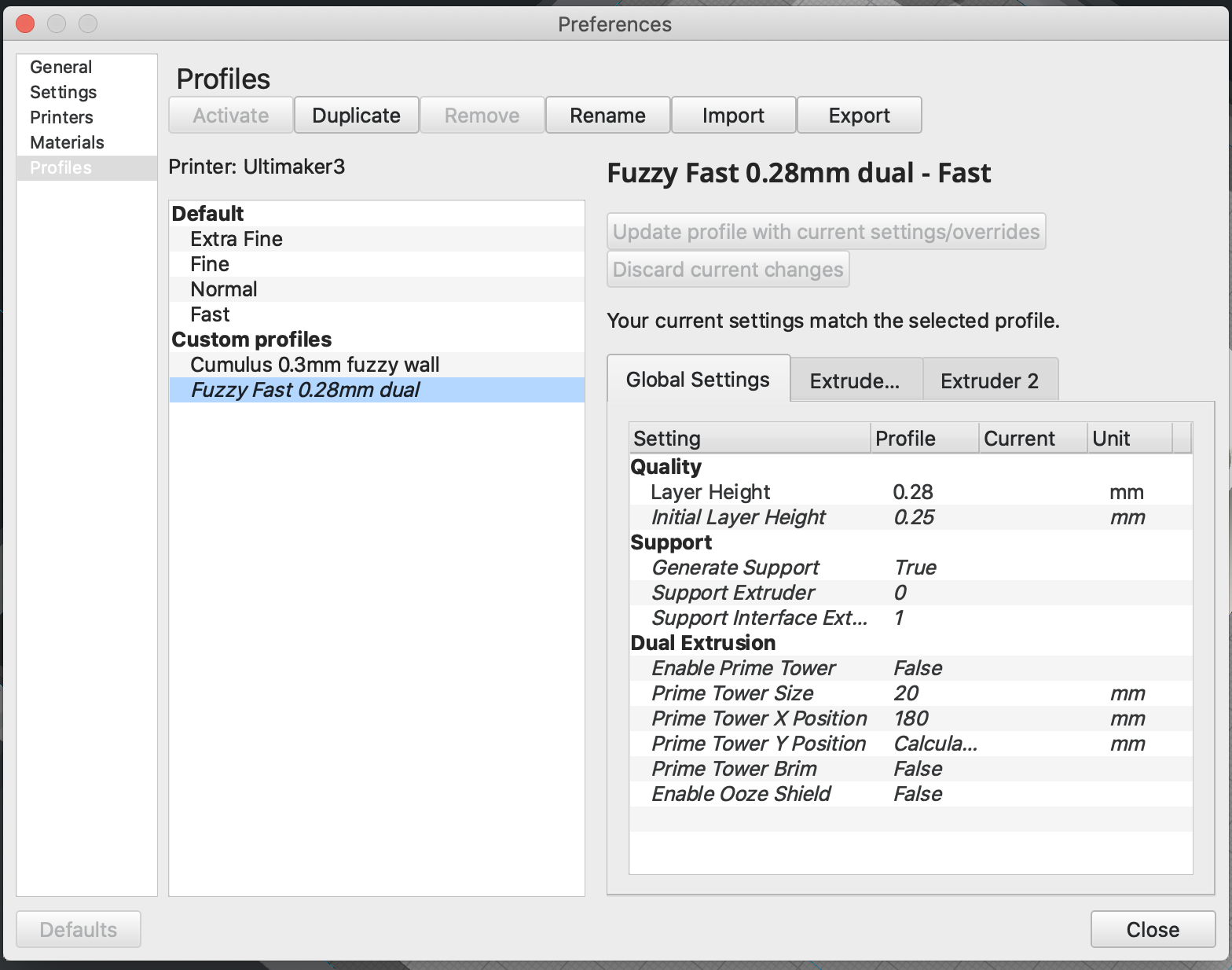
Also, this screen shows some odd things. For example, to learn what it did, I experimented with turning ooze shield on and off. After slicing it was apparent that it was not good for me, so I turned it off again. This screen shows it as a custom setting, but the current state actually matches the default. So, this screen appears to show settings which I changed and then changed back, not customs settings.
It also seems leaves out hugely important settings like infill, but now I understand that is because of the bug you mentioned.
Finally, I can't find anyway to print out a profile in a readable format. Such a shame. It would be so useful to print a PDF with a rendering of the print and all the settings. That way, I could print it out and keep it with the print so in 2 months, when I have forgotten all the details, I can replicated it. I am sure that is a separate ticket, but anyway.
Thanks for taking our comments so thoughtfully.
Steve
ok4global
on 29 Apr 2020
Sorry, one more thing: @64Florian's profiles are magnificent! They show the complexity that Cura permits. Please, give users like that the tools to push Cura and UMs to the next level. Yes, profiles like that need something like fully-fledged spreadsheet, but there is no way to output profiles as a spreadsheet, text file or anything. If modifying Cura to display the comparison in the UI is too complicated, perhaps at least you could add an export function which would allow users to output to a spreadsheet? It would be an easy and wonderful way to give tools and information to the user. It would be nifty if the cells always aligned so different profiles could easily be assembled in a single spreadsheet for comparison.
ok4global
on 29 Apr 2020
@ok4global May be you didn't notice few things :
Have you ever try to open a .gcode file as text file ?
It's really interesting and in your case, just glorious !
Let me show you the last few lines (when you have custom something):
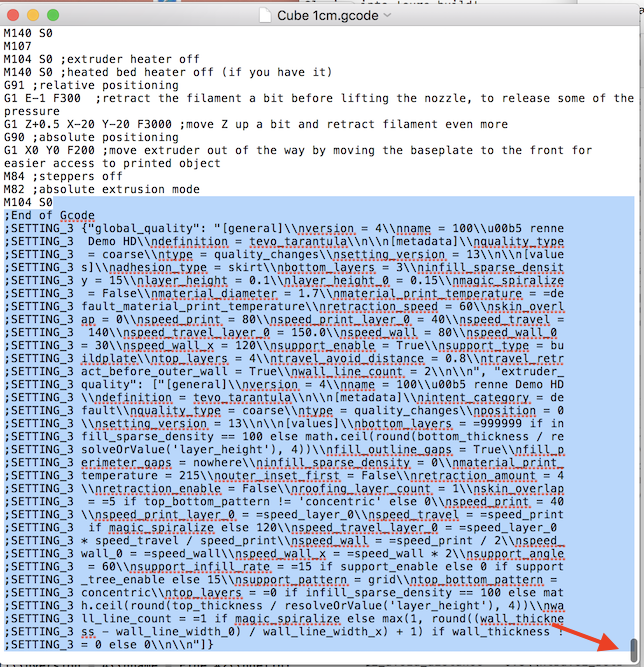
Those strange "data", when you cleanup can be read like that :
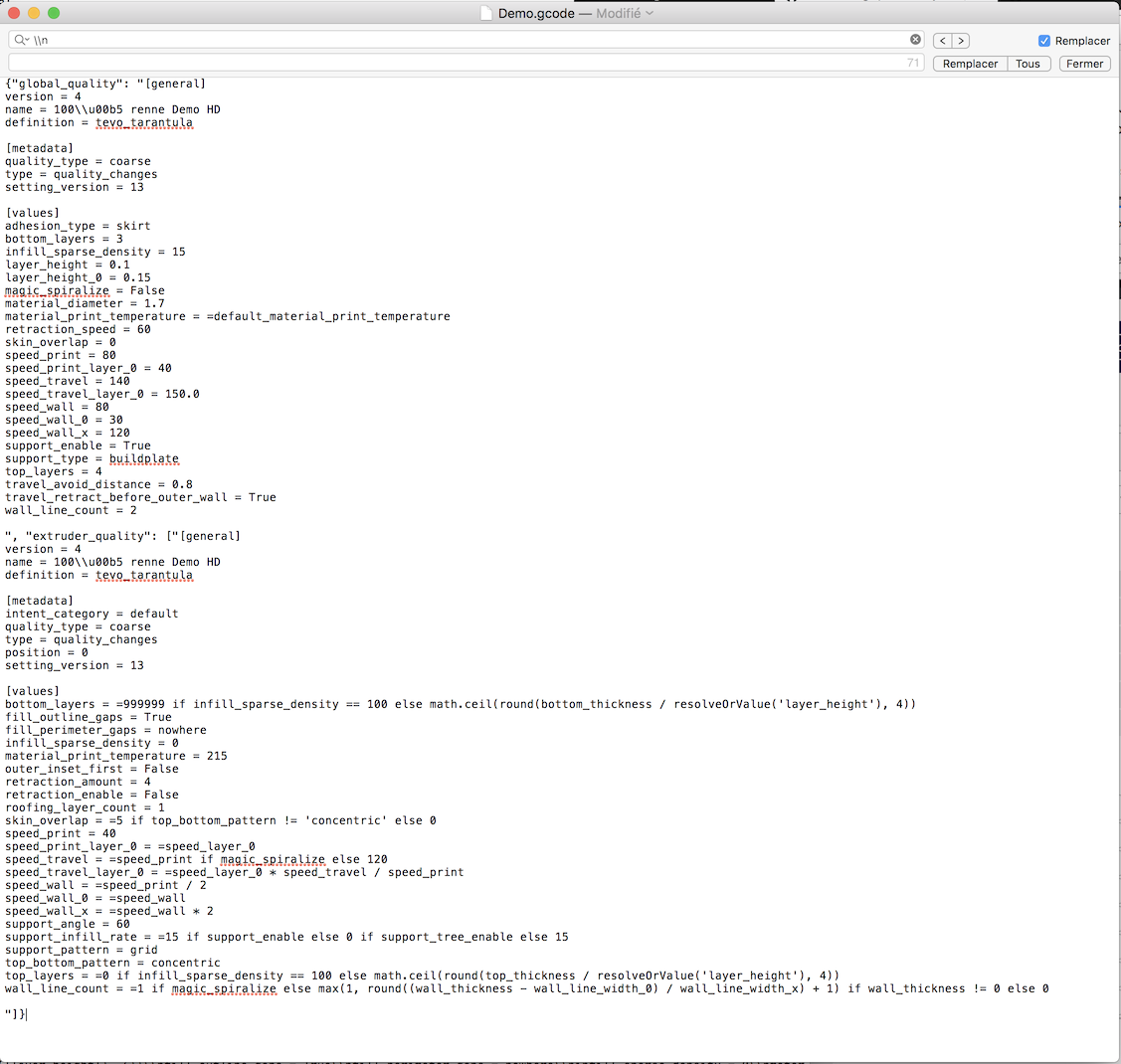
Let me say, at least for me, those data are just pure gold ! Because any gcode file I keep and if it's well printed I can reopen the Gcode and re-write all to rebuild a newone and, if I want, fintune any parameters I want !
(In fact, it's easier for me to just check the profile name because I save my profile for every new product I made )
I dont know if you have awk on you computer ..
But please, if you are on Linux or a Mac and have a bit of coding skill, have a loot on following command line
awk '/;End of Gcode/,EOF { print $0 }' /Users/florian/Desktop/Test\ Cura/Cube\ 1cm.gcode | cut -d " " -f2- | tr -d "\n"
-> This line open the fil /Users/florian/Desktop/Test\ Cura/Cube\ 1cm.gcode
find the ";End of Gcode" tag in the file and cleanup a bit the text
Unfortunately, I was not able to manage to change the \n to newLine char on my shell :-/
so I made a search replace from \n to newline char (for the newline char I select "the nothing between the end of a line an the before of the next on", and use copy post

Yes it could be painful to do that, but it's wonderful to have those information in the file
Now, back to my message
settings are cfg files stored in ./Library/Application Support/cura/4.2/quality_changes/ of my mac workspace ...
for 4.6 it's in the 4.6 folder ... and, "Library" is in your user folder
In my case /Users/florian/ (Note this folder is "translated" for my it's "Bibliothèque")
In this folder you can find files like that :
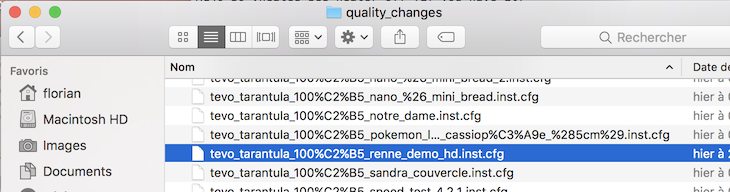
and gives you access to this kind of information :
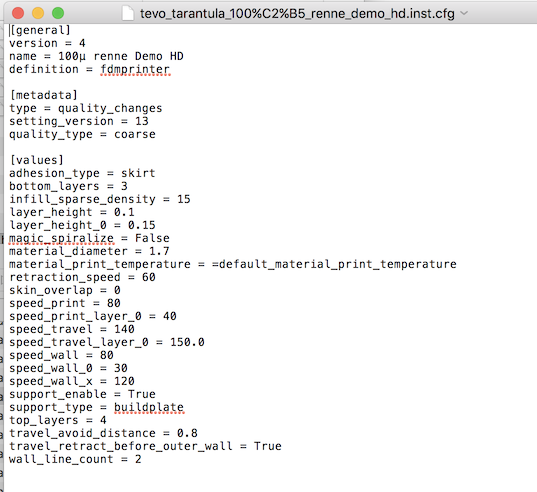
not easy as a CVS file .. but if you speak vba in Excel, or "RECHERCHEV" or if you manage pivot table it could be easy
For RECHERCHEV in google sheet : https://support.google.com/docs/answer/3093318
(work in excel too )
64Florian
on 29 Apr 2020
@64Florian brilliant. Love it. Thank you!
ok4global
on 29 Apr 2020
Just a "small" adjustment about CFG files ..
when I open the ticket #7626, I discovered you have 2 files cfg in fact ... one for general setting and the second one for the extruder ... (and currently the speed seems to be saved in extruder part and not displayed in profile manager ...)
64Florian
on 29 Apr 2020
The CFG files are also in your configuration directory. You can look through that by going to Help -> Show configuration directory. There in the quality_changes folder you'll find your own custom profiles with that same format as shown above.
Ghostkeeper
on 30 Apr 2020
This issue has been automatically closed because there has been no response to our request for more information from the original author. With only the information that is currently in the issue, we don't have enough information to take action. Please reach out if you have or find the answers we need so that we can investigate further.
![no-response[bot] picture](https://avatars2.githubusercontent.com/u/26350515?v=4&s=40) no-response[bot]
on 19 Jun 2020
no-response[bot]
on 19 Jun 2020
Re-opening this since I don't believe there is a real solution for this problem yet.
Ghostkeeper
on 29 Jun 2020
Hi
I also would love to have a comparison view for profiles.
Especially with many adjusted values it is difficult to consolidate profiles or make sure that a specific setting is made in all related profiles.
 Triangulix
on 9 Jul 2020
Triangulix
on 9 Jul 2020
Here's convenient workaround I've been using to compare profiles for anyone else who comes here looking for a solution:
- Install this plugin: https://marketplace.ultimaker.com/app/cura/plugins/5axes/HTMLCuraSettings
- Save the relevant profiles as HTML
- Open in browser and select the whole document (ctrl+a) and copy
- Paste into relevant diff tool. You could use a spreadsheet and import as tsv, or a text editor with a built in diff tool. I used www.diffchecker.com

Hope this is helpful!
 eScribMac
on 23 Nov 2020
eScribMac
on 23 Nov 2020
@eScribMac
Many thanks for your plugin! It inspired me to write my own one. At my point HTML isn't the best choice when you need to compare profiles. So I decided to use INI-like format. And now it's easy to generate a good-look diffs like that:
@@ -4 +4 @@
-; profile = fo-pla-std
+; profile = fo-abs-strong
@@ -54 +54 @@
-    Fan Speed = 40 %
+    Fan Speed = 27 %
@@ -57 +57 @@
-    Maximum Fan Speed = 40 %
+    Maximum Fan Speed = 27 %
... so on
 vimusov
on 29 Nov 2020
vimusov
on 29 Nov 2020
Since the plugin seems to solve this issue just fine, I'm going to close the issue again.
Also, @vimusov could I also convince you to upload your plugin to the marketplace? It would expose your work to more people!
 nallath
on 1 Dec 2020
nallath
on 1 Dec 2020
@nallath
could I also convince you to upload your plugin to the marketplace?
Sure, thanks! I appreciate that!
vimusov
on 1 Dec 2020
In case you didn't know yet; you can do that on contribute.ultimaker.com
nallath
on 1 Dec 2020
@nallath
In case you didn't know yet; you can do that on contribute.ultimaker.com
Oh, I see. Thanks!
vimusov
on 1 Dec 2020
Related issues
 Liger0
·
3Comments
Liger0
·
3Comments
 mnswamp1
·
3Comments
mnswamp1
·
3Comments
 DamianSepczuk
·
3Comments
DamianSepczuk
·
3Comments
 DmitryBychkov
·
3Comments
DmitryBychkov
·
3Comments
 muhammadelmogy
·
3Comments
muhammadelmogy
·
3Comments
Most helpful comment
Here's convenient workaround I've been using to compare profiles for anyone else who comes here looking for a solution:
Hope this is helpful!