Cura: When slicing a multi-level nested model, the gaps were filled incorrectly.
cura4.x
windows10
When slicing a multi-level nested model, the gaps were filled incorrectly.
Original model
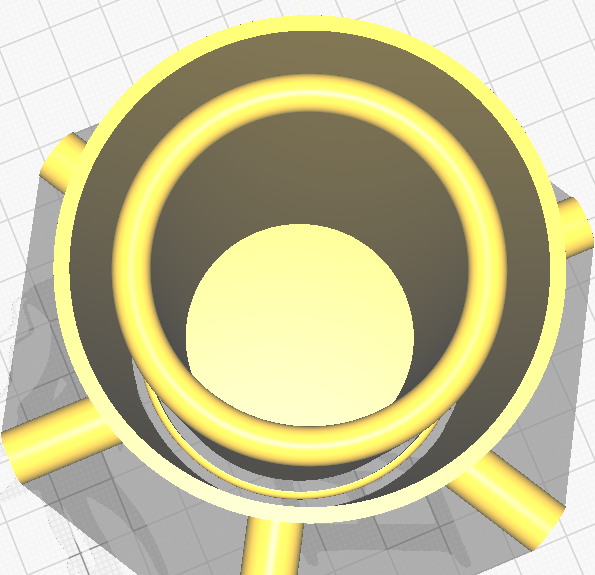
Effect of slicing
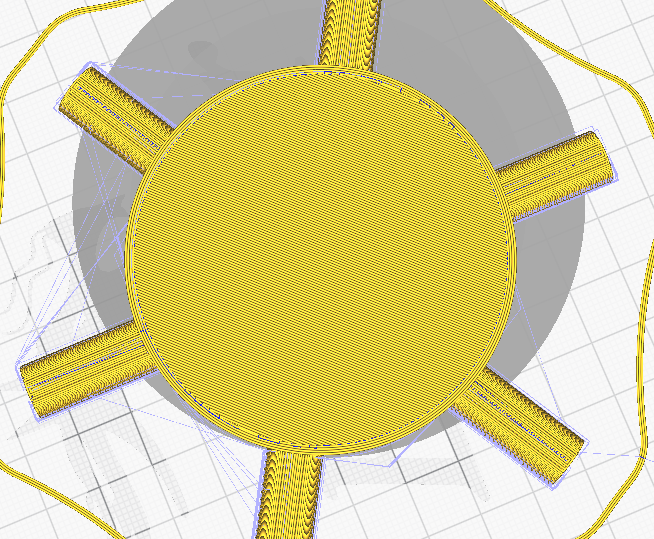
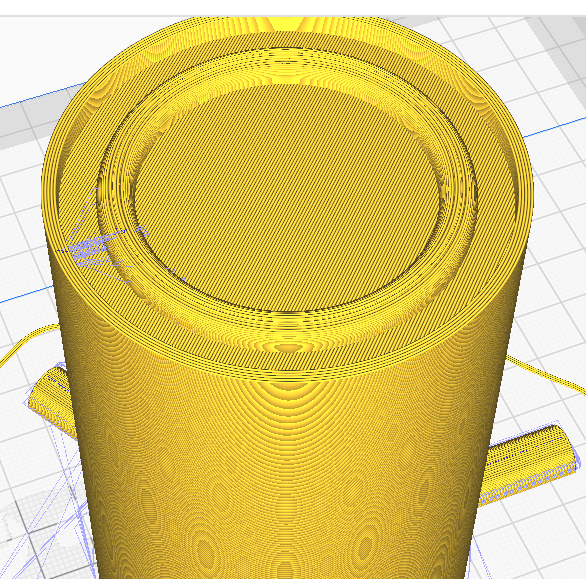
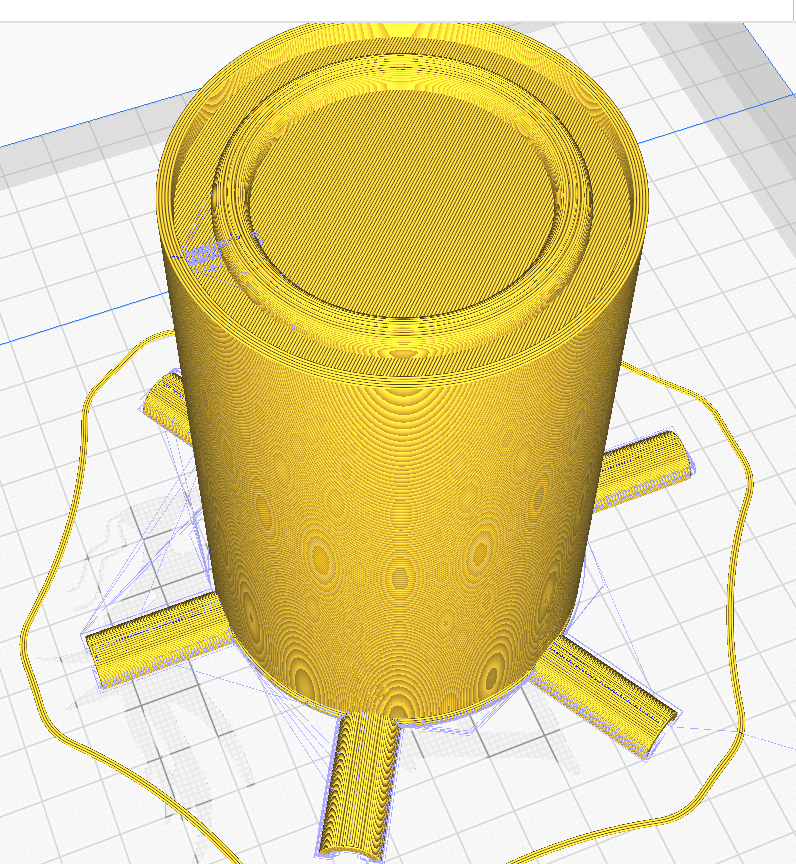
the solution
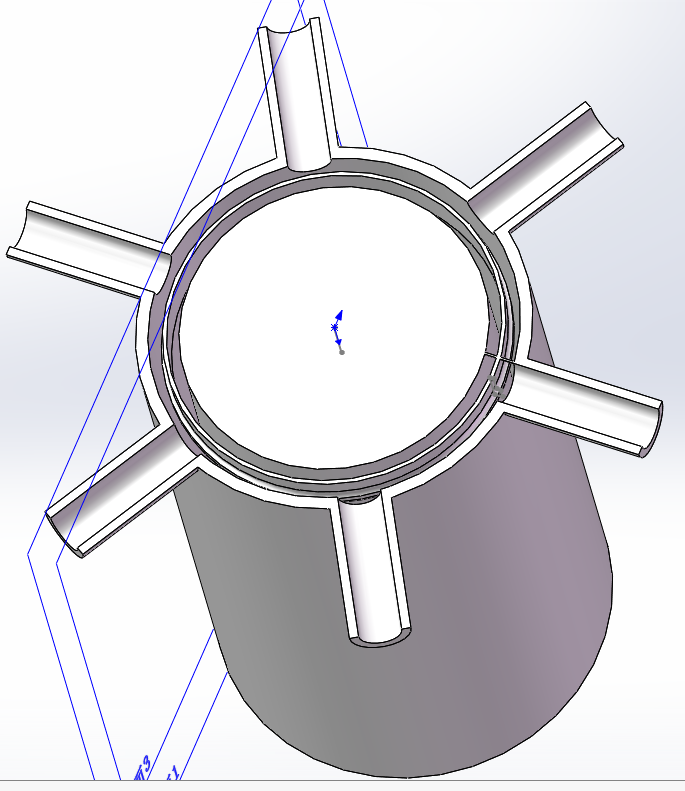
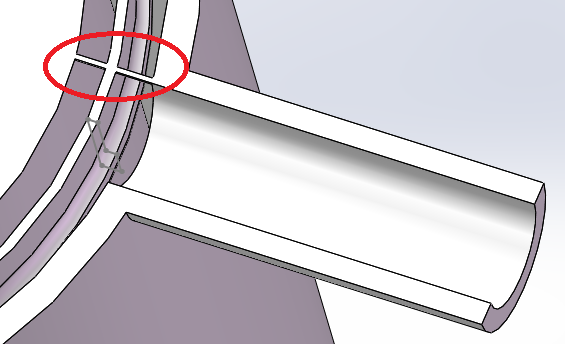
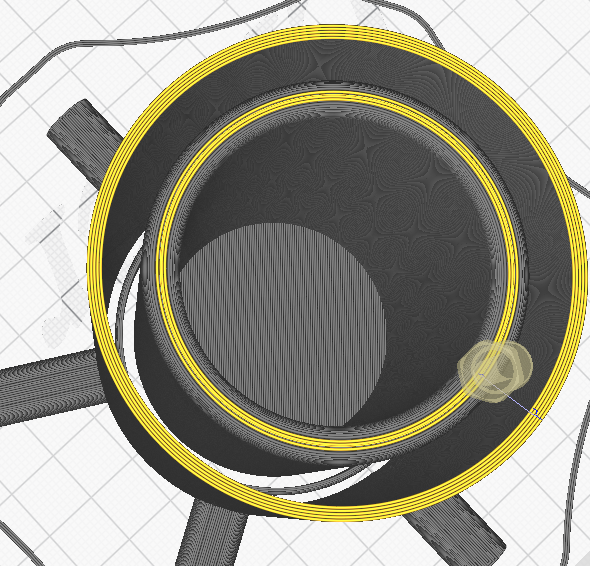
It seems that this is related to the design logic of the stl file. The added bar connects the models into a whole (three independent models before this), and also helps cura distinguish the direction of the face.
 gailulun
All 7 comments
This could be down to an engine issue. Please save the project file (File -> Save...) and then zip up the .3mf file and attach to this issue so I can reproduce it.
 mahtDFR
on 23 Mar 2020
mahtDFR
on 23 Mar 2020
3D.zip
There are two models in the compressed package, one is not working properly and the other is modified.
gailulun
on 23 Mar 2020
Fortunately, I have n’t cleaned the recycle bin.😂
gailulun
on 23 Mar 2020
Thanks, I was able to reproduce it with the files you provided. Will discuss
mahtDFR
on 23 Mar 2020
Seems to happen in master, 4.0.0 and 3.2.1 as well, so it's not due to a recent fix/regression.
 rburema
on 24 Mar 2020
rburema
on 24 Mar 2020
Though, if I check the model with the 'Mesh Tools' plugin (download from the Marketplace), I get the following:
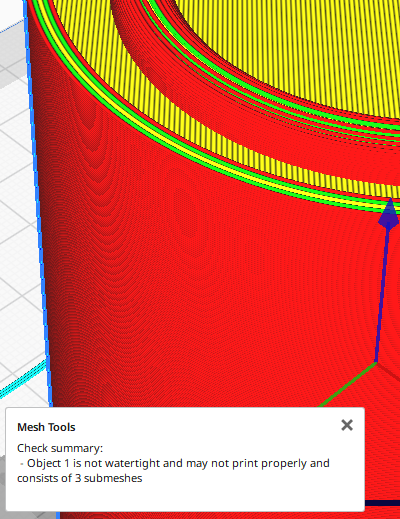
We don't support models that aren't watertight or contain sub-meshes. Please adjust this in the modeller you are using.
rburema
on 24 Mar 2020
OK,i'll check it.
gailulun
on 24 Mar 2020
Related issues
 DmitryBychkov
·
3Comments
DmitryBychkov
·
3Comments
 rudowinger
·
3Comments
rudowinger
·
3Comments
 DamianSepczuk
·
3Comments
DamianSepczuk
·
3Comments
 tomoinn
·
3Comments
tomoinn
·
3Comments
 muhammadelmogy
·
3Comments
muhammadelmogy
·
3Comments