Application version
4.4.1
Platform
Windows 10
Printer
Custom Printer
Reproduction steps
- Updated Cura from 3.4 to 4.4.1. The option seems to be broken since.
Screenshot(s)
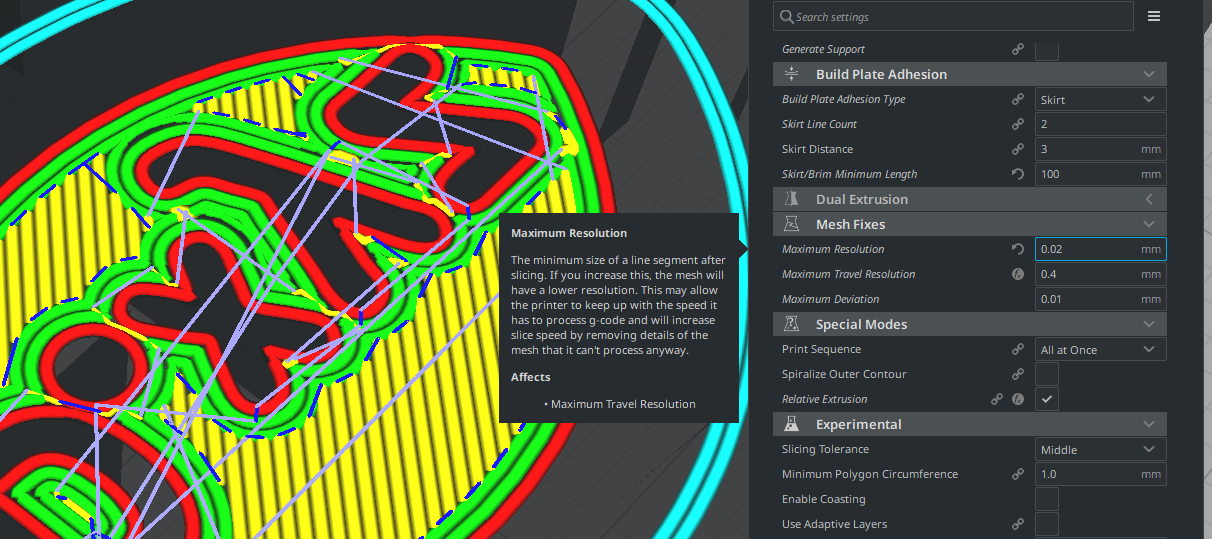
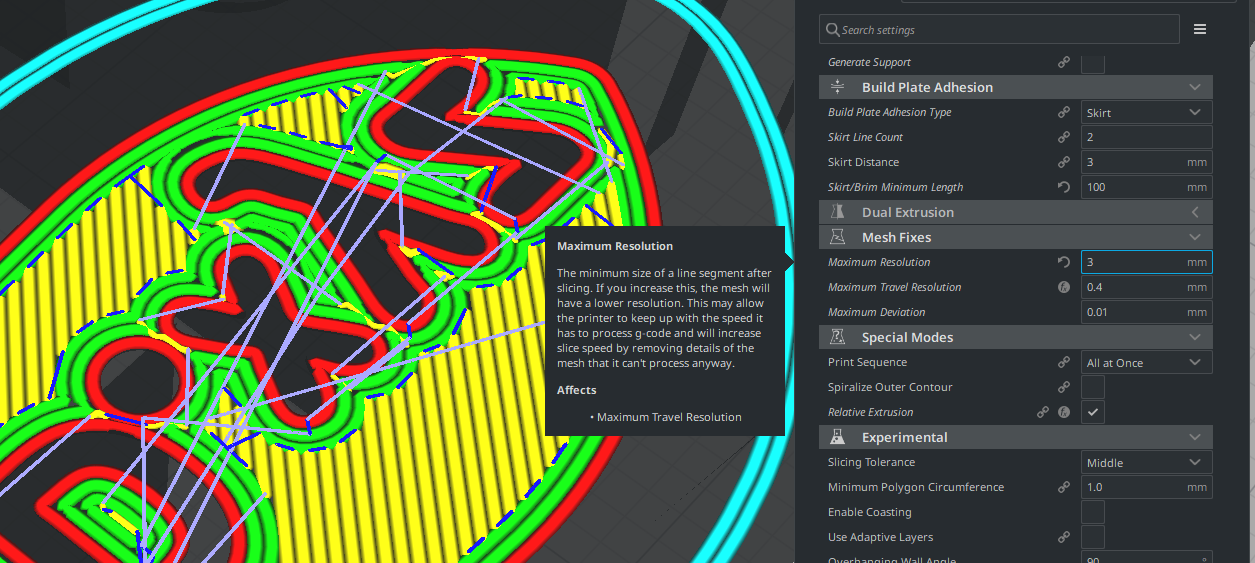
Actual results
Maximum Resolution doesn't affect the print.
Expected results
When setting the Maximum Resolution to a high parameter like 3 mm as shown on the second picture, it should extremely reduce the quality of the lettering on the bottom of Benchy, but instead it doesn't seem to be doing anything. Printing time is identical no matter what the option is set to, and all sliced previews look the same.
Project file
Project file (around 5 MB): https://dl.thorinair.net/Printer/CFFFP_3DBenchy_MaxResBUG.3mf
Log file
Log since startup of Cura (around 2 MB): https://dl.thorinair.net/Printer/cura.log
Additional information
Been using this option to prevent my printer from heavily stuttering, but I no longer can as it doesn't seem to work any more. :)
 Thorinair
All 5 comments
Hello @Thorinair . Yes, there are multiple bugs in the code that uses max resolution and max deviation. I believe that I have fixed a few and you can see if it makes a difference for you if you install one of my Cura builds. You can find my builds at https://www.dropbox.com/sh/s43vqzmi4d2bqe2/AAADdYdSu9iwcKa0Knqgurm4a?dl=0. They can be installed alongside the UM builds without conflict. Please read the README.md file there for more information.
 smartavionics
on 9 Jan 2020
smartavionics
on 9 Jan 2020
I forgot to say that the max deviation setting is really in control here. When max deviation is small, increasing max resolution has little effect. You really need to increase both values to get a longer line segments.
smartavionics
on 10 Jan 2020
Like @smartavionics mentions in the second comment; Cura tries to adhere to both maximum deviation _and_ maximum resolution.
Still, at the very least that means the description should be updated, as the current one is causing confusion.
 rburema
on 10 Jan 2020
rburema
on 10 Jan 2020
Ow, that is really good to know. I indeed had no idea that the max deviation affects it, so yeah, description should be updated.
Thorinair
on 10 Jan 2020
Looking at Cura now, I believe that the description is good enough, so I am going to close this.
Thorinair
on 10 Jan 2020
Related issues
 timherrm
·
3Comments
timherrm
·
3Comments
 konvoj
·
3Comments
konvoj
·
3Comments
 DmitryBychkov
·
3Comments
DmitryBychkov
·
3Comments
 muhammadelmogy
·
3Comments
muhammadelmogy
·
3Comments
 rudowinger
·
3Comments
rudowinger
·
3Comments