Cura: Make the model preview show correctly on black color
Is your feature request related to a problem? Please describe.
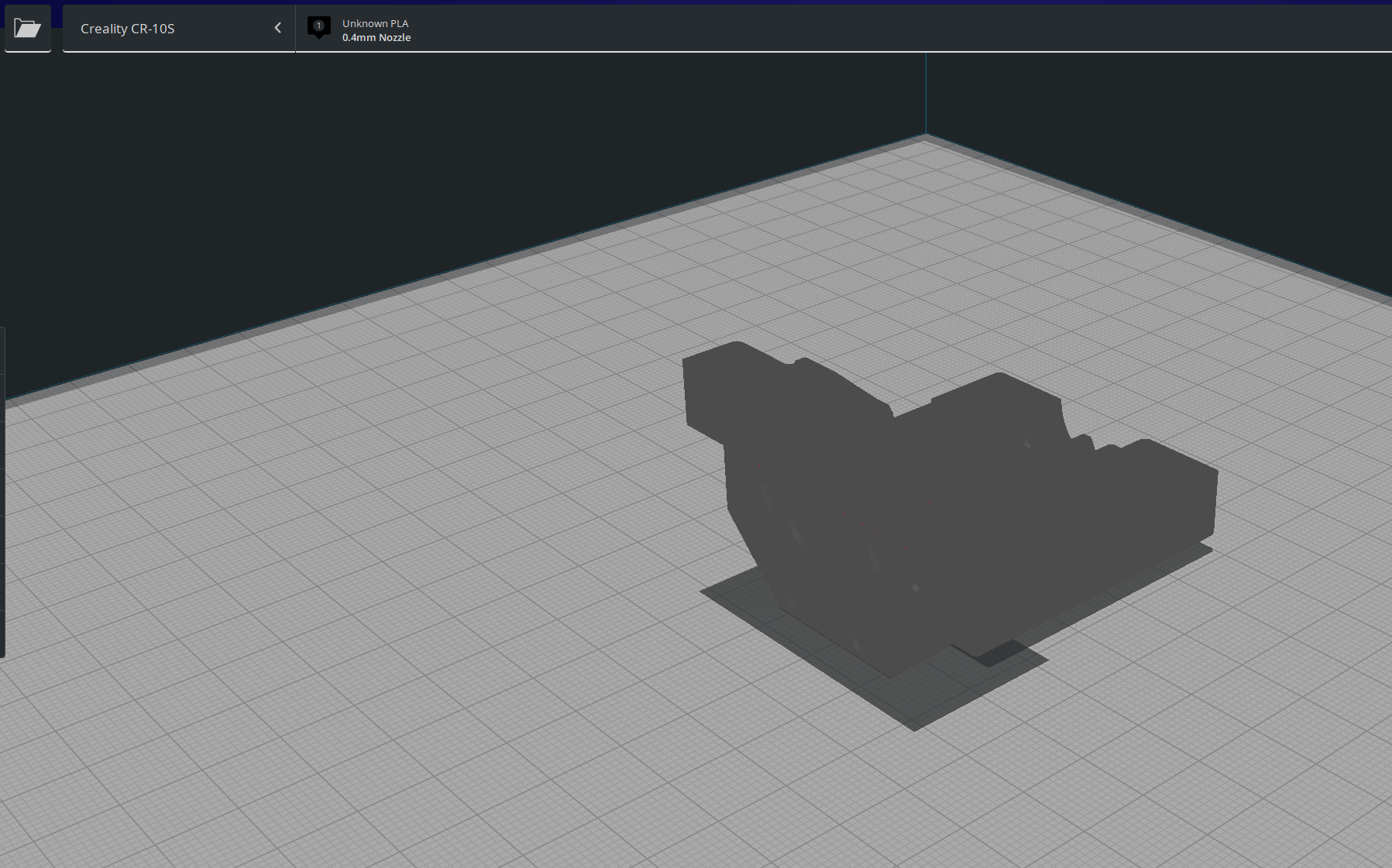
Yes, I can't see the models correctly and can't move, rotate etc correctly as I can't see them as I would like to.
Describe the solution you'd like
Change color instead of that dark gray, and make the shades more visible
Describe alternatives you've considered
-
Affected users and/or printers
Cr-10s but probably all of them
Additional context
This is the cr-10 v6 heavy mount. There are a lot of holes but none can actually be seen....
 Liger0
All 7 comments
If you rotate your camera, do you see the shading change? Because that is the effect i'm getting (eg; The camera has a light source on the same position, which should make specular reflection be visible on the model)
 nallath
on 13 Aug 2019
nallath
on 13 Aug 2019
If the 3d view had less ambient light, more shading would be visible on darker colors.
 fieldOfView
on 13 Aug 2019
fieldOfView
on 13 Aug 2019
No, reducing the ambient light has no effect. It only makes the object darker. We do have diffuse (Lambert) shading, but since the light is in the camera there will always be a position where multiple different normal vectors are rendered with the same colour. I can do the same thing with this calibration model:
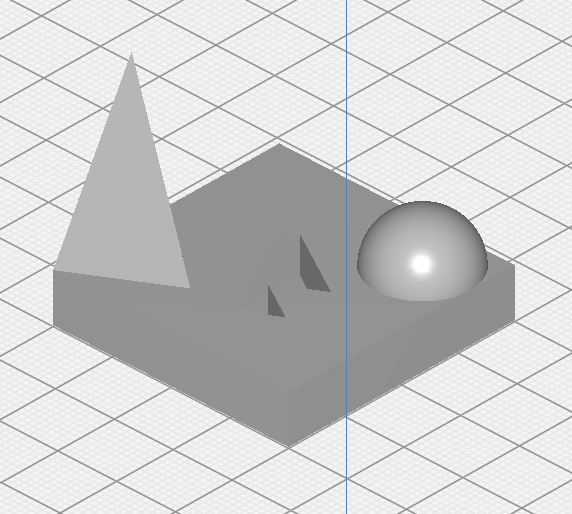
The real problem is that the light source is always located on the camera. Increasing the strength of diffuse shading relative to ambient makes curves more pronounced, but it won't force some surfaces to become darker than others because they happen to be oriented away from the light; the light can always be moved so that up to 3 surfaces are equally far rotated.
However placing the light in a fixed location makes it hard to see things that then fall into the shadow.
 Ghostkeeper
on 13 Aug 2019
Ghostkeeper
on 13 Aug 2019
Quite right.
How about two lights then? One on the camera, one fixed position.
fieldOfView
on 13 Aug 2019
That could be a way to approach this, yes. The fixed light shouldn't need to be very strong.
Ghostkeeper
on 14 Aug 2019
For dev, JIRA ticket: CURA-6723
 LipuFei
on 15 Aug 2019
LipuFei
on 15 Aug 2019
Still not solved. :\
Liger0
on 27 Feb 2020
Related issues
 DamianSepczuk
·
3Comments
DamianSepczuk
·
3Comments
 dstulken
·
3Comments
dstulken
·
3Comments
 DmitryBychkov
·
3Comments
DmitryBychkov
·
3Comments
 konvoj
·
3Comments
konvoj
·
3Comments
 JRRN
·
3Comments
JRRN
·
3Comments