Application version
4.2.1
Platform
Win10 x64
Printer
Cr-10S
Reproduction steps
Slice the project with supprots from model
Actual results
Support starts in the air
Expected results
Support should touch the model
Additional information
support in air.zip

 Liger0
All 8 comments
Support X/Y distance set to 0 fixes it.
I've seen issues with this making my supports not work. There seems to be no interest in solving it. Maybe it's not my exact issue, but supports work with it off. Set it at a compromise value. I set it to 0.1 and it worked fine.
 AbeFM
on 11 Aug 2019
AbeFM
on 11 Aug 2019
Same problem with slicing on all my printers. including my UM2+ the workaround seems to work and generate support on the base layer again.
 Redsalamander
on 13 Aug 2019
Redsalamander
on 13 Aug 2019
Setting the Support X/Y Distance to 0 is not a workaround either in this case, though it does make the support extend a few layers further down.

 Ghostkeeper
on 13 Aug 2019
Ghostkeeper
on 13 Aug 2019
This problem seems to be with the Minimum Support Area setting.
Ghostkeeper
on 19 Aug 2019
From another inquiry elsewhere, but perhaps this is related to this issue.
I created a test model:
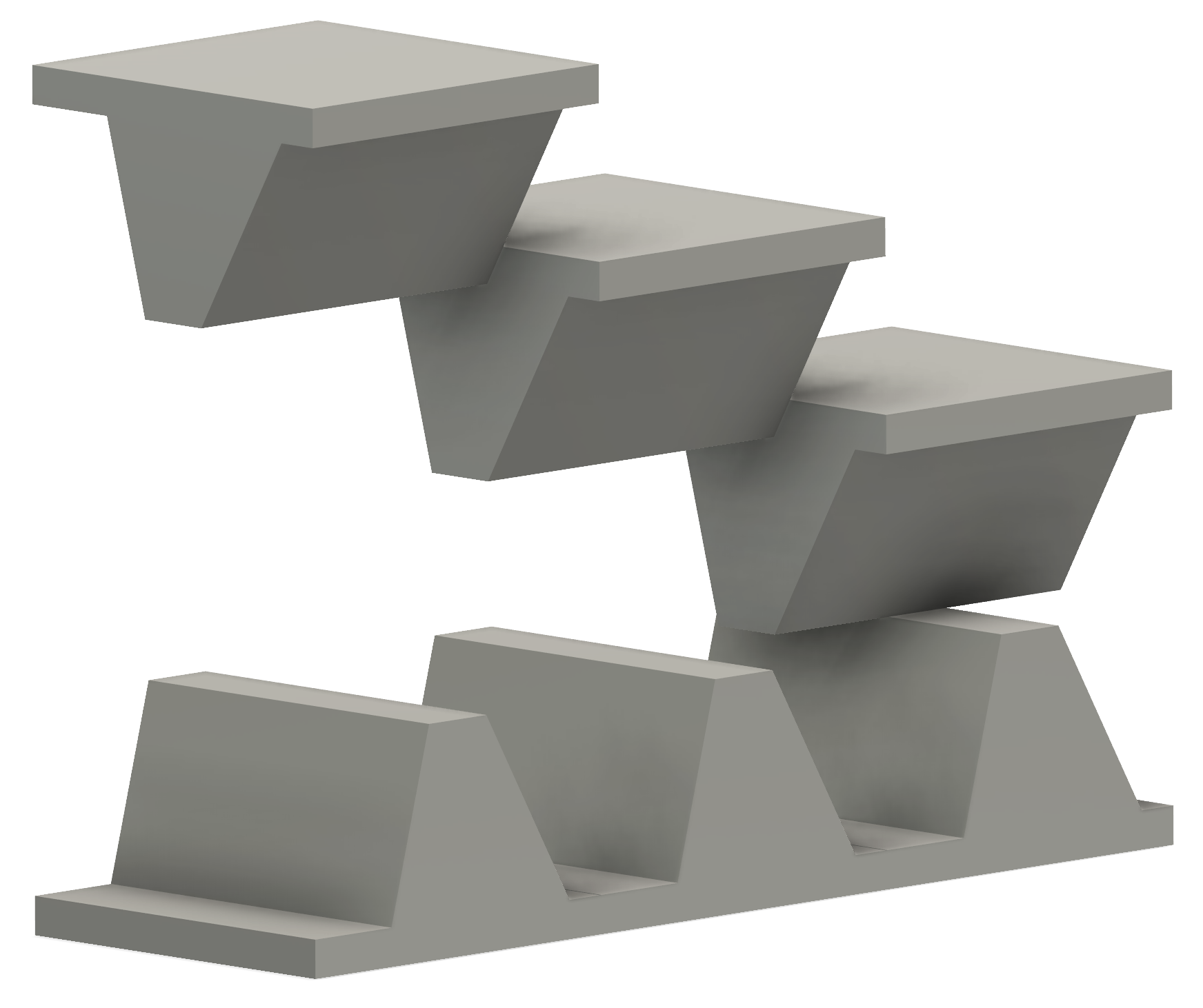
Ledges are 10, 15, 20 mm apart
Inner humps are 0, 5, 10 apart.
Slopes are 15 or 30 degrees
All orientations match8/8 Roof/Floor
1/13
Missing some on bottom as the issue on the forums currently, I think
Missing on the right, not sure why13/1
Missing a lot of bottoms. No idea why.There may be an object off-plate which I'm actually trying to print, and it will have support floor and roof, but be missing the support infill in between.


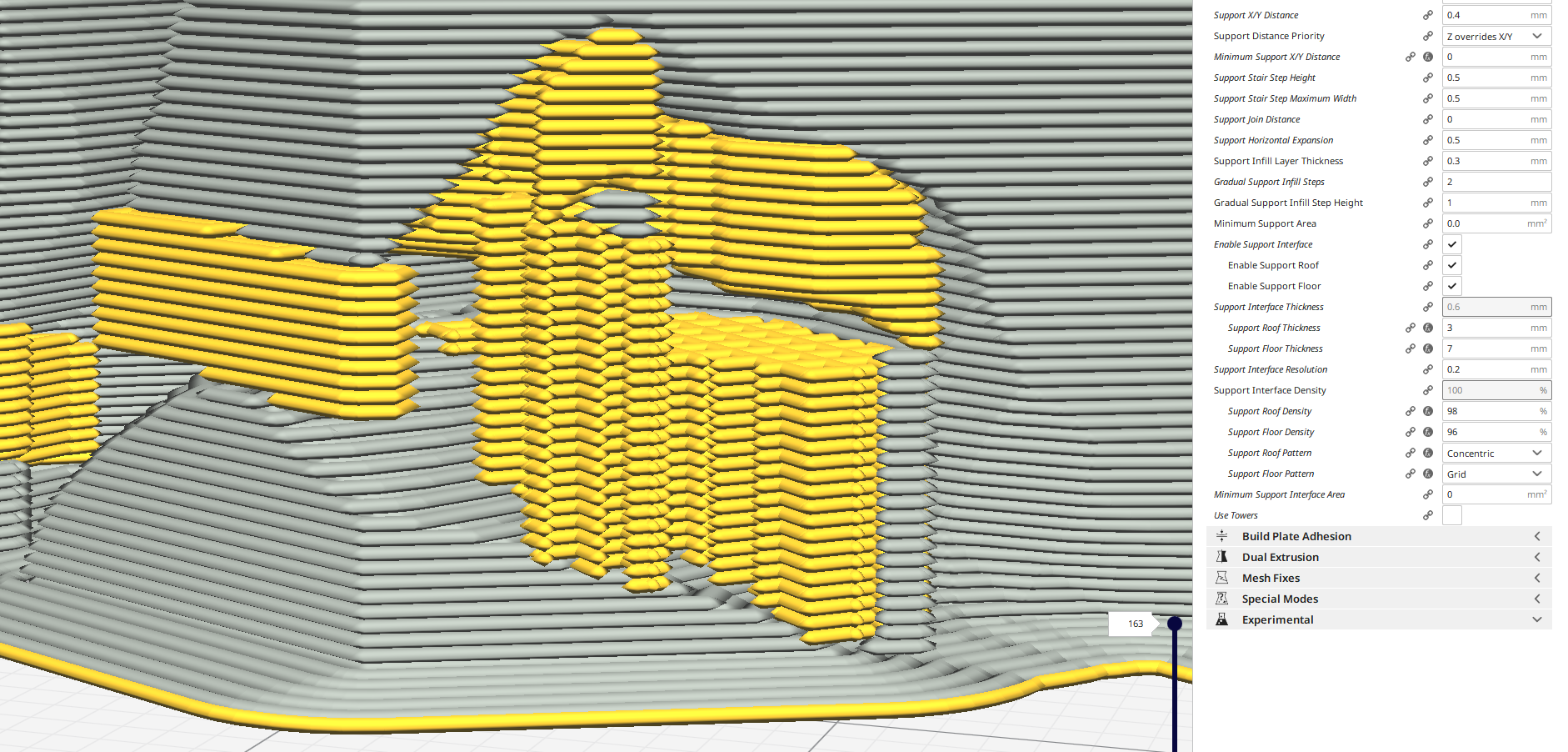 AbeFM
on 24 Aug 2019
AbeFM
on 24 Aug 2019
I exported my test from SmartAvionics' 8/23 build, loaded the 3mf into my copy of 4.2.1
Sliced in 4.2.1
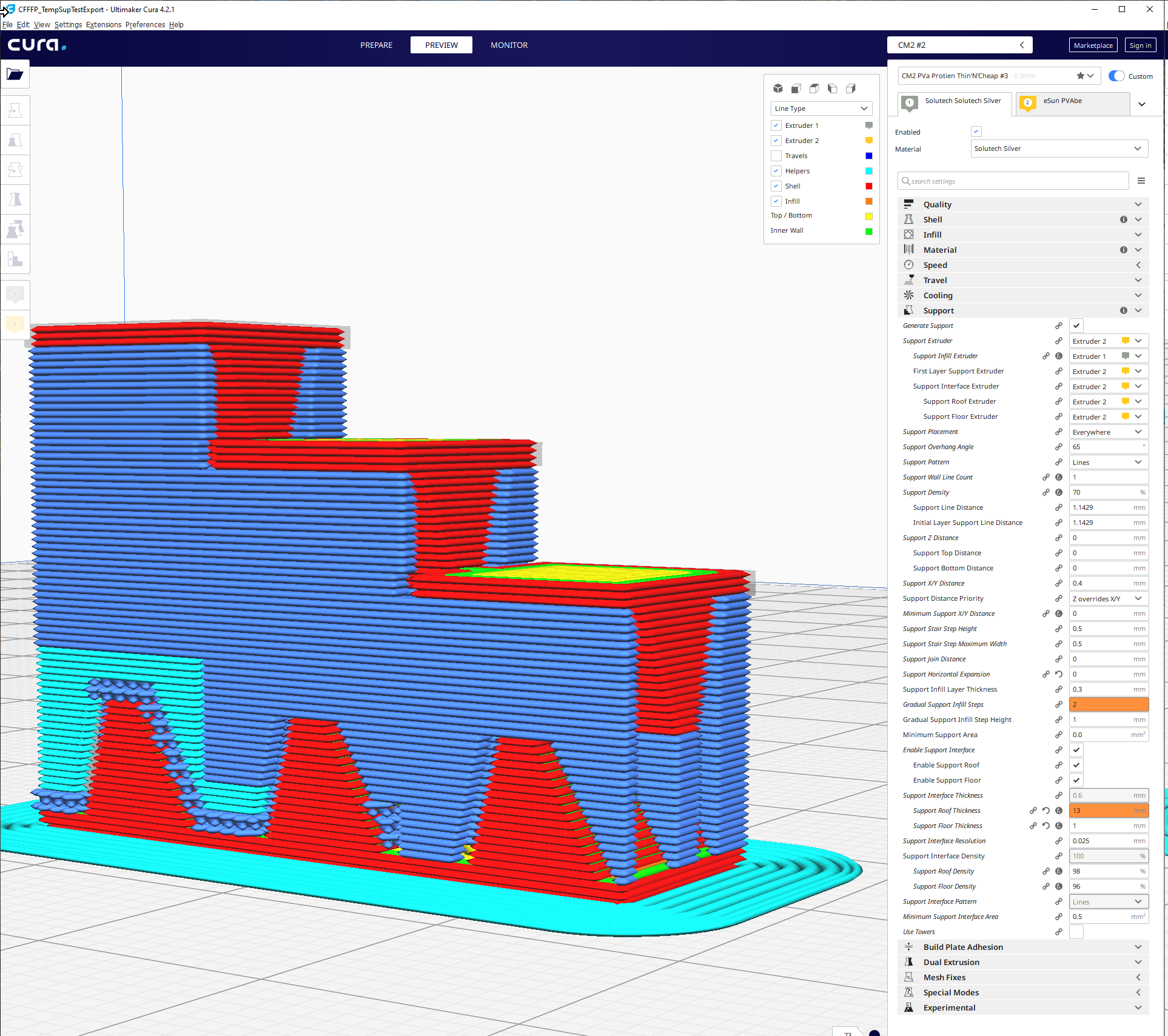
Same thing sliced in a current version (SmartAvionics' 8/23 build, based on current CURA, I believe)
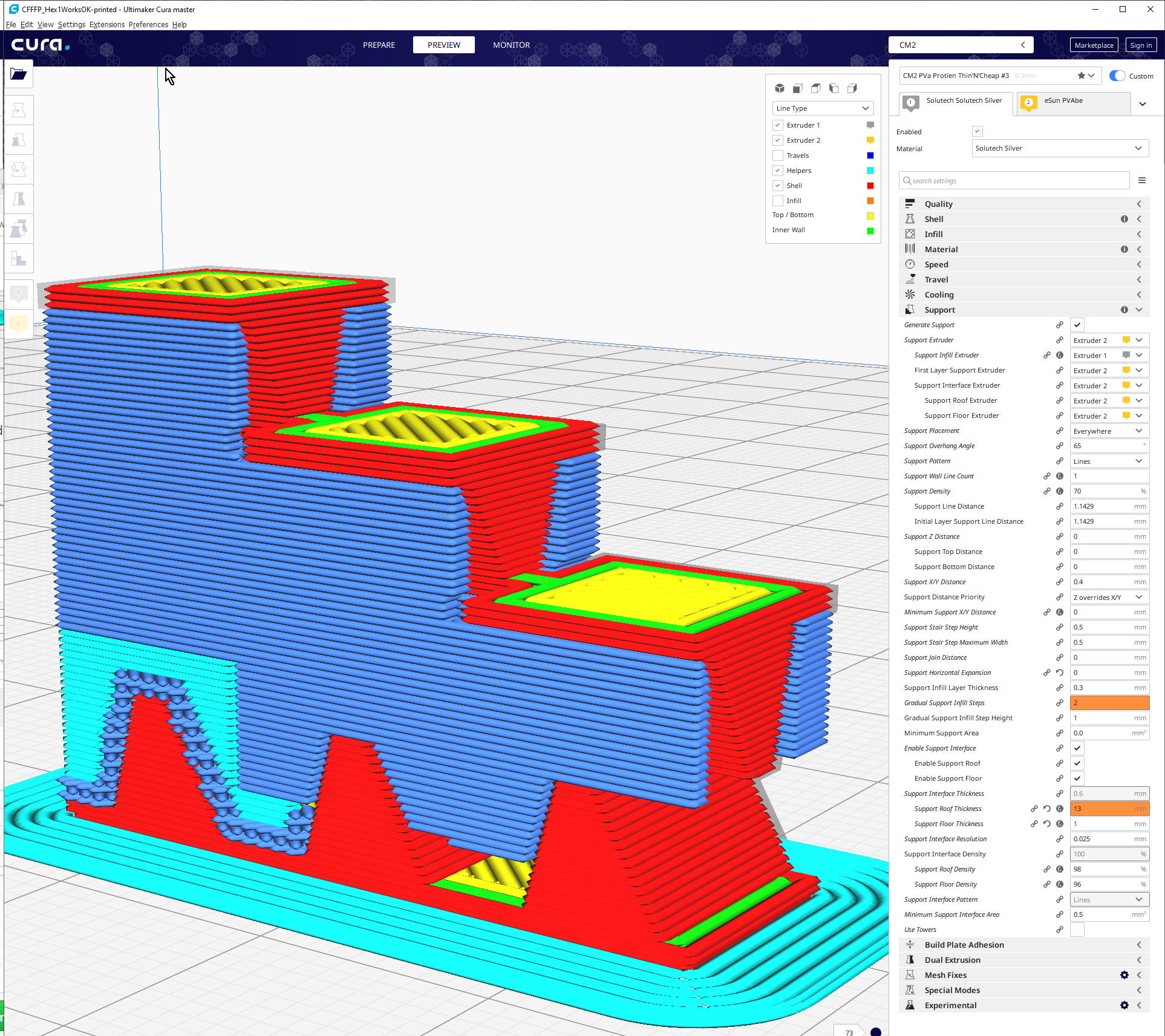
Although he has done some great work on the minimum x/y spacing, I set all the distances to 0 for this test. I do not feel that is the root cause of the issue as others are seeing it on the official build.
Resliced, 4.2.1 on the left, with 13 floor and 1 roof:
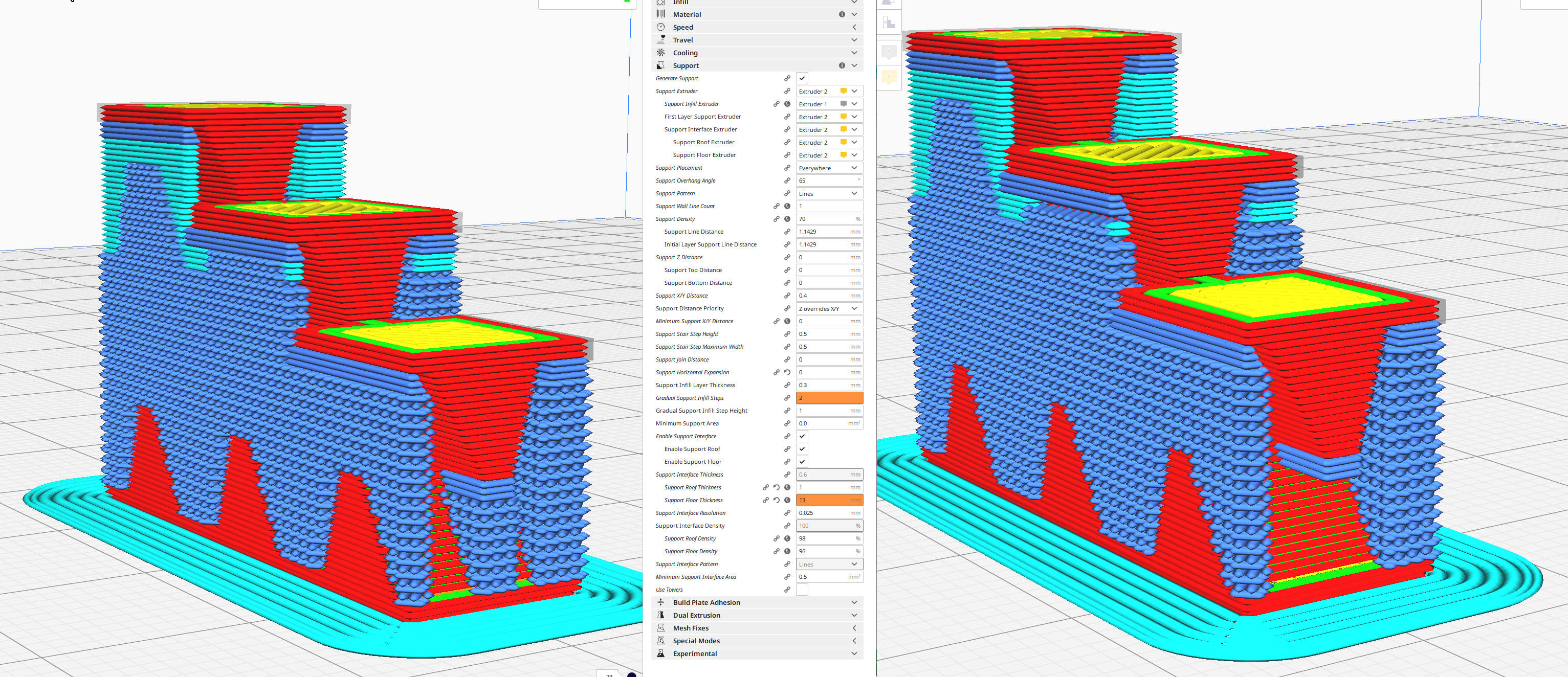
It looks like the floor is being culled, whereas in my organic shapes it seems both floor and infill are removed.
Not sure if it helps, but I hope it does.
AbeFM
on 24 Aug 2019
This problem seems to be with the Minimum Support Area setting.
I saw weird issues (not that weird) with Interface Minimum Support Area being larger than the Minimum Support Area - you could get instances of the support infill material stuck to the model, little globs past the last of the (restricted) interface material.
Interface Area: 5, Support Area: 0
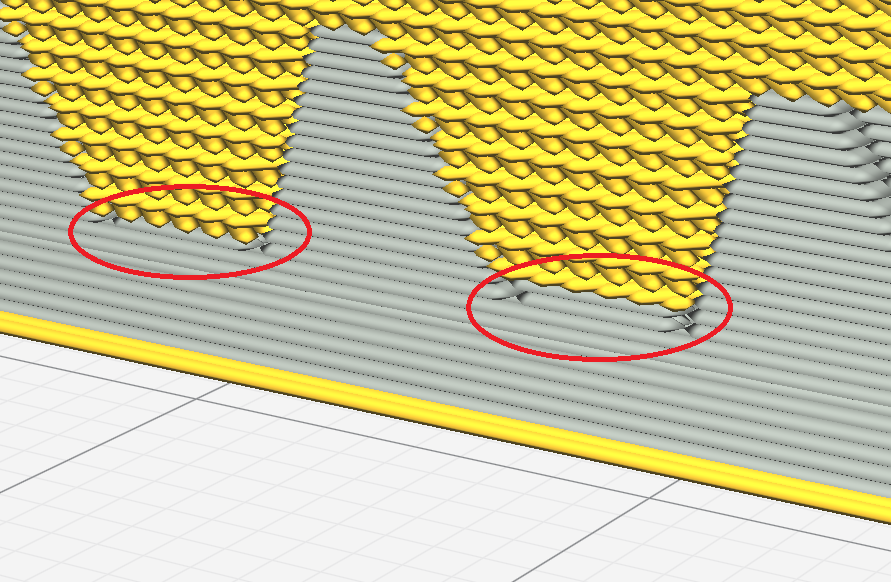
I circled two areas with the wrong material being used. It should be a seperate ticket, I feel, but the Minimum Support Interface Area should be either restricted to be no greater than the Minimum Support Area, or make it a delta FROM the Minimum Support Area (i,.e. if MSIA is 0.2 and MSA is 0.5, what is the current MSIA would actually be set to 0.3. This could be confusing, but it would work.). If you could just restrict the MSIA value to be =< MSA, I think you'd fix that issue.
With all minimums set to 0, I get:
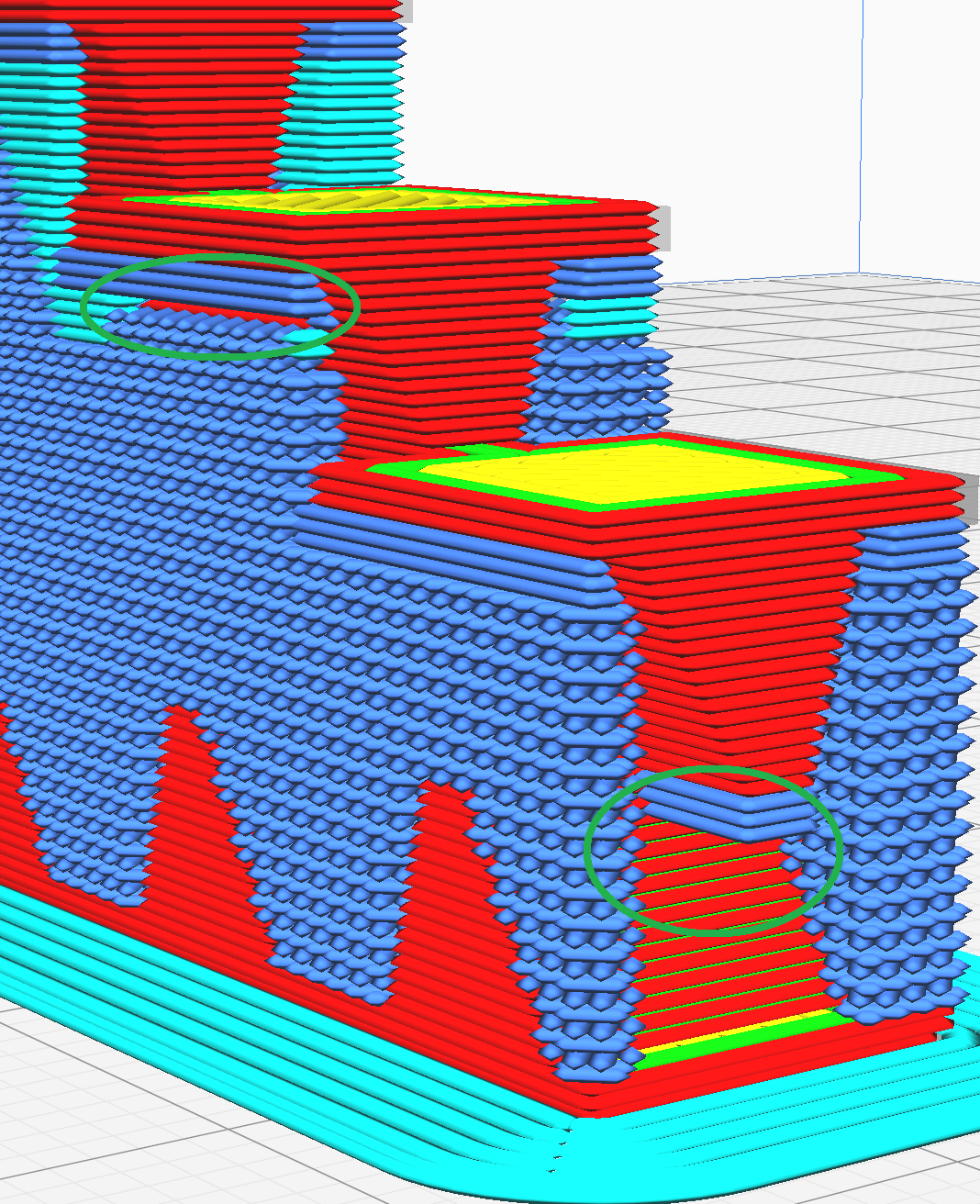
...all the same problems from before. If you can suggest MSA changes to make I will try them.
AbeFM
on 24 Aug 2019
Hi @Liger0 , the Support printed in air issue has been addressed and the fix was merged in master, It took us a bit to take the time to address this one but hopefully it works as expected for you now. Please reopen if you still encounter the issue on your side.
Many thanks!
 Vandrasc
on 23 Jun 2020
Vandrasc
on 23 Jun 2020
Related issues
 mnswamp1
·
3Comments
mnswamp1
·
3Comments
 tomoinn
·
3Comments
tomoinn
·
3Comments
 JRRN
·
3Comments
JRRN
·
3Comments
 jellewie
·
3Comments
jellewie
·
3Comments
 Nemernemer
·
3Comments
Nemernemer
·
3Comments
Most helpful comment
Hi @Liger0 , the Support printed in air issue has been addressed and the fix was merged in master, It took us a bit to take the time to address this one but hopefully it works as expected for you now. Please reopen if you still encounter the issue on your side.
Many thanks!