Cura: Slicing does not complete. Stuck at 30%
Application version
4.2
Platform
Ubuntu
Printer
Creality CR 10s Pro
Reproduction steps
No idea
Actual results
It is Stuck
Expected results
Generate STL file
Additional information
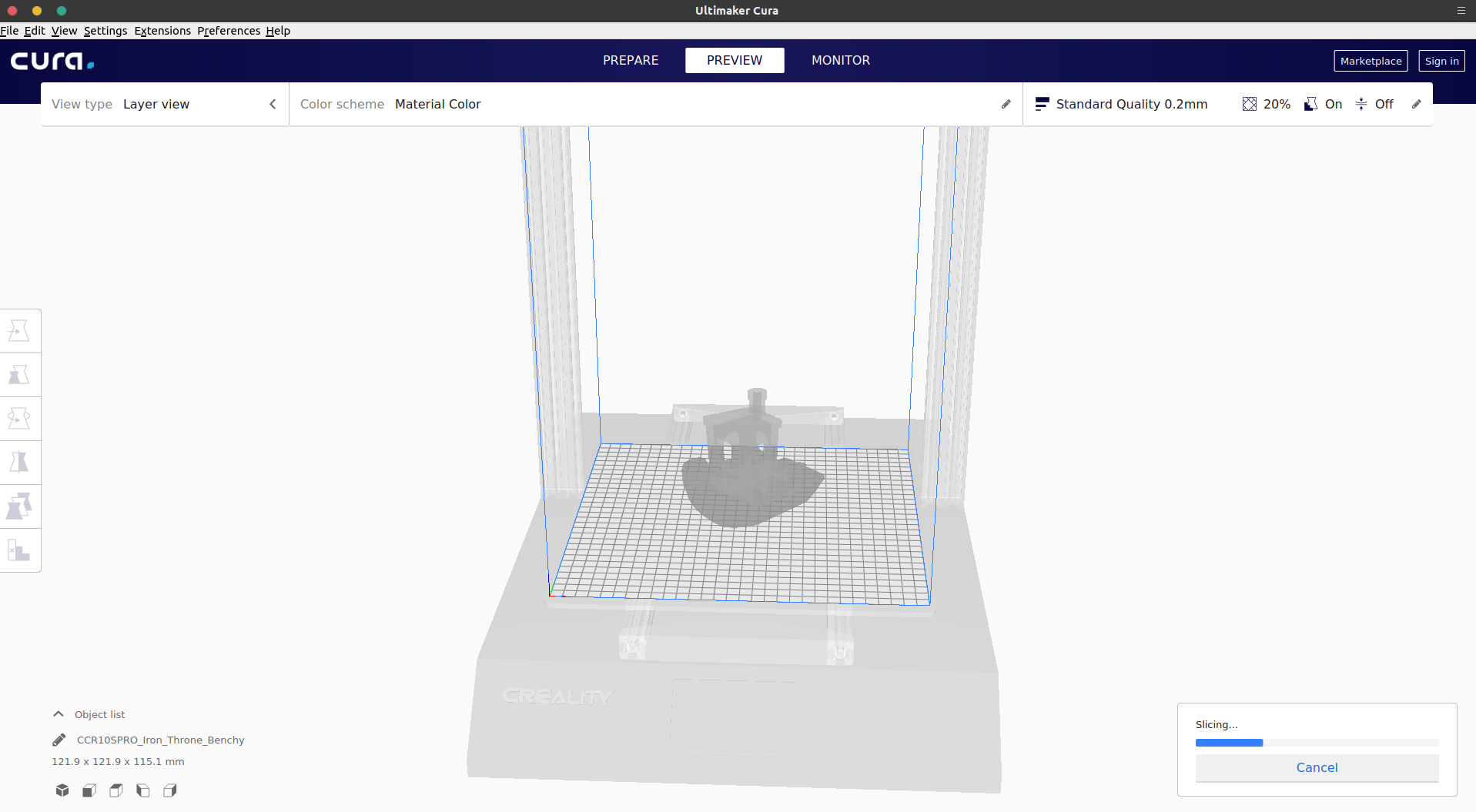
I installed from PPA cura-master then update & install via terminal. After clicking slice it stopped at around 30%.
Also no layer view & support metrical showing including other options. I attached a screenshot.
 krishnaTORQUE
All 10 comments
Could you try this with our AppImage, from the Ultimaker website or from the releases here at Github? The PPA has had some issues recently with the back-end being more modern than the front-end. The back-end then goes looking for a setting it needs to slice which doesn't exist in the front-end yet, and then the engine crashes which makes it look like slicing freezes.
We don't maintain that PPA, that's done by @thopiekar. Issues for that PPA should be posted here: https://github.com/thopiekar/Cura-packaging/issues but recently he hasn't had much time to maintain it.
 Ghostkeeper
on 4 Jul 2019
Ghostkeeper
on 4 Jul 2019
Alright. I am going to download & run .AppImage from official website that you provided, then let you know the result.
Thank you for quick reply.
krishnaTORQUE
on 4 Jul 2019
Its working like a charm.
Thank you so much.
krishnaTORQUE
on 4 Jul 2019
That is partly true. I simply don't support Ubuntu versions before Cosmic
(or maybe Bionic - forgot it actually). The problem is basically that Qt is
too old and Cura won't run due to the new UI.
Therefore I recommend upgrading Ubuntu and using the stable PPA. For the
master PPA there is generally no support.
But agree, I should make a cleanup on the stable PPA and remove all the old
packages.
Cheers
>
 thopiekar
on 5 Jul 2019
thopiekar
on 5 Jul 2019
I am using 19.04 Disco.
I notice that 3.4 have some display issue like no label on button etc. It this due to Qt framework?
krishnaTORQUE
on 5 Jul 2019
3.4? That sounds like you are using Canonical's packages.
For that again no support, too.
thopiekar
on 5 Jul 2019
No I did once to try when 4.2 PPA version was not working.
How ever right now I am using 4.1 from official website .AppImage with Ubuntu 19.4 working fine.
It will get even better if we get stable version of PPA support.
I tried PPA of cura & cura-master both did not work as well.
krishnaTORQUE
on 6 Jul 2019
Hmm, using Ubuntu 19.04 here, too. Cura starts from stable PPA fine with Nvidia gfx here.
Can you give me more details? Hardware? Logs?
Thanks!
thopiekar
on 6 Jul 2019
I am 100% I did not.
I removed & clean every time I installed another version of Cura
krishnaTORQUE
on 6 Jul 2019
I just found time to test it on my computer (KDE + NVidia GFX) and well application works fine without glitches and slices as it should.
thopiekar
on 12 Jul 2019
Related issues
thopiekar
·
3Comments
 wi1k1n
·
3Comments
wi1k1n
·
3Comments
 probonopd
·
3Comments
probonopd
·
3Comments
 jornada812
·
3Comments
jornada812
·
3Comments
 rudowinger
·
3Comments
rudowinger
·
3Comments
Most helpful comment
That is partly true. I simply don't support Ubuntu versions before Cosmic
(or maybe Bionic - forgot it actually). The problem is basically that Qt is
too old and Cura won't run due to the new UI.
Therefore I recommend upgrading Ubuntu and using the stable PPA. For the
master PPA there is generally no support.
But agree, I should make a cleanup on the stable PPA and remove all the old
packages.
Cheers
>