Cura: [Feature Request] Overhang painting (marker, remover)
Is your feature request related to a problem? Please describe.
A faster and easier way to manipulate support placement than support blocker and custom support.
Describe the solution you'd like
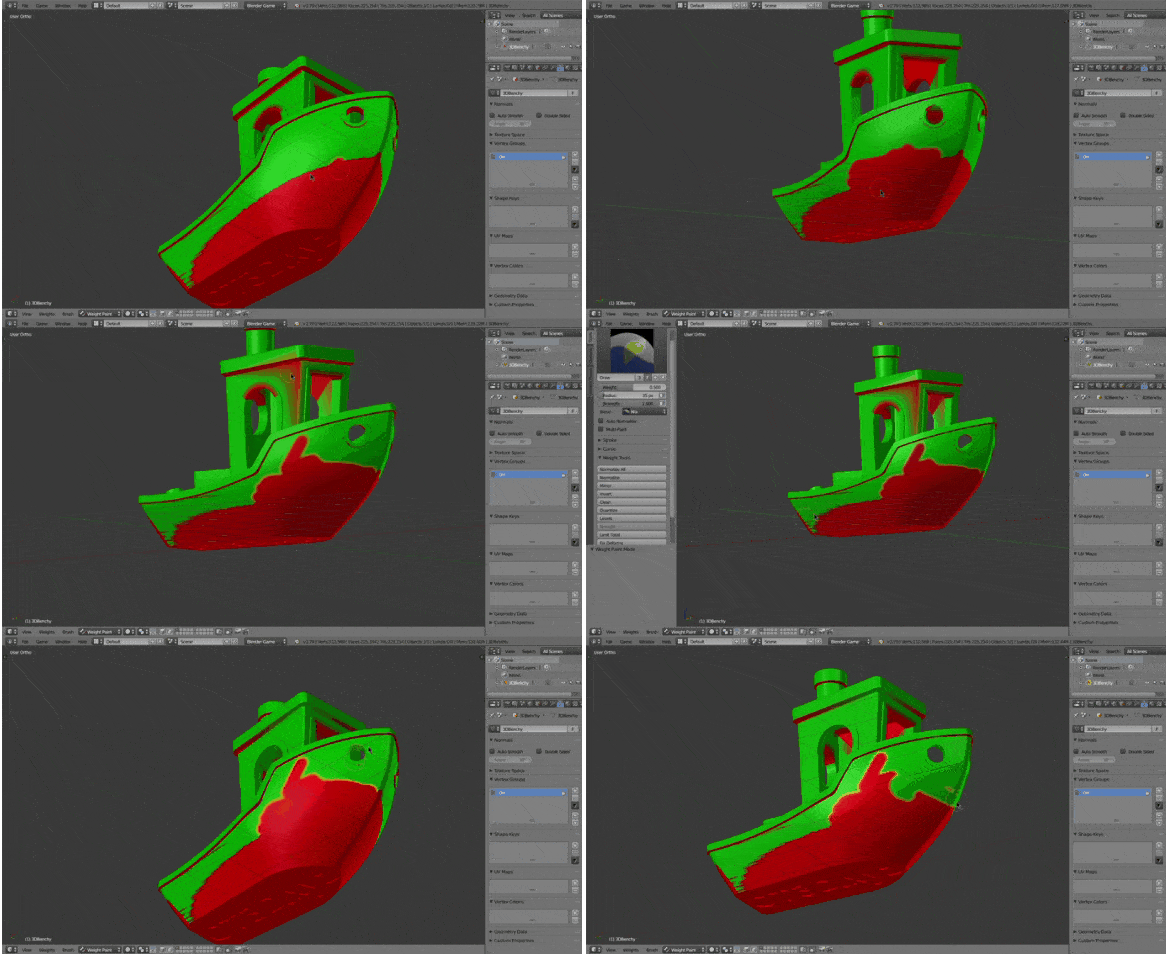
Use "brush" to manually identify more areas as overhang by coloring them red in addition to what Cura does automatically from overhang angle.
Also the inverse by removing red overhang identifier.
Describe alternatives you've considered
Support blocker and Custom support which, IMO, are annoying to place precisely and quickly
Affected users and/or printers
Everyone?
Additional context
Example GIF was made in Blender using Weight Paint mode.
 Block137
All 5 comments
If that were easy to implement, it would have been added a long time ago. Painting on a 3d model is tricky, because it requires a model with very consistently applied uv-coordinates (texture coordinates). Even in the GIF above, you can see it going wrong in the roof overhang on the top (the whole side gets painted all of a sudden).
 fieldOfView
on 1 Jul 2019
fieldOfView
on 1 Jul 2019
Actually, we did implement this. It's currently on the feature_custom_support branch. It works exactly as Block137 described.
The problem is also implementing the inverse. That would require erasing the previously created support nodes which was a linear algebra challenge. Our aim is still to finish that implementation. See issue CURA-5482.
 Ghostkeeper
on 1 Jul 2019
Ghostkeeper
on 1 Jul 2019
Even in the GIF above, you can see it going wrong in the roof overhang on the top (the whole side gets painted all of a sudden).
That's because weight painting paints on vertex instead of face, we'll need to paint on faces.
I know it's difficult to implement, probably need to overhaul several things but I heard they(not devs) like this kind of fancy features.
Block137
on 1 Jul 2019
That's because weight painting paints on vertex instead of face, we'll need to paint on faces.
Then the current implementation is not exactly as you describe, because the current implementation paints on faces. This is important because large flat overhangs in mechanical models tend to have very few vertices and subdividing is expensive.
Ghostkeeper
on 1 Jul 2019
the current implementation paints on faces.
That's correct implementation, I meant my example GIF paints on vertices which is not desired.
Block137
on 1 Jul 2019
Related issues
 konvoj
·
3Comments
konvoj
·
3Comments
 probonopd
·
3Comments
probonopd
·
3Comments
 thopiekar
·
3Comments
thopiekar
·
3Comments
 wi1k1n
·
3Comments
wi1k1n
·
3Comments
 rudowinger
·
3Comments
rudowinger
·
3Comments
Most helpful comment
Actually, we did implement this. It's currently on the
feature_custom_supportbranch. It works exactly as Block137 described.The problem is also implementing the inverse. That would require erasing the previously created support nodes which was a linear algebra challenge. Our aim is still to finish that implementation. See issue CURA-5482.