Cura: [3.5.0 Beta] Infill mesh not working as expected
Application Version
3.5.0 Beta
Platform
macOS 10.12.6
Printer
Ultimaker S5
Steps to Reproduce
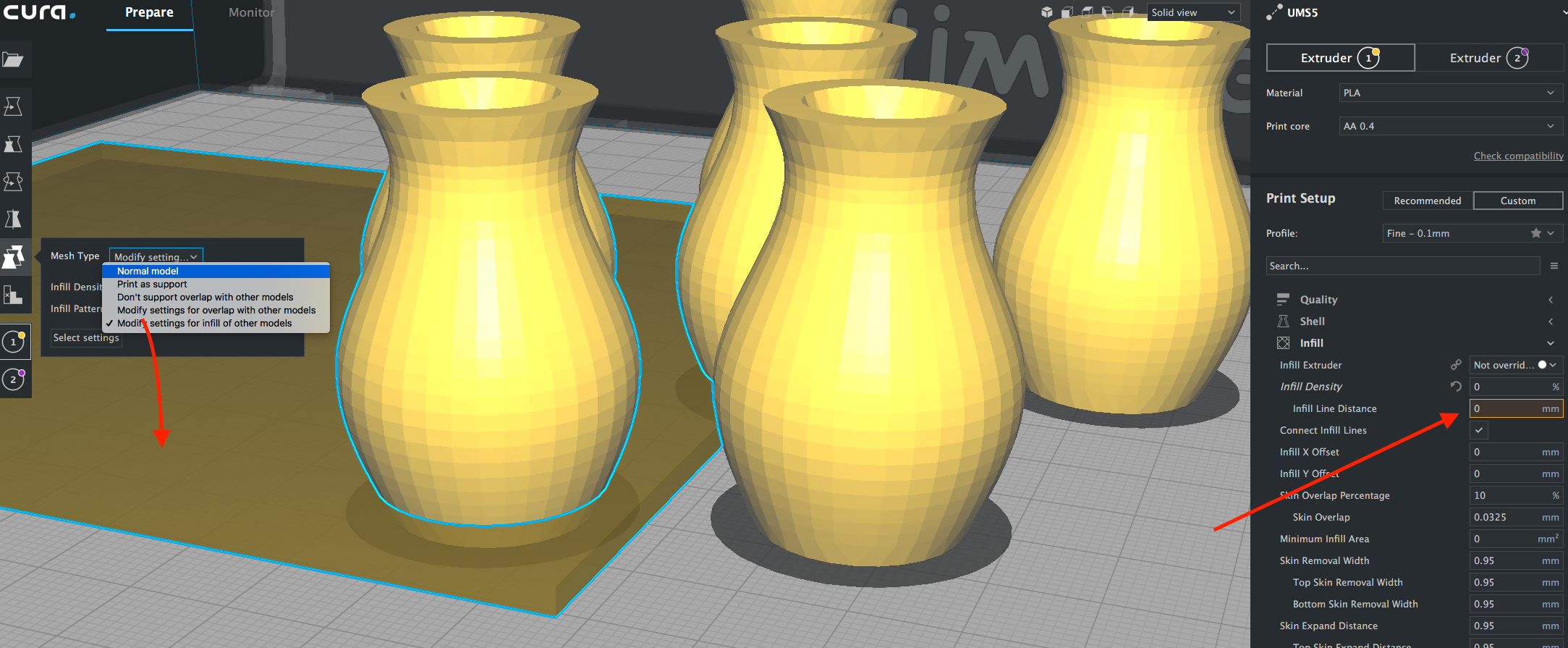
Add objects to slice, add cube to act as infill mesh and scale it to overlap with bottom of objects. Set per object settings the mesh type to "Modify settings for infill of other models" and add "infill density" setting.
Actual Results
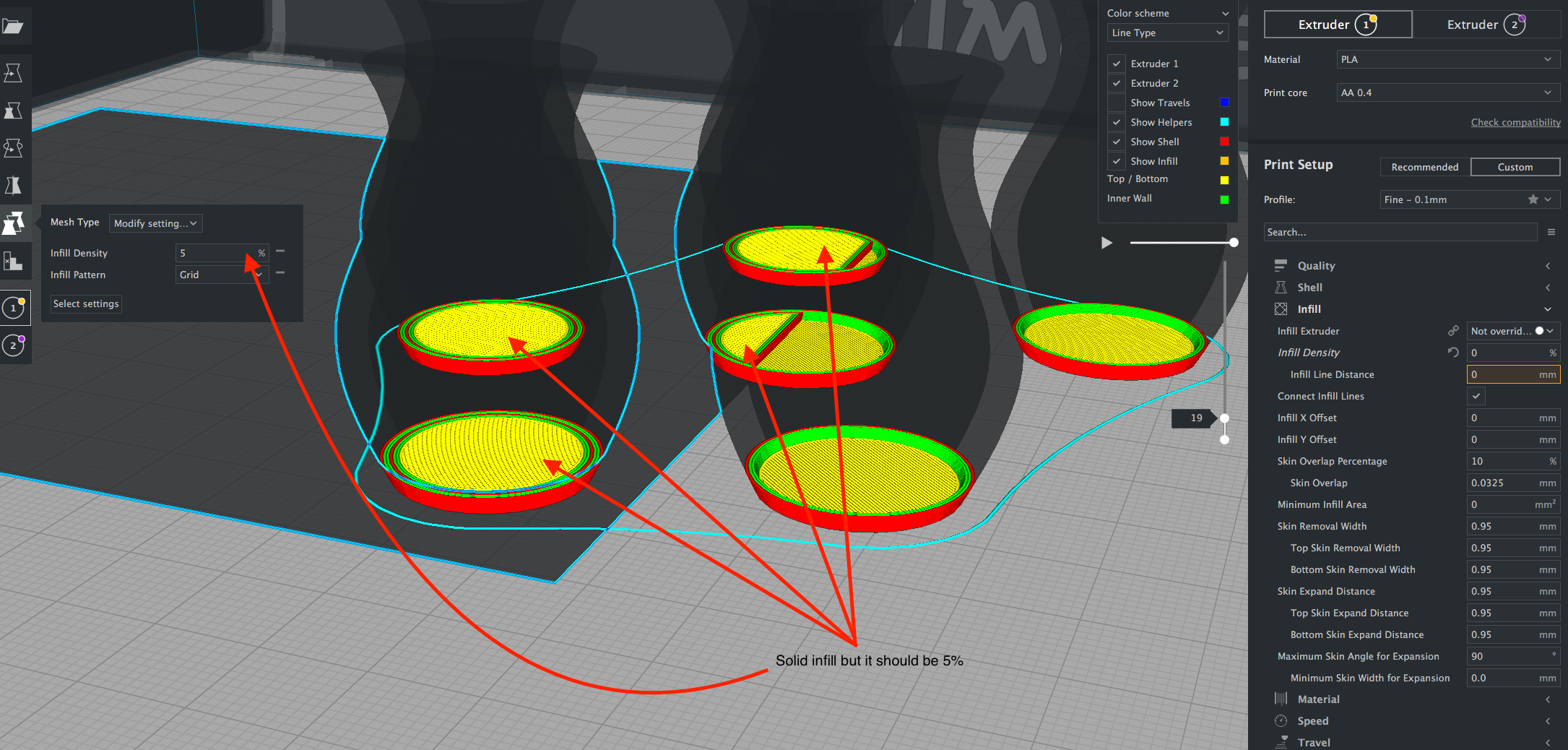
Where the infill mesh overlaps the other models, infill is set to 100%.
Expected results
Where the infill mesh overlaps the other models, infill should be set to whatever was set with the per object setting "infill density".
Additional Information
Screenshot 1 shows the sold view, screenshot 2 shows the solid infill in layer preview.
 nicolinux
All 9 comments
Hi @nicolinux , please attach the project file so I can investigate. I tried something similar and it appears to work as expect.
 smartavionics
on 23 Sep 2018
smartavionics
on 23 Sep 2018
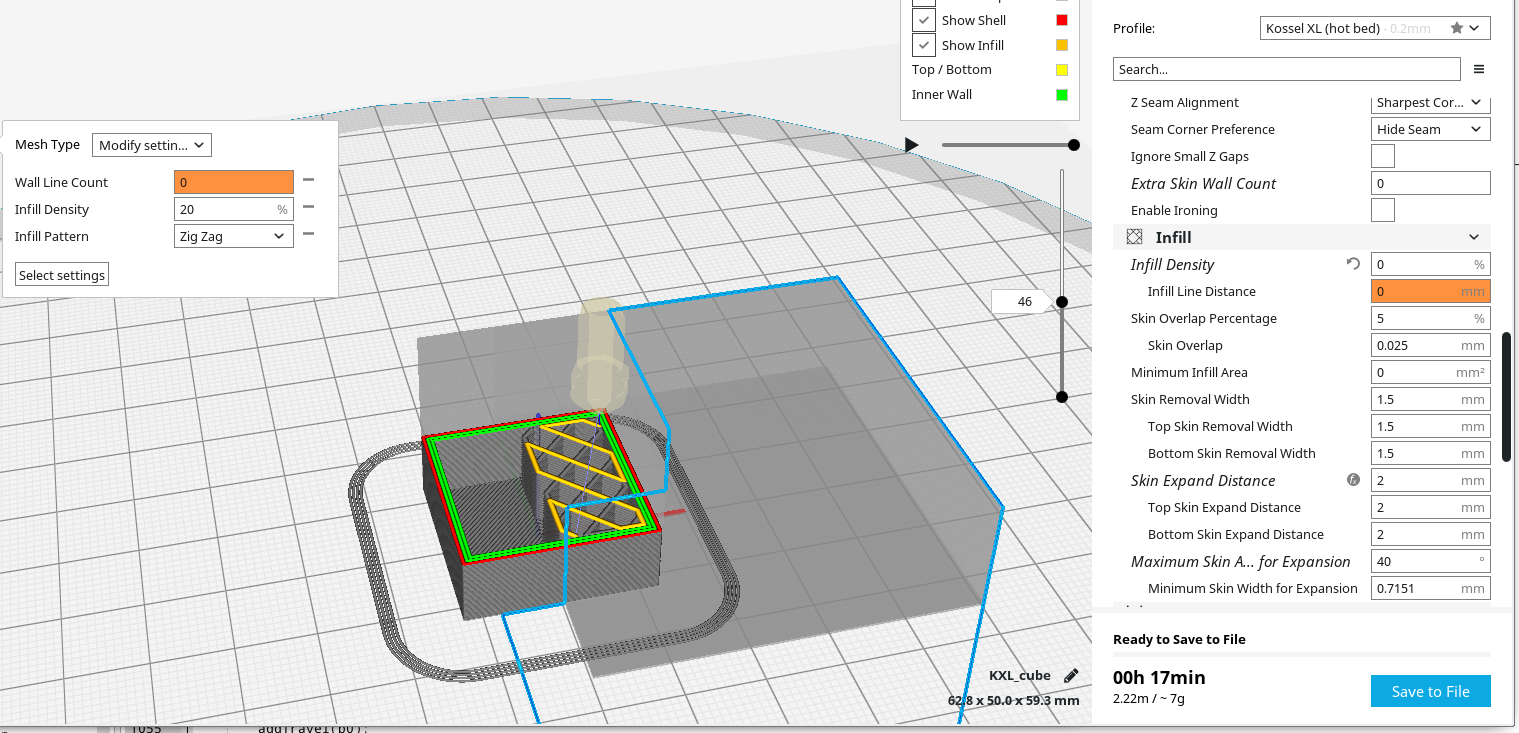
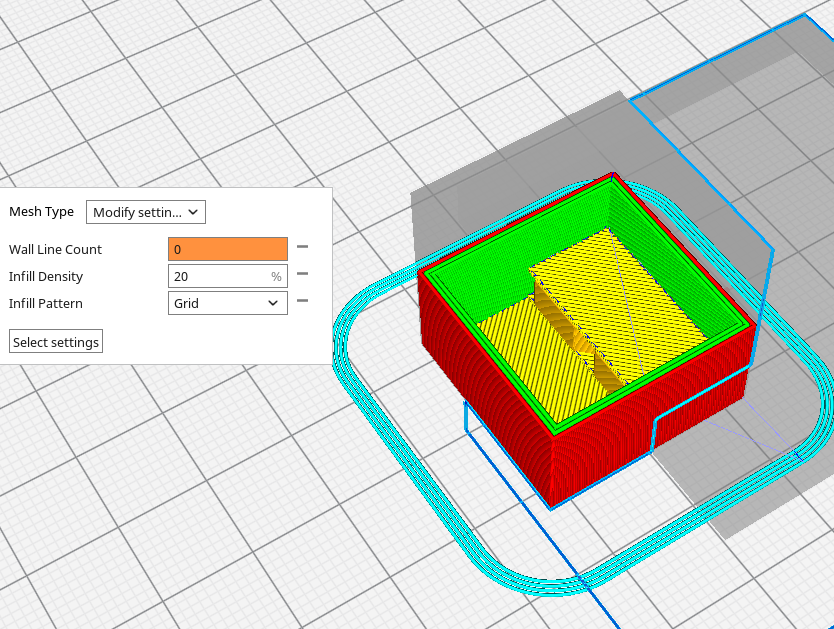
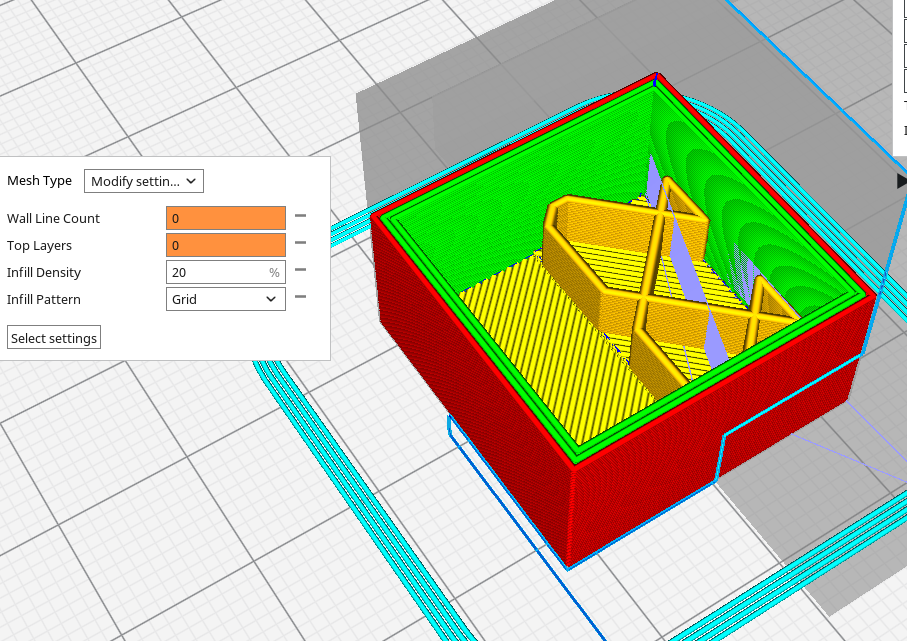
Ah, I know what is happening, you haven't set the number of skins (or walls) to zero for the infill mesh and so what you are seeing in your second screenshot is not the infill but the skin.
Compare these two images...
smartavionics
on 23 Sep 2018
Thanks Mark, that was the issue. This is tricky because the user would not know that he needs to set these two (well three, bottom layers too) to 0 when he actually wants infill. I know now but I am sure it will trip others when they try it.
@Cura devs: Would it make sense to add an exclamation mark here next to infill density which explains the issue in a tool tip? This should be then triggered in code when the user sets the mesh type to "Modify settings for infill of other models".
nicolinux
on 23 Sep 2018
It might be a good idea to add those three settings by default when the "Modify settings for infill of other models" option is selected, also including eg the infill density and infill pattern. "Print as support" could similarly add some often used support settings.
 fieldOfView
on 23 Sep 2018
fieldOfView
on 23 Sep 2018
Also, I think it's daft that the strings in the Mesh Type drop down don't start with a word that gives you an idea what is active. So in the example image above, instead of showing "Modify settin...", it would have something like "Infill Mesh - ..." where the dots give the use some more info about what that choice does. Ditto for the other entries in that menu.
smartavionics
on 23 Sep 2018
I set the improvement label since I consider it would be nice to improve the texts in the dropdowns. I checked other languages and in many of then the mesh type doesn't even indicate the same as in English. For instance "Print as support" in Spanish was translated as "Imprimir según compatibilidad" that means "Print depending on compatibility". I changed it but maybe also happens in other languages.
 diegopradogesto
on 3 Oct 2018
diegopradogesto
on 3 Oct 2018
Ugh. That translation bureau is useless! We should just get our resellers to do it!
 BagelOrb
on 4 Oct 2018
BagelOrb
on 4 Oct 2018
Of course I won't do it for all the languages. But first we need to write/improve the texts in English and then an external company can translate them.
diegopradogesto
on 5 Oct 2018
For developers: CURA-5993
 alekseisasin
on 30 Nov 2018
alekseisasin
on 30 Nov 2018
Related issues
 mnswamp1
·
3Comments
mnswamp1
·
3Comments
 rudowinger
·
3Comments
rudowinger
·
3Comments
 DmitryBychkov
·
3Comments
DmitryBychkov
·
3Comments
 JRRN
·
3Comments
JRRN
·
3Comments
 ferociousdiablo
·
3Comments
ferociousdiablo
·
3Comments
Most helpful comment
It might be a good idea to add those three settings by default when the "Modify settings for infill of other models" option is selected, also including eg the infill density and infill pattern. "Print as support" could similarly add some often used support settings.