Cura: [3.4.1] Underextrusion after ironing
Application Version
3.4.1
Platform
Windows 8.1 Pro
Printer
BCN3D Sigmax
Steps to Reproduce
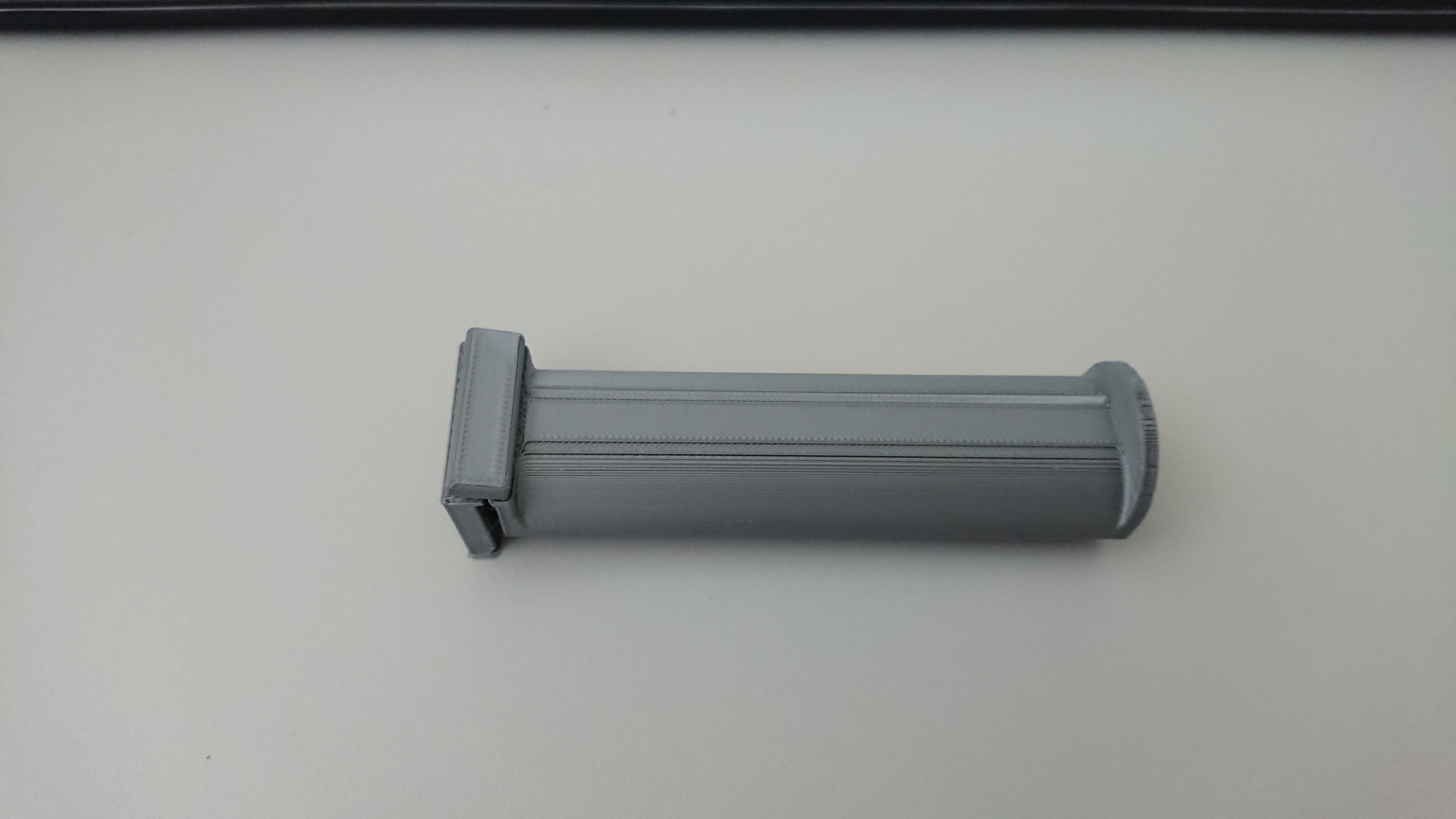
When ironing takes too long, the next layer starts with underextrusion.
Actual Results
Because the next layer starts with underextrusion, in some cases bad, it is often that the model lacks (a part of that) layer. In the worst case, this means a model breaks on this layer.
Expected results
Was actually to be expected. If the filament (PLA black in this case) remains too long in the nozzle, it takes some time to get a good flow again.
Additional Information
I am still unsure how we can best solve this. It comes down to the fact that the nozzle first has to do a purge so that the filament has a good flow again. This could be done manually (nozzle on the side, purse and then remove filament manually and possibly clean nozzle), or automatically, which means that something has to be printed, which can then be used to absorb the bad flow. (so that the model itself does not suffer from it). A prime/wipe tower, like with dual projects, would already be a good option.
I really love the ironing function, so i hope we can get this solve. As it works now, it simply is not reliable enough. As seen in the photos it can lead to a total failure of the print.


 PatrickAntalus
All 12 comments
Ironing is an experimental feature. Fixing this might take quite some work. Don't get your hopes up too high that this will be fixed soon.
 BagelOrb
on 26 Jul 2018
BagelOrb
on 26 Jul 2018
That's right, but the function itself really works well, so it's only this problem that makes it a shame. I myself have tried other possibilities. For example, I have significantly increased the line width of the top layer, so that more space is available. With that I could also raise the Ironing extrusion and that seems to largely prevent clogging. Must experiment a little more to really use it, but it is and remains a very good function to work with. Hopefully there will be another smart update or else we will have to do with it and have to come up with some tricks ourselves.
PatrickAntalus
on 26 Jul 2018
I am seeing similar behavior on my prints. Maybe a feature like the after retract priming but for ironing would work here. After ironing I get underextrusion and the resulting weakness. Attached image was printed at 0.2mm layer height.

 ldm314
on 27 Jul 2018
ldm314
on 27 Jul 2018
Seems the same probleem indeed. It's just to bad, because it's a really nice function. But it seems also a hard problem to fixed, a prime(tower) will be a good start, but it's not perfect and can also give some problems after the ironing.
PatrickAntalus
on 27 Jul 2018
I have the same problem. I think after ironing the flow is not set back to 100% but still continue printing the normal layer. It should not be too difficult to fix this problem....
 rbforelle
on 14 Aug 2018
rbforelle
on 14 Aug 2018
I think it is a bit more complex. It seems that the flow has trouble with time. So the longer it takes, the more under extrusion. Does not seem like an easy bug to fix, can only hope they make it better, like a automatic purse after ironing, maybe in the infill (and then only top-layer not)? I don't know, it don't seems a easy fix to me.
PatrickAntalus
on 15 Aug 2018
I'm pretty sure that the flow is set back to 100% afterwards. The structure of how CuraEngine works is not as stateful as that, especially since the layers are generated concurrently in multiple threads so it might even generate the higher layers before the lower ones. That's not the problem.
I think the problem is indeed related to the big flow change after ironing. There's a couple of things you could try to fix this:
- Use a higher flow for ironing. The 10% default flow is meant to keep the pressure on the nozzle chamber. If you're underextruding that means that the pressure was too low.
- Make sure that there is a retraction after the ironing. The flow gets interrupted then anyway.
- Add a bit of extra prime after the retraction. Of course you can't add more prime after the retraction after ironing, so it'll prime too much for the rest of the print, but it would be useful to debug this problem and maybe come to a solution.
 Ghostkeeper
on 12 Oct 2018
Ghostkeeper
on 12 Oct 2018
hey guys, recently i did some tests to find out this problem. Earlier I said that the flow was perhaps not set back to 100%. It's completely wrong. At that point I didn't know much about how slicer works.
Now I'm pretty sure it's the flow that affects the layers after ironing.
I made a little test part for the test. Ironing both on the middle layer and on the top. The number written on the part is the ironing flow in cura.
layer height: 0.1mm
ironing line spacing 0.2mm
ironing speed: 60mm/s
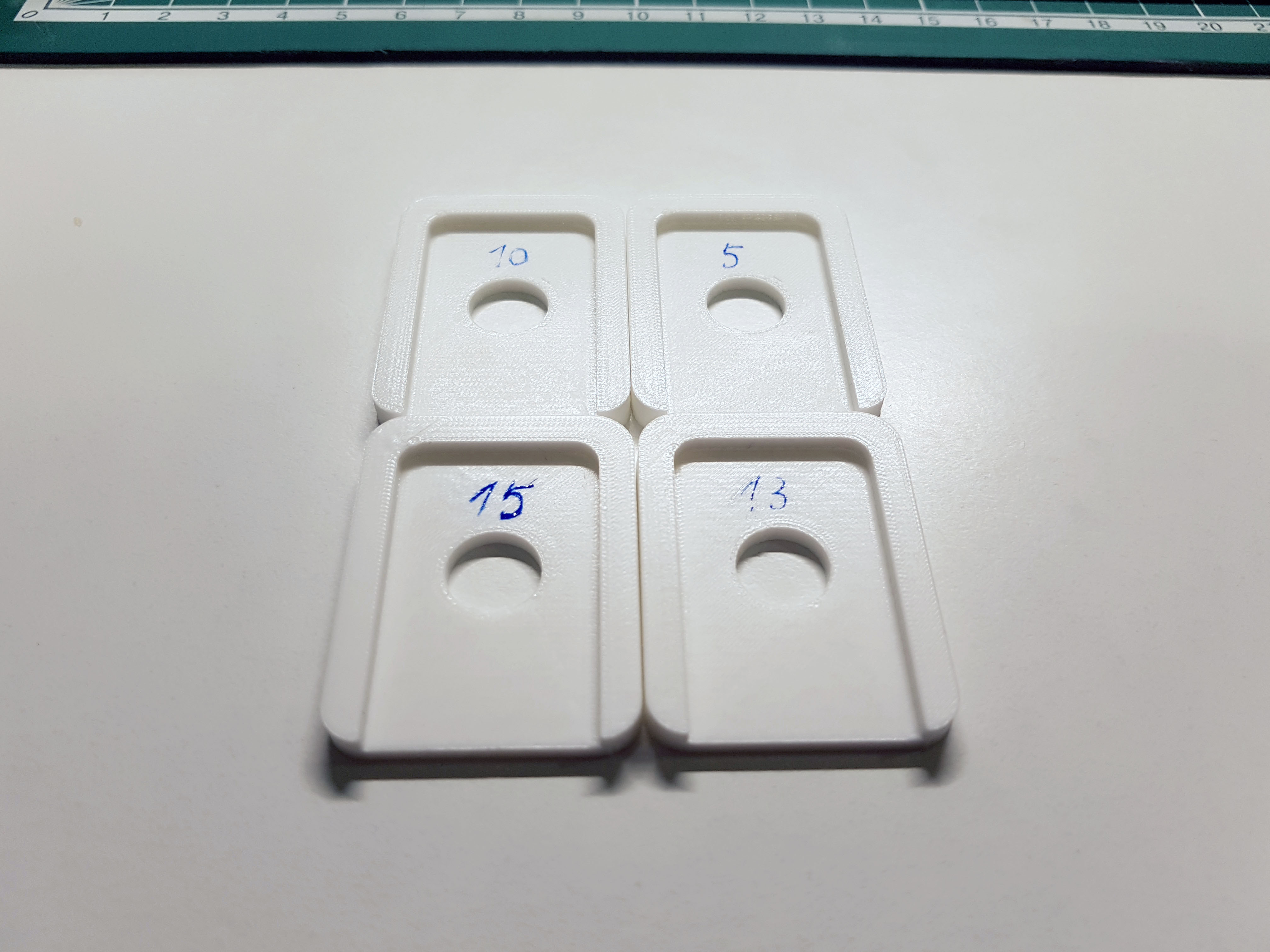
As you can see that the flow doesn't affects the surface quality of ironing.
But when we look from the side we can find some differences
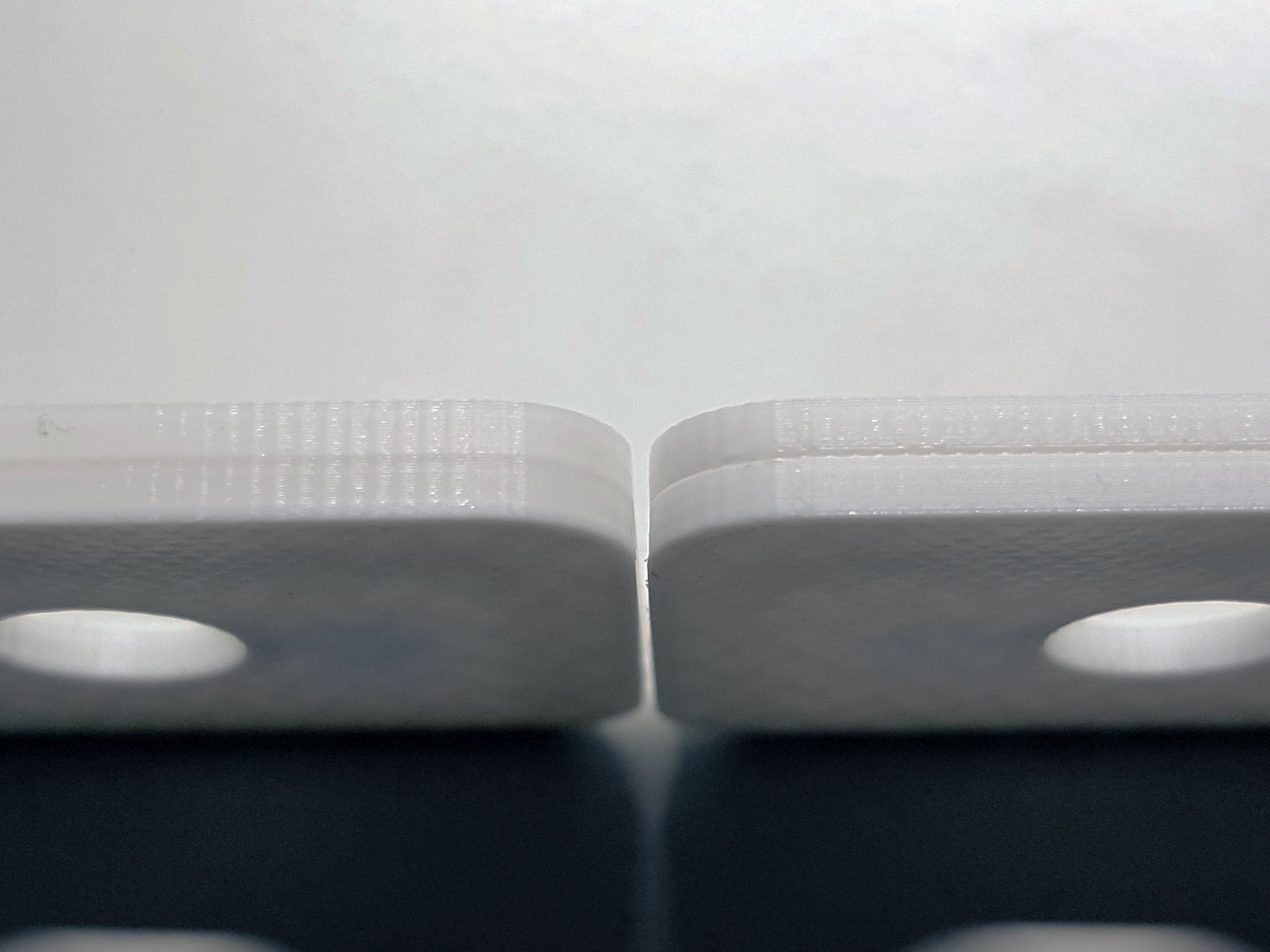
left flow=15% overextrusion after ironing, right flow=5% underextrusion after ironing
Just as @Ghostkeeper said. If the flow is too low, the pressure is to low and you will have underextrusion Problem. But by ironing the z position doesn't change, when the flow is too high, there is no place to extrude so much filament and on the next layer you will also have over extrusion problem.
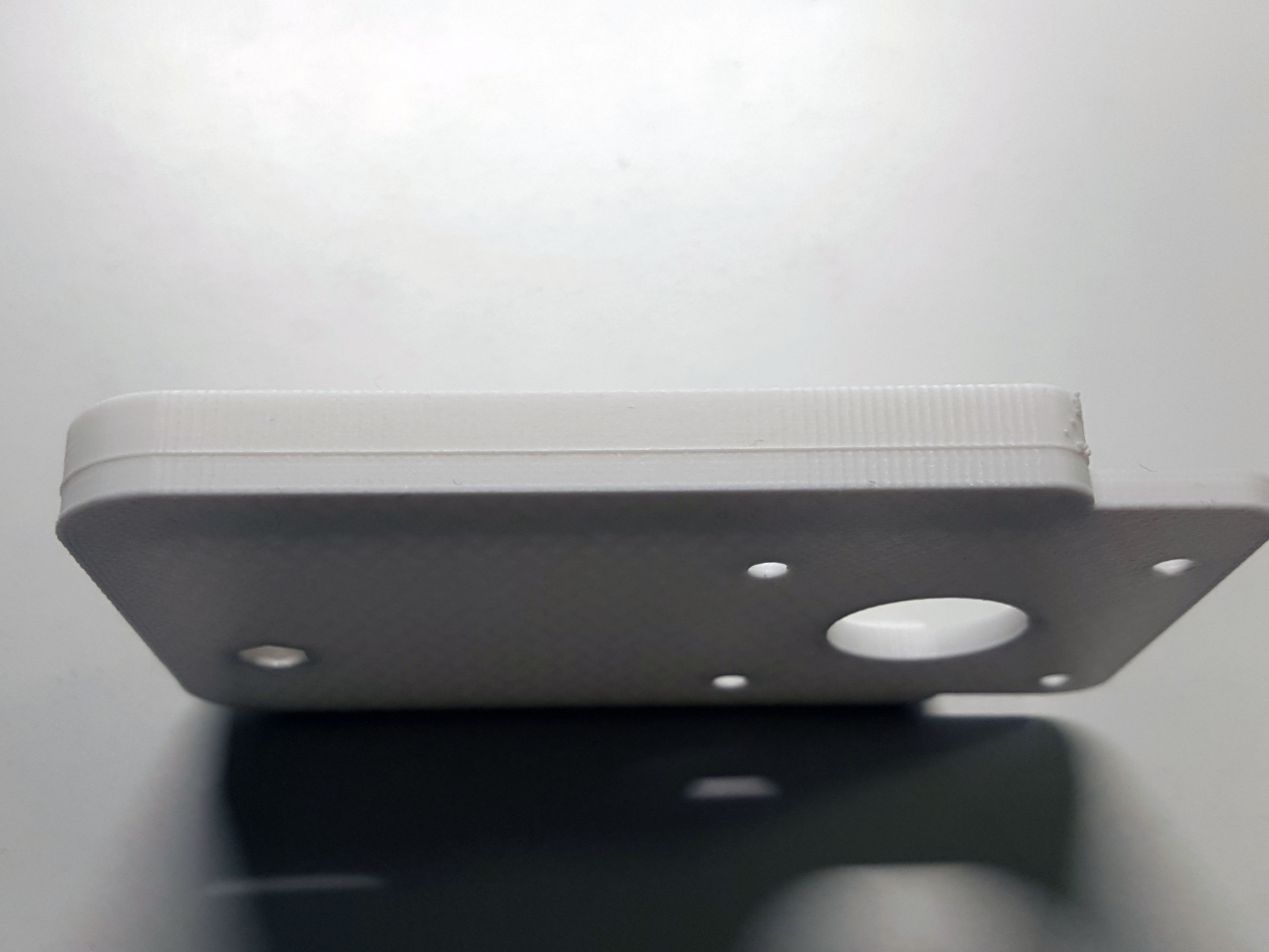
Flow=15%. By bigger parts the problem is more Significant
I‘ve done these tests with layer height=0.1mm. When you use 0.2/0.3mm the problem should be worse. And I think when ironing occurs in the middle, the extrusion at the beginning of the next layer could never be correct. It fills out gaps of the surface and there's no place in z direction to extrude. It's not like normal layer extrusion and how could extrusion exactly calculated?
Use bigger flow and accept the line in the layer after ironing. Or use iron on highest layer.
rbforelle
on 24 Dec 2018
Indeed, the effect will depend on many things, so a general solution will not be possible this way. You'd usually get over- or underextrusion.
But what about using infill for this? Eg continue ironing, but with the extrusion gradually increasing to 100%. Then again, that might cause overpressure in the nozzle, but maybe not if it is done in a small area, so the underlying layer will be soft. This may cause a blob in the infill, but that will not be as bad as a bad perimeter, especially if it is done in the middle, far from the perimeter. And to be sure, maybe start the next layer with infill.
Of course, there would have to be infill. And enough of it, so it might not work as well for small models.
 DDDirk
on 16 Jan 2019
DDDirk
on 16 Jan 2019
This functionality would be very welcome! Prime after Ironing!
 zmp2000
on 16 Apr 2019
zmp2000
on 16 Apr 2019
i am experiencing the same issue, underextrusion after ironing. BUT i did NOT in the past, with the same model and settings BUT different filament ..
 itasky
on 2 Apr 2020
itasky
on 2 Apr 2020
I am fighting the same issue right now. Will try increasing from the 10% ironing flow default and see if that improves things.
My first thought was a time dependent after ironing prime. Assuming that the pressure loss in the nozzle during ironing is time dependent, even if it's not linear, could probably be helped by a linear factor against time, to calculate a prime volume.
 CCS86
on 9 Jul 2020
CCS86
on 9 Jul 2020
Related issues
 wi1k1n
·
3Comments
wi1k1n
·
3Comments
 mnswamp1
·
3Comments
mnswamp1
·
3Comments
 Liger0
·
3Comments
Liger0
·
3Comments
 jornada812
·
3Comments
jornada812
·
3Comments
 DamianSepczuk
·
3Comments
DamianSepczuk
·
3Comments