Cura: [3.4.1] Layer View - These checkboxes do nothing...
Platform: 3.4.1 on Windows 7 64.
Printer: Homebuilt Prusa i3 knockoff (irrelevant, does it on all my printers)
Steps to Reproduce
Add a model to the build plate, verify your print settings and, in this case, turn on generate supports.
Switch to layer view and set it to "line type".
First off, I don't know when you guys introduced this behaviour wherein I have to hit "prepare" every time I change something. I preferred it when it would automatically re-slice when I made changes. Ignoring that:
In layer view, line type, hit prepare and it gives you the ghostly silhouette of the model. Then try showing just the helpers so you can see if your supports are going to be generated as expected:
Actual Results
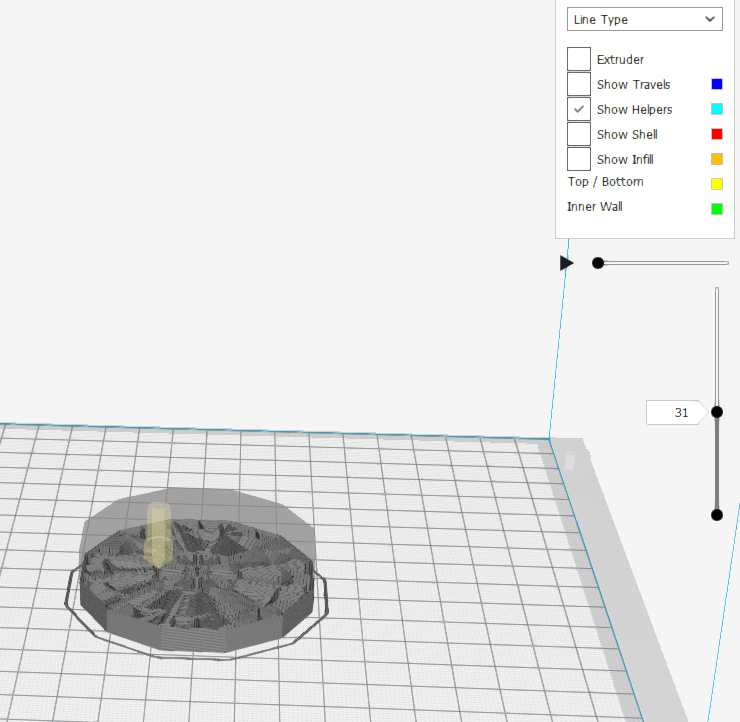
As shown in the picture - Extruder is de-selected. Shell is de-selected. Infill is de-selected.
Travels, oddly, behaves as expected, and it only shows travels if I select them.
Yet - the only color showing is the PLA material color and the extruder, shell and infill are still visible. Moreover, the supports are visible as well, but the colors are all material color. It's as though the drop-down for color scheme is completely ignored.
Expected results
I expected, with the selection made, to only see the cyan of my build supports and the model ghost.
Additional Information
This is a fresh and clean install of 3.4.1. - not an installation over the top of the previous version. The 3.0.x versions didn't exhibit ANY of this behaviour and I quite preferred it.
I have tried completely uninstalling and reinstalling, finding and wiping all cache and registry instances, user preferences folders, etc. This seems to be baked-in to the application (from my POV, for whatever it's worth).
 SwervingLemon
All 16 comments
Update: Found that, actually, on the very first instance of loading a model, if I IMMEDIATELY go to the layer view, it shows everything as you'd expect.
If, however, I uncheck or check any boxes at all - it reverts to this state and will no longer display the different colors or filter out the lines I don't wish to see, regardless of what I do after that.
Closing Cura and restarting it does not seem to change anything.
SwervingLemon
on 16 Jul 2018
Update: 3.4.0 exhibits this same problem, except that in 3.4.0, changing the view to "line thickness" and then back to "line type" corrects it temporarily. This same action did not change anything in 3.4.1.
SwervingLemon
on 16 Jul 2018
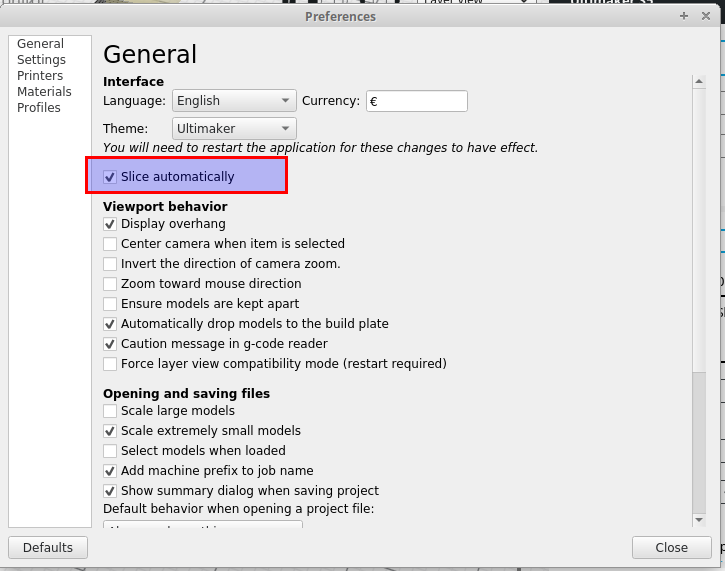
Hi @SwervingLemon , for auto-slicing, it is turned off by default now, but you can still re-enable it in the Preferences:
For the line type visibility problem, it seems to be a problem with the simulation. If you don't run the simulation, it actually shows things correctly.
 LipuFei
on 16 Jul 2018
LipuFei
on 16 Jul 2018
I think the problem here is that you deselected the checkbox "Extruder", hiding all the lines printed with this extruder. So the right behavior is that you select this checkbox in order to show the paths printed with this extruder and filter different types by switching on/off the other checkboxes. You would play with this checkbox, except if you have multiple extruders and want to see what one extruder prints but not other.
A few versions ago, we introduced the Simulation in the "Layer View", that allows you to show one line at a time, using the horizontal slider. The ghost image appears showing all the layers that were already printed at this time. Maybe it's this that confuses you.
As @LipuFei says, the "Auto Slice" was disabled by default in this version, but you can enable it in the preference panel. Also @fieldOfView is working on a plugin to add this option close to the "Prepare" button.
 diegopradogesto
on 16 Jul 2018
diegopradogesto
on 16 Jul 2018
First off, I don't know when you guys introduced this behaviour wherein I have to hit "prepare" every time I change something. I preferred it when it would automatically re-slice when I made changes.
As Lipu says, you can enable that behavior, but while some people really liked it, even more found it incredibly annoying to have Cura constantly try to slice while you're setting up a job. Like an over-eager jack-russell terrier.
 ianpaschal
on 16 Jul 2018
ianpaschal
on 16 Jul 2018
while some people really liked it, _even more_ found it incredibly annoying to have Cura constantly try to slice
I would like to see the data on that...
 fieldOfView
on 16 Jul 2018
fieldOfView
on 16 Jul 2018
Hi @SwervingLemon , we have discussed and decided not to do this in the simulation on the printed layers. To see the specific line types, you can do that without running the simulation.
LipuFei
on 16 Jul 2018
while some people really liked it, even more found it incredibly annoying to have Cura constantly try to slice
I would like to see the data on that...
Sorry it's classified. 😛 But it was an impression derived from discussions within the UM office combined with remarks from GitHub tickets and forum topics.
ianpaschal
on 16 Jul 2018
This is entirely offtopic, but that data is very skewed. Very few people will tell you they like a current behavior, a vocal minority will tell you they dislike a current behavior.
fieldOfView
on 16 Jul 2018
Oh I know. But as someone who hated it, I revel in the victory, no matter if just.
ianpaschal
on 16 Jul 2018
Wait, what?
@LipuFei How do I disable the simulation? Why is it enabled by default?
I had found the auto-slice option and enabled it. This machine can handle it. Slicing times are generally only a second or so for even fairly complex models.
@diegopradogesto - That screenshot may be misleading, as I normally don't worry about the extruder checkbox. However - you can plainly see the material showing in the simulation. In 3.4.0, disabling the extruder checkbox results as you describe. No material shows, just the silhouette of the object boundary, and travels if you have them checked.
In 3.4.1, my experience has been that, regardless of what I check on that list, I see the object silhouette and all the material extruded up to whichever layer I have selected, represented in only the material color from the filament profile.
Also, if you'll note in the image - I have the layers slider about halfway down. Both the ghost of the model and the printed material are visible, but there's no differentiation in line type. I believe LipuFei is correct, and that it's a result of the simulation.
Oddly, however - the simulation in 3.4.0 works and returns to the proper colors once you pause the simulation and click on the layer slider.
If you start the simulation in 3.4.1, it does not appear capable of reverting to the line-type color scheme, regardless of what I click. Moreover, it often _starts_ with the simulation, so I _never_ see a line-type color scheme.
UPDATE: Uninstalled all versions, ran 3.4.1 installer as administrator.
It now behaves similarly to 3.4.0 except it actually _does_ show the proper colors for walls, infill, etc. in simulation mode. @LipuFei I thought that wasn't supposed to be functional?
SwervingLemon
on 17 Jul 2018
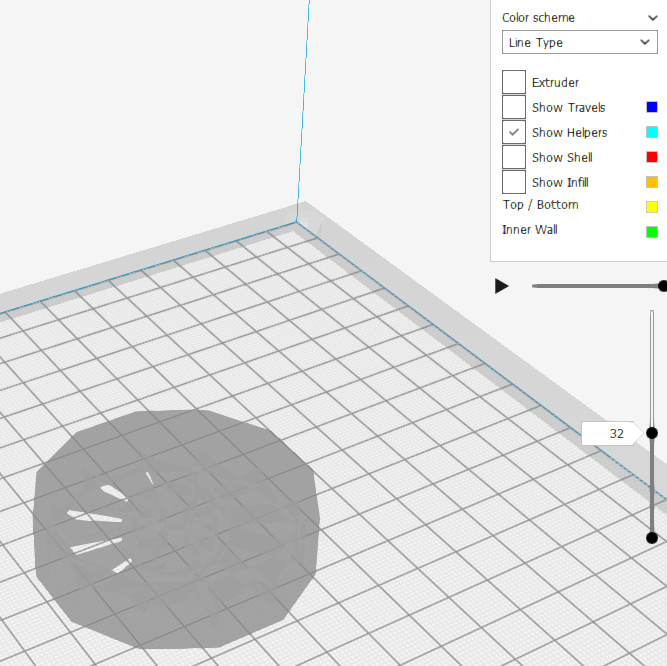
That's as you'd expect... extruder is disabled, there's a ghost but not printed material.
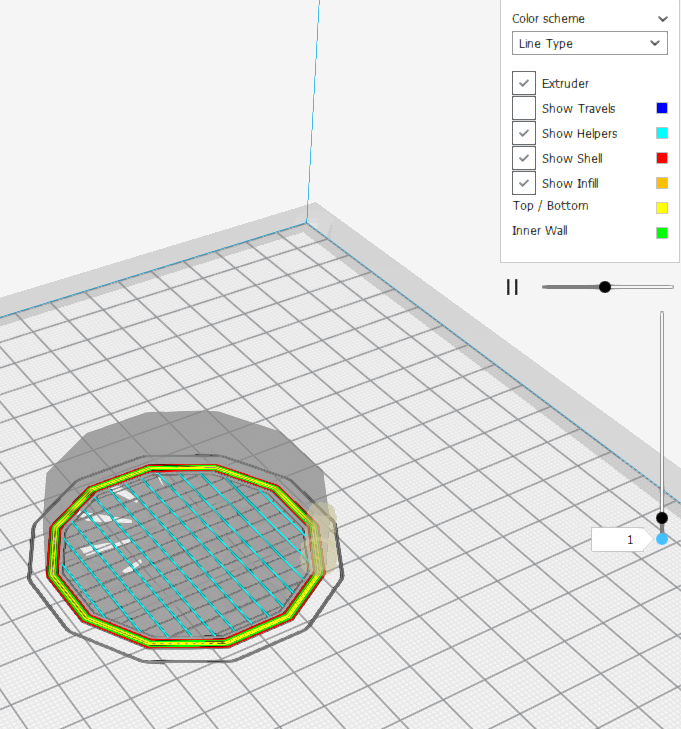
And that's simulation mode, printing in line-type color. Note that it's running, as you can see from the "pause" icon.
SwervingLemon
on 17 Jul 2018
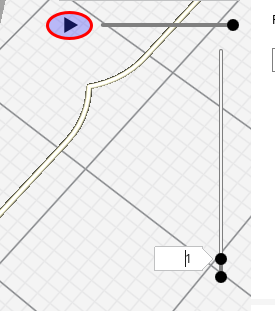
@SwervingLemon To turn off the simulation, you can pause the play and then move the layer bar. It will then switch back to the normal layer view. Normally, if you haven't pressed "play", after the model gets sliced, it will show the normal layer view by default. If you press "play"/"pause" then, it starts the simulation and shows all printed layers in grayish color. To "exit" the simulation, you need to do something like stop the simulation and toggle the layer bar. I think we can improve on this because how to turn off the simulation doesn't seem to be so intuitive.
LipuFei
on 17 Jul 2018
@LipuFei That was the issue, really, was that changing the layer slider did NOT stop the simulation color scheme.
I'm also confused that, after installing as admin, the line type color scheme works fine in simulation mode as well. Perhaps I have a corrupted user profile.
SwervingLemon
on 18 Jul 2018
@SwervingLemon You need to pause it before changing the layer slider, or it will stay in the simulation mode. Check the play button is in the state of "play" first:
LipuFei
on 18 Jul 2018
We're going to change this to automatically stop the simulation when you change the layers manually. Makes sense to us.
 Ghostkeeper
on 29 Aug 2018
Ghostkeeper
on 29 Aug 2018
Related issues
 timherrm
·
3Comments
timherrm
·
3Comments
 konvoj
·
3Comments
konvoj
·
3Comments
 Nemernemer
·
3Comments
Nemernemer
·
3Comments
 probonopd
·
3Comments
probonopd
·
3Comments
 StanislavJochman
·
3Comments
StanislavJochman
·
3Comments