Cura: Make it possible to revert temperature overrides back to Material default.
Application Version
3.1
3.2 beta
probably all...
Platform
all
Steps to Reproduce
- Load some print profile and a material
- change the material, and the print temperature changes accordingly (yay)
- make a bunch of desirable changes like custom infill pattern, and save as your customized beloved profile to be used all the time. "my beloved profile"
- change the material, and the print temperature changes accordingly (yay)
- override the print temperature and save as a update "my beloved profile"
- change the material, and the print temperature does NOT change.
sort of yay, but ALSO a dead end :-(
Please read on.
Actual Results
I understand why and how this happens, but I do think it's a hole in the user experience. A black hole. A dead end that has no easy way of coming back.
- Basically, once we save an override in a profile, this needs to override any setting that comes from the default profiles. So far so good.
- IF such a change is a regular non-material setting, then this works fine. If I need to change some setting back to another value, I do it and update the profile. I can make duplicate profiles with tiny changes, switch between them, etc. In general, I can do what I need. Make sets of changes and switch between them.
- IF such a change is a material setting, then once I change it (just once), my workflow is broken. Let's say I need to tweak temperature just for one print. Maybe I'm testing a new material. So I am tweaking. Once I am done, I essentially want to reset the override so that I can use my "beloved preset" again as a default across materials. I can't do that. No coming back. Now I need to be manually overwriting all material settings anytime I want to switch PETG for PLA.
- Note that the issue is the _same_ for non-material and material settings. The difference is that in the case of material, this hurts the UX way more because we actually offer switching materials as a sub-level below switching print profiles.
- If there was some way to 'go back to the default suggested value' - one could basically 'reset' an override and thus have a functional 'undo' in the preset ecosystem.
- Yet, making this universal feels overwhelming, since we are also offering different sets of settings based on layer height. So many exclusions...
- But for material related settings, the scope seems reasonably limited. Just a way to go back to easily switching materials.
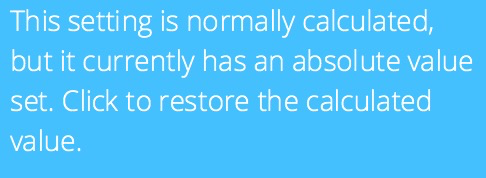
PS: This would be similar to 'click to restore the calculated value', but more sweeping. Going all the way back to the defaults.
Additional Information
Am I making any sense or is this some sort of loop I can't seem to compute ?
 filipgoc
All 8 comments
I think you're absolutely right about this. One has to be careful when saving a material or a profile and once you made a misstep, it's kind of over... If we exclude material settings from profiles, would that work at all times?
 jackha
on 13 Feb 2018
jackha
on 13 Feb 2018
If we exclude material settings from profiles, would that work at all times?
Ofcourse not. There are very valid reasons to include a changed temperature in a profile (faster printing -> higher temperature). Plus: Why would material settings behave different than all the other settings and how would you make that clear to the user?
What is needed is an intuitive way to remove a setting from a profile. That's not complicated to make.
 fieldOfView
on 13 Feb 2018
fieldOfView
on 13 Feb 2018
You're right. In addition, it would be nice to be able to see if i.e. the print temperature is from a profile so that it explains why it is not changed upon changing the material.
jackha
on 13 Feb 2018
it would be nice to be able to see if i.e. the print temperature is from a profile so that it explains why it is not changed upon changing the material.
That's when the setting label is italicized. Too subtle probably, but it is there...
fieldOfView
on 13 Feb 2018
Clicking the little i and then updating your current profile with the change works though. It removes the override from the profile.
What's the difference with what you're suggesting?
 Ghostkeeper
on 7 Mar 2018
Ghostkeeper
on 7 Mar 2018
@Ghostkeeper I am under the impression that it does not remove the override, it just changes the value of the override. I don't think there's any way to actually remove the override completely (from within the GUI)
filipgoc
on 6 Apr 2018
@Ghostkeeper
here's the difference
current behavior
- save a profile with print temperature 240C
- change the material with 225C temperature from the dropdown menu
- the temperature does not change as 240C is hardcoded in the profile.
- (then if you change the temperature again, you can use 'i' to go back to the hardcoded value, but that's not what we want)
desired behavior
- save a profile with print temperature 240C
- change the material with 225C temperature from the dropdown menu.
- the temperature does not change as 240C is hardcoded in the profile.
- click on some sort of clear this override from the profile button
- ( save the profile again if desired)
- now when you change the material from the dropdown, it pulls in the 225C temperature. HOORAY. our ability to use material presets is now restored!
filipgoc
on 7 Apr 2018
I am under the impression that it does not remove the override, it just changes the value of the override.
That's true, but it changes it back to a formula, so your desired behaviour already happens if you click the _i_ button in step 3.
Ghostkeeper
on 1 May 2018
Related issues
 Nemernemer
·
3Comments
Nemernemer
·
3Comments
 probonopd
·
3Comments
probonopd
·
3Comments
 timherrm
·
3Comments
timherrm
·
3Comments
 wi1k1n
·
3Comments
wi1k1n
·
3Comments
 StanislavJochman
·
3Comments
StanislavJochman
·
3Comments
Most helpful comment
Ofcourse not. There are very valid reasons to include a changed temperature in a profile (faster printing -> higher temperature). Plus: Why would material settings behave different than all the other settings and how would you make that clear to the user?
What is needed is an intuitive way to remove a setting from a profile. That's not complicated to make.