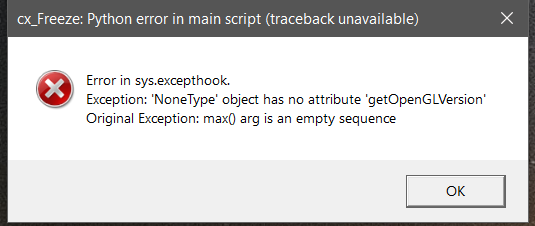
Win10/64, DX 12, Nvidia TI750, drv: 388.13.
 Thisismydigitalself
All 17 comments
Can you give a log file from cura.
 alekseisasin
on 24 Nov 2017
Thisismydigitalself
on 24 Nov 2017
alekseisasin
on 24 Nov 2017
Thisismydigitalself
on 24 Nov 2017
Probably the problem is not related to your OpenGLVersion, from the log file I see the error occurs while initializing containter (it other word printer settings).
I assume you have used custom printers in your previous cura version, if yes then can you provide additional information about them. To do this you can run old Cura load any model and save as project. (and share in github) The saved project will contain information of the used printer. This information might help us to understand better the issue.
alekseisasin
on 24 Nov 2017
Also reported at the forum: https://ultimaker.com/en/community/52135-ultimaker-cura-31-beta?page=1#reply-193559
 Appesteijn
on 24 Nov 2017
Appesteijn
on 24 Nov 2017
What should I be practicing to get this fixed?
Any file i should replace to get going?
Thisismydigitalself
on 24 Nov 2017
Zip up your configuration folder (%APPDATA%\cura) and post it somewhere where it can be downloaded. Something is going wrong while loading your configuration, and we don't know what (yet).
The way to get it going would be to clear out the configuration folder (but leave the folder itself in place), but that will remove all your profiles so it should not be considered a solution.
 fieldOfView
on 24 Nov 2017
fieldOfView
on 24 Nov 2017
Unbelievable.
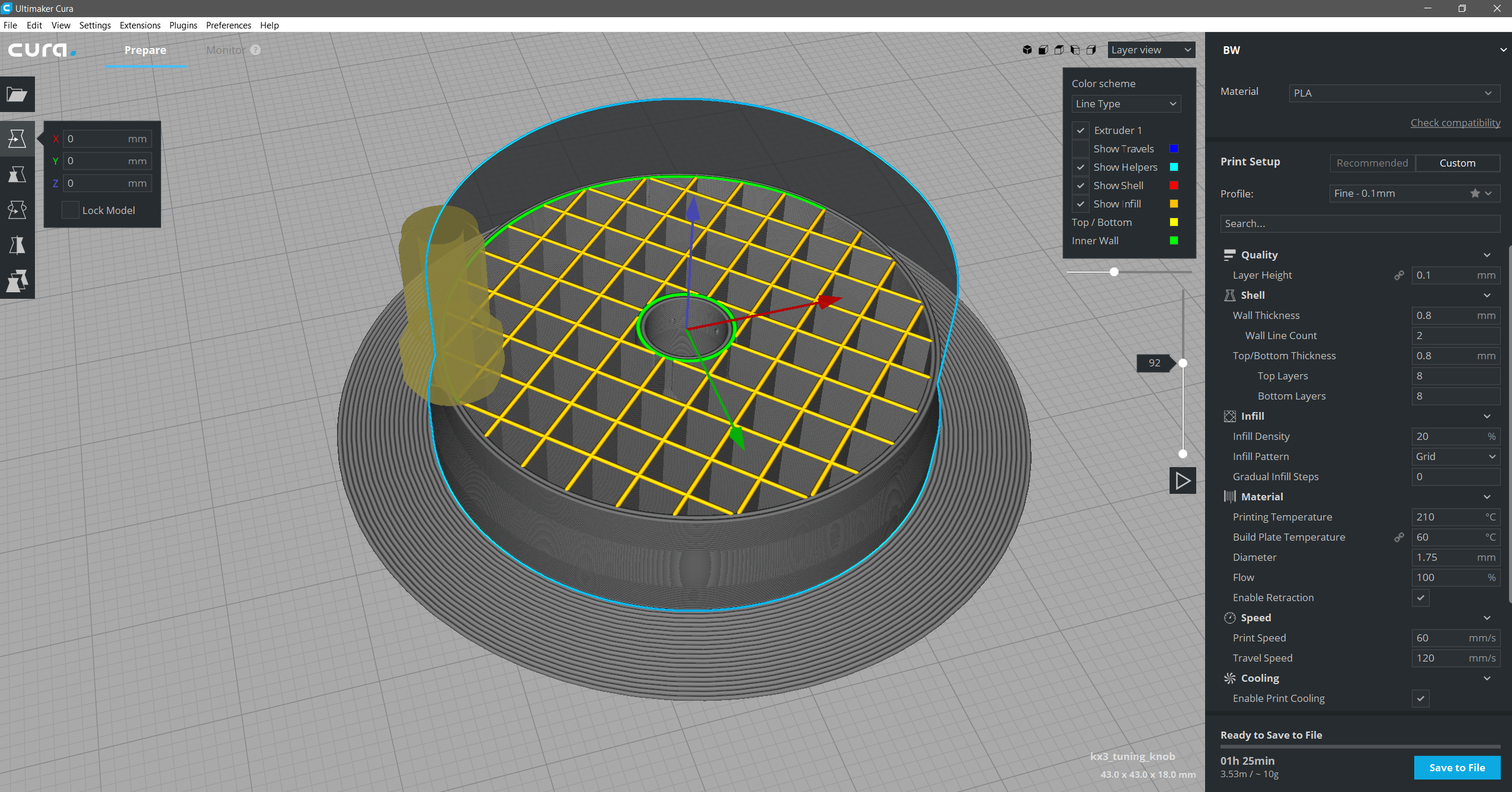
Went into user folder, deleted my printer's *.inst.cfg file and Cura 3.1 is now up and running but without my printer which i will try to set again from scratch.
That's the file i deleted:
[general]
version = 2
name = BW_current_settings
definition = custom
[metadata]
machine = BW
setting_version = 4
type = user
[values]
retraction_speed = 20
Thisismydigitalself
on 24 Nov 2017
Ok. this file is defiantly the culprit.
BW_current_settings.inst.zip
when i move it out from user folder, Cura 3.1 launches ok.
Thisismydigitalself
on 24 Nov 2017
I hope my findings will help fixing this bug.
Thisismydigitalself
on 24 Nov 2017
Same error happens on my side - have also a custom printer/derivate of UMO printer profile...
 Drayson80
on 25 Nov 2017
Drayson80
on 25 Nov 2017
@Thisismydigitalself Can you upload your file again? The file which you uploaded is corrupted and cannot be opened.
alekseisasin
on 27 Nov 2017
@alekseisasin, the file @Thisismydigitalself is not actually a zip, but he renamed it to be a zip so he could attach it here.
@Thisismydigitalself, the file does not give is much information to go on, without the context of the rest of your configuration folder. Could you upload a zipped copy of your whole (not working) configuration?
fieldOfView
on 27 Nov 2017
Actually the folder that represents the 3.0.x state would be quite useful as well so we can check the upgrading procedure between the versions for your specific configuration. The 3.1 folder might already have corrupted files which would be harder to check.
 ChrisTerBeke
on 27 Nov 2017
ChrisTerBeke
on 27 Nov 2017
(also we did a lot of fixes already, so bluntly loading your 3.1 config into our latest 3.1 local builds might cause a lot of other issues that we'll never encounter in real life).
ChrisTerBeke
on 27 Nov 2017
This is the same issue as https://github.com/Ultimaker/Cura/issues/2837
 LipuFei
on 13 Dec 2017
LipuFei
on 13 Dec 2017
2837 is this issue indeed :P
ChrisTerBeke
on 13 Dec 2017
So I believe the currently accepted answer to this one is: The upgrade from 3.0 to 3.1 left the folder in an invalid state. It's fixed in 3.2 but users of 3.1 will have to do a factory reset.
Or am I mixing up things now?
 Ghostkeeper
on 1 Jan 2018
Ghostkeeper
on 1 Jan 2018
Related issues
 muhammadelmogy
·
3Comments
muhammadelmogy
·
3Comments
 dstulken
·
3Comments
dstulken
·
3Comments
 tomoinn
·
3Comments
tomoinn
·
3Comments
 thopiekar
·
3Comments
thopiekar
·
3Comments
 StanislavJochman
·
3Comments
StanislavJochman
·
3Comments