I just installed the new cura 2.7, and now when I want to look at my prints in layer view it wont re-slice it and only shows the grey outline of the object. Even as I adjust which layer height it's on, all it shows is that its on the 1st layer and nothing changed.
Thanks for the help!
 dadavis6011
All 16 comments
Hi, do you see a Prepare button in bottom right corner? If so, press that!
 smartavionics
on 3 Sep 2017
smartavionics
on 3 Sep 2017
Thanks for the fast response, but no there is no Prepare button on my screen. I attached a picture of what my screen looks like on my end.
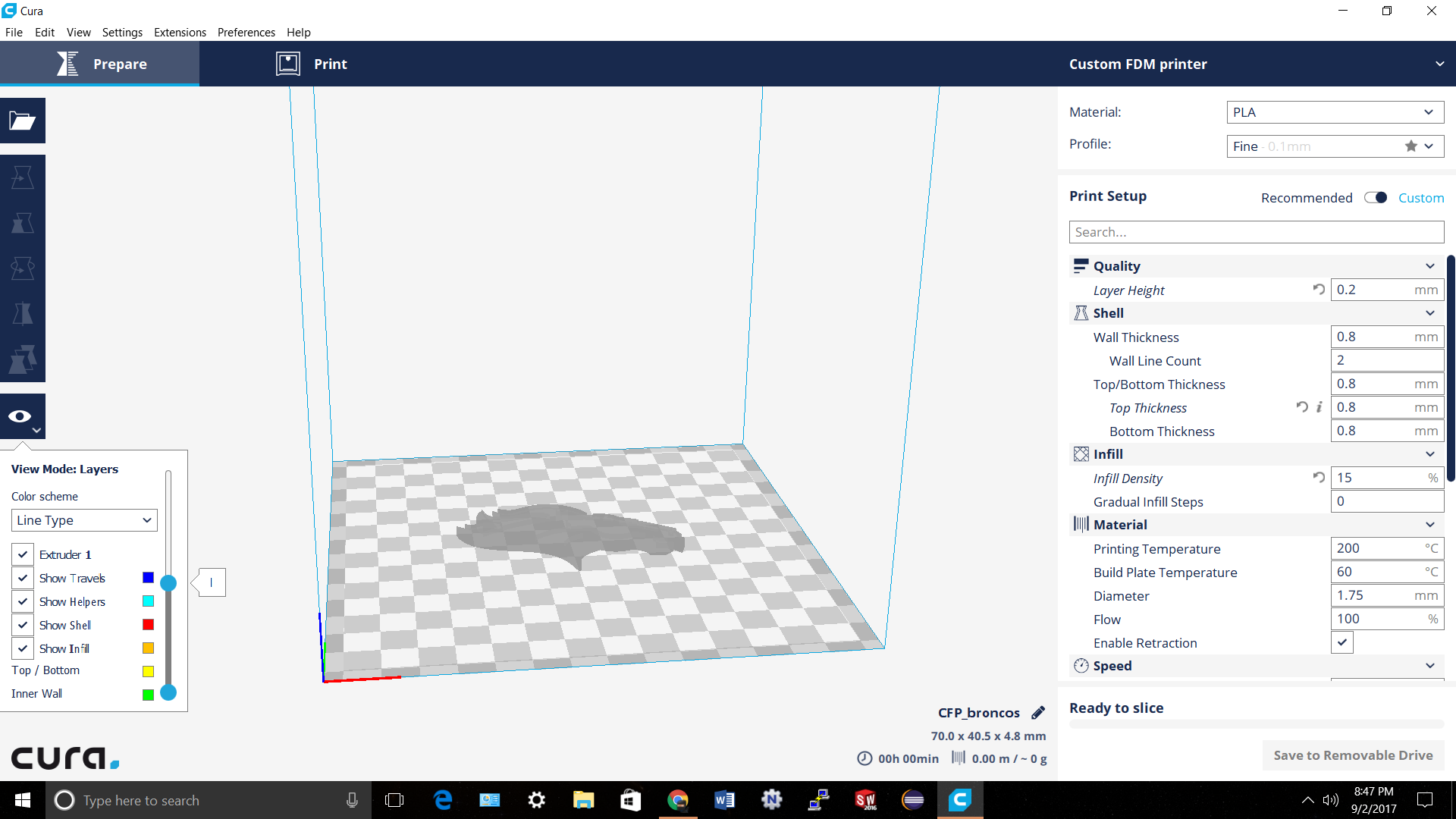
dadavis6011
on 3 Sep 2017
OK, but if you now change one of the settings, does it show the prepare button instead of the save to removable drive button? BTW, I see that lots of people are having a problem with the save to removable drive feature on Windoze. Perhaps your problem is related to that?
smartavionics
on 3 Sep 2017
Or maybe there's a problem with the model? Can you post a link to it, please?
smartavionics
on 3 Sep 2017
I change the infill density and it sliced it and know the layer view in showing up.
Thanks for you help!
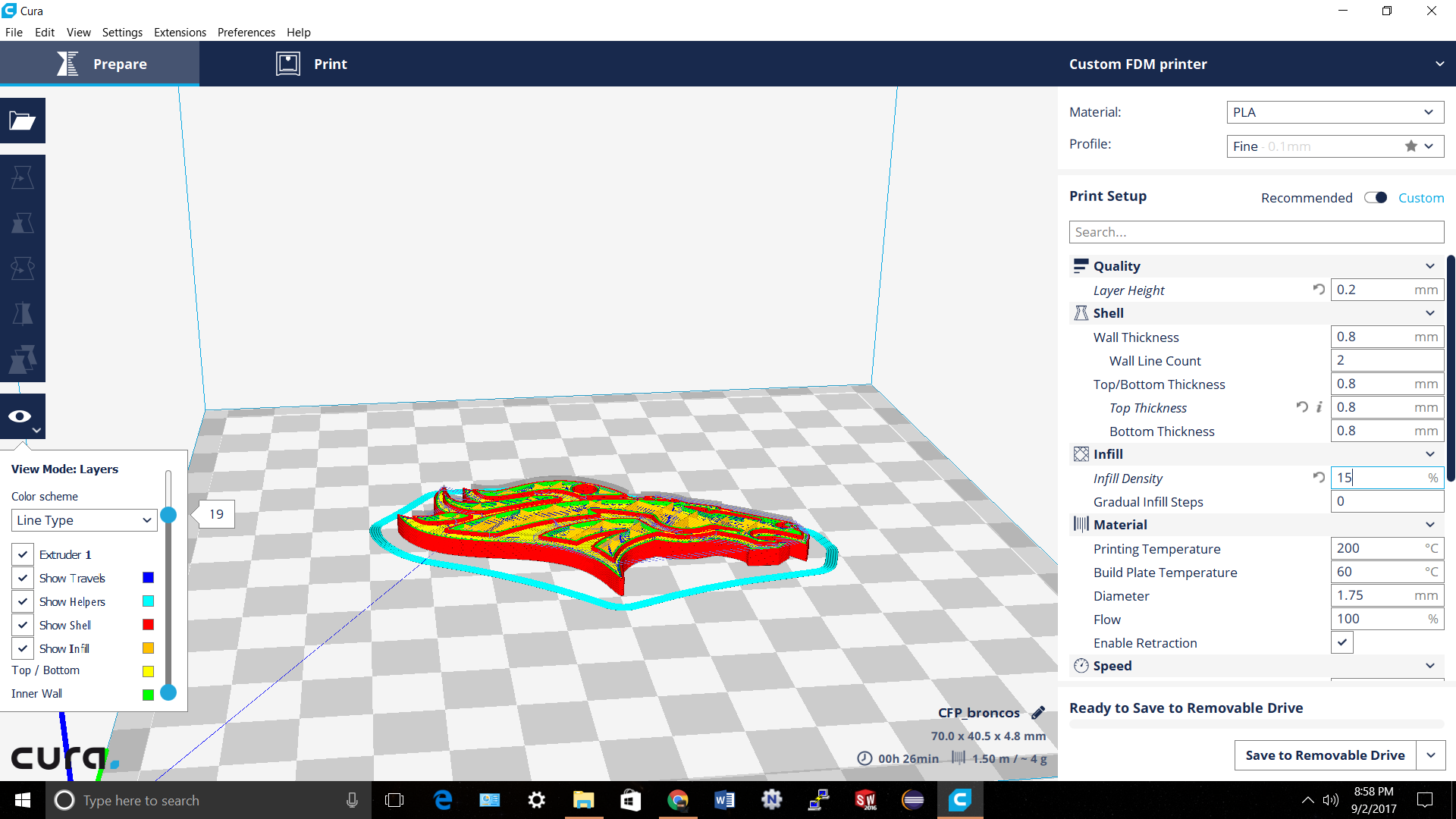
dadavis6011
on 3 Sep 2017
OK, that's good. If you're happy, please close this issue. Bye.
smartavionics
on 3 Sep 2017
I would still think this constitutes as a bug
 fieldOfView
on 3 Sep 2017
fieldOfView
on 3 Sep 2017
It seams to only happen when I put a put a print in layer view after opening it and I haven't changed any print settings. It does eventually work when I change one of the print settings and it goes to re-slice it and then shows it in layer view. If this does constitute as a bug, how should I report this.
dadavis6011
on 3 Sep 2017
Hello again. Well, just creating this issue is good enough, why don't you reopen it again and the devs will take notice.
smartavionics
on 3 Sep 2017
Hi @dadavis6011 , I cannot reproduce the problem... Could you send us your log file when it happens? And could you also create a project file out of it and send it to us?
 LipuFei
on 4 Sep 2017
LipuFei
on 4 Sep 2017
This bug has existed for quite a long while now, but it only occurs very rarely and not at all when stress-testing. I've seen it in 2.5, 2.6, 2.7 and master (and perhaps earlier, but I don't remember). The problem is that we can't reproduce it when we need to, as it only happens like twice a week on a full work-week of working with Cura.
 Ghostkeeper
on 10 Sep 2017
Ghostkeeper
on 10 Sep 2017
As a workaround, I typically drag the model up a bit above the build plate, then let it drop down automatically again. This triggers a reslice, and that will (99%) be working fine.
Ghostkeeper
on 10 Sep 2017
As an edge case bug in an old version, I'm labelling this Won't Fix and closing.
 ianpaschal
on 27 Feb 2018
ianpaschal
on 27 Feb 2018
It's not an edge case (happens with all default settings and a simple cube sometimes) and still happens today. It has been getting worse recently too! But it's still quite hard to debug.
Ghostkeeper
on 21 Mar 2018
I'm getting it constantly at the moment, even after reslicing. Are there any files I can share to help track this down?
 ScottyDoesKnow
on 29 Apr 2018
ScottyDoesKnow
on 29 Apr 2018
As part of our new ticket handling strategy, we voted as a team on the likelihood of fixing this issue. Unfortunately, we’ve decided that we will not take time to fix it, and are marking it as Status: Won’t Fix/Do and closing the issue.
@ScottyDoesKnow We're really sorry you're experiencing it a lot but due to the rarity and randomness with respect to recreating it, it's basically impossible to code a fix without just getting blind dumb luck.
ianpaschal
on 23 May 2018
Related issues
 DamianSepczuk
·
3Comments
DamianSepczuk
·
3Comments
 rudowinger
·
3Comments
rudowinger
·
3Comments
 Nemernemer
·
3Comments
Nemernemer
·
3Comments
 timherrm
·
3Comments
timherrm
·
3Comments
 ferociousdiablo
·
3Comments
ferociousdiablo
·
3Comments
Most helpful comment
I would still think this constitutes as a bug