Hi All
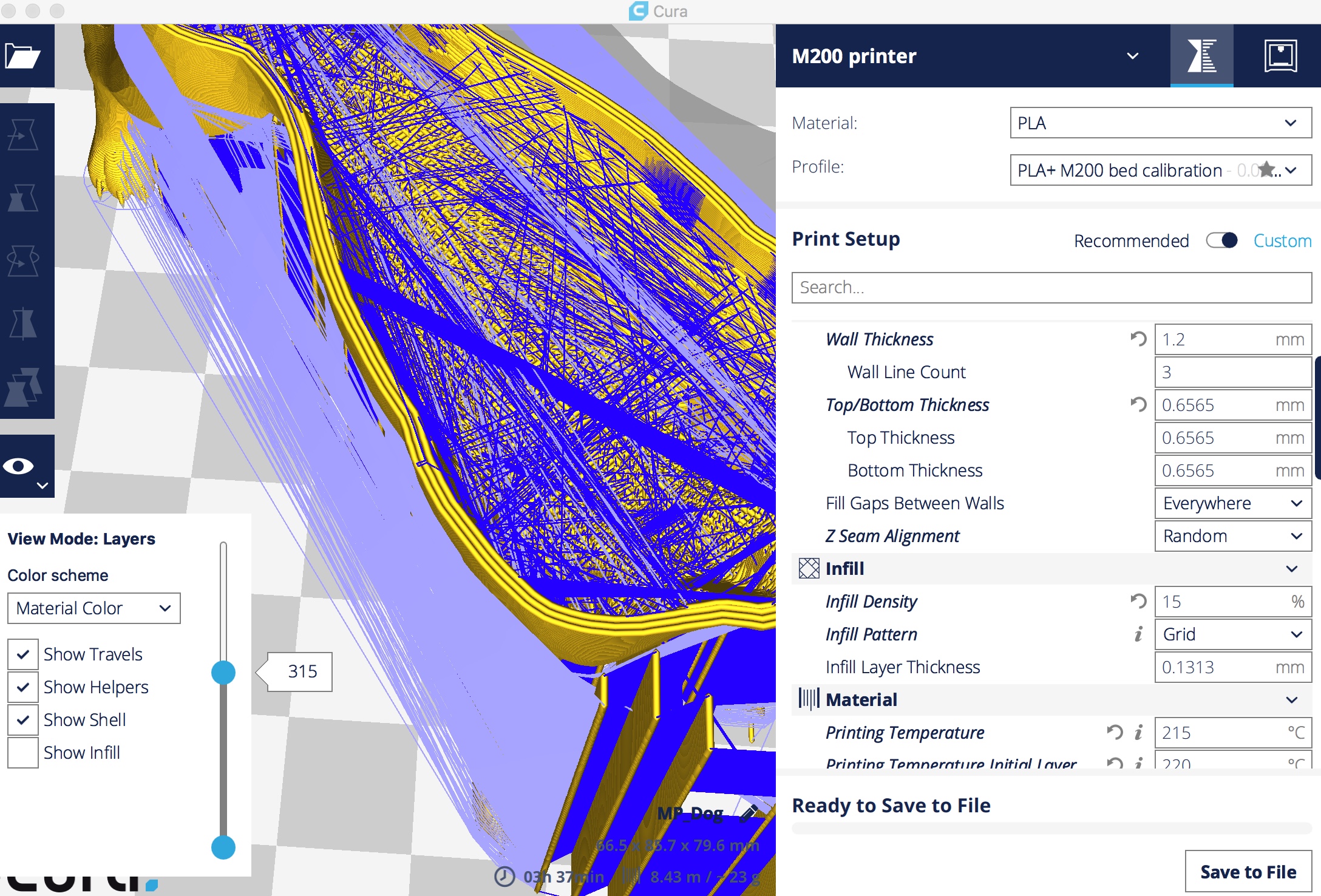
I am printing a dog.stl from Thingiverse, sliced with Cura but the three shells are not joined together to form a solid wall. I have calibrated the extruder with the same filament but different colour, also checked filament width. There are gaps in the wall shells as I am watching it print. This will end up as a week print, not a big problem for this item but I thought Cura fixed these problems. Any ideas?
 Dunkc
Dunkc
All 11 comments
Can you please post a link to the stl, there's lots of dogs on thingiverse!
 smartavionics
on 18 Aug 2017
smartavionics
on 18 Aug 2017
I am pretty sure this is it. Body wall now seems OK but lower legs sections had problem.
Dunkc
on 18 Aug 2017
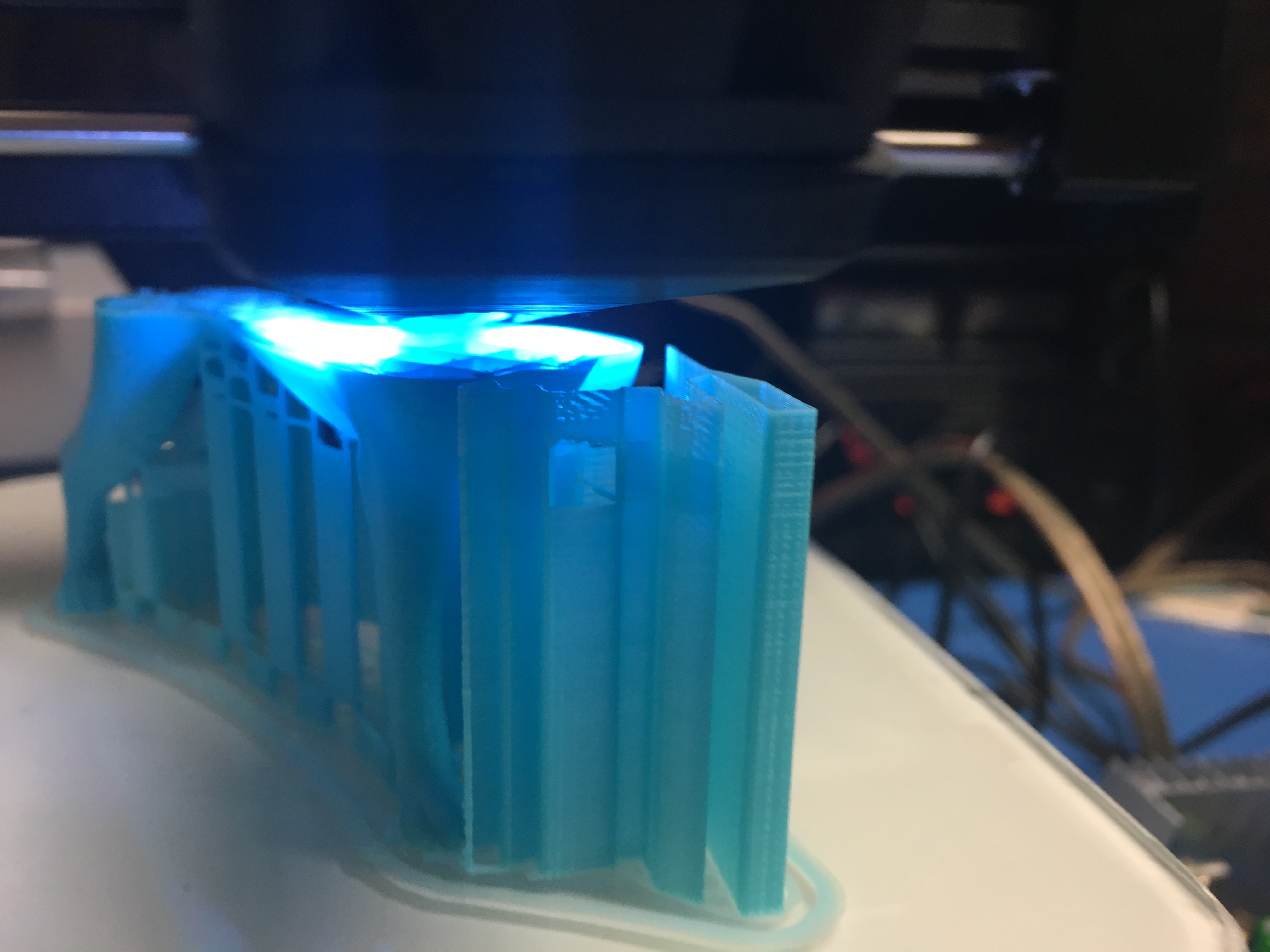
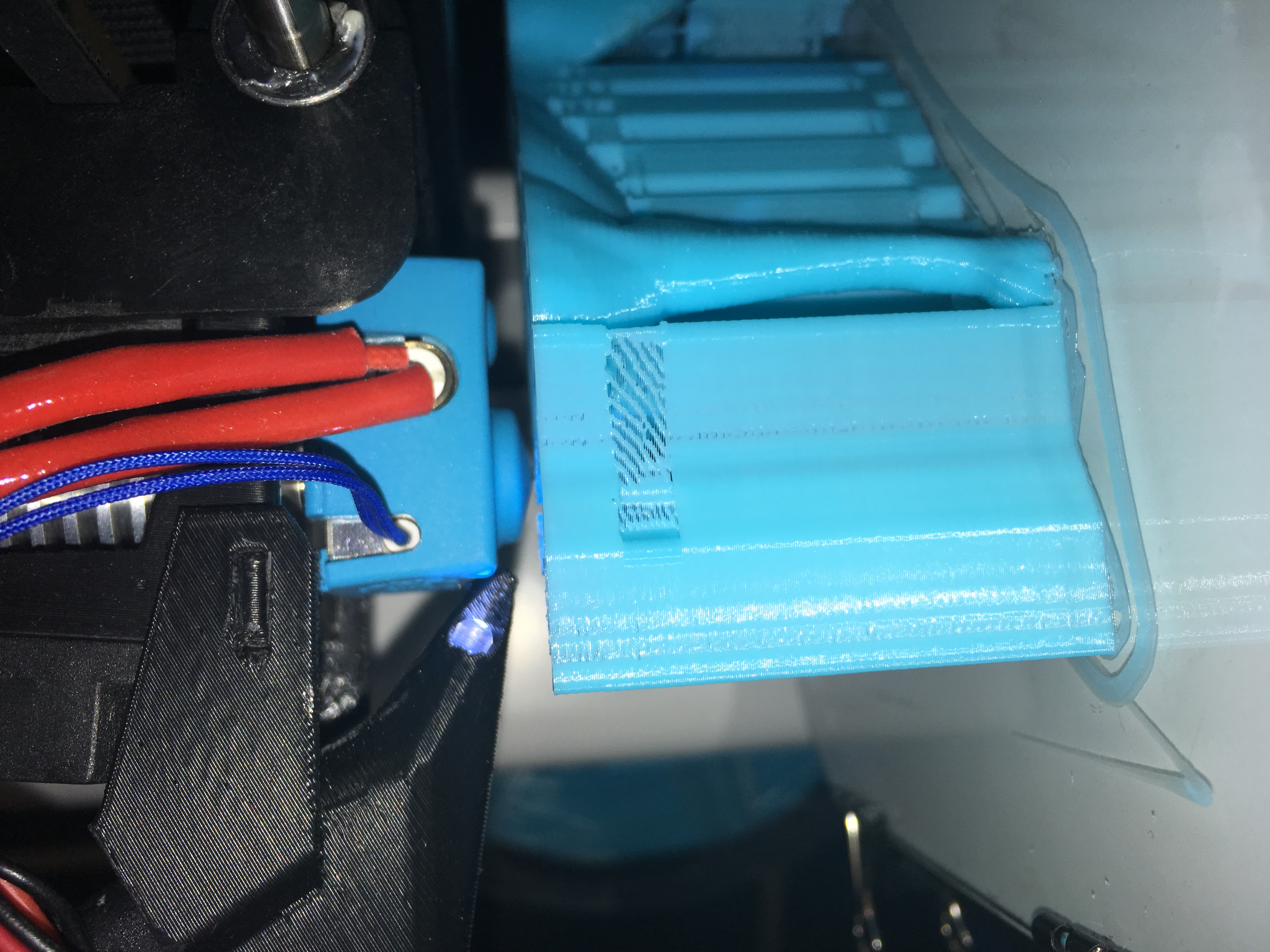
Also noticed strange holes and gaps in support
Dunkc
on 18 Aug 2017
Wow, that's a big dog!
I can't see any problem in the walls, looking at the layer view. Those gaps in the support do look weird. Sorry, I don't have any suggestions as to what's happened there. Hope the print comes out OK.
smartavionics
on 18 Aug 2017
Thanks for looking. Seems to be going OK. I have noticed (or imagined ) that since the last Cura update the models are HUGE and not centred in the build area automatically
Duncan
On 18 Aug 2017, at 8:37 pm, Mark Burton notifications@github.com wrote:
Wow, that's a big dog!
I can't see any problem in the walls, looking at the layer view. Those gaps in the support do look weird. Sorry, I don't have any suggestions as to what's happened there. Hope the print comes out OK.—
You are receiving this because you authored the thread.
Reply to this email directly, view it on GitHub, or mute the thread.
Dunkc
on 18 Aug 2017
There are settings in Preferences/General that control the automatic scaling of large/small models and shifting them to sit on the build plate. People grumbled about the automatic scaling so I think that's off by default now.
smartavionics
on 18 Aug 2017
Thanks Mark
I'll have a look.
Are you on the development team? If so thanks for the great work.
Duncan
On 18 Aug 2017, at 8:44 pm, Mark Burton notifications@github.com wrote:
There are settings in Preferences/General that control the automatic scaling of large/small models and shifting them to sit on the build plate. People grumbled about the automatic scaling so I think that's off by default now.
—
You are receiving this because you authored the thread.
Reply to this email directly, view it on GitHub, or mute the thread.
Dunkc
on 18 Aug 2017
Are you on the development team? If so thanks for the great work.
Thanks. I'm only a member of the Cura community, I have no connection with Ultimaker (I don't even own one of their printers!) But I look at my prints and think to myself, hmm, this aspect or that aspect could be improved so I like to tinker with the slicer to try and make it better and, of course, I want others to benefit too. That's the beauty of open-source development.
smartavionics
on 18 Aug 2017
👍🏾
Duncan🇦🇺
Dunkc
on 18 Aug 2017
I advise to use ZigZag support rather then Lines.
I don't really see any problems in your gcode. Can this issue be closed?
 BagelOrb
on 23 Aug 2017
BagelOrb
on 23 Aug 2017
The print came out really well. Close the case. The lower parts of the rear legs of the dog were definitely printed as a series of non-connected concentric rings but this is a decorative item.
Duncan
On 23 Aug 2017, at 8:55 pm, Tim Kuipers notifications@github.com wrote:
I advise to use ZigZag support rather then Lines.
I don't really see any problems in your gcode. Can this issue be closed?
—
You are receiving this because you authored the thread.
Reply to this email directly, view it on GitHub, or mute the thread.
Dunkc
on 23 Aug 2017
Related issues
 timherrm
·
3Comments
timherrm
·
3Comments
 thopiekar
·
3Comments
thopiekar
·
3Comments
 konvoj
·
3Comments
konvoj
·
3Comments
 StanislavJochman
·
3Comments
StanislavJochman
·
3Comments
 DamianSepczuk
·
3Comments
DamianSepczuk
·
3Comments
Most helpful comment
Thanks. I'm only a member of the Cura community, I have no connection with Ultimaker (I don't even own one of their printers!) But I look at my prints and think to myself, hmm, this aspect or that aspect could be improved so I like to tinker with the slicer to try and make it better and, of course, I want others to benefit too. That's the beauty of open-source development.