Cura 2.6 unable to upgrade firmware for UMO+
I'm Using a Ultimaker Original plus and i'm unable to upgrade the firmware.
"due to a communiaction error".
This works fine using earlier versions V2.5 and before.
(I also reported this using the 2.6 Beta)
I removed everything and reinstalled, without a result.
Returning to Cura 2.5.

 Pascal1573
All 40 comments
Could you post the logs?
 nallath
on 26 Jun 2017
nallath
on 26 Jun 2017
I had this same issue on windows 10, worked fine on OSX though.
 ChrisRiddell
on 26 Jun 2017
ChrisRiddell
on 26 Jun 2017
Sorry for the late responce I will upload the log asap. not able to at the moment. sorry!
as soon as i'm able to, i'm going te reinstall 2.6 and send the log!
By the way I use windows 10 pro (64bit) (ann. ed.)
Pascal1573
on 27 Jun 2017
Hi I installed cura2.6 and tried to update firmware.
the cura log is 2 days old, but the stderr and stdout logs are "from now".
It looks like the printer is detected at com4, but then the update procedure tries to use com1.
I did see version 2.6.1. going to install that one now.
-edit- cura 2.6.1 also unable to upgrade firmware
stderr.zip
** stderr.zip = cura 2.6.1
stdout.zip = cura 2.6
don't look at the filenames of the zip-archiefs both contain 3 files: cura.log, stderr.log , stdout.log
Thanks for looking at the issue.
Pascal1573
on 28 Jun 2017
I don't see anything specific that could explain this in the logs. Weird. I'll ask testing if they also encountered the issue.
nallath
on 29 Jun 2017
ok (?)
If I have to test something just tell me and I'll do it.
With Cura 2.5 and before it works just fine even now.
It's the same USB cable the same PC the same UMO+.
When using cura 2.6, do I have to upgrade firmware? Or could I use cura 2.6(.1) and the firmware that I loaded with 2.5?
Pascal1573
on 29 Jun 2017
We didn't change any code regarding the USB upgrading (or any USB related stuff) as far as I know. Could you try if uploading the firmware with the install custom firmware button works (and then upload the firmware from version 2.5)?
nallath
on 29 Jun 2017
When using cura 2.6, do I have to upgrade firmware? Or could I use cura 2.6(.1) and the firmware that I loaded with 2.5?
You should be able to run Cura 2.6 with the firmware that came with Cura 2.5 just fine.
 fieldOfView
on 29 Jun 2017
fieldOfView
on 29 Jun 2017
nallath i did what you asked.
I used cura 2.6.1 to upload the firmware provided with cura 2.5

as you can see again unsuccessfull.
and here are the logs again.
cura.zip
Using Cura 2.5 and uploading the firmware provided with 2.6.1 is working.
Then I noticed something while checking the firmware version on the display.
It looks like cura 2.6 (.1) gives an error, but the firmware is loaded in the printer.
firmware provided with 2.5 "mar 10 2017 10:33:19"
firmware provided with 2.6.1 "jun 14 2017 09:25:19"
I double checked, also using the procedure to use cura 2.5 uploading the 2.6.1 firmware.
Pascal1573
on 29 Jun 2017
Hi there, i have the same Problem. Using Win10 64 Bit and the latest Cura 2.6.1. I'm not able to do the upgrade, it always stops with the communication Error mentioned above. But when i check the Version on my Ultimaker 2+ it tells me Firmware Version 2.6 14. Jun. With Cura 2.5 everything worked fine (It installed the 2.4 Firmware propperly) I also deleted the Cura Folders in AppData Roaming // Local. No effect. If you want some logs... Where can i find them? :D
 Equinox1st
on 30 Jun 2017
Equinox1st
on 30 Jun 2017
Hi!
The logs are in:
c:\users\-username-\appdata\local\cura
Pascal1573
on 1 Jul 2017
Thank you :) I'll post them on Monday
Equinox1st
on 1 Jul 2017
Note that for 2.6, the logs are in /roaming/cura/2.6, not in /local/cura
fieldOfView
on 1 Jul 2017
Ok Thanks :)
Equinox1st
on 1 Jul 2017
oke.. then I did post the wrong ones. thanks!
--edit-- If I look at the dates of the log files in that directory, the are older then the ones I posted.
So are you sure?
The logs in this directory c:\users-username-\appdata\local\cura are up to date.
Pascal1573
on 2 Jul 2017
Worth noting that while Cura 2.6 has a "new" version for the UMO firmware and all its variants, there should be no change from the 2.5 other than the compilation date and the version number.
This is because of the script that I'm using to recompile: https://github.com/Ultimaker/cura-build/blob/master/marlin-build.sh
It basically just builds all of the firmwares that Cura supports except that odd Witbox one. Perhaps it should do something with the commit hashes to only recompile the ones that are updated.
There was a change for the UM2 firmware though (something with a build plate temperature fix, iirc).
 Ghostkeeper
on 3 Jul 2017
Ghostkeeper
on 3 Jul 2017
Ok, so now here are the logs.
I'm using Win 10 64 Bit and an Ultimaker 2+
First I deleted Cura 2.6.1 (the files in AppData\local an Roaming too) and installed 2.5 and did the firmware upgrade, everything was fine.
@Pascal1573 The Logs (cura/stderr/stdout) are in the directory appdata\local
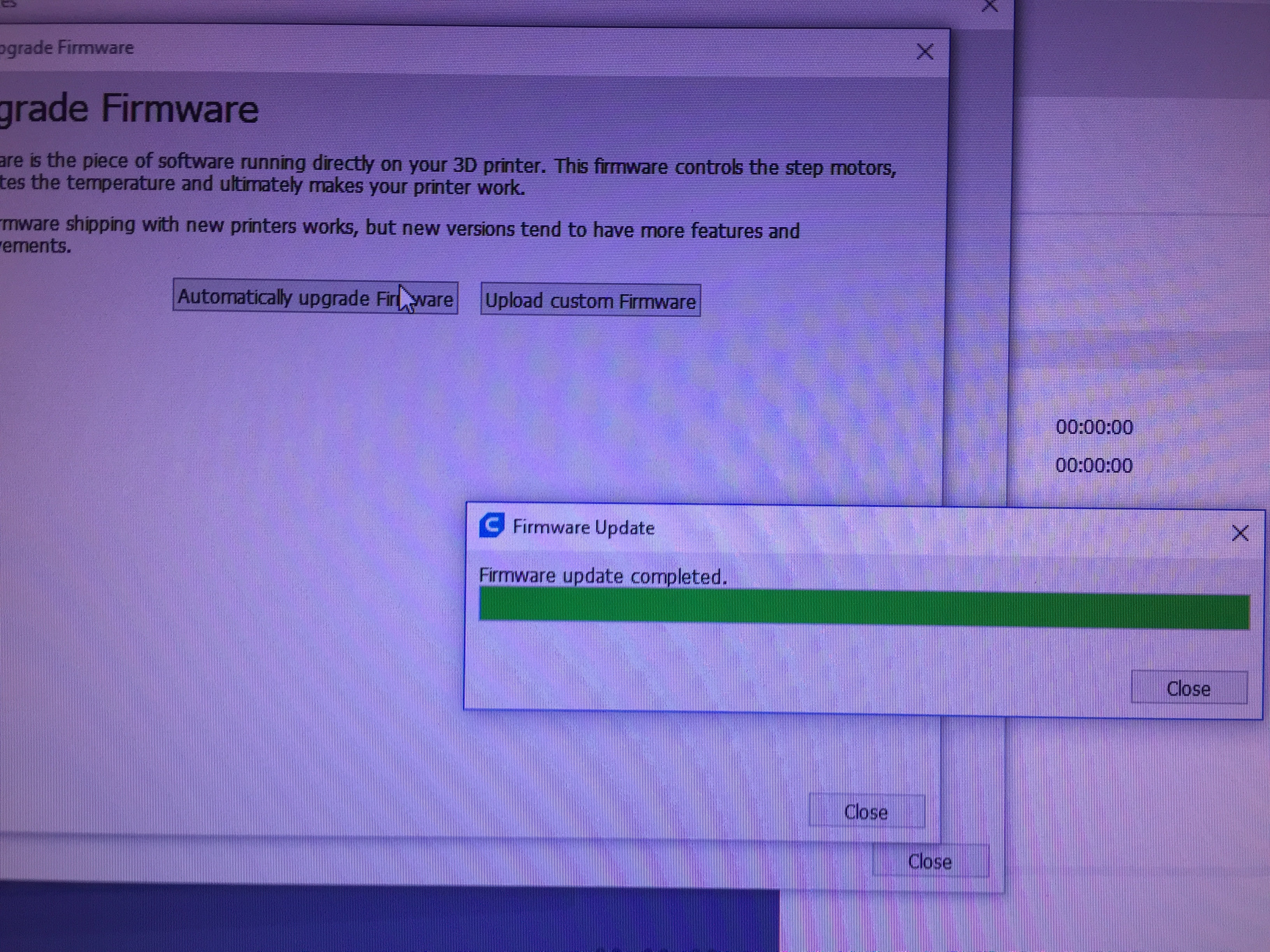
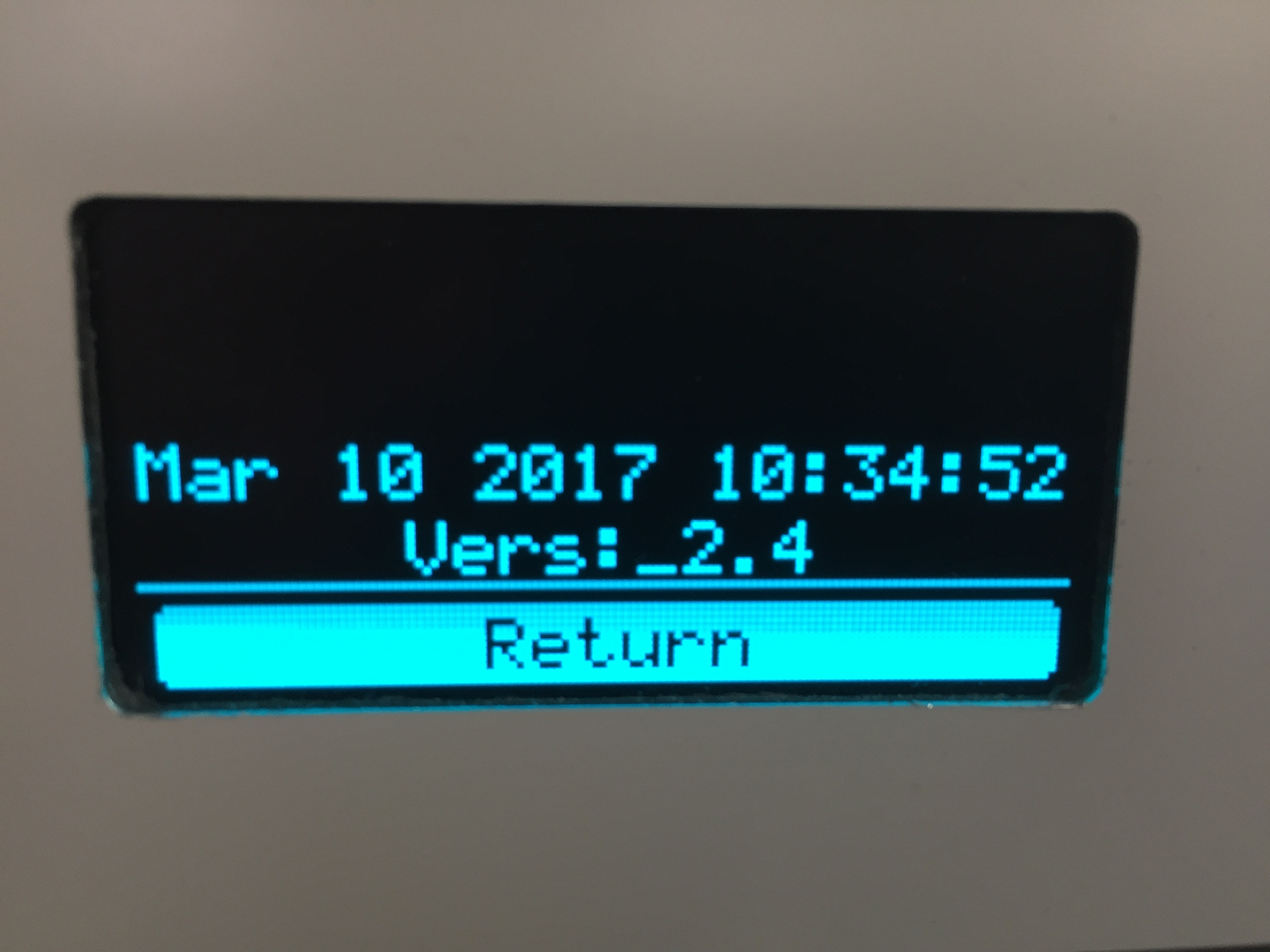
Now i deleted Cura 2.5 (the appdata folders too) an installed 2.6.1
It abortet with the known Error Msg but whe i checked the Version on the Printer it is a new Version
@Pascal1573 The logs are here: cura.log at Roaming and the other two at local
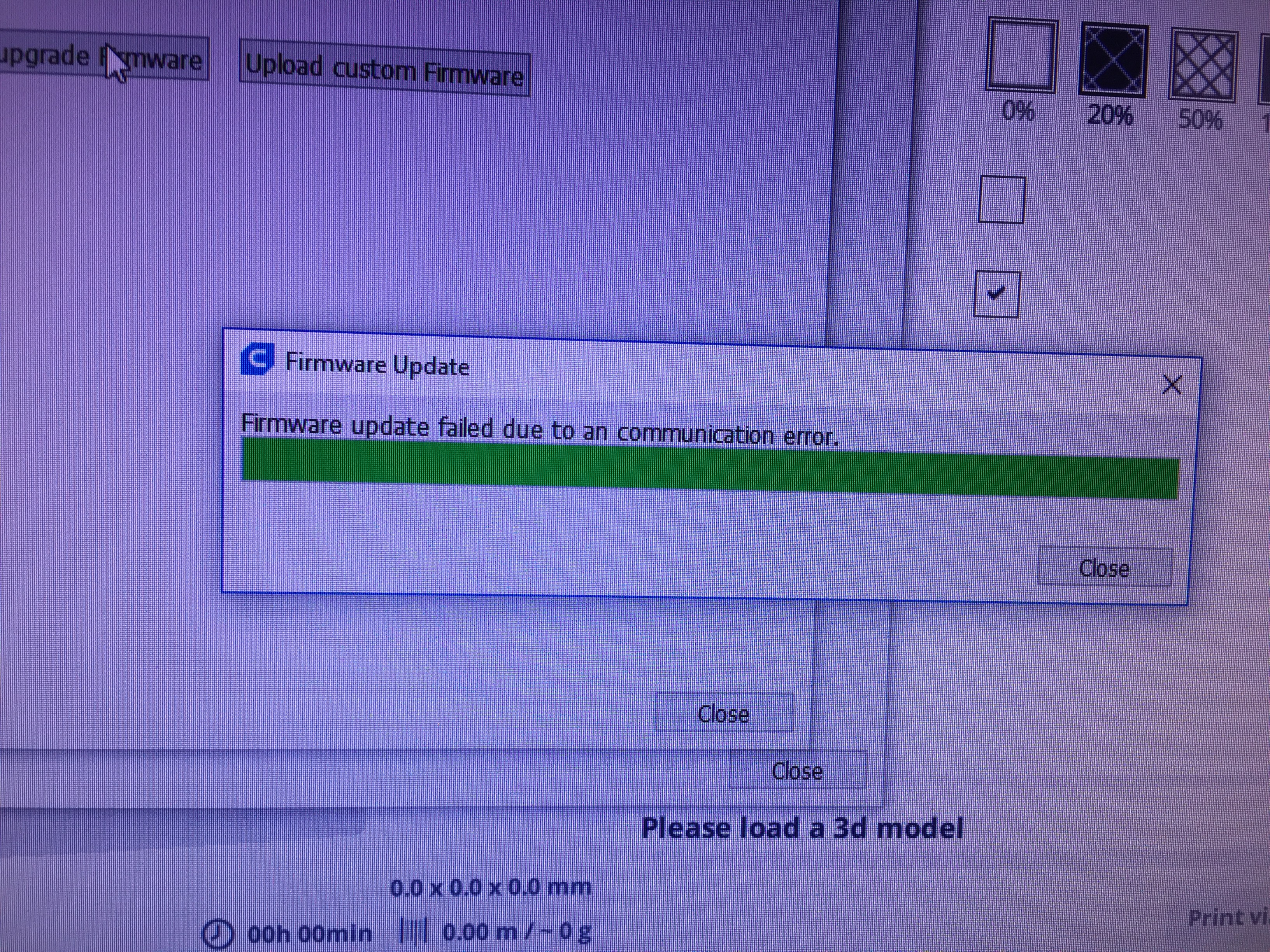
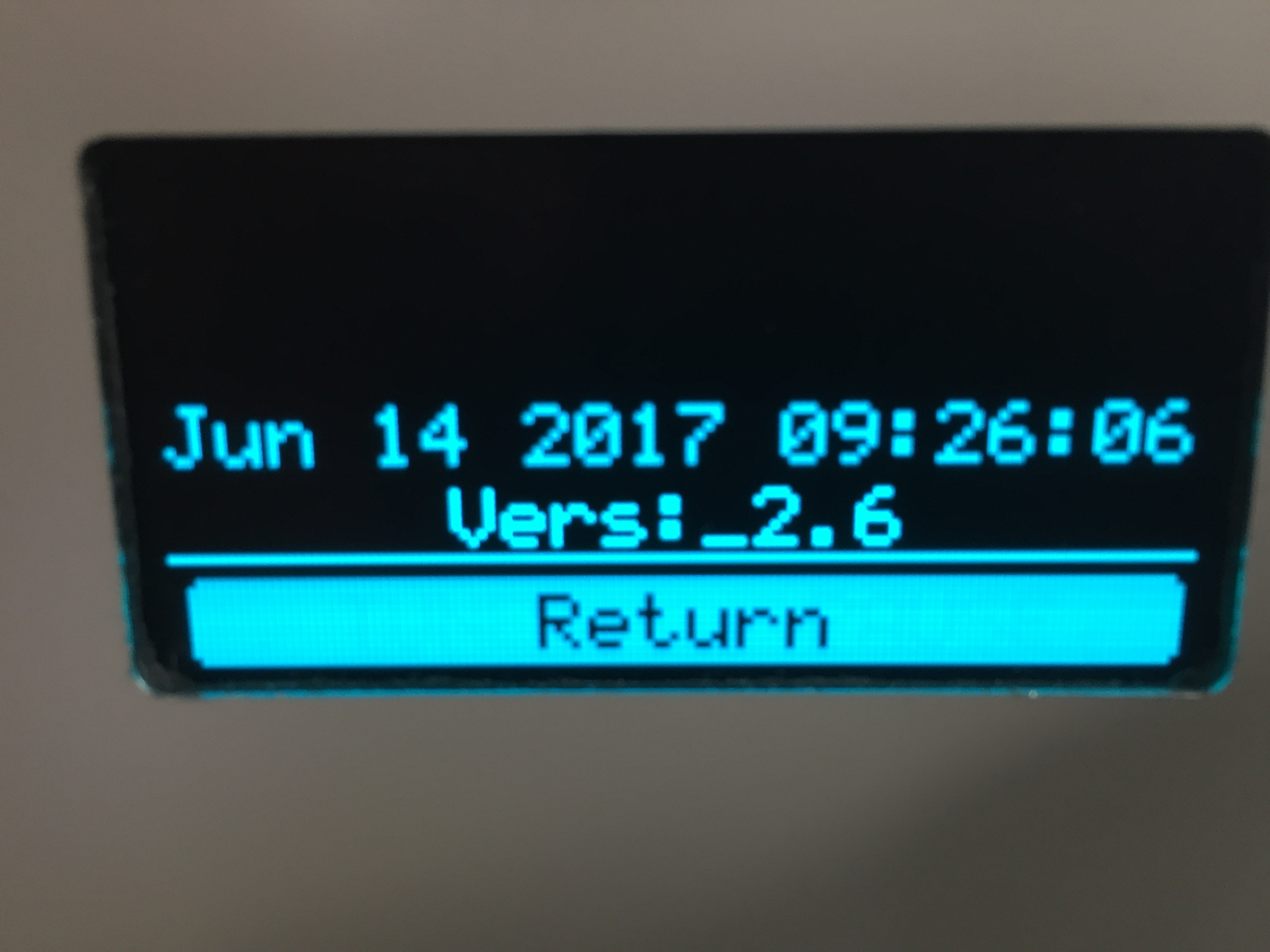 Equinox1st
on 3 Jul 2017
Equinox1st
on 3 Jul 2017
I just tested this on an Ultimaker Original and an Ultimaker Original+. They seemed to upgrade fine. No error messages in Cura, just "completed".
Ghostkeeper
on 3 Jul 2017
@ GHostkeeper: Okay, but I still get the message. As a did mention same PC same cable same printer..
With 2.5 no error , with 2.6(.1) the commnunication error.
The firmware is loaded in the printer though!
Did you test with an apple? (Someone did mention that they didn't (did NOT) get the message on an apple)
I use the windows version.
@Equinoxe1st: Thnx, next time I'll take the logs from that direct. :)
Pascal1573
on 3 Jul 2017
It's a hackintosh: Apple hardware but the OS is Ubuntu.
Ghostkeeper
on 3 Jul 2017
(that's not a hackintosh; hackintosh is OSX on non-apple hardware)
fieldOfView
on 3 Jul 2017
Ah. Well it's a Macinhack then?
Ghostkeeper
on 3 Jul 2017
@teriperi tried this on Windows 10 at my behest and says it updated fine for her as well.
Ghostkeeper
on 7 Jul 2017
@Ghostkeeper: I just updated to cura 2.6.2 and tried it again.
I still get the "error message" "Firmware update failed due to an comminication error.".
Unlike the message sugested the firmware is loaded though... firmware date 4 jul 2017.
It looks like you don't believe the other persons in this topic, only because your update is going okay? Peronaly I think you are just testing with your ubuntu box, or your running windows 10 (pro or are you using home) in a virtual machine.
(And if I'm mistaken than sorry for my comment.)
I'm going to update my windows 10 pro from annivesary edition to creators update. So I have to test eveything again, if my PC is up and running again..
Pascal1573
on 9 Jul 2017
I'm believing you! It's just that when we can't reproduce the issue on our end it's going to be very hard to do anything about it.
I was indeed testing with my Ubuntu box, but the Windows 10 was an actual Windows 10 laptop, not a VM. I believe it's Enterprise edition (not entirely sure).
My prime suspect right now is the Arduino firmware. That has given us trouble in the past as well. You could try re-installing the Arduino firmware, maybe. You can install it through the Cura installer, or from the Arduino website. Don't use the default firmware that comes with Windows 10.
Ghostkeeper
on 10 Jul 2017
Sorry for the late responce.
Isn't the arduino firmware/driver installed by the cura installer?
I have cura 2.5 also installed on my windows box.
Can I use or run someting from that install to install the arduino stuff?
Firmware update is going okay with the 2.5. (is going okay = no comm error massage.)
Pascal1573
on 19 Jul 2017
Yes the Arduino firmware should get installed by the Cura installer (unless you disable that). However if you ever tried fixing the firmware via Windows, Windows will put its own, older version of the firmware back.
The Arduino versions we delivered with 2.5 and with 2.6 are the same. It shouldn't matter. In fact, they haven't been updated in 2 years, but still the version in Windows is older...
So if 2.5 worked and 2.6 didn't then it would be something on Cura's side that broke it. But only broke it for you.
Ghostkeeper
on 24 Jul 2017
@Ghostkeeper Firmware or driver?
fieldOfView
on 24 Jul 2017
@Ghostkeeper For me too 😄
can we somehow give you more Informations, so you can reproduce this?
When 2.6.1 got out, i also tried upgrading with my win10 Laptop, this failed the same way. Sorry i forgot about it...
Equinox1st
on 24 Jul 2017
Ok i tried it with Cura 2.6.2.
Laptop success - Desktop failed.... I added the Logs
Laptop.zip
Desktop.zip
Equinox1st
on 25 Jul 2017
okay....I didn't cancel the driver installation that came with the cura installer..
But like I mentiond my windows had an update, so I will install everything cura related once again.
(But everything I wrote was before this update (v1703 "creators update"))
The arduino driver must be the "not MS" one, so this could also mean that the usb (chipset) driver could be giving the same problem.(?) (at the moment this is a MS driver (for intel 5 series) on my machine i noticed).
Going to correct that one.
Pascal1573
on 25 Jul 2017
Hi. I installed the arduino driver using the newest ide (1.8.3) installer from www.arduino.cc
Sorry that I have to say that the same thing happens while updating the software.
It results in a communication error message, but it seems the firmware is loaded to the UMO plus board.
And like before printing via USB is okay.
Pascal1573
on 30 Jul 2017
I see same problem, with "Firmware update failed due to an comminication error." on my Win10 1703.
My only solution was to use Cura 2.5.0, and then select "Upload custom Firmware", and then select the new firmware "MarlinUltimaker2plus.hex" from the "..Cura 2.6/resources/firmware" directory. This updates with no errors.
It's not the best solution, but it works until now.
 delinend
on 2 Aug 2017
delinend
on 2 Aug 2017
Yeh that was suggested by Nallath in the past. That worked for me too , for my UMO+.
Thanks for confirming ;)
Pascal1573
on 3 Aug 2017
I just downloaded and installed Cura 2.7 beta from the ultimaker site.
Upgrading firmware does work in this version (2.7 beta) just like with cura 2.5 for my ultimaker Original plus.
Pascal1573
on 7 Aug 2017
Last time I printed I was using legacy Cura, time to upgrade.
Can confirm Windows 10 1703 with Cura 2.6.2 doesn't like the firmware update and it is indeed fixed in 2.7 beta, I used 2.7 to load both the firmware included in 2.7 and 2.6.2(downgraded successfully).
 TitusBraber
on 12 Aug 2017
TitusBraber
on 12 Aug 2017
I don't remember anything being changed for 2.7 related to this.
I mean, I'm glad that it apparently works again, but I'm a bit suspicious!
Edit: It couldn't have been that plug-in we use for serial communication now, could it?
Ghostkeeper
on 15 Aug 2017
I will also report a failure to update using Cura 2.6.2 with Win7Pro 64bit.
Downgrade to Cura 2.5 and it works.
Have not tried Cura 2.7 yet, will attempt after this run of parts are finished.
 TAGood827
on 5 Sep 2017
TAGood827
on 5 Sep 2017
2.7 works fine
Equinox1st
on 6 Sep 2017
Just tried update with Cura 2.7 and it did work.
TAGood827
on 11 Sep 2017
Related issues
 wi1k1n
·
3Comments
wi1k1n
·
3Comments
 dstulken
·
3Comments
dstulken
·
3Comments
 timherrm
·
3Comments
timherrm
·
3Comments
 Liger0
·
3Comments
Liger0
·
3Comments
 StanislavJochman
·
3Comments
StanislavJochman
·
3Comments