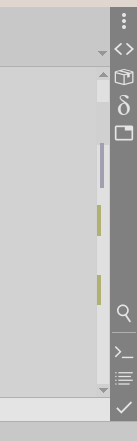
I am putting the beta with the new option, to place micromap on the vert-scrollbar.
"micromap_on_scrollbar".
you may also hide the up/down scrollbar arrows, using old option "scrollbar_arrows".
Post your comments.
http://www.uvviewsoft.com/c/
 Alexey-T
All 9 comments
Suggestion: Automatically hide the scrollbar arrows when enabling this option.
 eltonfabricio10
on 5 Sep 2021
eltonfabricio10
on 5 Sep 2021
But what if I want to show 'both arrows up' or 'both arrows down' by "scrollbar_arrows"? no, it's bad.
Alexey-T
on 5 Sep 2021
am I right that new "micromap on scrolbar" is possible to see only at the case if scrollbar is enabled?
e.g. my setting for scrollbar_arrow is 3,3 and if I will set new option and on the same time do not enable scrollbar_arrow - than I will not see micromap
if I am right on this - will be good to extend description on Options Editor for new option…
but - appreciate this new feature
 MiroslavMatas
on 5 Sep 2021
MiroslavMatas
on 5 Sep 2021
e.g. my setting for scrollbar_arrow is 3,3
It hides 2 arrows, but inner bar is still here, and micromap works Ok.
Alexey-T
on 5 Sep 2021
Hi Alex
But in this case, I lose the functionality to make a click directly on the bar and move the cursor directly to that position, do you think is possible include it?
I am user of MSSQL Management Studio for SQL development, currently this editor has this functionality, but also is customizable.
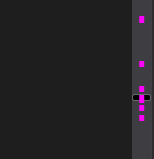
I have tested other editors and some of them to move directly to some position making a clic, but the program waits also for pressing the Alt or CTRL button.
 JairoMartinezA
on 6 Sep 2021
JairoMartinezA
on 6 Sep 2021
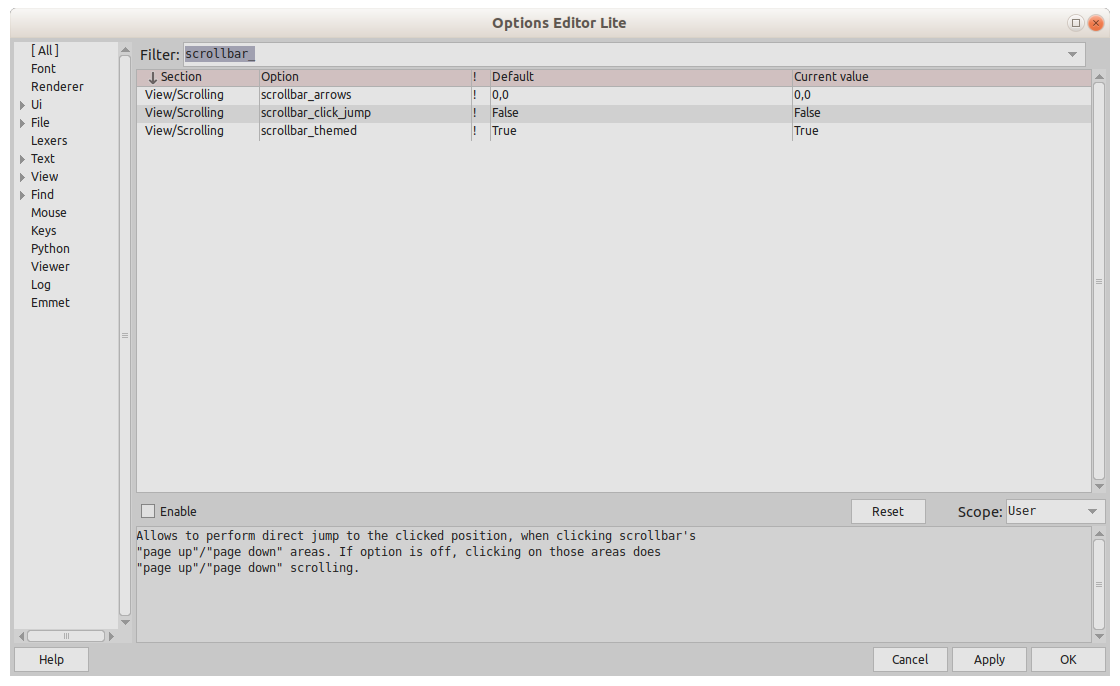
Ok, I can add the option "click on scrollbar does the jump to clicked pos".
Alexey-T
on 6 Sep 2021
Done
Alexey-T
on 6 Sep 2021
Hi Alex,
Do you think is possible to improve the functionality in order to avoid show the "blink" inherited from scrollbars when scrollbar_click_jump = true. I mean the blink in the upper or lower position of the scrollbar when the user makes a click.

JairoMartinezA
on 7 Sep 2021
Fixed this moment.
Alexey-T
on 7 Sep 2021
Related issues
Alexey-T
·
5Comments
Alexey-T
·
5Comments
JairoMartinezA
·
7Comments
JairoMartinezA
·
5Comments
Alexey-T
·
5Comments