Cudatext: Autocomplete Listbox for html attributes without the Ctrl+Space hotkey
CudaText version: 1.135.0.0
HTML Completion installed
 eltonfabricio10
All 45 comments
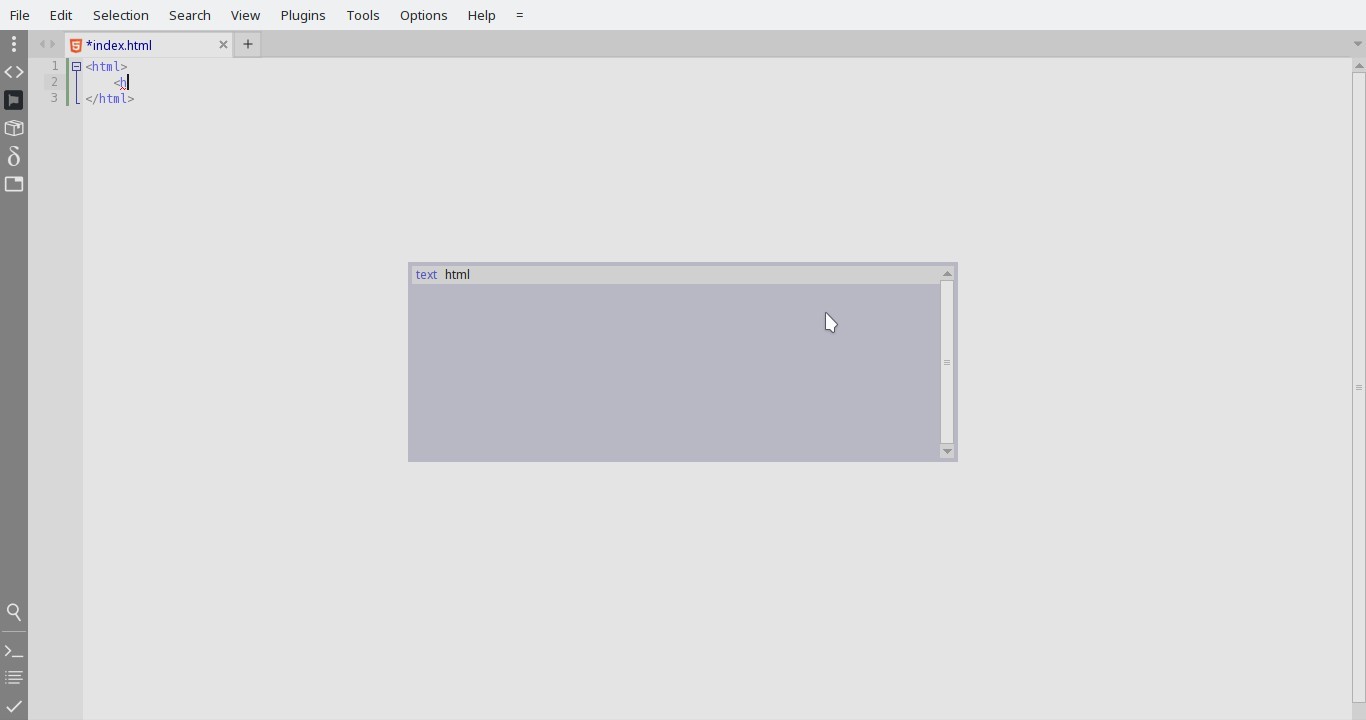
Pls clarify-- it don't apper on calling 'auto-completion' (Ctrl+space) or it don't appear from simple typing <h ?
 Alexey-T
on 23 Jun 2021
Alexey-T
on 23 Jun 2021
It seems to me - you installed 'Complete from text' plugin? then you configured 'Complete from text' to run in HTML lexer? pls don't config plugin so. it must not run in HTML lexer.
Alexey-T
on 23 Jun 2021
It seems to me - you installed 'Complete from text' plugin? then you configured 'Complete from text' to run in HTML lexer? pls don't config plugin so. it must not run in HTML lexer.
[complete_from_text]
lexers=-,ini files,markdown,restructuredtext,properties,html,php,python,bash script
min_len=2
case_sens=0
no_comments=0
no_strings=0
what_editors=1
max_lines=10000
use_acp=1
case_split=1
underscore_split=1
File: lexer HTML.json
{
  "autocomplete_autoshow_chars": 1,
  "nonword_chars": "_-+*=/\\()[]{}<>\"'.,:;~?!@#$%^&|`\u2026",
}
I was right, 'Complete from text' is active for HTML
lexers=-,ini files,markdown,restructuredtext,properties,html,php,python,bash script
pls remove html, in this config.
restart Cud.
it must be OK now?
Alexey-T
on 23 Jun 2021
Pls clarify-- it don't apper on calling 'auto-completion' (Ctrl+space) or it don't appear from simple typing
<h?
Both ways do not appear
eltonfabricio10
on 23 Jun 2021
Alexey-T
on 23 Jun 2021
I was right, 'Complete from text' is active for HTML
lexers=-,ini files,markdown,restructuredtext,properties,html,php,python,bash scriptpls remove
html,in this config.
restart Cud.
it must be OK now?
The tags appeared, but now the text doesn't appear
eltonfabricio10
on 23 Jun 2021
but now the text doesn't appear
what text do you expect? I see tags h1, h2, etc.
Alexey-T
on 23 Jun 2021
I like text and tags together, how to do?
eltonfabricio10
on 23 Jun 2021
They cannot be here together, only 'text' from plugin or tags from Cud.
Alexey-T
on 23 Jun 2021
:( Thanks
eltonfabricio10
on 23 Jun 2021
Is it possible to display listbox for html attributes without the Ctrl+Space hotkey? (like ST)
eltonfabricio10
on 2 Jul 2021
We have an option - find it by “auto show” (maybe without space) and write it to Html specific config.
Alexey-T
on 2 Jul 2021
This option is already configured, but it is not working.
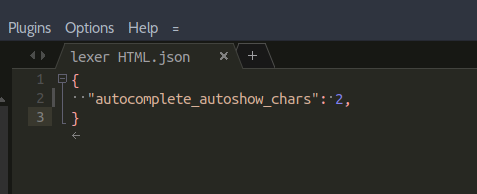
Only display the listbox with the hotkey.
It only works for tags and not for attributes and values. This must be some bug.
eltonfabricio10
on 2 Jul 2021
yes, I confirm that option is not working for HTML props/values. will work on this.
it must not work for values (quoted strngs with autocomplete? how it must work and what to suggest?),
but must work for props.
Alexey-T
on 2 Jul 2021
fixed now, will be in the next update.
Alexey-T
on 2 Jul 2021
Yes, autocomplete for quoted values. This works with hotkey only.
eltonfabricio10
on 2 Jul 2021
I put beta here http://www.uvviewsoft.com/c/
Pls test?
Alexey-T
on 2 Jul 2021
Ok thanks
eltonfabricio10
on 2 Jul 2021
It worked, but missing:
- Auto-completion of the quotes after the "=" in attr
- Auto-completion of pre-defined values for each attr
eltonfabricio10
on 2 Jul 2021
What I tried when option is 2. Added A tag with attr “target”, typed
=“_b
And this shows the auto completion.
What is your case?
Alexey-T
on 2 Jul 2021
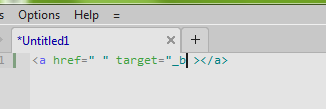
Same configuration and here does not show
eltonfabricio10
on 2 Jul 2021
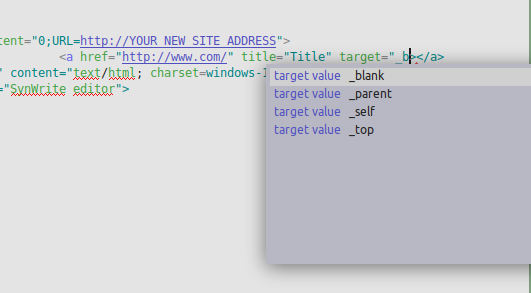
Updated beta at the same URL
Seems fixed...
Alexey-T
on 2 Jul 2021
Thank you very much my friend! CudaText is very good!
eltonfabricio10
on 2 Jul 2021
Auto-completion of the quotes after the "=" in attr
it is possible?
eltonfabricio10
on 2 Jul 2021
Do you mean to auto insert " after = is typed? but we can have integer values.
Alexey-T
on 2 Jul 2021
Do you mean to auto insert " after = is typed? but we can have integer values.
Ok, but string values are more common.
eltonfabricio10
on 2 Jul 2021
Ok, todo for me: auto insert 2 quotes after value=, place caret in between.
Alexey-T
on 2 Jul 2021
Beta in the same dir, updated-
1.136.1 (2021/07)
- add: auto-completion in HTML: insert not only 'value=' but 'value="|"'
Alexey-T
on 2 Jul 2021
Another question:
I know it can be a difficult implementation...
- Display last used attribute in HTML first on autocompletion
For example: When you type the attr class in a div, then in the next tag show the attr class first.
eltonfabricio10
on 2 Jul 2021
I dont think it's good. reason: user types first chars of attr, so he types "c" or "cl" and so "class" is one of first items.
Alexey-T
on 2 Jul 2021
Anyway, already is excellent :)
Sublime shows auto-completion without typing letters. For this reason I suggested it.
And in CudaText the user is required to type, so it doesn't make sense
eltonfabricio10
on 2 Jul 2021
They cannot be here together, only 'text' from plugin or tags from Cud.
But it may be that there is some way to make them work together. ;-)
eltonfabricio10
on 2 Jul 2021
Sublime shows auto-completion without typing letters. For this reason I suggested it.
So it is like CudaText option "autocomplete_autoshow_chars": 1 ?
1 char is calling listbox?
And in CudaText the user is required to type, so it doesn't make sense
You must type 1 char in Cud and in Sublime, no? if you type non-word chars in Sublime - listbox isnot shown?
Alexey-T
on 2 Jul 2021
(checked the Sublime: if I type non-word chars in HTML, listbox isn't shown.)
Alexey-T
on 2 Jul 2021
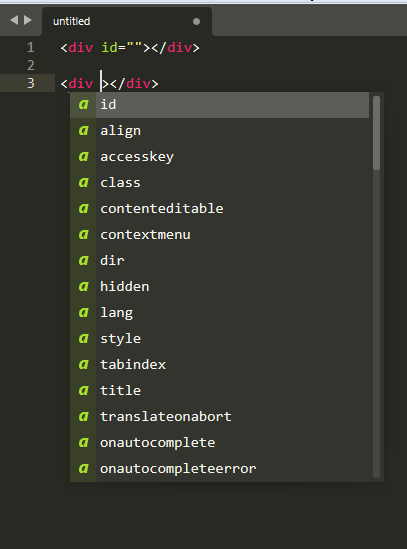
When typing space shows listbox (ST)
In Sublime there's this: 3456#issuecomment-873187433
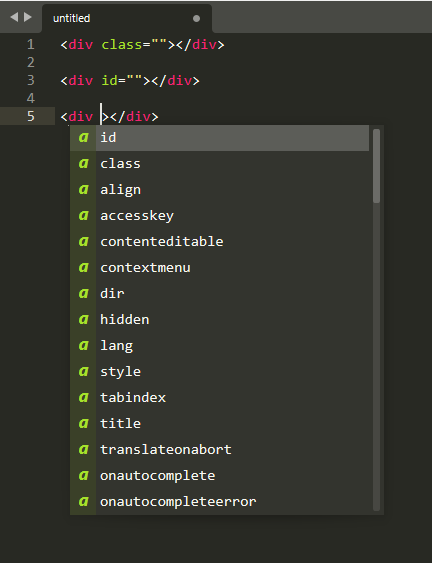
used attr show first
eltonfabricio10
on 2 Jul 2021
we have the option 'autocomplete_trigger_chars', maybe try to add space there? only for HTML lexer.
Alexey-T
on 2 Jul 2021
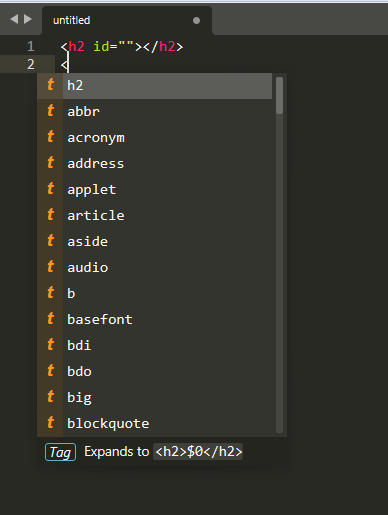
The last tag used also shows first
eltonfabricio10
on 2 Jul 2021
we have the option 'autocomplete_trigger_chars', maybe try to add space there? only for HTML lexer.
Ok! I'll try
eltonfabricio10
on 2 Jul 2021
Elton,
I wrote the last wish to #3490, will write there when I'll do it.
Alexey-T
on 2 Jul 2021
I see that 'autocomplete_trigger_chars' does its job.
Alexey-T
on 2 Jul 2021
I see that 'autocomplete_trigger_chars' does its job.
It works in every document, but it should only work between "<>"
eltonfabricio10
on 2 Jul 2021
example: I install plugin 'Complete from text'.
I set 'html' for its lexers and options no_comments/no_strings.
and I use 'autocomplete_trigger_chars': " " (space).
then space must trigger listbox NOT only inside <> but also for outer html text, for 'complete from text'.
Alexey-T
on 3 Jul 2021
example: I install plugin 'Complete from text'.
I set 'html' for its lexers and options no_comments/no_strings.and I use 'autocomplete_trigger_chars': " " (space).
then space must trigger listbox NOT only inside <> but also for outer html text, for 'complete from text'.
I will test
eltonfabricio10
on 3 Jul 2021
Related issues
Alexey-T
·
5Comments
 jczanfona
·
5Comments
Alexey-T
·
5Comments
jczanfona
·
5Comments
Alexey-T
·
5Comments
 rhinolophus
·
5Comments
rhinolophus
·
5Comments
 JairoMartinezA
·
5Comments
JairoMartinezA
·
5Comments